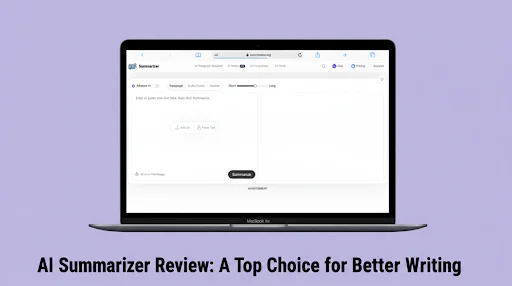
AI Summarizer Review: A Top Choice for Better Writing

While drafting my content, I often miss small details that affect clarity. At times, the idea sounds fine to me, but the text does not feel on point. Some sentences say too much at once. Others repeat the same point from a different angle, causing repetition. As a result, the message does not feel clear.
Good writing is not just about sharing ideas. It becomes good when the thoughts are shared in a clear way, errors are removed, and the text stays precise. Due to such issues, I started using AI Summarizer writing toolkit to handle problematic areas of my content. It has multiple writing tools to support different writing needs. It helps me shorten lengthy paragraphs and fix issues related to tone.
After spending some time using it in real writing tasks, I thought it was worth sharing a detailed review. Each of the tools I mention below was personally tested and proved to be accurate and practical during actual use.
Overview of the AI Summarizer
AI Summarizer is an online writing toolkit that helps with multiple writing tasks. These include shortening lengthy text sections, improving originality, and refining text clarity.
Its diverse range of tools makes it suitable for improving drafts or making quick edits. Every tool serves a clear purpose. Using these tools consistently can also enhance your content quality and search engine performance.
Tools That Support Better Writing
Let’s discuss some tools that I often use to refine my content and how they contribute to better writing.
Summarizer
This is its primary tool that helps condense lengthy content, remove repetition, and keep the main idea intact.
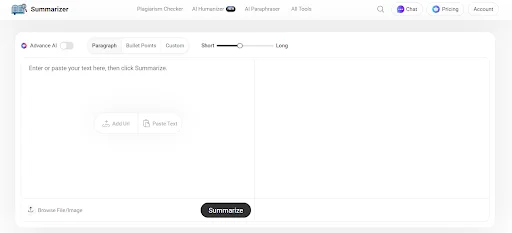
It is common for writers, including me, to write more text than the required length in the first draft. Important ideas feel buried under extra details. This makes the content vague. However, this tool helps remove unnecessary lines and keep the core idea preserved. It works well for long articles, reports, or rough drafts that need to be cleaned up without losing meaning.
I inserted a long paragraph from a rough draft, which I wanted to make concise and clear without losing key points. Here’s how the tool summarized it:
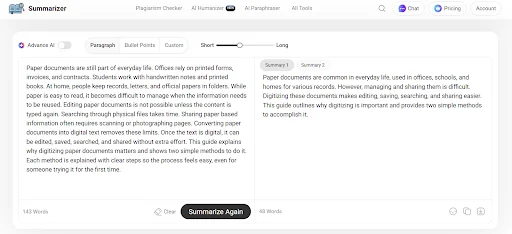
The tool did it accurately by removing the unnecessary lines. The output feels crisp, concise, and on point, which I like to reflect in my writing. Also, shorter and clearer paragraphs are easier for search engines to crawl, which can improve SEO performance.
Key Features
- Adjustable summary length
- An option to format the output in bullet points
- Custom feature to summarize text according to specific needs
AI Paraphraser
This tool helps refine the content wording without changing the original meaning. It automatically replaces complex wording with smoother and more natural ones.
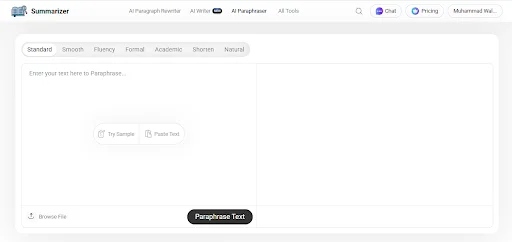
The Paraphraser tool helps remove repetition from your sentences and makes them easy to read. It is especially useful for adjusting your content according to different target audiences, as it offers multiple paraphrasing modes. These modes include Smooth, Fluency, Formal, Academic, and more. After passing the content through this tool, the content becomes more readable and engaging without losing the original intent. Readable content also tends to retain users longer, which can improve SEO metrics like engagement.
Let’s test this tool with a paragraph that feels slightly repetitive and awkward.
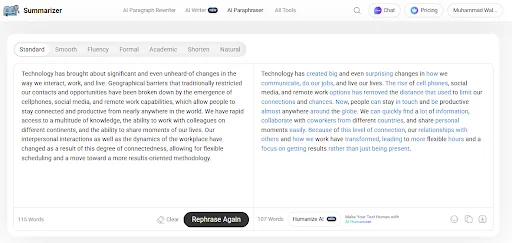
In the image above, you can see that the tool made the text cleaner and removed repetition, while preserving the original intent.
Key Features
- Multiple rewriting styles: Standard, Smooth, Fluency, Formal, and Academic.
- Keeps the meaning intact
- Highlights changes
Plagiarism Checker
This tool helps you check plagiarism in your content and make sure that it stays original.
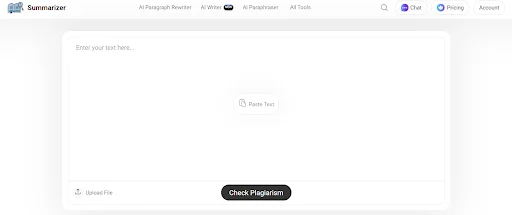
Even when writing from scratch, there is always a chance that a sentence may closely match existing content, especially when discussing common topics. That overlap can create problems if not identified early.
I tested this tool by inserting a section of my draft to see whether it could detect similarity accurately. Within a short time, it generated a detailed report showing matched sources and the percentage of similarity. The highlighted lines made it easy to identify which parts needed revision, as shown in the image below:
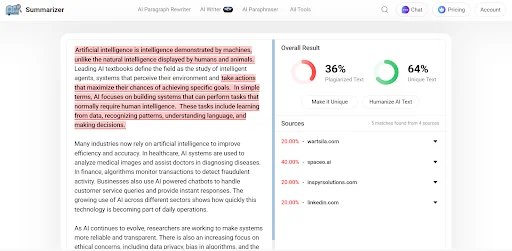
What I found helpful is that it does not just point out duplication. It allows you to clearly see where the overlap exists, so you can rewrite those sections before publishing. This adds confidence, especially when submitting professional or academic work. Maintaining original content can help your pages rank higher, as search engines favor unique material.
Key Features
- Accurate similarity detection
- Highlights matched text clearly
- Shows percentage score with source links
- Quick scanning process
AI Humanizer
This tool helps improve the tone of your content. It ensures that the text sounds conversational and human-focused.
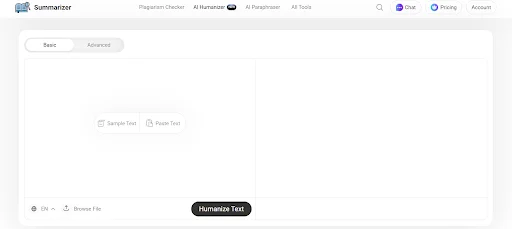
After I finish writing a content piece, reading it again often reveals that some sections feel stiff or mechanical. It is a common issue for many writers as it is challenging to always write in the same flow and tone. AI humanizer helps smooth out those sections. Once you finish writing content, you can pass it through this tool to make the text feel more natural and consistent. This helps make your overall writing better. Also, content that feels natural and engaging tends to rank better because readers spend more time interacting with it.
To show you how this tool works to smooth out the tone, I entered a stiff paragraph into this tool.
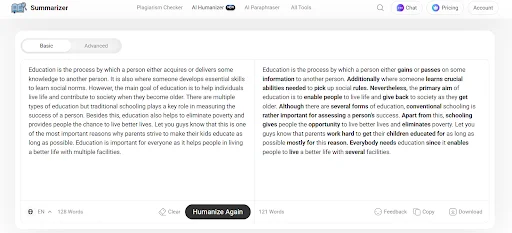
The tool took a couple of seconds to remove a robotic tone and wording. You can see in the image above that the output sounds more natural and conversational.
Key Features
- Natural phrasing adjustments
- Provides a basic and advanced mode
- Multilanguage support
- Improved sentence flow and tone
Conclusion Generator
This tool helps generate a clear closing paragraph that effectively wraps up the content.
A strong conclusion gives a sense of completion to your content. It also leaves a lasting impression on the reader. These final thoughts are where I struggle the most. Writing a clear and effective conclusion has always been the hardest part for me, and probably for many other writers as well. I know what to say, but the ending often sounds either rushed or feels like I’m repeating the introduction.
However, this tool solves this issue by providing clear and focused ending words based on the main points. It helps me give my content an effective closing that leaves the reader with a clear final takeaway. You can use it to quickly close essays, articles, or reports without losing focus on the main message. For me, it has made my overall writing better and more effective. A concise and well-structured conclusion can improve SEO by reinforcing key topics and keywords for search engines.
Let’s do a quick test of this tool by giving it an article draft.
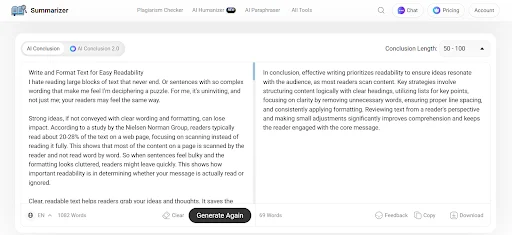
The tool generated a conclusion that wrapped everything up clearly, as you can see in the image above. It didn’t miss even a single important point.
Key Features
- Topic-based conclusions
- Dual modes
- Customizable length
Final Words
The AI Summarizer has made a clear difference in how I write and edit my content. Every tool serves a specific purpose. It offers multiple tools that help improve clarity and achieve brevity in content. The combined use of these tools makes the entire writing process faster, cleaner, and more focused.
This is especially helpful for those who want to save time writing content without sacrificing quality. It helps convert your drafts into a polished text. I’ve shared my experience with this toolkit above. Overall, it is a great choice for better writing.