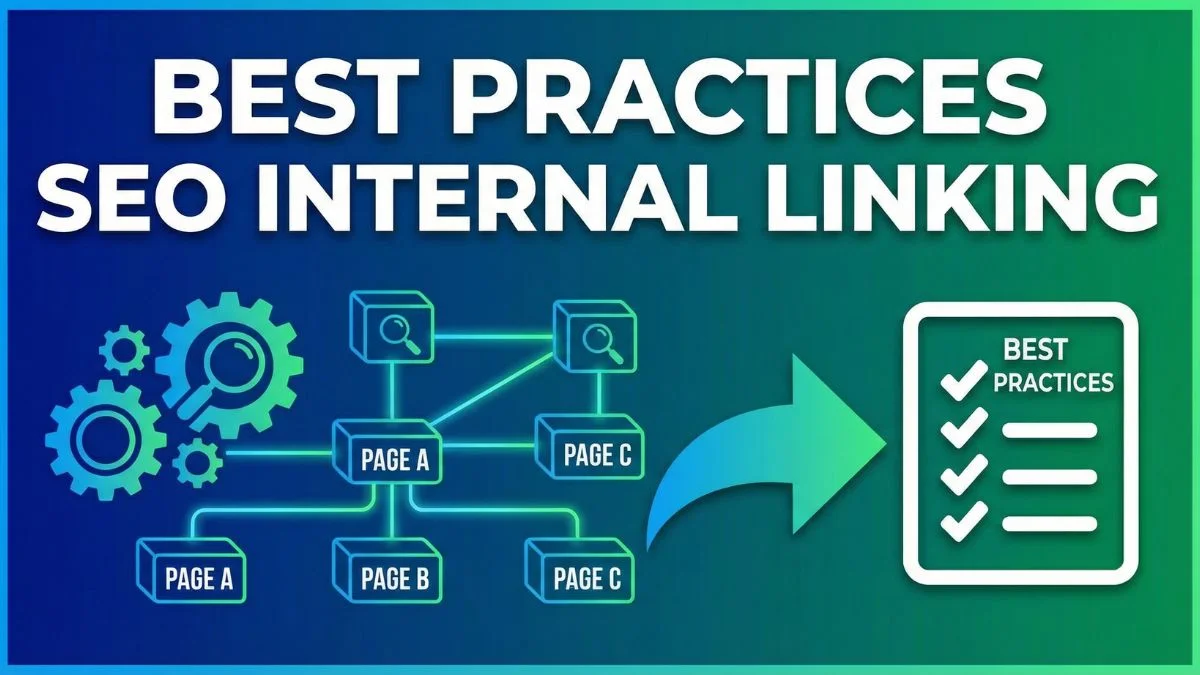
Best Practices for Internal Linking in SEO

Best Practices for Internal Linking in SEO
Internal linking is one of the most underutilized yet powerful SEO strategies that can dramatically improve your website's search engine rankings, user experience, and overall site performance. When implemented correctly, internal links create a web of connections that help search engines understand your site structure while guiding visitors through your content ecosystem. In this comprehensive guide, we'll explore the best practices for internal linking that will transform your SEO strategy and drive measurable results.
Understanding Internal Linking: The Foundation of SEO Success
Internal linking refers to the practice of linking one page of your website to another page on the same domain. Unlike external links that point to other websites, internal links keep users within your site ecosystem, distributing page authority and establishing a clear content hierarchy. These links serve as pathways that search engine crawlers follow to discover and index your content while simultaneously helping users navigate your website intuitively.
The importance of internal linking cannot be overstated. Search engines like Google use sophisticated algorithms to evaluate how pages on your website relate to each other. When you create strategic internal links, you're essentially telling search engines which pages are most important and how different pieces of content connect thematically. This interconnected structure helps search engines understand your site's architecture and can significantly impact your rankings.
According to research from leading SEO authorities like Moz, internal linking is a critical ranking factor that influences how link equity (also known as "link juice") flows throughout your website. When you link from a high-authority page to a newer or less visible page, you're transferring some of that authority, helping the linked page rank better in search results.
The Strategic Value of Internal Linking
Internal linking offers multiple strategic advantages that extend far beyond basic navigation. First, it improves crawlability by creating clear pathways for search engine bots to discover all your content. When pages are well-connected through internal links, crawlers can efficiently index your entire site, ensuring that no valuable content gets overlooked.
Second, internal linking distributes page authority across your website. Every page on your site has a certain amount of authority or "link equity" based on factors like backlinks, content quality, and user engagement. By strategically linking from high-authority pages to important target pages, you can boost the ranking potential of those target pages. This is particularly valuable for new content that hasn't yet accumulated external backlinks.
Third, internal linking enhances user experience by guiding visitors to related content they might find valuable. When users can easily discover relevant articles, products, or services through contextual links, they're more likely to stay on your site longer, explore multiple pages, and convert into customers or subscribers. This increased engagement sends positive signals to search engines about your content quality.
For a comprehensive understanding of how search engines evaluate your site, check out our Website SEO Score Checker tool, which analyzes various ranking factors including internal link structure.
Developing an Internal Linking Strategy
Creating an effective internal linking strategy requires careful planning and a clear understanding of your site's content hierarchy. Start by identifying your pillar pages—these are comprehensive, authoritative pages that cover broad topics in depth. Pillar pages should be among your most important pages and should receive the most internal links from other content on your site.
Next, create supporting content that addresses specific subtopics related to your pillar pages. These supporting articles should link back to the relevant pillar page while also linking to each other when contextually appropriate. This creates a topic cluster model that search engines recognize as a sign of topical authority.
Your homepage naturally carries the most authority on your site, so use it wisely. Link from your homepage to your most important category pages and pillar content. However, avoid overcrowding your homepage with too many links, as this can dilute the value passed to each linked page.
Consider implementing a tiered linking structure where tier 1 pages (homepage) link to tier 2 pages (main category pages), which link to tier 3 pages (subcategory pages and pillar content), which finally link to tier 4 pages (individual blog posts and product pages). This hierarchical structure helps search engines understand the relative importance of different pages.
To analyze your site's structure and identify optimization opportunities, use our Spider Simulator tool to see how search engine crawlers view your internal link architecture.
Anchor Text Optimization: The Art of Strategic Linking
Anchor text—the clickable words in a hyperlink—plays a crucial role in internal linking effectiveness. Search engines use anchor text as a relevancy signal to understand what the linked page is about. Therefore, choosing the right anchor text is essential for maximizing the SEO value of your internal links.
Use descriptive, keyword-rich anchor text that accurately reflects the content of the destination page. Instead of generic phrases like "click here" or "read more," use specific terms that match the target page's topic. For example, if you're linking to an article about keyword research, your anchor text might be "comprehensive keyword research guide" or "advanced keyword research techniques."
However, avoid over-optimization by using the exact same anchor text repeatedly. This can appear manipulative to search engines and may trigger algorithmic penalties. Instead, vary your anchor text naturally using synonyms, related terms, and different phrasings that all relate to the target page's topic.
Branded anchor text (using your company name) and naked URLs (the full URL as anchor text) should also be part of your anchor text portfolio, though they typically provide less SEO value than descriptive keyword-rich anchors. The key is maintaining a natural, diverse anchor text profile that doesn't raise red flags.
Long-tail anchor text can be particularly effective because it targets specific search queries while appearing more natural. For instance, "how to conduct keyword research for e-commerce sites" is more specific and valuable than just "keyword research."
For tools that help identify the best keywords to target in your anchor text, explore our Keyword Research Tool and Related Keywords Finder to discover semantic variations and related terms.
Strategic Link Placement for Maximum Impact
Where you place internal links within your content significantly affects their value and effectiveness. Links placed higher in the content, particularly within the first 100 words, typically carry more weight than links buried at the bottom of the page. This is because search engines prioritize content that appears earlier in the document.
Contextual links embedded naturally within body content are the most valuable type of internal links. These links appear relevant to both users and search engines because they exist within the context of related information. When readers encounter these links while consuming content, they're more likely to click them because they promise additional relevant information.
Navigation links in menus, headers, and footers are important for usability but typically carry less SEO weight than contextual links. However, they're still valuable for helping users navigate your site and ensuring all important pages are easily accessible. Your main navigation should link to your most important category pages and key landing pages.
Sidebar links can be useful for promoting related content, but use them judiciously. Too many sidebar links can distract from your main content and dilute the value of contextual links within your body content. Consider limiting sidebar links to 3-5 highly relevant recommendations.
Footer links are helpful for providing access to important pages like privacy policies, contact information, and site maps, but they carry minimal SEO value. Avoid stuffing your footer with excessive keyword-rich links, as this can appear spammy.
Within blog posts and articles, aim to include 2-5 relevant internal links per 1,000 words of content. This provides enough linking opportunities without overwhelming readers or appearing manipulative to search engines. Our Online Text Editor can help you craft well-structured content with optimal link placement.
Building Topic Clusters Through Internal Linking
The topic cluster model has become a cornerstone of modern SEO strategy, and internal linking is what makes this model work. A topic cluster consists of a pillar page covering a broad topic comprehensively, surrounded by cluster content that addresses specific subtopics in detail.
The pillar page serves as the central hub, linking out to all relevant cluster content. Each cluster page then links back to the pillar page and may link to other related cluster pages when contextually appropriate. This creates a tightly interconnected web of content that signals topical authority to search engines.
For example, if your pillar page covers "SEO best practices," you might have cluster content on "on-page SEO techniques," "technical SEO essentials," "link building strategies," and "content optimization methods." Each of these cluster pages would link back to the main pillar page while also linking to each other when relevant.
This structure helps search engines understand that you have comprehensive coverage of a topic, increasing your chances of ranking for competitive terms. It also keeps users engaged by providing clear pathways to related information they might find valuable.
When building topic clusters, ensure that your pillar content is truly comprehensive and deserves to be the hub. It should be longer and more detailed than your cluster content, typically ranging from 3,000 to 5,000 words or more. Check out our guide on How to Develop an Effective SEO Strategy to understand how topic clusters fit into your overall SEO approach.
Technical Considerations for Internal Linking
Beyond strategy and content, several technical aspects of internal linking deserve attention. First, always use absolute URLs (including your full domain name) rather than relative URLs when possible. While relative URLs work fine, absolute URLs are clearer and help prevent issues during site migrations or when content is syndicated.
Second, ensure all internal links use the HTTPS protocol if your site has an SSL certificate. Mixed content warnings can harm user trust and may cause browsers to block certain resources, negatively impacting user experience.
Third, avoid linking to pages that redirect to other pages. These redirect chains waste crawl budget and dilute link equity. If you need to update a link, point it directly to the final destination rather than going through redirects. Use our Htaccess Redirect tool to identify and fix redirect issues.
Fourth, implement breadcrumb navigation with structured data markup. Breadcrumbs provide an additional layer of internal linking that helps both users and search engines understand your site's hierarchy. They also often appear in search results, potentially improving click-through rates.
Fifth, create and maintain an XML sitemap that includes all your important pages. While sitemaps aren't a substitute for internal linking, they provide a fallback mechanism to ensure search engines can discover all your content. Our XML Sitemap Generator makes this process simple and efficient.
Sixth, regularly audit your internal links to identify and fix broken links. Broken internal links create dead ends for users and crawlers, wasting link equity and harming user experience. Our Online Ping Website Tool can help verify link functionality across your site.
Avoiding Common Internal Linking Mistakes
Even experienced webmasters make internal linking mistakes that undermine their SEO efforts. One common error is orphan pages—pages with no internal links pointing to them. These pages are extremely difficult for search engines to discover and index, essentially making them invisible in search results. Regularly audit your site to identify orphan pages and create relevant internal links to them.
Another mistake is excessive linking, which can overwhelm users and dilute the value of each link. Don't link to the same page multiple times from a single article using different anchor text, as search engines will only count the first link. Instead, link once with your best anchor text and move on.
Using nofollow attributes on internal links is generally unnecessary and counterproductive. Nofollow tells search engines not to pass link equity to the linked page, which defeats the purpose of internal linking for SEO. Reserve nofollow for external links to untrusted sources or paid placements.
Ignoring mobile users is another critical mistake. Ensure your internal links are easily clickable on mobile devices with adequate spacing between links. Small, closely-packed links frustrate mobile users and may cause them to bounce from your site. Test your site's mobile experience with our Mobile Friendly Test tool.
Creating links solely for SEO purposes without considering user value is a mistake that can backfire. Every internal link should serve a legitimate purpose for users by providing access to genuinely relevant additional information. If a link feels forced or irrelevant, don't include it.
Finally, neglecting to update internal links when you update or delete content creates broken links and poor user experiences. Implement a content management process that includes reviewing and updating internal links whenever you make significant content changes.
Leveraging Internal Linking for Content Promotion
Internal linking is one of the most effective ways to promote new content and drive traffic to important pages without relying on external promotion. When you publish a new article, immediately identify existing content that could naturally link to it. Add contextual links from 3-5 relevant existing articles to your new content to give it an initial boost.
Conversely, when publishing new content, look for opportunities to link to older, high-performing articles that deserve more visibility. This helps resurrect "zombie content" that may have fallen off your readers' radar but still provides value.
Strategically link to conversion-focused pages like product pages, service pages, or lead magnets from your informational content. This creates pathways for readers to transition from educational content to commercial pages when they're ready to take action.
Create "hub pages" or "resource pages" that compile links to your best content on specific topics. These pages serve as comprehensive directories that provide immense value to users while creating multiple internal linking opportunities. Link to these hub pages from your main navigation or sidebar to maximize their visibility.
Update your most popular pages regularly to include links to newer content. Since these pages already attract significant traffic, they're perfect launching pads for promoting new articles and distributing link equity to important pages.
For insights on which pages drive the most traffic, use our Google Cache Checker to see which content Google is actively crawling and indexing, indicating its importance in your site structure.
Internal Linking in Different Content Types
Different types of content require different internal linking approaches. Blog posts offer the most flexibility for contextual internal linking because they're text-heavy and cover specific topics in detail. Aim for 3-5 relevant internal links per blog post, naturally woven into the content where they add value.
Product pages in e-commerce sites should link to related products, complementary items, and relevant category pages. This not only improves SEO but also increases average order value by exposing customers to additional purchase options. Link from product descriptions to blog posts that provide usage tips or answer common questions about the product.
Category pages should link to subcategories and featured products while also linking back to higher-level category pages. This creates a clear hierarchy that helps both users and search engines navigate your product catalog efficiently.
Landing pages focused on conversion should include strategic internal links to supporting content that addresses objections, provides social proof, or offers additional information. However, be careful not to create too many exit paths from landing pages designed for a single conversion action.
About pages, contact pages, and other informational pages should link to your most important content and service pages. These pages often receive direct traffic from branded searches, making them valuable sources of internal link equity.
Resource pages and comprehensive guides offer excellent opportunities for extensive internal linking since they're designed to provide thorough coverage of a topic. These pages can reasonably include dozens of internal links to related content without appearing excessive.
Measuring Internal Linking Success
Tracking the effectiveness of your internal linking strategy requires monitoring several key metrics. Start with organic traffic growth to pages you're strategically linking to. If your internal linking strategy is working, you should see traffic increases to target pages as search engines assign them greater importance.
Monitor average session duration and pages per session in Google Analytics. Improvements in these metrics suggest that users are following your internal links and engaging with multiple pieces of content during their visits. This increased engagement signals content quality to search engines.
Track the bounce rate of pages with strategic internal links. A decreasing bounce rate often indicates that users are finding your internal links relevant and valuable enough to explore additional content rather than leaving your site immediately.
Use Google Search Console to monitor improvements in impressions and click-through rates for target pages receiving increased internal links. As these pages gain authority through internal linking, they should appear more frequently in search results for relevant queries.
Analyze your internal link profile using SEO tools like Ahrefs, SEMrush, or Screaming Frog to identify which pages have the most internal links and which pages might need more links. Look for orphan pages, broken links, and opportunities to strengthen your internal linking structure.
Monitor conversion rates for pages that are part of your internal linking strategy. Effective internal linking should not only improve rankings but also guide users through conversion funnels more efficiently, ultimately increasing conversion rates.
Our SERP Checker tool can help you monitor your search engine rankings for target keywords as you refine your internal linking approach.
Advanced Internal Linking Techniques
Once you've mastered basic internal linking, consider implementing advanced techniques to maximize your SEO impact. Contextual deep linking involves linking to specific sections of long-form content using anchor links (URLs with # fragments). This provides users with precise information while creating additional indexable URLs.
Implement a "recommended reading" section at the end of blog posts that algorithmically suggests related content based on tags, categories, or semantic similarity. This automates the internal linking process while ensuring recommendations remain relevant as your content library grows.
Use dynamic internal linking that changes based on user behavior, location, or other personalization factors. For example, returning visitors might see different internal link suggestions than first-time visitors, creating more relevant user experiences.
Create comprehensive content hubs that serve as central reference points for specific topics. Link to these hubs frequently from related content, and ensure the hubs themselves contain extensive internal links to all relevant supporting content.
Implement silos or content clusters with strict internal linking rules that keep links within each silo while strategically connecting silos only when highly relevant. This approach requires discipline but can dramatically improve topical authority for competitive keywords.
Leverage user-generated content opportunities by encouraging comments, forum discussions, or Q&A sections where users naturally link to relevant pages. While you should nofollow external links in user-generated content, internal links can remain followed and contribute to your link structure.
Learn more about advanced SEO tactics in our guide on 10 Expert SEO Tricks Google Loves.
Internal Linking for Large Websites
Large websites with thousands or millions of pages face unique internal linking challenges. Automated internal linking becomes essential at scale, but automation must be implemented thoughtfully to avoid creating irrelevant or spammy links.
Develop a clear site architecture with distinct categories, subcategories, and content types. This structure provides a framework for systematic internal linking that scales effectively. Document your site architecture and ensure all team members understand how different sections relate to each other.
Implement pagination carefully, ensuring that search engines can discover all paginated content while consolidating link equity to the most important pages. Use rel="next" and rel="prev" tags to signal pagination relationships, and consider implementing "view all" options for shorter series.
For e-commerce sites with extensive product catalogs, leverage faceted navigation carefully. While faceted navigation improves user experience, it can create duplicate content issues and crawl budget waste. Use robots.txt, noindex tags, or URL parameters in Google Search Console to manage how search engines handle faceted navigation.
Create automated systems that suggest relevant internal links to content creators based on topic similarity, keyword overlap, or user behavior data. Tools like LinkWhisper or manual processes using spreadsheets can help identify linking opportunities at scale.
Regular technical audits become critical for large sites. Use enterprise-level crawling tools to identify broken links, orphan pages, redirect chains, and other issues that inevitably arise in large, complex sites.
For analyzing your site's technical health, use our Find DNS Record tool to ensure your domain infrastructure supports your internal linking strategy effectively.
Internal Linking and Page Experience
Google's Page Experience update emphasizes the importance of user experience metrics like Core Web Vitals, mobile-friendliness, and safe browsing. Your internal linking strategy should support these experience factors rather than undermine them.
Ensure that internal links don't negatively impact page load speed. Excessive redirects, slow-loading destination pages, or large numbers of links can all slow down page performance. Optimize your site's overall speed using techniques like lazy loading, browser caching, and content delivery networks.
Make internal links accessible to all users, including those using assistive technologies. Use descriptive anchor text that makes sense when read by screen readers, and ensure links have adequate color contrast and are clearly distinguishable from regular text.
Implement smooth scroll behavior for anchor links within the same page to create a polished user experience. This is particularly important for long-form content where internal section links are common.
Avoid intrusive interstitials that appear when users click internal links. While pop-ups and overlays have their place in conversion optimization, they should not disrupt the natural flow of users following internal links to access content.
Test your internal linking experience across different devices, browsers, and connection speeds. A link structure that works perfectly on a desktop computer with fast internet might frustrate mobile users on slow connections.
For comprehensive guidance on optimizing user experience, explore our article on 5 UX-Boosting Website Speed Tips and learn how speed impacts both SEO and internal linking effectiveness.
The Future of Internal Linking
As search engines become more sophisticated, internal linking strategies must evolve to remain effective. Machine learning algorithms now better understand content relationships beyond simple keyword matching, meaning context and semantic relevance matter more than ever.
Entity-based SEO is reshaping how we think about internal linking. Rather than simply matching keywords, focus on linking related entities—people, places, concepts, and things—that provide genuine value to users seeking comprehensive information.
Voice search and AI-powered search assistants are changing how users discover content. Optimize your internal linking for question-based queries and conversational search patterns by creating clear pathways from common questions to comprehensive answers.
Visual search is emerging as a significant discovery channel. Ensure images within your content are properly optimized and link to relevant pages. Implement image sitemaps and structured data to help search engines understand visual content relationships.
Google's passage ranking update means that individual sections of long-form content can rank independently for specific queries. This makes strategic anchor linking to specific sections even more valuable for both users and SEO.
Zero-click searches are increasing as Google provides more answers directly in search results. While this might seem to reduce the value of rankings, strong internal linking helps establish topical authority that increases your chances of being featured in rich results.
Stay informed about emerging trends by following resources like Search Engine Journal and Search Engine Land, which provide up-to-date information on algorithm changes and best practices.
Creating an Internal Linking Workflow
Consistency is key to internal linking success, which requires establishing a repeatable workflow. Create a content calendar that includes time for internal link optimization, not just content creation. When planning new content, identify linking opportunities to and from existing content before you start writing.
Develop an internal linking checklist that content creators follow for every piece of content:
- Identify 3-5 relevant existing pages to link to
- Choose descriptive, keyword-rich anchor text
- Place links naturally within content context
- Identify 3-5 existing pages that should link to the new content
- Update those existing pages with relevant links to the new content
- Document all links in a spreadsheet for future reference
Assign responsibility for internal linking to specific team members. In small teams, this might be the content creator themselves, while larger teams might have dedicated SEO specialists who handle link optimization.
Schedule regular internal link audits—monthly for small sites, weekly for large, frequently updated sites. Use these audits to identify and fix broken links, update outdated links, and discover new linking opportunities you may have missed.
Create internal linking guidelines that define your strategy, preferred anchor text formats, and technical requirements. Share these guidelines with everyone who creates or edits content on your site to ensure consistency.
Use project management tools to track internal linking tasks and ensure nothing falls through the cracks. Many teams use tools like Asana, Trello, or Monday.com to manage ongoing SEO tasks including internal linking optimization.
Internal Linking for Local SEO
Businesses targeting local markets need to adapt their internal linking strategies accordingly. Create location-specific landing pages for each area you serve and link to these pages from your homepage and main service pages. This helps establish relevance for local search queries.
Link from location pages to relevant local content like area guides, local events, or community involvement pages. This demonstrates your connection to the local community and provides value to local searchers.
Create service area pages that outline the specific regions you serve, linking to detailed landing pages for each location. This creates a clear hierarchy that helps search engines understand your geographic relevance.
Link from blog posts about local topics to your main location pages when contextually relevant. For example, a blog post about "best practices for homeowners in [city]" should link to your [city] landing page if you provide services there.
Implement breadcrumb navigation that includes location information, creating additional internal linking opportunities that reinforce local relevance. For example: Home > Services > [Service] > [City]
For more local SEO tactics, explore external resources like Moz's Local SEO Guide to complement your internal linking strategy.
Internal Linking Case Studies and Real-World Results
Understanding how internal linking impacts real businesses provides valuable context for implementation. Multiple studies have demonstrated that strategic internal linking can increase organic traffic by 25-40% within 3-6 months without creating any new content or building new backlinks.
One e-commerce case study found that adding strategic internal links from category pages to underperforming product pages increased the organic traffic to those product pages by an average of 52% over three months. The site simply identified products that were selling well but weren't ranking well, then added relevant internal links from high-traffic category and blog pages.
A B2B SaaS company implemented a topic cluster strategy with comprehensive internal linking between pillar pages and cluster content. Within six months, their pillar pages ranked in the top 3 positions for their target keywords, generating a 180% increase in organic traffic and a 65% increase in qualified leads from organic search.
A content-heavy news website reorganized their internal linking structure to create clearer topic silos and eliminate orphan pages. The result was a 31% increase in pages per session and a 27% decrease in bounce rate, with corresponding improvements in ad revenue from increased engagement.
These examples demonstrate that internal linking isn't just theoretical—it delivers measurable business results when implemented strategically and consistently.
Tools and Resources for Internal Linking
Several tools can streamline your internal linking efforts and provide insights into optimization opportunities. Screaming Frog SEO Spider is an essential tool for auditing internal links, identifying broken links, and analyzing anchor text distribution across your site.
Google Search Console provides valuable data about how Google crawls your site and can identify pages with few or no internal links. The Coverage report shows which pages are indexed and which are excluded, often revealing orphan pages that need internal links.
Ahrefs and SEMrush both offer internal link analysis features that show which pages have the most internal links, which pages link to each page, and opportunities to improve your link structure. These tools also identify broken internal links and redirect chains.
LinkWhisper is a WordPress plugin specifically designed to facilitate internal linking by suggesting relevant linking opportunities as you write content. It analyzes your existing content and recommends contextually relevant pages to link to.
Yoast SEO Premium includes an internal linking feature that suggests relevant content to link to based on the keywords you're targeting in your current post. While not as sophisticated as dedicated tools, it provides valuable assistance within your content management workflow.
For technical analysis, our suite of tools including Domain To IP and SSL Checker can help ensure your technical infrastructure supports your internal linking strategy.
Frequently Asked Questions
1. How many internal links should a page have?
There's no strict limit, but aim for 2-5 contextual internal links per 1,000 words of content in blog posts. Your main navigation, footer, and sidebar links are additional. Focus on relevance rather than hitting a specific number—every link should provide genuine value to users.
2. Do internal links help SEO?
Yes, internal links are crucial for SEO. They help search engines discover and index your content, distribute page authority throughout your site, establish topical relationships between pages, and improve user experience. Strategic internal linking can significantly improve rankings without requiring new backlinks.
3. Should I use nofollow on internal links?
Generally no. Nofollow tells search engines not to pass link equity, which defeats the SEO purpose of internal linking. Reserve nofollow for external links to untrusted sources. The exception is login pages or private areas you don't want indexed, where nofollow or noindex tags may be appropriate.
4. What's the difference between internal and external links?
Internal links connect pages within your own website, while external links point to pages on other domains. Internal links are entirely within your control and help structure your site, while external links can provide additional value to users but require linking to sources you trust.
5. Can too many internal links hurt SEO?
Excessive internal linking can dilute the value of each link and create a poor user experience. However, there's no specific number that's "too many." Focus on relevance and natural placement. If your page is covered in links that distract from the main content, you've probably gone too far.
6. How do I find orphan pages?
Use crawling tools like Screaming Frog SEO Spider or SEMrush to identify pages with zero internal links pointing to them. Google Search Console can also reveal indexed pages that your sitemap includes but your internal linking structure doesn't support. Regular audits are essential for catching orphan pages.
7. Should internal links open in new tabs?
Generally no. Opening internal links in new tabs frustrates many users and is typically unnecessary since users remain on your site. Reserve new tabs for external links where you want users to keep your site open while exploring external resources.
8. What is anchor text diversity?
Anchor text diversity refers to using varied phrases when linking to the same page from multiple locations. Instead of always using the exact same keyword phrase, use synonyms, related terms, and different natural phrasings. This appears more natural to search engines and can help you rank for multiple related queries.
9. How often should I audit my internal links?
Small sites should audit internal links monthly, while large, frequently updated sites benefit from weekly audits. Use automated tools to identify broken links, orphan pages, and redirect chains. Also schedule quarterly deep audits to evaluate your overall internal linking strategy and identify optimization opportunities.
10. Do footer links have SEO value?
Footer links have minimal SEO value compared to contextual links within main content, but they still serve important purposes. Use footer links for accessibility to important pages like privacy policies and contact information, but avoid stuffing footers with keyword-rich links as this can appear spammy.
11. What's the best anchor text for internal links?
The best anchor text is descriptive, includes relevant keywords naturally, and accurately reflects the destination page's content. Avoid generic phrases like "click here" or "read more." Instead use specific, helpful phrases like "comprehensive guide to keyword research" or "advanced technical SEO tactics."
12. Should I link to old content?
Absolutely. Linking to older, evergreen content helps it remain visible and continues to distribute link equity to it. This is especially valuable for high-quality older content that might otherwise be forgotten. Update older posts with links to newer related content as well to create a tightly interconnected content ecosystem.
13. How do internal links affect crawl budget?
Internal links help search engines use crawl budget efficiently by creating clear pathways to discover all your content. However, excessive internal links, redirect chains, and complicated site structures can waste crawl budget. Maintain a clean, logical link structure to optimize how search engines crawl your site.
14. Can internal linking boost page authority?
Yes, internal linking distributes page authority (often called "link juice") from high-authority pages to other pages on your site. By linking from your strongest pages to important target pages, you can help those target pages rank better in search results, even if they don't have many external backlinks yet.
15. What's the topic cluster model?
The topic cluster model organizes content around pillar pages (comprehensive guides to broad topics) and cluster content (detailed articles on specific subtopics). Internal links connect all cluster content back to the pillar page and to related cluster pages, creating a tightly interconnected content web that signals topical authority to search engines.
16. How do I prioritize which pages to link to?
Prioritize linking to pages that are strategically important for your business (service pages, product pages, key landing pages) and pages where you're actively trying to improve rankings. Also link to genuinely relevant content that provides value to users in the context of what they're currently reading.
17. Should every page link back to the homepage?
Not necessarily. Your main navigation typically includes a homepage link, which appears on most pages, but you don't need additional contextual links to the homepage unless truly relevant. Instead, focus on creating deeper internal links that connect related content throughout your site.
18. How do I fix broken internal links?
Use crawling tools to identify broken internal links, then either update the links to point to the correct destination or redirect the broken URLs to appropriate pages using 301 redirects. Implement regular monitoring to catch broken links quickly before they accumulate and cause significant issues.
19. Do internal links affect bounce rate?
Yes, strategically placed internal links can significantly reduce bounce rate by giving users relevant pathways to additional content. When users find your internal links helpful and click through to explore more pages, your bounce rate decreases and engagement metrics improve, sending positive signals to search engines.
20. What's the difference between deep linking and surface linking?
Surface linking refers to linking to top-level pages like the homepage or main category pages. Deep linking refers to linking to specific articles, product pages, or other content deeper in your site structure. Both are important, but deep linking is often underutilized despite being highly valuable for SEO and user experience.
Conclusion
Internal linking represents one of the most powerful yet underutilized tools in your SEO arsenal. Unlike many SEO tactics that require external resources or are largely outside your control, internal linking is entirely within your power to optimize and can deliver substantial results relatively quickly.
By implementing the strategies outlined in this guide—creating strategic topic clusters, optimizing anchor text, prioritizing user experience, measuring results, and maintaining consistency—you'll build an internal linking structure that serves both search engines and your users effectively.
Remember that internal linking is not a one-time task but an ongoing process that requires regular attention and refinement. As you create new content, your internal linking strategy should evolve to incorporate that content into your site's link structure. Regular audits help you identify opportunities and fix issues before they impact performance.
Start by auditing your current internal linking structure using the tools and techniques discussed in this guide. Identify quick wins like adding links to orphan pages or linking from high-authority pages to important target pages. Then develop a systematic approach that makes internal linking a consistent part of your content creation workflow.
The most successful websites treat internal linking as a core component of their SEO strategy, not an afterthought. By prioritizing internal linking optimization and implementing the best practices covered in this comprehensive guide, you'll create a stronger, more interconnected site that ranks better, engagesusers more effectively, and drives better business results.
For more comprehensive SEO guidance, check out our detailed guides on SEO for Beginners and How to Rank #1 on Google to complement your internal linking strategy with other essential optimization techniques.