FlexClip Review 2026: Features, Pricing & Is It Worth It?

If you've been searching for a powerful yet beginner-friendly online video editor, FlexClip is almost certainly on your radar. In this fully updated 2026 FlexClip review, we go deep on everything — from its revolutionary new AI tools and restructured pricing to real user feedback, head-to-head competitor comparisons, and whether FlexClip is genuinely worth your money this year.
Whether you're a content creator, digital marketer, small business owner, educator, or total beginner, this is the most comprehensive FlexClip guide you'll find online — updated with the latest features, 2026 pricing, and hands-on analysis.
What Is FlexClip? (2026 Overview)
FlexClip is an AI-powered online video maker and editor developed by PearlMountain Limited, a Hong Kong-based software company. Since its launch, it has grown into a platform used by millions of creators worldwide, thanks to its cloud-based approach, deep template library, and increasingly powerful AI toolkit.
Unlike traditional video editors that require downloads and steep learning curves, FlexClip lives entirely in your browser. You can create promotional videos, social media clips, YouTube content, slideshows, tutorials, product demos, presentations-to-video, and much more — with zero software installation.
In late 2025, PearlMountain made a major announcement: the rollout of AI Recreate and Auto Edit — two landmark AI innovations that effectively cut professional video production time from hours to minutes. FlexClip in 2026 is a fundamentally different and more powerful product than even two years ago.
💡 2026 Quick Verdict: FlexClip has evolved from a basic online video editor into a full-blown AI-powered video creation platform. For marketers, creators, and businesses who need polished video output fast, it delivers outstanding value — especially at its current price point.
Who Is FlexClip For in 2026?
FlexClip's ideal user base has expanded significantly as its features have grown:
FlexClip is ideal for:
- Social media managers producing Reels, Shorts, and TikToks at scale
- Small and mid-sized businesses creating marketing videos
- Content creators and YouTubers needing fast turnarounds
- Educators building online courses and tutorial videos
- E-commerce sellers (Amazon, eBay) creating instant product promo videos
- Agencies managing multiple client video projects
- Real estate agents, restaurants, dental practices, and local businesses
- Anyone converting blog posts, PDFs, or PowerPoints into video content
FlexClip may not suit you if:
- You need Hollywood-grade cinematic editing with multi-layer timelines
- You require regular 4K RAW video production workflows
- You're a professional colorist needing precise grading tools
For the vast majority of digital marketers and business owners, FlexClip hits every mark. It fits seamlessly into a broader content marketing and SEO strategy, making video content production dramatically more accessible and affordable.
FlexClip Interface & Ease of Use in 2026
First Impressions
The FlexClip dashboard in 2026 is clean, modern, and exceptionally well-organized. New users land on a workspace that immediately makes sense — no confusion, no hidden menus, no overwhelming panels.
The dashboard is structured around:
- My Projects — all saved video projects, accessible from anywhere
- Templates — 5,000+ organized by category, platform, and use case
- Media — uploaded assets, stock footage library, music, and AI-generated content
- AI Tools Hub — a dedicated section for all AI-powered creation tools
- What's New — a running changelog of new features (notably expanded in late 2025)
The 2026 Editor Experience
FlexClip uses a storyboard-based editing system rather than a traditional timeline. Each scene is built independently, then stitched together into the final video. This design decision remains one of its biggest advantages for beginners — and one of its most discussed limitations for power users who want frame-level control.
New in 2026: FlexClip has added a Canvas Zoom Tool allowing you to adjust your workspace view from 10% to 400%, giving much finer control over text placement, alignment, and visual details. This was a frequently requested feature and addresses a key complaint from previous years.
A Text-Based Editor is also now available, allowing you to edit your video or audio the same way you'd edit a document — cut scenes by simply editing the transcript. This is a game-changer for long-form content creators and anyone working with voiceover-heavy videos.
FlexClip Key Features (2026 Deep Dive)
1. Template Library — 5,000+ Professional Templates
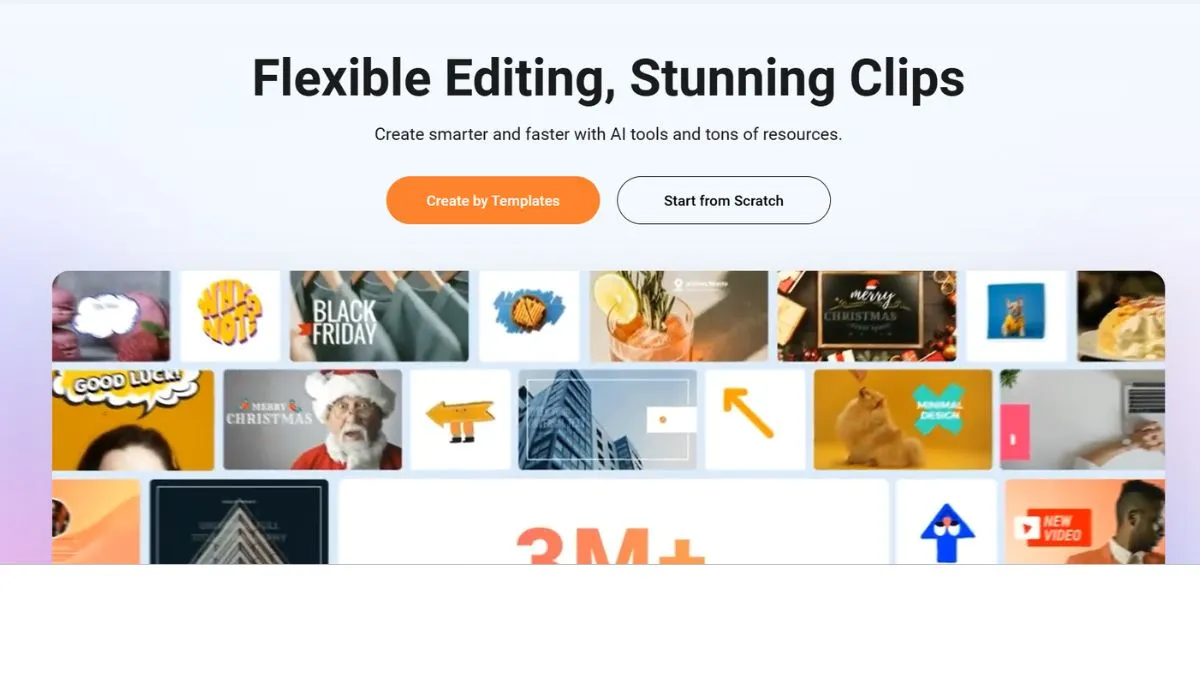
FlexClip's template library remains one of its strongest assets. With over 5,000 professionally designed templates (updated continuously), you can find designs for:
- YouTube intros, outros, and listicles
- Instagram Reels and TikTok videos (9:16 vertical format)
- Facebook and LinkedIn promotional videos
- Real estate walkthroughs and property showcases
- Restaurant and food content
- Educational explainer videos
- Product demos and app walkthroughs
- Birthday, event, and celebration videos
All templates are fully customizable. You can swap text, colors, media, music, transitions, and overlays without being locked into the original layout. Template quality in 2026 is genuinely impressive — many rival content produced by professional video agencies.
2. AI Recreate & Auto Edit (New — Late 2025 Launch)
This is the biggest development in FlexClip's history. Announced in November 2025, AI Recreate and Auto Edit represent a generational leap in what online video tools can do:
AI Recreate: Choose any template, upload your own media files, and the AI automatically matches your footage to the template's structure, generates on-screen text tailored to your content, and preserves the original typography and styling. The result is a fully personalized video that looks like it was built from scratch by a designer — in minutes.
Auto Edit: The tool uses contextual understanding, rhythm-aware sequencing, and adaptive text rewriting to help users turn unedited footage into professional-grade videos in a fraction of the usual time.
FlexClip CEO Lin Xiao described the vision: these tools bridge human creativity with intelligent automation, and that sums it up well. If you've ever stared at raw footage wondering where to start, Auto Edit effectively does the heavy lifting for you.
3. Expanded AI Video Generation Suite
FlexClip's AI video generation capabilities have expanded dramatically in 2026. The platform now integrates with three of the most powerful AI video generation models available:
FlexClip's AI Video Generator now integrates Hailuo AI, Kling AI, and Google Veo 3, empowering creators with enhanced video quality and creativity. Some new models support start & end frame control and multi-subject reference, making AI videos more coherent and visually compelling.
This is a significant upgrade. Kling AI and Google Veo 3 are among the most capable AI video models currently available, and having them accessible within FlexClip's interface — without requiring separate subscriptions — is a major competitive advantage.
Additional AI Video Tools:
- Text-to-Video: Convert scripts or text prompts into complete video drafts with stock media, AI images, lifelike voiceovers, and animated subtitles
- Blog URL to Video: Paste any blog post URL and FlexClip's AI converts it into a structured video
- Product URL to Video: Paste an Amazon or eBay product link, and get a ready-to-share promo video instantly — AI grabs key info, images, and features to create a compelling product showcase
- PPT to Video: Convert PowerPoint presentations to videos in seconds — just upload your file, and let AI animate and narrate your slides with smooth transitions and AI voiceovers
- PDF to Video: Transform static PDF files into videos — perfect for reports and eBooks, bringing content to life with visuals, narration, and motion
- AI Long-to-Short Video Generator: Automatically condense long-form videos into short clips optimized for social media
4. AI Photo & Image Tools (2026 Additions)
New tools including the image-to-image AI generator, photo upscaler, and old photo restoration enable creators to transform images and achieve high-quality visuals effortlessly.
The AI Photo Editor is particularly noteworthy: it enables you to make stunning edits with just a prompt — easily change image backgrounds, swap faces, apply AI filters, remove objects, and more in one place. If you can type, you can edit.
Additional image AI tools include:
- AI background remover (one-click)
- AI object remover
- Image-to-animation converter
- AI action figure generator from photos
- AI style transfer (cartoon, painting, 3D, and more)
5. AI Audio & Sound Tools
Audio capabilities have been significantly upgraded in 2026:
AI Sound Effects Generator: Automatically generate sound effects for your videos — from transition effects and object sound effects to nature sounds and urban noises, letting AI match audio to video for a more immersive experience.
AI Music Generator: Create unique, royalty-free soundtracks tailored to your video's mood, genre, and length — no stock music subscription required.
AI Text-to-Speech: Multiple voice styles, tones, and 60+ language options produce natural-sounding voiceovers from any written script.
Auto Subtitle Generator with Animation: Upload a video and FlexClip auto-generates accurate, animated subtitles. You can also upload your own subtitle file and apply animated styling. This feature is increasingly critical as more video is consumed without sound — especially important for mobile SEO performance.
Audio Speed Control: Adjust audio playback speed from 0.2x to 8x for creative effects.
6. AI Translation (60+ Languages)
FlexClip's AI Video Translator can accurately translate video audio, subtitles, and on-screen text across 60+ languages including English, Spanish, French, Chinese, Arabic, Russian, German, Japanese, Portuguese, Indonesian, and more. This opens up international content distribution without needing a separate localization workflow — directly relevant if you're pursuing an international SEO strategy.
7. Screen Recorder
The built-in screen recorder remains a strong feature:
- Record full screen or a custom area
- Simultaneous webcam recording
- System audio + microphone capture
- Instant editing within FlexClip after recording
Ideal for software demos, online courses, tutorial content, and product walkthroughs.
8. Motion Tracking
Easily attach text, images, or elements to moving objects in your video. Whether you're highlighting a subject, adding fun annotations, or enhancing dynamic scenes, the motion tracking feature ensures everything stays perfectly aligned.
This is a feature that previously required desktop editing software — having it in a browser-based tool at FlexClip's price point is impressive.
9. Stock Media Library
FlexClip gives access to millions of pieces of royalty-free media:
- Millions of stock video clips
- Millions of stock photos
- Thousands of royalty-free music tracks
- Sound effects library
- AI-generated assets (images, videos, audio)
For most users, this eliminates the need for a separate stock media subscription.
10. Brand Kit & Team Collaboration
For businesses and agencies:
- Store logos, brand colors, and custom fonts
- Apply brand settings automatically across all projects
- Team workspaces with shared media libraries and project folders
- Project duplication and transfer between individual and team accounts (new in 2026)
FlexClip Pricing Plans (2026 — Updated)
FlexClip's pricing structure was updated and simplified. As of early 2026, the platform operates on a freemium model with two main paid subscription plans, plus a dedicated AI Credits plan.
Free Plan
- Price: $0/month forever
- FlexClip watermark on exports
- Up to 10 minutes per video (increased from previous limit)
- 720p export quality
- Maximum 12 projects
- 1 stock video and 1 stock audio per project
- Limited AI credits included
- Basic template access
Best for: Testing the platform. The free plan is more generous than before, making it genuinely useful for one-off or short-term projects.
Plus Plan
- Price: $11.99/month (billed annually)
- No watermark
- 1080p Full HD export
- Unlimited video length
- Unlimited projects
- Up to 5 stock videos and 5 stock audio tracks per project
- 30GB cloud storage for uploaded media
- 100GB storage for exported videos
- 3,600 AI credits per year (300 credits/month)
- Custom branding options
- AI tools access
Best for: Individual content creators, freelancers, and small business owners who produce video regularly.
Business Plan
- Price: $19.99/month (billed annually)
- Everything in Plus
- Unlimited stock videos and audio per project
- 100GB cloud storage for uploaded media
- 1TB storage for exported videos
- 9,600 AI credits per year (800 credits/month)
- Full AI suite access
- Team collaboration features
- Brand kit management
- Priority support
Best for: Marketing teams, agencies, and businesses with high-volume video output needs.
AI Credits Plan (New in 2026)
- Price: Starting at $9.99 for 300 credits
- Unlock all FlexClip AI photo/video/audio/text generation features — get as many credits as you need
- Ideal for users who primarily want AI generation tools without a full subscription
- Credits can be purchased on demand
Best for: Occasional users who mainly want AI video/image generation without committing to a monthly plan.
✅ Pricing Transparency Note: Both Plus and Business plans allow 1080p Full HD exports without watermarks and with no video length restrictions — the key differentiator between them is AI credits, stock media allowance, and storage. Always verify current rates at FlexClip's official pricing page as promotions run frequently.
FlexClip vs. Competitors (2026 Analysis)
FlexClip vs. Canva Video
Canva remains the most common comparison since both are browser-based creative platforms. However, FlexClip has pulled significantly ahead for video-specific work:
| Feature | FlexClip 2026 | Canva 2026 |
|---|---|---|
| Video-first design | ✅ Yes | ❌ Design-first |
| AI video generation (Veo 3, Kling, Hailuo) | ✅ Yes | ⚠️ Limited |
| AI Recreate & Auto Edit | ✅ Yes | ❌ No |
| Product/Blog URL to Video | ✅ Yes | ❌ No |
| Motion Tracking | ✅ Yes | ❌ No |
| PPT & PDF to Video | ✅ Yes | ❌ No |
| AI Sound Effects Generator | ✅ Yes | ❌ No |
| Screen recorder | ✅ Built-in | ✅ Built-in |
| Stock footage | ✅ Millions | ✅ Millions |
| Template variety | ✅ 5,000+ | ✅ Very large |
| Team collaboration | ✅ Yes | ✅ Yes |
| Free plan watermark | ⚠️ Yes | ✅ No watermark |
| Pricing (annual) | ✅ $11.99/mo | $13/mo+ |
2026 Verdict: For pure video creation and AI-powered production, FlexClip is now clearly ahead of Canva. One user noted directly: "FlexClip is mainly for video, and it makes it better than Canva." For mixed graphic design + video work, Canva still has advantages.
FlexClip vs. Adobe Express
Adobe Express targets a similar audience. Adobe's Creative Cloud integration is powerful, but FlexClip offers a far more advanced AI video toolkit at a fraction of Adobe's pricing. Unless you're deeply embedded in the Adobe ecosystem, FlexClip provides better video-specific value in 2026.
FlexClip vs. CapCut (Web)
CapCut has grown rapidly, particularly among short-form video creators. It offers a strong free tier with no watermark, which FlexClip doesn't. However, FlexClip's AI suite — especially AI Recreate, Veo 3 integration, and URL-to-video tools — goes well beyond what CapCut offers for business and marketing use cases.
FlexClip vs. VEED.io
VEED is a strong competitor in the browser-based video editing space. Both platforms offer similar core tools. FlexClip edges ahead in 2026 with its expanded AI generation suite (Veo 3, Kling AI, Hailuo AI) and the new AI Recreate feature. VEED has a slight edge in audio editing depth.
FlexClip Performance & Video Quality (2026)
Export Quality
FlexClip supports 1080p Full HD export on all paid plans. While 4K export is not available as a standard option (a continuing limitation vs. desktop editors), 1080p remains more than sufficient for YouTube, social media, web video, and most professional marketing applications.
Export speeds are consistently solid — a 2–3 minute video typically renders in under 4 minutes, leveraging cloud processing so your local hardware doesn't matter.
Browser Performance
The editor runs smoothly on any modern browser across Windows, Mac, Linux, and Chromebook. Complex projects with many media files may experience occasional lag in-browser, which is a common trade-off for cloud-based tools. The new Canvas Zoom feature (10%–400%) helps with precision editing on larger workspaces.
FlexClip for SEO & Digital Marketing in 2026
Video is now table stakes for digital marketing. Google's algorithm increasingly favors pages with video content, and platforms like YouTube, Instagram, TikTok, and LinkedIn all prioritize video in their feeds. If you haven't integrated video into your SEO strategy, 2026 is the year it becomes non-negotiable.
Here's how FlexClip powers specific marketing and SEO use cases:
YouTube & Video SEO: YouTube is the world's second-largest search engine. FlexClip's YouTube-specific templates, auto-subtitle generation, and intro/outro tools make it fast to produce search-optimized video content. Pair it with proper keyword research and SEO title optimization for maximum impact.
E-commerce Product Videos: The new Product URL to Video tool is a revelation for Amazon and eBay sellers. Paste a product URL and FlexClip generates a promotional video in seconds — dramatically reducing the cost and time of e-commerce video production.
Blog-to-Video Repurposing: Convert your existing blog content into videos using the Blog URL to Video tool, then embed them on your posts to increase dwell time and boost your SEO score.
Local Business Marketing: For restaurants, dentists, and local service businesses, FlexClip's promotional and testimonial templates drive both engagement and local rankings. See our detailed guides on local SEO for restaurants and local SEO for dentists for complementary strategies.
Landing Page Videos: Embedding video on landing pages can significantly increase conversion rates. Use FlexClip's product demo templates alongside SEO-friendly landing page principles.
International Marketing: With 60+ language translation and subtitle support, FlexClip is now a practical tool for international SEO campaigns without massive localization budgets.
Site Speed Consideration: Embedding video can affect page load speeds. Always optimize using site speed best practices and monitor your Core Web Vitals when adding video to key pages.
What Real Users Are Saying in 2026
Across G2, Capterra, Trustpilot, and SoftwareAdvice, FlexClip maintains 4.4–4.7 out of 5 stars as of early 2026. Here's a summary of recurring themes from verified reviews:
Positive themes:
- "FlexClip is a very intuitive tool that greatly simplifies the process of creating videos. It has a rich library of background music and images."
- Users consistently praise the template quality and ease of use for beginners
- "I can do hours of video editing work in a short time with its built-in AI tools."
- The cloud-based nature is praised for accessibility — edit from any device, anywhere
Common criticisms:
- Free version has a lot of limitations, watermarks videos, and is quite basic for advanced video and audio editing. It can also be slow sometimes when editing large files.
- Some advanced features locked behind paid plans interrupt free-tier workflow
- Since all projects are stored online, there's a dependence on FlexClip's servers, which may raise concerns about data privacy for sensitive content.
- Export speeds can lag on larger, more complex projects
FlexClip Pros & Cons (2026 Edition)
✅ Pros
Next-level AI toolkit — AI Recreate, Auto Edit, Veo 3/Kling AI/Hailuo AI integration, and AI sound effects make FlexClip's AI suite class-leading for a browser tool.
Extremely beginner-friendly — Clean interface, drag-and-drop editing, and storyboard structure let complete beginners produce polished videos without training.
5,000+ templates — One of the largest template libraries available in any online video tool.
URL-to-video and PDF/PPT-to-video — These content repurposing tools are unique and enormously time-saving for content marketers.
Motion tracking — Previously only available in desktop editors; now accessible in the browser at FlexClip's price point.
60+ language AI translation — Opens up international content distribution without extra tools.
Competitive pricing — At $11.99/month (Plus, billed annually), it's excellent value for the feature set.
Constant updates — PearlMountain actively ships new features and AI integrations regularly.
❌ Cons
Watermark on free plan — The free tier requires upgrading for professional, watermark-free use.
No traditional timeline editor — The storyboard-only approach frustrates users who want precise frame-level control.
1080p max standard export — No 4K export on standard plans limits use for high-end productions.
Dependent on internet connection — Fully cloud-based means no offline editing capability.
Storage limits on lower tiers — 30GB uploaded media storage on Plus can fill quickly for heavy video users.
Performance on large projects — Complex, media-heavy projects can occasionally lag in the browser.
Is FlexClip Worth It in 2026?
Here's the honest answer:
FlexClip is absolutely worth it in 2026 if you:
- Create marketing, social media, or promotional videos regularly
- Want AI-powered tools that dramatically speed up production
- Need to repurpose blog posts, PDFs, product pages, or presentations into video
- Work as a freelancer, content creator, small business, or agency
- Require multi-language video content
- Value a constantly improving platform at an affordable price
FlexClip may not be right for you if:
- You need frame-by-frame timeline control for complex productions
- Your workflow demands 4K RAW output
- You need advanced color grading, audio mixing, or VFX capabilities
- You prefer offline editing software
The Plus plan at $11.99/month (billed annually) is the sweet spot for most individual users. Teams and agencies get compelling value from the Business plan at $19.99/month — especially with the unlimited stock media, higher AI credit allocation, and 1TB export storage.
For context on maximizing your ROI from tools like FlexClip, explore how to measure SEO and content performance and track analytics effectively.
2026 Final Verdict: FlexClip Rating Breakdown
| Category | Score (2026) |
|---|---|
| Ease of Use | 9.5/10 |
| Template Quality | 9/10 |
| AI Features & Innovation | 9.5/10 |
| Stock Media | 9/10 |
| Pricing & Value | 8.5/10 |
| Export Quality | 7.5/10 |
| New 2026 Features | 9.5/10 |
| Team Features | 8.5/10 |
| Overall | 9.0/10 ⭐ |
FlexClip has improved its overall score from our previous assessment, largely driven by the transformative AI updates in late 2025 and into 2026. It's a genuinely excellent product for its target audience.
How to Get Started with FlexClip in 2026 (Step-by-Step)
Step 1: Visit FlexClip.com and create a free account using email or Google sign-in.
Step 2: Explore the dashboard. Click "Create a Video" and choose your aspect ratio (16:9 for YouTube/web, 9:16 for Reels/TikTok, 1:1 for feed posts).
Step 3: Browse templates by category — or use the AI tools hub to generate a video from a text prompt, URL, PDF, or PowerPoint.
Step 4: Customize your project — swap media, text, colors, fonts, and music as needed.
Step 5: Use AI features as needed — auto-subtitles, text-to-speech, AI Recreate, sound effects generator, or translation.
Step 6: Preview your video in full and make final adjustments using the Canvas Zoom for precision.
Step 7: Export in 1080p (or 720p on free) and share directly to social platforms or download.
The entire process — from signup to a finished, polished video — can take as little as 15–20 minutes even for first-time users.
Pro Tips: Maximizing FlexClip for SEO & Marketing Results
Use Blog URL to Video for Content Repurposing — Turn every high-performing blog post into a video. Embed the video on the original post to increase dwell time, which positively impacts SEO rankings.
Always Enable Auto-Subtitles — A huge portion of mobile video is consumed without sound. Subtitles boost watch completion rates, accessibility, and help search engines index your video content. Essential for mobile SEO.
Use AI Translation for International Content — Reach global audiences without hiring translators. Pair with an international keyword research strategy for maximum reach.
Create Product Videos with the URL Tool — For e-commerce, paste your product URL and get a promo video instantly. Embed on product pages to reduce bounce rate and improve conversion. Learn more about best AI tools for e-commerce stores.
Set Up Your Brand Kit First — Before creating any project, configure your brand kit with logos, colors, and fonts. This ensures every video you produce is on-brand and consistent — a key factor for building recognition and trust.
Repurpose One Video Across All Formats — Create a single core video, then use FlexClip's aspect ratio presets to export versions for YouTube (16:9), Reels (9:16), LinkedIn (1:1), and TikTok (9:16). Maximum content from minimum effort.
Optimize Video Filenames and Descriptions — When uploading to YouTube or your website, apply keyword-rich titles, tags, and descriptions. Reference our guide on how to use keywords for SEO effectively.
Monitor Page Speed After Embedding — Embedded video can slow down pages. Run regular checks using site speed optimization tools to ensure Core Web Vitals remain healthy.
Frequently Asked Questions About FlexClip (2026)
1. Is FlexClip free in 2026?
Yes, FlexClip offers a free plan that lets you create and export videos at no cost. As of 2026, the free plan allows videos up to 10 minutes in length (an increase from previous limits), with up to 12 projects, 1 stock video and 1 stock audio per project, 720p export quality, and a FlexClip watermark on all exports. For professional, watermark-free use, the Plus plan at $11.99/month (billed annually) is the recommended entry point.
2. What are FlexClip's current pricing plans in 2026?
FlexClip currently offers a Free plan, a Plus plan ($11.99/month annually), a Business plan ($19.99/month annually), and a standalone AI Credits plan starting at $9.99 for 300 credits. The Plus and Business plans both export at 1080p Full HD with no watermark and no video length limit. The key differences are AI credit allocations, stock media limits per project, and cloud storage amounts.
3. What are the biggest new features in FlexClip for 2026?
The most significant recent additions are: AI Recreate (auto-matches your footage to templates with AI-written text), Auto Edit (turns raw footage into polished videos automatically), integration with Google Veo 3, Kling AI, and Hailuo AI for video generation, a Text-Based Editor, Product URL/Blog URL/PDF/PPT to video converters, an AI Sound Effects Generator, an AI Music Generator, an AI Photo Editor, Motion Tracking, and a Canvas Zoom tool. These additions represent a substantial leap in capability.
4. Does FlexClip support 4K video export?
Currently, FlexClip's standard export resolution is capped at 1080p Full HD across all subscription plans. For the vast majority of social media, web, and marketing video use cases, 1080p is more than adequate. If 4K output is a core requirement, a desktop editor like DaVinci Resolve or Adobe Premiere Pro would be more appropriate.
5. Can I use FlexClip to translate videos into other languages?
Yes. FlexClip's AI Video Translator supports over 60 languages, enabling you to translate your video's audio, subtitles, and on-screen text automatically. This makes it practical for international content distribution without hiring translation professionals for every piece of content.
6. How good are FlexClip's AI video generation tools in 2026?
Very good for a browser-based platform — and significantly better than in previous years. With Google Veo 3, Kling AI, and Hailuo AI now integrated, the quality of AI-generated video has improved substantially. Start/end frame control and multi-subject reference capabilities make outputs more coherent and usable. For AI-generated B-roll, concept visualization, and template-filling, FlexClip's AI video tools are genuinely impressive and practical.
7. Is FlexClip good for e-commerce product videos?
Yes, and particularly in 2026, with the addition of the Product URL to Video tool. Paste an Amazon or eBay product listing URL, and FlexClip automatically generates a polished promotional video using the product's images, title, and key features. This is a significant time-saver for sellers managing large product catalogs.
8. Does FlexClip work on mobile in 2026?
FlexClip has iOS and Android apps available for mobile editing. The mobile experience is streamlined compared to the full browser version but supports template-based video creation, basic editing, and direct sharing to social platforms. For full access to all AI tools and editing features, the browser (desktop or laptop) experience is recommended.
9. What is FlexClip's AI Credits system?
As of 2026, AI Credits power FlexClip's generative AI features (video generation, image generation, AI translation, etc.). The Plus plan includes 3,600 credits/year (300/month), and the Business plan includes 9,600 credits/year (800/month). Additional credits can be purchased via the standalone AI Credits plan starting at $9.99 for 300 credits. This system gives users clear visibility into and control over their AI usage.
10. Can I cancel my FlexClip subscription at any time?
Yes. FlexClip subscriptions can be cancelled at any time from your account settings. Your plan remains active until the end of the current billing period. For annual subscriptions, FlexClip typically offers a refund window — check their official support documentation for current refund terms, as policies may be updated. Customer reviews suggest some users have experienced issues with cancellation confirmation, so taking a screenshot of your cancellation confirmation is advisable.
Conclusion: FlexClip in 2026 — A Platform Transformed
FlexClip entered 2026 as a fundamentally more capable platform than it was just 12 months ago. The additions of AI Recreate, Auto Edit, Veo 3/Kling AI/Hailuo AI integration, URL-to-video tools, motion tracking, PDF/PPT-to-video conversion, AI Sound Effects, and an expanded AI Photo Editor represent a step-change in what's possible from a browser-based video tool.
At $11.99/month (Plus plan, billed annually), FlexClip delivers capabilities that would have required thousands of dollars in software, stock subscriptions, and production tools just a few years ago. The value proposition in 2026 is compelling — and it's only getting stronger with each update.
Our 2026 Recommendation: If you're serious about video content for marketing, social media, or business growth — start with the free plan to explore the platform, then upgrade to the Plus plan for professional, watermark-free production. If you're a team or agency, the Business plan provides the AI credits, storage, and collaboration tools to justify the price.
Combine FlexClip's video capabilities with a solid SEO foundation using these resources:
- Best AI Tools for Digital Marketing — Complete Guide
- How AI Is Changing SEO in 2026
- Top 10 AI Tools You Must Try
- SEO Checklist for Beginners
- Free SEO Checker Tools
- Best AI Tools for Productivity
Video content plus strategic SEO is one of the highest-ROI combinations available to digital marketers in 2026. FlexClip makes the video side of that equation more powerful — and more accessible — than ever before.