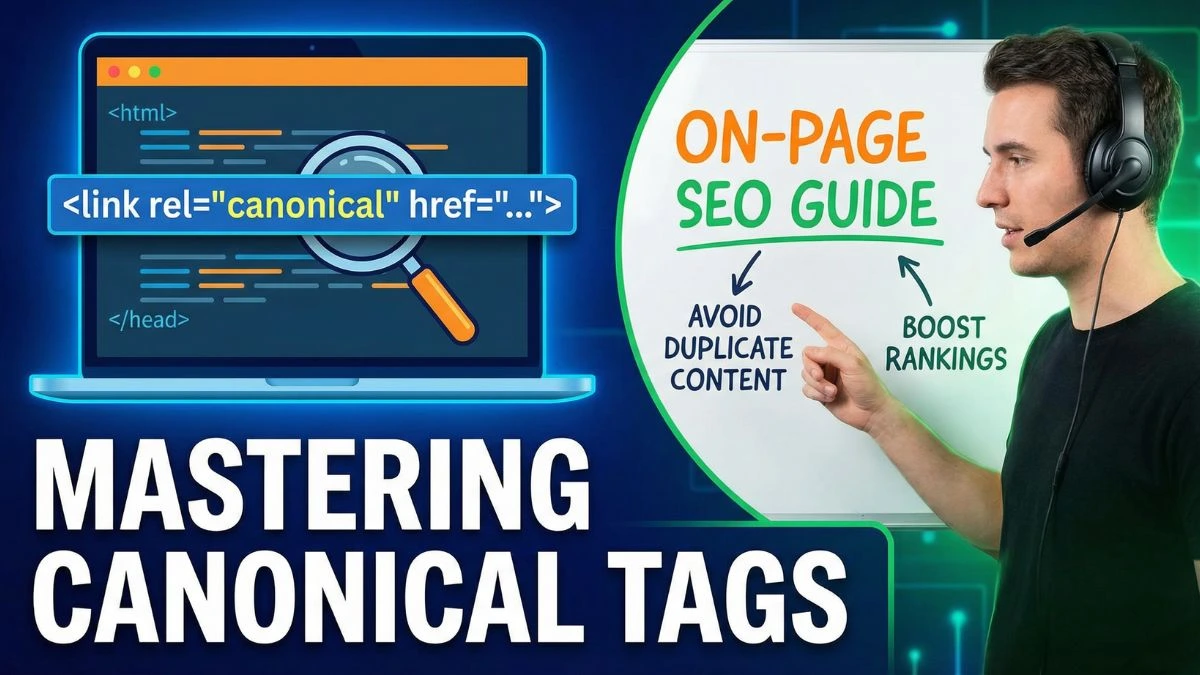
How to Use Canonical Tags in On-Page SEO

How to Use Canonical Tags in On-Page SEO: The Complete Guide
Canonical tags are one of the most powerful yet misunderstood elements of technical SEO. If you've ever worried about duplicate content penalties, struggled with URL variations, or wondered why your rankings aren't improving despite quality content, mastering canonical tags might be the solution you need.
In this comprehensive guide, we'll explore everything you need to know about canonical tags—from basic implementation to advanced strategies that can transform your SEO performance.
What Are Canonical Tags?
A canonical tag (rel="canonical") is an HTML element that tells search engines which version of a URL you want to be treated as the "master" or "preferred" version when you have multiple pages with similar or duplicate content.
Think of it as a way to consolidate link equity and prevent your own pages from competing against each other in search results. When implemented correctly, canonical tags help search engines understand your content structure and pass ranking signals to your preferred URLs.
The Technical Anatomy
The canonical tag sits in the <head> section of your HTML and looks like this:
<link rel="canonical" href="https://www.example.com/preferred-page/" />
This simple line of code has profound implications for how search engines crawl, index, and rank your content.
Why Canonical Tags Matter for SEO
Before diving into implementation, let's understand why canonical tags are critical for your SEO strategy.
Preventing Duplicate Content Issues
Duplicate content remains one of the most common SEO problems. Whether it's printer-friendly versions, session IDs, URL parameters, or syndicated content, duplicate pages can dilute your ranking potential.
Search engines don't penalize duplicate content in most cases, but they do choose which version to show in search results. Without canonical tags guiding this decision, you risk having the wrong page rank—or worse, having your pages compete against each other.
Consolidating Link Equity
When multiple versions of the same content exist, inbound links get distributed across all variations. Canonical tags consolidate this link equity (also called "link juice") to your preferred URL, strengthening its authority and ranking potential.
Improving Crawl Efficiency
Search engine bots have limited crawl budget for your site. By using canonical tags to indicate duplicate content, you help crawlers focus on your most important pages rather than wasting resources on variations.
To optimize your site's crawlability further, check out our guide on 12 Crawl Budget Tips That Matter for advanced strategies.
Common Scenarios Requiring Canonical Tags
Understanding when to use canonical tags is just as important as knowing how to implement them. Here are the most common scenarios:
1. URL Parameter Variations
E-commerce sites often generate multiple URLs for the same product:
example.com/product?id=123example.com/product?id=123&color=blueexample.com/product?id=123&color=blue&size=large
Each URL shows essentially the same product page but with different parameters. The canonical tag should point to your preferred version (usually the simplest one without parameters).
2. HTTP vs HTTPS Versions
Even after migrating to HTTPS, you might accidentally have both versions accessible:
http://example.com/pagehttps://example.com/page
Always canonicalize to the HTTPS version to consolidate authority and avoid security warnings.
3. WWW vs Non-WWW
Your site might be accessible with or without the "www" subdomain:
https://example.com/pagehttps://www.example.com/page
Choose one version and consistently canonicalize to it across your entire site. You can verify which version you're using with our Domain Hosting Checker.
4. Trailing Slash Variations
Some content management systems create separate URLs based on trailing slashes:
example.com/pageexample.com/page/
While modern search engines handle this better than before, explicit canonicalization eliminates any ambiguity.
5. Mobile and AMP Versions
If you maintain separate mobile or AMP versions of your pages, canonical tags help search engines understand the relationship between versions and which should rank in specific contexts.
6. Paginated Content
For content series or category pages with pagination, you can use canonical tags to point all pages to the "View All" version or use self-referencing canonicals on each paginated page.
7. Syndicated or Republished Content
If your content appears on multiple domains (through syndication or guest posting), the canonical tag on external sites should point back to your original content, preserving your authority as the source.
How to Implement Canonical Tags Correctly
Proper implementation is crucial—incorrect canonical tags can cause serious SEO problems. Here's how to get it right.
Basic HTML Implementation
The most straightforward method is adding the canonical tag directly to your HTML:
<!DOCTYPE html>
<html>
<head>
    <link rel="canonical" href="https://www.example.com/your-preferred-page/" />
    <!-- Other head elements -->
</head>
<body>
    <!-- Page content -->
</body>
</html>
Key Implementation Rules
1. Use Absolute URLs
Always use complete URLs including the protocol:
✅ Correct: <link rel="canonical" href="https://www.example.com/page/" />
❌ Incorrect: <link rel="canonical" href="/page/" />
2. Use Lowercase URLs
URLs are case-sensitive to search engines. Stick to lowercase to avoid creating variations:
✅ Correct: https://www.example.com/page/
❌ Incorrect: https://www.example.com/Page/
3. Include Only One Canonical Tag Per Page
Multiple canonical tags confuse search engines, which will likely ignore all of them.
4. Make Canonical URLs Accessible
The canonical URL must return a 200 status code. Never canonicalize to a redirected, 404, or blocked page. Use our HTTP Header Checker to verify your canonical URLs are accessible.
5. Keep Consistent with hreflang
If you use hreflang tags for international SEO, ensure your canonical tags don't contradict your language/region targeting.
Implementation Methods for Different Platforms
WordPress
Most SEO plugins like Yoast SEO or Rank Math automatically add canonical tags. You can customize them on a per-page basis in the plugin settings.
To verify your WordPress theme configuration, try our WordPress Theme Detector.
Shopify
Shopify automatically adds canonical tags to product, collection, and blog pages. For custom pages, you'll need to edit the theme's Liquid code.
Custom CMS or Static Sites
Add canonical tags directly in your HTML templates, ensuring they're dynamically generated based on the current page URL.
HTTP Header Method
For non-HTML documents (like PDFs), you can specify the canonical URL in the HTTP header:
Link: <https://www.example.com/preferred-page/>; rel="canonical"
Self-Referencing Canonical Tags: Best Practice or Overkill?
A self-referencing canonical tag points to itself:
<!-- On https://example.com/page -->
<link rel="canonical" href="https://example.com/page/" />
Should You Use Them?
The Case For:
- Prevents issues if parameters are accidentally added to URLs
- Provides explicit signals to search engines
- Protects against scraper sites copying your content without changing the canonical tag
- Google's John Mueller has stated they're fine to use
The Case Against:
- Adds extra code to every page
- Not strictly necessary if you have clean URLs
- Minimal benefit for simple sites
Recommendation: Implement self-referencing canonicals as a best practice, especially for larger sites or those using URL parameters. The protection they offer outweighs the minimal overhead.
Advanced Canonical Tag Strategies
Once you've mastered the basics, these advanced techniques can give you an edge.
Cross-Domain Canonicalization
When your content legitimately appears on multiple domains (through partnerships or syndication), you can use cross-domain canonical tags to pass authority to the original source:
<!-- On partner-site.com -->
<link rel="canonical" href="https://www.your-original-site.com/article/" />
This is particularly valuable for:
- Guest posts that were originally published on your site
- Syndicated news articles
- White-label content partnerships
- Mirror sites for load distribution
Important: The receiving domain must be willing to implement this tag. Most reputable publishers will honor it to avoid their own duplicate content issues.
Canonicalization for Faceted Navigation
E-commerce and directory sites with filter options create a canonicalization nightmare. A single category might generate hundreds of filtered variations.
Strategy:
- Canonicalize all filtered pages back to the main category page
- Use
noindexon deeply filtered combinations - Implement a strategic mix of canonical tags and robots meta tags based on SEO value
For example:
/products/shoes/(main category - self-referencing canonical)/products/shoes/?color=red(canonical to main category)/products/shoes/?color=red&size=10&brand=nike(noindex + canonical to main category)
Canonical Tags for Pagination
Pagination presents a unique challenge. Here are two approaches:
Approach 1: Component Pages Each paginated page has a self-referencing canonical:
<!-- On page 2 -->
<link rel="canonical" href="https://example.com/category/page/2/" />
Use rel="next" and rel="prev" to show the relationship between pages (though Google no longer uses these for crawling, they may still have value).
Approach 2: View All Page All paginated pages canonicalize to a "View All" page:
<!-- On page 2 -->
<link rel="canonical" href="https://example.com/category/all/" />
This approach is simpler but may hurt user experience with extremely long pages.
For more on optimizing your site's navigation structure, explore our guide on 9 Site Architecture Tweaks That Work.
Canonicalization in JavaScript-Heavy Sites
Single-page applications (SPAs) and JavaScript-rendered sites require special attention:
Challenges:
- Canonical tags must be rendered before crawling
- Client-side routing can create virtual URLs
- Server-side rendering (SSR) is often necessary
Solutions:
- Implement canonical tags in the server-rendered HTML
- Use dynamic rendering for search engine bots
- Ensure your JavaScript framework properly manages the
<head>section - Test with Google Search Console's URL Inspection Tool
Canonical Tags for International SEO
When you have multiple language or region versions of content, canonical tags work alongside hreflang tags:
<!-- English version -->
<link rel="canonical" href="https://example.com/en/page/" />
<link rel="alternate" hreflang="en" href="https://example.com/en/page/" />
<link rel="alternate" hreflang="es" href="https://example.com/es/page/" />

<!-- Spanish version -->
<link rel="canonical" href="https://example.com/es/page/" />
<link rel="alternate" hreflang="en" href="https://example.com/en/page/" />
<link rel="alternate" hreflang="es" href="https://example.com/es/page/" />
Each language version canonicalizes to itself while declaring alternate versions for other languages.
Common Canonical Tag Mistakes to Avoid
Even experienced SEO professionals make these errors. Learn from them to protect your rankings.
1. Canonicalizing to Blocked or Redirected URLs
The Problem: Your canonical points to a URL that's blocked in robots.txt, returns a 404, or redirects elsewhere.
The Impact: Search engines may ignore the canonical tag entirely or struggle to determine the correct version.
The Fix: Regularly audit your canonical tags using tools like Google Search Console Coverage Report and ensure canonical URLs are directly accessible. Our Website SEO Score Checker can help identify these issues during routine audits.
2. Canonical Tag Chains
The Problem: Page A canonicalizes to Page B, which canonicalizes to Page C.
The Impact: Search engines may not follow the chain, diluting your signals.
The Fix: Always canonicalize directly to the final preferred URL in one hop.
3. Canonicalizing Paginated Pages to Page 1
The Problem: All paginated pages (page 2, 3, 4, etc.) canonicalize to page 1.
The Impact: Pages 2+ won't be indexed, and users clicking search results will land on the wrong page.
The Fix: Use self-referencing canonicals on paginated pages unless you have a specific "View All" strategy.
4. Mixed Signals with Canonical and noindex
The Problem: A page has both a canonical tag and a noindex meta tag.
The Impact: Conflicting signals confuse search engines. The noindex typically takes precedence, but the canonical is ignored.
The Fix: Choose one approach. If content is duplicate, use canonical. If it shouldn't be indexed at all, use noindex.
5. Canonical to Different Content
The Problem: Using canonical tags to point substantially different pages to each other.
The Impact: Search engines will likely ignore the canonical when content doesn't match.
The Fix: Canonical tags should only consolidate near-duplicate or duplicate content. For different content, use 301 redirects or keep them separate.
6. HTTPS to HTTP Canonicalization
The Problem: Your HTTPS pages canonicalize back to HTTP versions.
The Impact: You lose the security and ranking benefits of HTTPS.
The Fix: Always canonicalize to HTTPS. To verify your SSL configuration, use our SSL Checker.
7. Relative URLs in Canonical Tags
The Problem: Using relative URLs like /page/ instead of absolute URLs.
The Impact: Can create ambiguity and doesn't work for syndicated content.
The Fix: Always use complete URLs with protocol and domain.
Testing and Validating Canonical Tags
Implementation is only half the battle—you need to verify everything works correctly.
Manual Inspection
View Page Source:
- Visit your page in a browser
- Right-click and select "View Page Source"
- Search for "canonical" in the source code
- Verify the URL is correct and absolute
Browser DevTools:
- Open Chrome DevTools (F12)
- Navigate to the Elements tab
- Expand the
<head>section - Locate the canonical tag
Google Search Console
Google Search Console provides invaluable insights into how Google interprets your canonical tags:
URL Inspection Tool:
- Enter any URL from your site
- Click "Inspect"
- Look for "User-declared canonical" and "Google-selected canonical"
- If they don't match, investigate why Google chose a different URL
Coverage Report: Check for errors like "Duplicate, submitted URL not selected as canonical" which indicate canonical issues.
Page Indexing Report: Review which pages are excluded due to canonical tags and verify this matches your intent.
Technical Auditing Tools
Screaming Frog SEO Spider:
- Crawl your site and export all canonical URLs
- Filter by pages with missing, multiple, or non-indexable canonical tags
- Identify canonical chains
Ahrefs Site Audit:
- Automatically flags canonical issues
- Shows pages with conflicting canonical and hreflang tags
- Identifies canonicalized pages receiving organic traffic
SEMrush Site Audit:
- Detects canonical errors and warnings
- Provides actionable recommendations
- Tracks canonical issues over time
For a comprehensive site analysis, use our Website SEO Score Checker to identify not just canonical issues but overall SEO health.
HTTP Header Inspection
Use curl or our Get HTTP Header tool to check for canonical URLs in HTTP headers:
curl -I https://example.com/page
Look for a Link: header with rel="canonical".
Canonical Tags and JavaScript Frameworks
Modern web development often involves JavaScript frameworks that present unique challenges for canonical tag implementation.
React Applications
For React apps, manage canonical tags in your component's useEffect hook or use libraries like React Helmet:
import { Helmet } from 'react-helmet';

function MyComponent() {
  const canonicalUrl = 'https://example.com/my-page/';

  return (
    <>
      <Helmet>
        <link rel="canonical" href={canonicalUrl} />
      </Helmet>
      {/* Your component content */}
    </>
  );
}
Next.js
Next.js provides the next/head component for managing canonical tags:
import Head from 'next/head';

export default function Page() {
  return (
    <>
      <Head>
        <link rel="canonical" href="https://example.com/page/" />
      </Head>
      {/* Page content */}
    </>
  );
}
For dynamic pages, generate the canonical URL based on the current route.
Vue.js
Use Vue Meta or similar plugins to manage head tags:
export default {
  metaInfo() {
    return {
      link: [
        {
          rel: 'canonical',
          href: 'https://example.com/page/'
        }
      ]
    }
  }
}
Angular
In Angular, use the Meta service or Angular Universal for server-side rendering:
import { Meta } from '@angular/platform-browser';

constructor(private meta: Meta) {
  this.meta.updateTag({
    rel: 'canonical',
    href: 'https://example.com/page/'
  });
}
Critical Consideration: For JavaScript frameworks, server-side rendering or pre-rendering is essential. Search engine bots need to see canonical tags in the initial HTML response, not just after JavaScript execution.
Canonical Tags vs. Other Duplicate Content Solutions
Canonical tags aren't your only option for handling duplicate content. Understanding when to use alternatives is crucial.
Canonical Tags vs. 301 Redirects
Use 301 Redirects When:
- You're permanently moving content from one URL to another
- You want users to see the preferred version
- You're consolidating pages with different content
- You're changing domain structure
Use Canonical Tags When:
- Multiple URLs serve legitimate purposes for users
- You want to preserve URL variations for tracking or functionality
- Content is duplicated but serves different user intents
- Cross-domain situations where you don't control one site
Example: If your e-commerce site has /product-red-shirt and /product-blue-shirt as separate products but search engines see them as duplicates, use canonical tags. If you renamed a product and the old URL serves no purpose, use a 301 redirect.
For help implementing redirects, check our Htaccess Redirect tool.
Canonical Tags vs. Noindex
Use Noindex When:
- Content should never appear in search results
- Pages are genuinely low-quality or thin
- You have infinite URL variations you can't control
- Testing or staging environments
Use Canonical Tags When:
- Content is valuable but duplicated
- You want to consolidate ranking signals
- The duplicate serves a user purpose
Example: A printer-friendly version of a page should use a canonical tag pointing to the main version. Your "Thank You" page after form submission should use noindex.
Canonical Tags vs. URL Parameter Handling
In Google Search Console, you can configure how Google handles URL parameters. This is particularly useful for e-commerce and dynamic sites.
Use Parameter Handling When:
- Parameters don't change content significantly (tracking, session IDs)
- You have consistent parameter patterns
- You want more control over crawling behavior
Use Canonical Tags When:
- You need explicit control over preferred URLs
- Parameters sometimes change content
- You want a solution that works across all search engines
Best Practice: Use both together. Configure parameter handling in Search Console and implement canonical tags as a backup.
Industry-Specific Canonical Tag Strategies
Different industries face unique challenges with duplicate content and canonical tags.
E-commerce Sites
E-commerce platforms generate massive amounts of duplicate or near-duplicate content.
Key Challenges:
- Product variations (size, color, material)
- Multiple category pages showing the same product
- Sorting and filtering options
- Session IDs and tracking parameters
Winning Strategy:
- Canonicalize all product variations to a main product page
- Products that appear in multiple categories should canonicalize to the primary category
- All filtered and sorted variations canonicalize to the unfiltered category page
- Implement proper parameter handling for session IDs
- Use strategic noindex for low-value combinations
Implementation Tip: Most major e-commerce platforms (Shopify, WooCommerce, Magento) handle basic canonicalization automatically, but you'll need custom rules for complex scenarios.
News and Publishing Sites
Publishers face unique challenges with syndication, republishing, and content updates.
Key Challenges:
- Syndicated articles appearing on multiple sites
- Updated or revised articles at new URLs
- Print vs. web versions
- Regional editions
Winning Strategy:
- For syndicated content, ensure partner sites canonicalize to your original article
- When updating articles at new URLs, canonicalize the old URL to the new version
- Implement article-level structured data to help search engines understand original publication
Pro Tip: Use the Meta Tag Generator to create comprehensive metadata for each article, including publication dates and author information.
Local Business Websites
Multi-location businesses often struggle with duplicate location page content.
Key Challenges:
- Template-based location pages with minimal unique content
- Similar services offered at multiple locations
- National vs. local landing pages
Winning Strategy:
- Create genuinely unique content for each location
- If content must be similar, use strategic canonicalization to the strongest location
- Implement local business schema and unique location details
- Consider separate landing pages only for locations with strong local search volume
Alternative Approach: Instead of dozens of thin location pages, create fewer, high-quality regional pages with comprehensive information.
SaaS and Software Sites
Software companies face challenges with documentation, changelog, and versioned content.
Key Challenges:
- Multiple versions of documentation
- Changelog entries that duplicate release information
- Demo sites with identical structure to the main site
- API documentation with repetitive patterns
Winning Strategy:
- Canonicalize old documentation versions to current versions
- For maintaining historical docs, use self-referencing canonicals with clear version indicators
- Noindex demo environments or canonicalize to production
- Create unique introductory content for API endpoint docs that share structures
Monitoring and Maintaining Canonical Tags
Canonical tag management isn't a one-time task—it requires ongoing monitoring and maintenance.
Setting Up Automated Monitoring
Google Search Console Alerts:
- Set up email notifications for coverage errors
- Weekly check for "Duplicate, submitted URL not selected as canonical"
- Monitor for sudden spikes in excluded pages
Regular Crawls:
- Schedule monthly full-site crawls with Screaming Frog or similar tools
- Export canonical data and compare to previous crawls
- Identify new canonical issues before they impact rankings
Custom Scripts: Develop scripts to automatically check canonical tags on key pages:
import requests
from bs4 import BeautifulSoup

def check_canonical(url):
    response = requests.get(url)
    soup = BeautifulSoup(response.text, 'html.parser')
    canonical = soup.find('link', {'rel': 'canonical'})

    if canonical:
        return canonical.get('href')
    return None

# Check your important URLs
important_urls = [
    'https://example.com/page1',
    'https://example.com/page2',
]

for url in important_urls:
    canonical = check_canonical(url)
    print(f"{url} -> {canonical}")
Quarterly Canonical Audits
Every quarter, conduct a comprehensive canonical tag audit:
- Crawl Your Entire Site: Use technical SEO tools to crawl every accessible page
- Export Canonical Data: Generate a spreadsheet with each URL and its canonical
- Identify Patterns: Look for systematic issues or patterns in errors
- Check Cross-Domain Canonicals: Verify partners are still implementing agreed canonicals
- Review New Pages: Ensure recently added pages have proper canonicalization
- Test Major Templates: Manually verify canonical implementation on key template types
For comprehensive site auditing, our Website Audit Checklist provides a detailed framework to follow.
Handling Site Migrations and Canonical Tags
Site migrations require special attention to canonical tags:
Pre-Migration:
- Document all existing canonical tags
- Plan how canonicals will work in the new structure
- Ensure canonical tags are included in migration checklist
During Migration:
- Implement canonicals on the new site before launch
- Double-check that new canonicals point to new URLs (not old ones)
- Verify no old canonical tags remain in templates
Post-Migration:
- Monitor Search Console for canonical-related errors
- Check that old canonicals are properly redirected
- Ensure XML sitemaps only contain canonical URLs
The Future of Canonical Tags
As search technology evolves, so does the role of canonical tags.
AI and Machine Learning Impact
Modern search engines use sophisticated algorithms to detect duplicate content, even without explicit canonical tags. Google's Multitask Unified Model (MUM) and similar technologies can understand content relationships more accurately.
What This Means:
- Canonical tags remain important for explicit signals
- Search engines may override incorrect canonicals more frequently
- Subtle content differences may be better detected
- Cross-lingual duplicate detection improves
Recommendation: Don't rely solely on search engine detection. Proper canonical implementation remains crucial.
Indexing API Integration
Google's Indexing API currently works for specific content types (primarily JobPosting and BroadcastEvent). As this expands, canonical tags will integrate with API-driven indexing requests.
Future Possibilities:
- Real-time canonical updates via API
- Priority signals for canonical URL indexing
- Programmatic canonical management for large sites
Mobile-First and Core Web Vitals
As Google's mobile-first index becomes the standard and Core Web Vitals gain importance, canonical tags play a role in ensuring the right version gets evaluated for performance metrics.
Best Practices:
- Ensure mobile and desktop versions canonicalize consistently
- Don't create separate mobile URLs without proper canonicalization
- Test page experience metrics on your canonical URLs
To optimize your site's performance, explore our guide on 7 Proven Ways to Improve Core Web Vitals.
Canonical Tags and Other SEO Elements
Canonical tags don't exist in isolation—they interact with other SEO elements in important ways.
Canonical Tags and XML Sitemaps
Your XML sitemap should only include canonical URLs. Including non-canonical URLs creates confusion and wastes crawl budget.
Best Practice:
- Generate sitemaps dynamically to include only self-referencing canonical pages
- Exclude pages with external canonicals from your sitemap
- Regularly validate your sitemap matches your canonical strategy
Generate and validate your sitemap with our XML Sitemap Generator.
Canonical Tags and Robots.txt
Never block canonical URLs in robots.txt. If search engines can't access your canonical URL, they can't process the canonical tag pointing to it.
Common Mistake:
# Don't do this
User-agent: *
Disallow: /preferred-category/

# Meanwhile, many filtered URLs canonicalize to /preferred-category/
The Fix: Keep canonical URLs accessible and block only genuinely unwanted pages. Learn more in our article on 8 Key Tips for Robots.txt Perfection.
Canonical Tags and Structured Data
Structured data should appear on canonical pages, not their duplicates. When search engines consolidate signals to the canonical URL, they also consolidate structured data.
Implementation:
<!-- On canonical page -->
<script type="application/ld+json">
{
  "@context": "https://schema.org",
  "@type": "Product",
  "name": "Example Product",
  "url": "https://example.com/canonical-product-url/"
}
</script>
Ensure your canonical URL matches the "url" field in your structured data.
Canonical Tags and Social Media Meta Tags
Open Graph and Twitter Card meta tags should appear on every page, even non-canonical ones. When users share a non-canonical URL on social media, you want proper preview images and descriptions.
Implementation:
<!-- All versions of a page should include -->
<meta property="og:title" content="Page Title" />
<meta property="og:description" content="Page description" />
<meta property="og:image" content="https://example.com/image.jpg" />
<meta property="og:url" content="https://example.com/canonical-url/" />

<!-- Note: og:url should match the canonical -->
<link rel="canonical" href="https://example.com/canonical-url/" />
Use our Open Graph Generator and Twitter Card Generator to create proper social media tags.
Real-World Case Studies
Learning from real implementations helps solidify understanding.
Case Study 1: E-commerce Recovery
Situation: A mid-sized fashion retailer saw a 40% drop in organic traffic after launching a new filter system that created thousands of URL variations.
Problem: Each color, size, and material combination created a unique URL, all with identical product descriptions. Google began indexing filtered URLs instead of main product pages.
Solution:
- Implemented canonical tags on all filtered pages pointing to the main product page
- Used parameter handling in Search Console for session IDs
- Added strategic noindex to extremely filtered combinations (3+ filters)
- Updated XML sitemap to include only canonical product URLs
Results:
- Recovered 95% of lost traffic within 8 weeks
- Reduced indexed pages from 50,000 to 8,000
- Improved average ranking position for product keywords by 12 positions
Key Lesson: Act quickly when you identify canonicalization issues. The longer incorrect pages remain indexed, the harder recovery becomes.
Case Study 2: Publisher Syndication Strategy
Situation: A B2B technology publisher syndicated articles to industry partner sites but saw their own rankings suffer as partner sites outranked them for their own content.
Problem: Partner sites weren't implementing canonical tags back to the original source, and some were adding additional content that made their versions appear more comprehensive.
Solution:
- Negotiated contractual requirements for canonical tag implementation
- Provided partners with easy-to-use code snippets
- Monitored partner implementations with monthly automated checks
- Delayed syndication by 2 weeks to ensure original article indexed first
- Added prominent bylines and links in syndicated versions
Results:
- Original articles maintained 85% of top rankings
- Increased authority from partner backlinks by 150%
- Improved relationship with partners through clear technical guidance
Key Lesson: Control what you can control. When relying on external parties for canonical implementation, build in verification and monitoring.
Case Study 3: SaaS Documentation Cleanup
Situation: A SaaS company with five years of product documentation had accumulated multiple versions of guides, outdated instructions, and conflicting information across their site.
Problem: Search results showed outdated documentation versions, and internal duplicate content was diluting ranking power for important product pages.
Solution:
- Audited all documentation to identify current vs. outdated content
- Implemented version-specific URLs with clear indicators (/docs/v3/, /docs/v4/, etc.)
- Canonicalized outdated versions to current versions
- Added prominent banners on old docs pointing to current versions
- Created a "version archive" with noindex tags for historical reference
- Implemented a content calendar to regularly review and update docs
Results:
- Eliminated 70% of duplicate content issues
- Improved documentation page rankings by average of 8 positions
- Reduced support tickets related to outdated information by 35%
- Increased documentation pageviews by 60%
Key Lesson: Documentation requires ongoing maintenance. Set up systems to prevent future accumulation of outdated content.
Advanced Troubleshooting Guide
When canonical tags don't work as expected, systematic troubleshooting is essential.
Google Chooses Different Canonical
Symptoms: In Search Console, "Google-selected canonical" differs from "User-declared canonical."
Common Causes:
- Content significantly differs: Your canonical points to content that's not truly duplicate
- Canonical URL has issues: The canonical URL is redirected, blocked, or returns errors
- Conflicting signals: Multiple canonicals, or canonical contradicts hreflang or sitemap
- Canonical chains: Your canonical points to a URL that also has a canonical
- Recent changes: Google hasn't recrawled since you updated canonicals
Diagnostic Steps:
- Compare the content onboth pages—is it genuinely similar? 2. Check the canonical URL directly—does it return 200? 3. Look for multiple canonical tags in the source code 4. Verify the canonical URL is in your sitemap 5. Request indexing for both URLs in Search Console
Solutions:
- If content truly differs, don't use canonicalization—treat as separate pages or use 301 redirect
- Fix any technical issues with the canonical URL
- Remove conflicting canonicals or directives
- Flatten canonical chains to point directly to the final URL
- Be patient after implementing fixes—reindexing can take weeks
Canonical Tags Not Being Detected
Symptoms: Search Console shows no canonical tag, or multiple URLs appear independently in rankings.
Common Causes:
- JavaScript rendering delay: Canonical added after initial HTML load
- Incorrect HTML placement: Canonical outside the
<head>section - Syntax errors: Malformed HTML or incorrect attributes
- Conditional rendering: Canonical only shown to some visitors
- Robot blocking: robots.txt blocks the page before canonical can be read
Diagnostic Steps:
- View page source (not just inspect element) and search for "canonical"
- Use URL Inspection Tool in Search Console to see how Google renders the page
- Check robots.txt isn't blocking the page
- Test with multiple browsers and user agents
- Validate HTML at W3C Validator
Solutions:
- Ensure canonical tags are in server-rendered HTML, not just JavaScript-added
- Move canonical tag inside
<head>section - Fix any HTML syntax errors
- Make canonical visible to all visitors and bots
- Update robots.txt to allow access to canonicalized pages
Canonical Tags Hurting Rankings
Symptoms: Important pages drop in rankings or disappear after implementing canonical tags.
Common Causes:
- Wrong canonical direction: You canonicalized your important page to a less important variation
- Over-canonicalization: Treating unique pages as duplicates
- Canonical to thin content: Pointing to a page with less comprehensive content
- Lost signals: Backlinks and social signals distributed to wrong pages
Diagnostic Steps:
- Review which page should actually rank—the one with better content, links, and user metrics
- Compare content quality and uniqueness on both pages
- Check which page has stronger backlink profile in Ahrefs or similar tools
- Analyze user behavior metrics (bounce rate, time on page) for both URLs
- Verify both pages genuinely have duplicate content
Solutions:
- Reverse canonical direction if you pointed the wrong way
- Remove canonicals from pages with unique, valuable content
- Improve the canonical page to be more comprehensive than alternatives
- Use 301 redirects instead if one page should completely replace the other
- Consider keeping pages separate if they serve different user intents
For additional SEO troubleshooting, check our comprehensive guide on 5 SEO Mistakes Killing Your Rankings.
Frequently Asked Questions (FAQs)
1. What is a canonical tag and why is it important for SEO?
A canonical tag is an HTML element (rel="canonical") that tells search engines which version of a URL should be treated as the primary or "master" version when multiple pages have similar or duplicate content. It's important because it prevents duplicate content issues, consolidates link equity to your preferred URL, improves crawl efficiency, and ensures the right pages rank in search results.
2. Should every page have a self-referencing canonical tag?
Yes, it's considered best practice to include self-referencing canonical tags on every page (where the canonical URL points to itself). This protects against accidental parameter additions, provides clear signals to search engines, prevents issues with content scrapers, and offers minimal overhead with significant benefits for larger or more complex sites.
3. What's the difference between a 301 redirect and a canonical tag?
A 301 redirect physically moves users and search engines from one URL to another permanently, while a canonical tag is a suggestion that tells search engines which URL to prioritize without redirecting users. Use 301 redirects when permanently moving content and you want users to see the new URL. Use canonical tags when multiple URLs legitimately serve different purposes for users but contain duplicate content.
4. Can I use canonical tags across different domains?
Yes, cross-domain canonicalization is possible and commonly used for syndicated content, guest posts, and content partnerships. The partner site includes a canonical tag pointing to your original content URL. However, this only works if the external site willingly implements the tag—you cannot force other sites to canonicalize to your content.
5. How long does it take for Google to recognize canonical tags?
It typically takes several days to several weeks for Google to recognize and process canonical tag changes, depending on your site's crawl rate, the importance of the pages involved, and how frequently Google revisits those URLs. You can speed up the process by requesting indexing through Google Search Console and ensuring your canonical URLs are in your XML sitemap.
6. What happens if I have multiple canonical tags on the same page?
If multiple canonical tags exist on a single page, search engines will likely ignore all of them because the conflicting signals create ambiguity about your preference. Always ensure only one canonical tag appears on each page, and regularly audit your site to catch any instances where CMS plugins or custom code might be creating duplicates.
7. Should I canonical tag paginated pages to page 1?
No, generally you should not canonicalize all paginated pages to page 1. Each paginated page should have a self-referencing canonical tag, allowing all pages in the series to be indexed. The exception is if you have a "View All" page that displays all content from the paginated series—in that case, canonicalizing to the View All page is appropriate.
8. Can canonical tags hurt my SEO if used incorrectly?
Yes, incorrect canonical tag implementation can significantly harm SEO. Common damaging mistakes include canonicalizing important pages to less relevant URLs, pointing canonicals to redirected or 404 pages, creating canonical chains, using canonicals on substantially different content, and conflicting canonicals with noindex tags. These errors can remove important pages from search indexes or dilute ranking signals.
9. Do I need canonical tags if my URLs are clean and I don't have duplicate content?
Even with clean URLs and minimal obvious duplication, self-referencing canonical tags are still recommended as a protective measure. They prevent issues if parameters are accidentally added to URLs, protect against scraper sites copying your content, provide explicit signals to search engines about your preferences, and create a safety net against future CMS or development changes that might introduce duplicates.
10. How do canonical tags work with HTTPS and HTTP versions?
When your site has both HTTPS and HTTP versions accessible (which shouldn't be the case after proper SSL implementation), canonical tags should always point to the HTTPS version. Additionally, implement 301 redirects from HTTP to HTTPS so users and search engines automatically access the secure version. Never canonicalize HTTPS pages back to HTTP versions.
11. What's the relationship between canonical tags and XML sitemaps?
Your XML sitemap should only include canonical URLs—never include non-canonical pages in your sitemap. Including non-canonical URLs creates conflicting signals (the sitemap suggests a page is important, while the canonical tag says it's duplicate) and wastes crawl budget. Generate sitemaps dynamically to automatically include only pages with self-referencing canonicals.
12. Can I use canonical tags for similar but not identical content?
Canonical tags work best with duplicate or near-duplicate content. For similar but meaningfully different content (like product variations with different features, or articles on related but distinct topics), it's generally better to keep pages separate without canonicalization. Search engines may ignore canonicals if content differs significantly. If pages truly serve different user intents, let them compete independently in search results.
13. How do canonical tags affect crawl budget?
Canonical tags significantly improve crawl budget efficiency by signaling to search engines which URLs don't need to be crawled and indexed separately. When search engines recognize a canonical tag, they can skip crawling duplicate variations and focus on your important pages. This is particularly valuable for large sites with limited crawl budget, such as e-commerce sites with thousands of product variations.
14. What should I do if Google ignores my canonical tags?
If Google consistently ignores your canonical tags (shown in Search Console as a different "Google-selected canonical"), first verify your implementation is correct. Common fixes include ensuring content on both URLs is genuinely similar, confirming the canonical URL returns a 200 status code, removing any conflicting signals (multiple canonicals, contradictory hreflang tags), flattening canonical chains, and being patient for Google to recrawl after changes. If implementation is correct but Google still chooses differently, their algorithms may have good reasons—evaluate whether their choice might actually be better.
15. How do canonical tags interact with AMP pages?
AMP pages use bidirectional canonical tags. The regular HTML version should have a canonical tag pointing to itself and an amphtml link pointing to the AMP version. The AMP version should have a canonical tag pointing back to the regular HTML version. This tells search engines about the relationship between versions and which should be shown in different contexts (AMP cache for mobile, regular version for desktop).
16. Should I use canonical tags or parameter handling in Google Search Console?
Use both together for the strongest signal. Configure parameter handling in Google Search Console to tell Google how specific parameters affect content (for example, that "sessionid" doesn't change content). Additionally, implement canonical tags as a more universal solution that works across all search engines and provides explicit page-level control. Think of parameter handling as a guide and canonical tags as explicit instructions.
17. Can canonical tags pass link equity (PageRank)?
Yes, canonical tags consolidate link equity to the canonical URL. When search engines recognize a canonical tag, they attribute backlinks pointing to non-canonical versions to the canonical URL instead. This is one of the primary SEO benefits—it prevents link equity from being split across duplicate URLs. However, some SEO experts believe 301 redirects pass slightly more link equity than canonicals, though Google states they're treated very similarly.
18. How do I handle canonical tags during a site migration?
During site migration, update all canonical tags to point to the new URL structure before launch. Ensure old pages that will redirect also have their canonicals updated or removed. After migration, audit to verify no canonical tags still point to old URLs, confirm new pages have correct self-referencing canonicals, and monitor Search Console for canonical-related errors. Include canonical tag verification in your migration checklist and post-migration validation process.
19. What's the difference between canonical tags and rel="alternate"?
Canonical tags indicate which version of duplicate content should be prioritized, while rel="alternate" indicates relationships between different versions intended for different purposes (such as language variations with hreflang or AMP versions). These tags work together: canonical consolidates duplicates, while alternate tells search engines about intentional variations. A page can have both a canonical tag (indicating it's the primary version) and alternate tags (pointing to language or format variations).
20. Are canonical tags a ranking factor?
Canonical tags are not a direct ranking factor—they don't inherently make your content rank higher. However, they significantly impact SEO by consolidating ranking signals (like backlinks and authority) to your preferred URLs, preventing duplicate content from diluting your search presence, improving crawl efficiency so search engines focus on important pages, and ensuring the right page represents your content in search results. Proper canonical implementation indirectly improves rankings by optimizing how search engines understand and index your site.
Mastering Canonical Tags for SEO Success
Canonical tags are one of the most powerful tools in your technical SEO arsenal. When implemented correctly, they solve duplicate content problems, consolidate link equity, improve crawl efficiency, and ensure your best content ranks in search results.
The key to success with canonical tags lies in understanding both the technical implementation and the strategic thinking behind when and how to use them. Whether you're managing a small business site or a large e-commerce platform, the principles remain the same: be explicit about your preferred URLs, maintain consistency across all SEO elements, and regularly audit for issues.
Start by implementing self-referencing canonical tags across your site as a baseline protection. Then identify your most common duplicate content scenarios and create targeted canonicalization strategies. Monitor the results in Google Search Console, adjust as needed, and make canonical tag auditing a regular part of your SEO maintenance routine.
Remember that canonical tags work best as part of a comprehensive technical SEO strategy. Combine them with proper site architecture, clean URL structures, strategic use of redirects and noindex tags, and regular performance monitoring to build a site that both users and search engines love.
For more advanced SEO strategies and techniques, explore our comprehensive guides on Technical SEO Secrets, SEO Best Practices, and use our complete suite of SEO tools to analyze and optimize your implementation.
The websites that dominate search results don't get there by accident—they get there through careful attention to technical details like canonical tags. Master these fundamentals, and you'll build a solid foundation for long-term SEO success.
Ready to optimize your site's canonical tags? Start with our Website SEO Score Checker to identify current issues, then use this guide to implement solutions that will improve your search visibility and ranking potential.