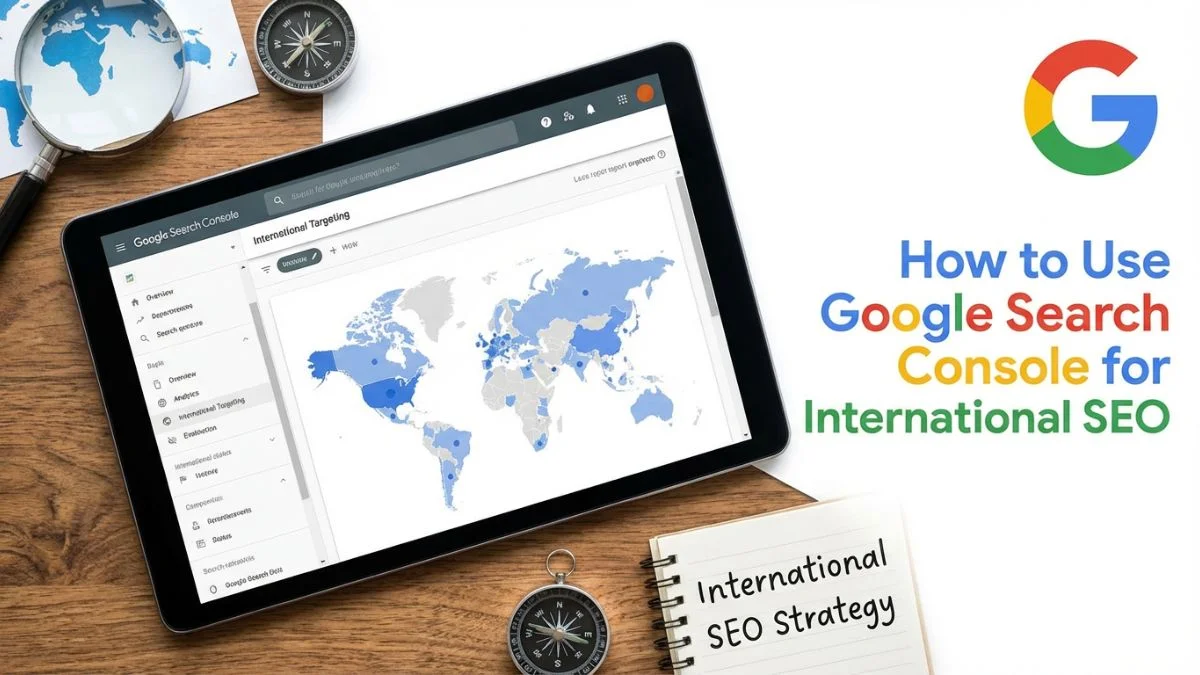
How to Use Google Search Console for International SEO

How to Use Google Search Console for International SEO: The 2026 Intelligence Guide
Direct Answer: Using Google Search Console for international SEO requires a Segmented Performance Analysis. Mastery is achieved by isolating Country-Specific Dimensions in the Performance Report to identify 'CTR Decay' in underperforming regions. Technical stability is maintained through the International Targeting Report (Legacy) to resolve Hreflang Handshake Errors and the URL Inspection Tool to verify Google-Selected Regional Canonicals. In 2026, the elite workflow integrates GSC API Data into custom dashboards to monitor Regional Core Web Vitals and Spatial Impression Drift across multiple global subdirectories.
📊 Executive Summary: The Global GSC Cockpit
- Hreflang Handshake: Validating bidirectional return tags to prevent 'Cluster Fragmentation' in the global index.
- Regional Canonicalization: Using the Inspection tool to ensure Google respects regional versions over local fallbacks.
- Performance Moats: Segmenting queries by Country + Device to uncover culturally-specific search intent shifts.
- Technical Health: Utilizing the Export API to audit regional indexing velocity and crawl budget efficiency.
Chapter 1: Mastering the International Targeting Report
This report is the heart of your global technical health.
In 2026, the 'International Targeting' report in GSC (often found in the 'Legacy' tools section) provides a clear breakdown of your hreflang tags. It tells you if you have missing return tags, invalid language codes (e.g., using 'en-UK' instead of the correct 'en-GB'), and if Google recognizes your Language Clusters. As we discussed in what is technical SEO, a clean report here is non-negotiable for global ranking stability. Use hreflang implementation best practices to keep this report green.
Chapter 2: Country-Level Performance Segmentation
A 5% CTR might look good, but if you filter for 'Mexico,' you might find a 1% CTR while 'Spain' has 9%. This indicates that your metadata in Mexico is culturally irrelevant or that your pricing is off. Use monitoring performance filters to segment your 'Queries' and 'Pages' by country. This is how you identify markets that need better Content Localization, a strategy we deconstructed in localizing content for global SEO.
1. International Health Audit (IHA)
Every quarter, a global brand must run an IHA using GSC data to identify 'Leakage' in regional traffic.
| Audit Area | Key GSC Metric | Failure Signal |
|---|---|---|
| Cluster Integrity | Hreflang Return Tags. | High 'No Return' Error volume. |
| Regional Authority | Country-Segmented Backlinks. | Links exclusively from US/UK. |
| Geotargeting Logic | Google-Selected Canonical. | US URL showing for French queries. |
Chapter 3: Auditing Regional Indexing and XML Sitemaps
Google doesn't index every page the same way in every country.
Google doesn't index every page the same way in every country.
Use the 'Pages' report and filter by your regional subdirectories (e.g., /fr/). If you see a high number of "Crawled - currently not indexed" pages in a specific language, it may imply a Duplicate Content issue, which we explored in avoiding duplicate content in international SEO. Ensure your XML sitemaps include hreflang attributes to help Google connect the dots faster. This is vital for Optimizing Crawl Budget on global sites.
1. Hreflang Error Taxonomy (HET)
GSC identifies dozens of error types. Understanding the 'Severity Hierarchy' is critical for efficient triage.
| Error Code | Causal Mechanism | Resolution Priority |
|---|---|---|
| No Return Tag | Unidirectional linking between regional assets. | Critical. |
| Unknown Language Code | Using non-ISO 639-1 / ISO 3166-1 identifiers. | High. |
| X-Default Conflict | Multiple pages claiming the global fallback role. | Moderate. |
Chapter 4: Using the URL Inspection Tool for Regional Verification
The URL Inspection tool is your 'X-Ray' for international pages.
Paste a regional URL into GSC to see the 'Google-selected canonical.' If Google has selected your /us/ page as the canonical for your /ca/ (Canada) page, your Canadian presence is being suppressed. This usually indicates a lack of Self-Referencing Canonical Tags. For details on how to fix this, see how to implement canonical tags. This tool is also essential for verifying that your Mobile Optimization is working across all regions, as we discussed in using mobile optimization for SEO.
Chapter 5: Identifying Geotargeting Conflicts
Sometimes, Google guesses your targeting, and it guesses wrong.
If you use a ccTLD (like .fr), Google automatically targets France. But if you use a .com domain, you must use the 'International Targeting' tool to set a 'Country' target (if applicable). In 2026, Google is moving away from manual geotargeting in favor of hreflang signals, but setting a regional property can still help. This avoids Geo-Targeting Issues which we analyzed in avoiding geo-targeting issues. GSC will show you if you are ranking in the countries you intended.
Chapter 6: Competitive Analysis by Regional Keywords
GSC's 'Queries' report reveals how different cultures search for your products.
By comparing the search queries for the same product across different countries, you can uncover new international keyword opportunities. For instance, a 'Sneaker' brand might see users in Australia searching for "Runners" while US users search for "Cross-trainers." Use these insights to refine your international keyword research. This is how you win SERP features like 'People Also Ask' in every specific market.
Chapter 7: Resolving International Link Issues
Who is linking to your regional versions?
Check the 'Links' report in GSC and filter for your regional folders. If your French site only has links from US domains, its 'Regional Authority' is weak. You need to focus on Country-Specific Backlinks to build trust with local search engines. This is the goal of implementing international backlinks. GSC will show you which domains are helping (or hurting) your regional domain authority.
Chapter 8: The GSC API and Automated Surveillance
For enterprise-scale international SEO, manual GSC audits are insufficient. The Google Search Console API allows you to export 100% of your performance data (bypassing the 1,000-row UI limit) into BigQuery or Looker Studio. This allows you to build Heatmaps of Geo-Impression Displacement, showing you exactly where your competitors are gaining territory in real-time. By automating the monitoring of multi-location SEO performance, you move from reactive troubleshooting to proactive market dominance.
Conclusion: The Data-Driven Global Brand
Using Google Search Console for international SEO is the ultimate way to de-risk your global expansion. It transforms "International SEO" from a guessing game into a precise technical operation. In 2026, the brands that win globally are those that monitor every regional ping, every localized click, and every technical cluster with surgical precision.
By mastering the International Targeting report, segmenting Performance data by country, and using the URL Inspection tool to resolve canonical conflicts, you provide your brand with a world-class global foundation. You ensure that your content is not just 'Translated,' but 'Targeted.' Don't let your global strategy fly blind. Master the data within GSC, claim your space in international search results, and build a brand that is truly worldwide and technically optimized. The insights are there—it's time you used them. Start your GSC international audit today.
📈 Pro-Insights: The 'Spatial Impression' Velocity
In 2026, the most advanced global SEOs monitor Spatial Impression Velocity—the speed at which a new regional subdirectory gains visibility in the GSC performance report. If a /fr/ folder takes more than 45 days to show 1,000 impressions for primary French keywords, it indicates a Crawl Buffer Blockage or a failure in the Hreflang Handshake. By cross-referencing GSC data with server logs, you can identify if Google is 'Throttling' your regional expansion due to low entity trust. This is the ultimate defensive moat for international brands facing aggressive local competition.
Frequently Asked Questions on GSC for International SEO
1. Where is the International Targeting report in GSC?
It is currently located in the 'Legacy Tools and Reports' section. It allows you to check for hreflang errors and set a country target for your domain.
2. What does 'No Return Tag' mean in GSC?
This error occurs when Page A points to Page B as a language alternate, but Page B does not point back to Page A. Google requires this 'handshake' to verify the relationship.
3. Can I filter my GSC performance by country?
Yes. In the 'Performance' report, click on the '+ New' button and select 'Country'. This allows you to see your clicks, impressions, and CTR for any specific nation.
4. Should I have a separate GSC property for every language?
For large sites, yes. Creating properties for subdirectories (e.g., example.com/fr/) provides cleaner data and better insights into the performance of specific regional teams.
5. How do I verify my hreflang tags in GSC?
Use the URL Inspection tool to see how Google crawls your page. If the 'Hreflang' section is missing or contains errors, Google might not be clustering your pages correctly.
6. Does GSC show rankings for Baidu or Yandex?
No. Google Search Console only shows data for Google. For other search engines, you must use their specific tools, like Baidu Webmaster or Yandex Webmaster.
7. Why is my 'Average Position' different in different countries?
Because search results are localized. Your site might be in position #1 in the US but #20 in the UK due to local competition, hosting proximity, and content relevance.
8. How do I see which queries are driving international traffic?
Segment your Performance report by 'Country' and then look at the 'Queries' tab. This will show you exactly what users in that specific country are searching for.
9. What is the impact of the 'x-default' tag in GSC?
The x-default tag helps Google decide which page to show to users in countries you haven't specifically targeted. GSC will show if this version is ranking correctly as a fallback.
10. How do I fix 'Crawled - currently not indexed' for international pages?
This often means Google sees the page as a duplicate. Ensure your hreflang tags are correct and that the page has enough localized content to be seen as a unique asset.
11. What is 'Impression Drift' in GSC?
Impression Drift refers to a scenario where a regional URL starts ranking for keywords in a different country (e.g., your UK page ranking in Canada), signaling a canonicalization or hreflang failure.
12. How to use Regex in GSC for regional audits?
Use the 'Query' or 'Page' filter with 'Custom (regex)' to isolate traffic for specific languages, like ^/(es|mx|ar)/ for all Spanish-speaking subdirectories.
13. What is a 'Ghost Impression' in international reports?
Impressions that appear for keywords in a country where you have zero localized presence, usually caused by broad semantic matching or global VPN users.
14. Impact of 'Server Response Time' by region?
GSC's 'Core Web Vitals' report can be segmented by country. If France has lower CWV scores than the US, you likely need a local CDN or edge caching for that region.
15. How to handle 'Language-Only' hreflang in GSC?
GSC will validate hreflang tags that only specify language (e.g., 'es'). However, for complex markets, it prefers the language-region format (e.g., 'es-MX').
16. Does GSC track 'Auto-Translation' performance?
GSC doesn't know if a page is auto-translated, but you will see lower CTR and higher bounce rates (indirectly) in the Performance report for low-quality translations.
17. What is 'Property Fragmentation'?
The practice of creating too many GSC properties for a site, making it difficult to get a holistic view of global performance. Use 'Domain Properties' to avoid this.
18. How to use GSC for 'Regional Keyword Expansion'?
Identify 'Low Impression, High CTR' keywords in secondary countries to find untapped markets where you should invest in more localized content.
19. Impact of 'Crawl Delay' on international sites?
Monitor the 'Crawl Stats' report. If certain regional subdirectories have high latency, Google will crawl them less frequently, delaying your global updates.
20. What is 'Canonical Displacement'?
When Google ignores your hreflang and chooses a different regional version as the 'Official' canonical, often due to high content similarity between countries.
21. How to monitor 'International Sitemaps'?
Upload separate sitemaps for each country folder (e.g., sitemap-fr.xml) and monitor their individual 'Indexed' count in the GSC Sitemaps report.
22. Importance of 'x-default' validation?
In GSC, check if your 'Global' page is capturing traffic from countries without specific hreflang targets. If not, your x-default tag may be broken.
23. Relationship between GSC and Hreflang?
GSC is the only tool that provides Google's *actual* interpretation of your hreflang implementation, regardless of what third-party crawlers say.
24. How to identify 'Phantom Traffic'?
Traffic coming from irrelevant countries that has a 0% conversion rate. Use GSC to identify these queries and exclude them from your strategy.
25. Impact of 'SSL/TLS' on regional properties?
GSC will flag security issues. Ensure your regional subfolders don't have mixed content or expired certificates, which hurt global trust.
26. What is 'Regional CTR Decay'?
A steady decline in CTR within a specific country despite stable rankings, often indicating that local competitors have better metadata.
27. How to use GSC for 'Local Competitor Discovery'?
Analyze 'People Also Ask' and 'Related Searches' in GSC performance reports for specific countries to see which local brands Google associates with you.
28. Use of 'GSC Search Console API' for scale?
Use the API to build automated scripts that alert you the moment hreflang errors exceed a certain threshold (e.g., >10% of regional pages).
29. What is 'Language Mismatch' error?
When the content on a page doesn't match the language specified in its hreflang tag. GSC will often deprioritize these pages in search results.
30. Impact of 'Schema Markup' on international GSC?
GSC's 'Enhancements' reports show if your localized Schema (e.g., localized currency or addresses) is correctly parsed per region.
31. How to track 'Global Rich Snippet' status?
Check the 'Rich Results' report and segment by country to see which markets are yielding the most visual real estate on the SERP.
32. What is 'Regional Metadata Fatigue'?
Using the same titles/descriptions across all countries. GSC CTR data will show which regions find these generic snippets unappealing.
33. How to handle 'Hreflang for PDF' in GSC?
Google doesn't support hreflang in PDF headers. GSC will show these as unassociated documents unless they are linked from HTML pages with hreflang.
34. Impact of 'Domain-Level Geotargeting'?
Using the GSC Legacy tool to target a domain to USA will effectively 'cap' your performance in other countries. Use 'Unlisted' for global sites.
35. What is the 'Global Search Cockpit' mindset?
Treating GSC as a real-time battle map where every regional fluctuation is a signal to optimize, adapt, or expand localized assets.