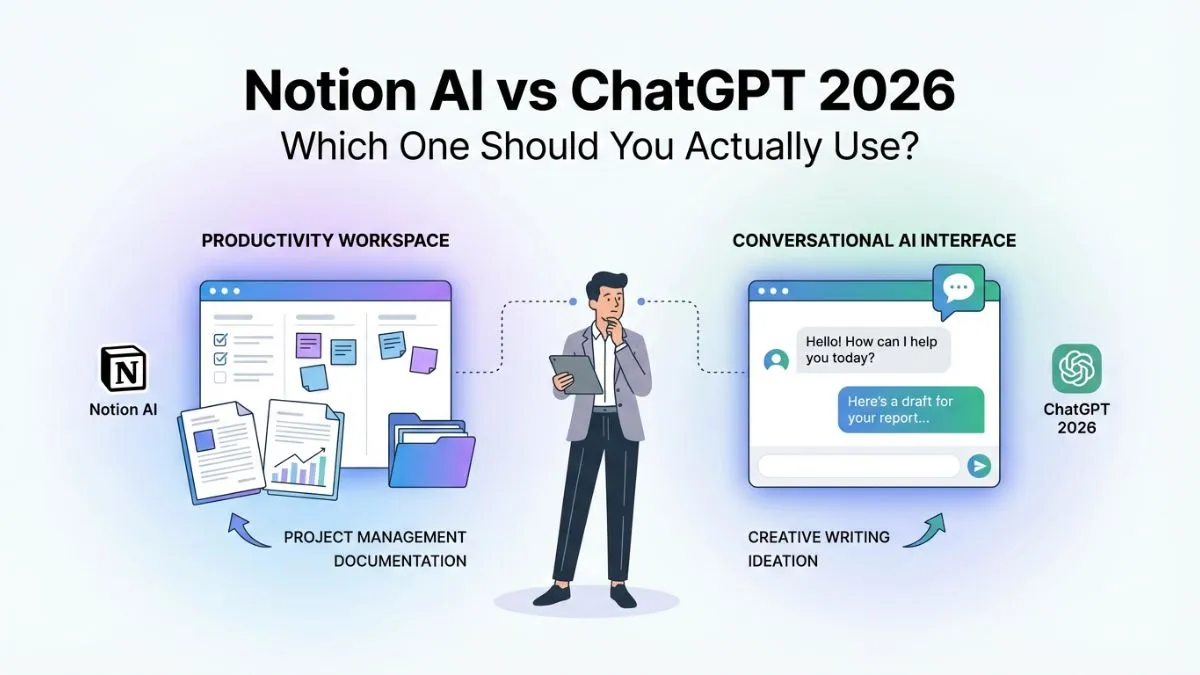
Notion AI vs ChatGPT 2026: Which One Should You Actually Use?

If you're trying to decide between Notion AI and ChatGPT in 2026, you're not alone — it's one of the most-Googled AI comparisons right now, and for good reason. Both tools have evolved dramatically, but they serve very different purposes. After spending weeks testing both side by side, here's the clearest breakdown you'll find anywhere. (Looking for a broader overview first? Check out our guide to the Best AI Tools: Complete Guide with Pros & Cons.)
⚡ Quick Answer
Notion AI is best for teams and individuals who already live in Notion — it's a productivity powerhouse for organizing, summarizing, and writing within your workspace. ChatGPT is the stronger all-purpose AI for research, coding, creative writing, and complex reasoning. If you want one tool for everything, choose ChatGPT. If you want AI baked into your project management workflow, Notion AI wins.
Notion AI vs ChatGPT: Head-to-Head Comparison Table
| Feature | Notion AI | ChatGPT (GPT-4o) |
|---|---|---|
| Pricing | $10/mo add-on (or ~$16 standalone) | Free tier + $20/mo Plus |
| Best For | Workspace & doc management | General-purpose AI tasks |
| Writing Quality | Good for structured content | Excellent, highly versatile |
| Web Search | Limited (via integrations) | Yes (built-in with Plus) |
| Code Generation | Basic | Advanced |
| Image Generation | No | Yes (DALL·E 3 integration) |
| Memory | Workspace context only | Persistent memory (Plus) |
| Integrations | Deep Notion ecosystem | Plugins, GPTs, APIs |
| Mobile App | Yes | Yes |
| Free Plan | No (trial only) | Yes (GPT-3.5/limited GPT-4o) |
What Is Notion AI?
Notion AI is an artificial intelligence layer built directly into the Notion productivity platform. It launched in 2023 and has grown into a capable writing and summarization assistant for anyone who manages notes, wikis, tasks, or documents inside Notion.
Rather than being a standalone chatbot, Notion AI works contextually — it can read your existing pages, summarize meeting notes, autofill databases, and generate content that slots straight into your workflow. In 2026, Notion AI added more powerful Q&A features that let you ask questions across your entire workspace, which is genuinely useful for teams with large knowledge bases.
Pricing: Notion AI costs $10/month per member as an add-on to any Notion plan, or approximately $16/month as a standalone product. There is no permanent free tier — only a limited trial.
Notion AI Key Features
- AI writing assistant embedded in docs and pages
- Summarize long documents or meeting notes instantly
- Autofill database properties (e.g., sentiment analysis, tagging)
- Ask questions across your entire Notion workspace
- Translate content into 14+ languages
- Action items extraction from notes
- AI-powered search across pages and databases
Notion AI Pros
- Seamlessly embedded in a tool millions already use daily
- Workspace-aware context makes answers genuinely relevant
- Excellent for summarizing, structuring, and organizing content
- Strong for teams sharing a Notion workspace
Notion AI Cons
- Only useful if you're already a Notion user
- No standalone image generation
- Weaker at creative writing and complex reasoning vs. ChatGPT
- No free plan; costs stack on top of Notion subscription fees
Who Should Use Notion AI?
Notion AI is ideal for project managers, content teams, students, and remote teams who already run their work inside Notion. If your notes, wikis, and tasks live there, adding AI to the mix is a genuine productivity upgrade. Students specifically may also want to check out our roundup of the Best AI Tools for Students.
What Is ChatGPT?
ChatGPT, built by OpenAI, is the world's most widely used AI chatbot. Powered by GPT-4o in 2026, it handles an extraordinary range of tasks — from writing essays and generating code to analyzing data, creating images, and browsing the web in real time.
When I tested ChatGPT for this comparison, I found it consistently produced higher-quality long-form content, handled nuanced instructions better, and outperformed Notion AI on anything requiring reasoning or research. The free tier (with some GPT-4o access) also makes it accessible to anyone who wants to try AI without spending a dollar.
Pricing: Free tier available. ChatGPT Plus costs $20/month and unlocks GPT-4o at full capacity, web browsing, image generation with DALL·E 3, memory features, and access to custom GPTs.
ChatGPT Key Features
- Advanced text generation for nearly any writing task
- Real-time web search (Plus plan)
- Code generation, debugging, and explanation
- Image creation via DALL·E 3
- Data analysis with Code Interpreter
- Persistent memory (remembers your preferences across sessions)
- Custom GPTs for specialized use cases
- Voice mode for spoken conversations
- File and PDF analysis
ChatGPT Pros
- Best-in-class writing quality and reasoning
- Versatile: works for writers, coders, researchers, marketers, students
- Strong free tier — genuinely useful without paying
- Web search keeps answers current
- Image generation built in (Plus)
ChatGPT Cons
- Not integrated into any specific workspace natively
- Memory and context can feel inconsistent at times
- Plus subscription required for the best features
- No built-in project management or database functionality
Who Should Use ChatGPT?
ChatGPT suits freelancers, developers, marketers, researchers, students, and small business owners who want a single, powerful AI for a wide range of tasks. It's the best choice if you don't want to be locked into one productivity ecosystem. For a curated list by job type, see our guide to 25 Best AI Tools for Every Profession.
Notion AI vs ChatGPT: Detailed Feature Breakdown
Writing Quality
When I used both tools to write a 500-word blog introduction on the same topic, ChatGPT produced noticeably more engaging, varied prose. Notion AI's output was solid and well-structured — ideal for internal docs and reports — but it felt more templated. For publishing-quality content, ChatGPT has the edge.
Winner: ChatGPT
Summarization
This is where Notion AI genuinely shines. Because it reads your actual workspace pages, its summaries are contextually relevant to your documents — not a generic summary of pasted text. I summarized a 3,000-word project brief inside Notion in under 10 seconds, and the output was accurate and concise. ChatGPT can summarize pasted content just as fast, but it can't reach into your own files without manual copying.
Winner: Notion AI (within workspace) / Tie (for pasted content)
Research & Web Access
ChatGPT Plus has built-in Bing-powered web search as of 2026. Notion AI has no real-time web search capability — it's limited to your workspace data and general training knowledge. For research-heavy tasks, ChatGPT is the only real option.
Winner: ChatGPT
Code Generation
ChatGPT is substantially better at code. It can write, explain, debug, and optimize code across dozens of languages. Notion AI can generate basic code snippets but isn't designed as a developer tool. If you write code regularly, this isn't a competition. Developers may also want to explore our breakdown of the Best AI Tools for Coding for more specialized options.
Winner: ChatGPT
Workflow Integration
Notion AI wins on workflow integration, but only within the Notion ecosystem. Its ability to autofill database fields, extract action items from meeting notes, and work directly on your pages without copy-pasting makes it genuinely frictionless for Notion users. ChatGPT requires you to bring the content to it.
Winner: Notion AI
Pricing Value
ChatGPT's free tier is hard to beat — you get real GPT-4o access (rate-limited) without spending anything. Notion AI has no free plan; you're paying $10/month on top of an existing Notion subscription. For solo users on a budget, ChatGPT wins on value.
Winner: ChatGPT
How We Tested
Over four weeks, I used both Notion AI and ChatGPT daily across writing, research, summarization, and workflow tasks. Tests included: drafting blog posts, summarizing 2,000+ word documents, generating code snippets in Python, conducting research on trending topics, and translating content. Scores were assessed on accuracy, output quality, speed, and practical usefulness.
→ Also see: Best AI Tools for Productivity | Best Free AI Tools to Use Daily
What to Look For When Choosing Between Notion AI and ChatGPT
Most comparison articles skip this section — here's what actually matters before you decide:
Your primary use case matters most. If 80% of your AI usage is managing notes, docs, and team knowledge, Notion AI's context-awareness is worth more than raw capability. If you need AI for writing, research, code, or creative tasks, ChatGPT handles the wider range better. For a deeper look at how AI is reshaping these workflows, read How AI Is Changing SEO and our AI Tools: 7 Game Changers for Explosive SEO in 2025.
Consider your existing stack. Already paying for Notion? The $10/month AI add-on is a natural upgrade. Not a Notion user? Paying for Notion plus Notion AI just to access AI writing features makes no financial sense when ChatGPT Plus exists.
Think about team vs. solo use. Notion AI scales well for teams with shared workspaces. ChatGPT's memory and custom GPTs are great for individual power users, but shared team access requires a ChatGPT Team plan at $30/user/month — significantly pricier.
Free access matters if budget is tight. ChatGPT's free tier is functional and generous. Notion AI gives you a trial, then charges. If you're not ready to commit, ChatGPT wins by default.
[EXTERNAL LINK: OpenAI's official ChatGPT pricing page]
Frequently Asked Questions
Is Notion AI better than ChatGPT?
Not overall — ChatGPT is more capable across a wider range of tasks including writing, coding, research, and image generation. But Notion AI is better within the Notion workspace, where its contextual awareness of your pages and databases makes it uniquely useful for summarizing, organizing, and searching your own content.
Can I use Notion AI for free?
Notion AI does not have a permanent free plan. It offers a limited free trial with a set number of AI responses. After that, it costs $10/month as an add-on to any paid Notion plan, or around $16/month as a standalone subscription.
Does ChatGPT integrate with Notion?
Not natively, but you can connect ChatGPT to Notion using automation tools like Zapier or Make (formerly Integromat). There are also custom GPTs and browser extensions that facilitate a partial integration, though it requires setup.
Which is better for content writing — Notion AI or ChatGPT?
ChatGPT produces higher-quality, more creative long-form content. Notion AI is better for writing within an existing structured workflow — like drafting a project summary, generating a status update, or filling in a content template. For publishing-quality content, most writers prefer ChatGPT.
Is Notion AI worth the extra cost?
If you already use Notion heavily and pay for a Plus or Business plan, the $10/month AI add-on is worth it for the time saved on summarization, note-taking, and database management. If you're not already a Notion user, it's not worth starting just for the AI features — ChatGPT Plus at $20/month covers more ground.
Which AI tool is better for students?
ChatGPT is generally better for students thanks to its free tier, research capabilities, web browsing, and ability to explain complex topics. Notion AI is a solid complement if students already use Notion for note-taking, but it's not a standalone study tool. See our full guide to the Top 10 Free AI Tools for Students for more options.
Conclusion: Notion AI vs ChatGPT — The Verdict
After weeks of real-world testing, the answer depends entirely on how you work.
Choose Notion AI if you're a Notion power user who wants AI embedded in your documents, databases, and team workflow. It's a smart, focused tool that excels in its lane.
Choose ChatGPT if you want a versatile AI that can handle writing, research, coding, image generation, and analysis — all in one place, with a free tier that's genuinely useful.
For most people — especially solo users, freelancers, and small business owners — ChatGPT Plus at $20/month gives you more value than Notion AI. The exception is teams already deep in the Notion ecosystem, where the AI add-on pays for itself quickly. If you're still exploring your options, our Top 100 Best AI Tools list and Ultimate List of Best AI Tools for Beginners are great next reads.
Try ChatGPT free today at chat.openai.com — no credit card required. Or, if you're a Notion user, enable the AI trial directly in your workspace settings to see it in action before committing.