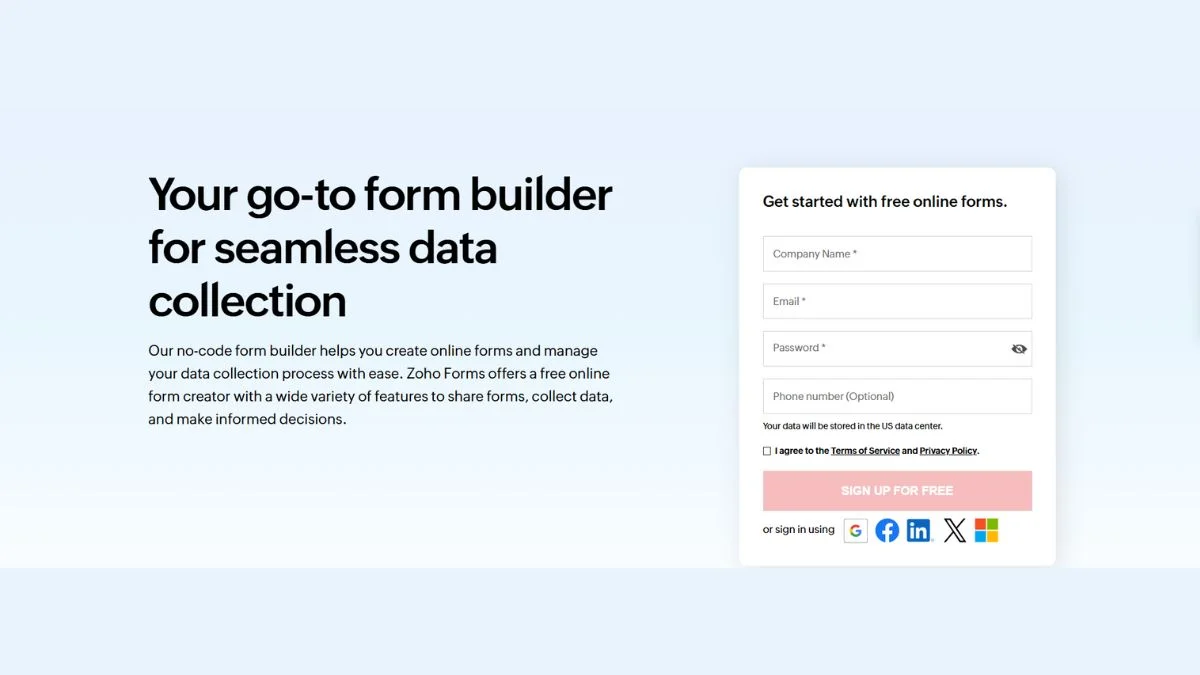
Zoho Forms Alternative: Top Replacements for Every Budget

Finding the right online form builder can transform how you collect data, process payments, and engage with customers. While Zoho Forms has served many businesses well, it's not the perfect fit for everyone. Whether you're looking for more affordable options, advanced features, or better integrations, this comprehensive guide explores the best Zoho Forms alternatives across every budget range.
Why Look for a Zoho Forms Alternative?
Before diving into alternatives, let's understand why businesses search for Zoho Forms replacements:
Limited Customization: Zoho Forms offers basic customization options, but many users find themselves restricted when trying to create truly branded experiences that match their website design perfectly.
Pricing Structure: While Zoho Forms has a free plan, accessing advanced features requires upgrading to paid plans that can become expensive as your needs grow.
Integration Limitations: Although Zoho Forms integrates well within the Zoho ecosystem, connections to third-party tools outside this environment can be limited or require workarounds.
Learning Curve: Some users report that Zoho Forms has a steeper learning curve compared to more intuitive alternatives, particularly for beginners.
Mobile Experience: The mobile form creation and completion experience sometimes falls short of expectations, especially when compared to mobile-first alternatives.
Best Free Zoho Forms Alternatives
1. Google Forms - The Ultimate Free Solution
Pricing: Completely free forever
Best For: Budget-conscious users, educators, small teams, and anyone embedded in the Google ecosystem
Google Forms stands as the gold standard for free form builders. With unlimited forms, unlimited responses, and seamless integration with Google Sheets, it's hard to beat for basic data collection needs.
Key Features:
- 17 question types including multiple choice, checkboxes, and linear scales
- Real-time collaboration with team members
- Automatic chart generation from response data
- Built-in quiz functionality with auto-grading
- Direct export to Google Sheets for advanced analysis
- Mobile-responsive forms that work on any device
Limitations:
- Limited design customization options
- No native payment processing
- Basic conditional logic compared to premium alternatives
- No e-signature collection
- Google branding remains on forms
Integration Options: Works seamlessly with Google Workspace (Sheets, Drive, Calendar, Gmail) and can connect to other tools through automation platforms like Zapier.
If you need to enhance your Google Forms with better validation or analysis, consider using our JSON Validator to clean up exported data for advanced processing.
2. Cognito Forms - Free with Powerful Features
Pricing:
- Free Plan: 1 user, unlimited forms, 500 entries/month
- Pro: $15/month for 2 users
- Team: $35/month for 5 users
- Enterprise: $99/month for 20 users
Best For: Small businesses needing payment processing, nonprofits, and users requiring advanced calculations
Cognito Forms offers excellent value for money with a wide range of field types and features like saving progress, customizable tables, signatures, calculations, and pre-fills available even on the free tier.
Key Features:
- Built-in payment processing (Stripe, Square, PayPal)
- Advanced calculations and conditional logic
- Repeating sections for complex data collection
- Data encryption for sensitive information
- Workflow automation with approval processes
- Self-service client portal for submission tracking
- Visual logic builder for complex forms
Why Choose Cognito Forms Over Zoho: The free plan is incredibly generous, allowing unlimited forms with 500 monthly submissions. Cognito Forms' free plan allows one user to send unlimited forms and receive up to 500 responses a month, making it arguably the most generous free plan from a Formstack competitor.
Real User Feedback: Users consistently praise Cognito Forms for creating everything from simple sign-up forms to complex workflows with custom fields and conditional logic. The flexibility meets a wide range of different business needs without breaking the bank.
For teams managing multiple forms and tracking submissions, our XML Sitemap Generator can help organize your form pages for better SEO visibility.
Mid-Range Zoho Forms Alternatives ($20-$50/month)
3. JotForm - Feature-Rich and User-Friendly
Pricing:
- Free Plan: 5 forms, 100 submissions/month, 100 fields per form
- Bronze: $39/month (25 forms, 1,000 submissions)
- Silver: $49/month (50 forms, 2,500 submissions)
- Gold: $129/month (unlimited forms, 10,000 submissions)
Best For: Businesses requiring advanced features, payment collection, e-signatures, and extensive integrations
JotForm offers customizable form templates, advanced features, and more than 100 apps and integrations, including payment integrations like PayPal, Venmo, and Authorize.net that can be placed directly on forms.
Key Features:
- Over 10,000 pre-built templates across multiple categories
- Advanced conditional logic and calculations
- Payment processing with 40+ payment gateways
- E-signature collection capabilities
- PDF editing and generation
- Mobile app builder for iOS and Android
- HIPAA compliance options for healthcare
- Appointment scheduling with calendar sync
- Offline form completion via mobile app
Customization Capabilities: JotForm offers hundreds of different themes and allows users with design skills to dive into the CSS to make every line look exactly how they want it. This level of customization far exceeds what Zoho Forms provides.
Integration Power: JotForm integrates with Salesforce, HubSpot, Slack, Monday.com, Mailchimp, Google Workspace, Dropbox, and countless other business tools. It's built for teams that need forms to fit seamlessly into existing workflows.
For those managing complex form data, our JSON Editor provides a clean interface for working with exported form responses.
Read More: Check out our detailed comparison in Top JotForm Alternatives to see how it stacks up against competitors.
4. Typeform - Engaging Conversational Forms
Pricing:
- Basic: $25/month (10 responses, 3 forms)
- Plus: $50/month (100 responses, unlimited forms)
- Business: $83/month (1,000 responses)
- Enterprise: Custom pricing
Best For: Marketers, designers, and businesses prioritizing user engagement and response rates
Typeform has revolutionized form design with its conversational approach, presenting one question at a time to create an engaging, chat-like experience that prioritizes visual appeal and user engagement through modern design templates and smooth transitions.
Key Features:
- One-question-at-a-time format for higher engagement
- AI-powered Smart Insights for automatic data analysis
- Video questions and answers for deeper insights
- Multi-language support with auto-translation
- Logic jumps for personalized experiences
- Hidden fields for tracking campaign attribution
- Partial submit points to capture incomplete responses
- Mobile-responsive design optimized for all devices
Design Excellence: Typeform's Brand Kit feature uses AI to automatically pull branding elements and visuals from your website, ensuring every form maintains consistent brand identity with minimal effort. This is a significant upgrade from Zoho Forms' more manual branding process.
When to Choose Typeform: If your primary goal is maximizing form completion rates and creating memorable user experiences, Typeform's interactive approach delivers better results than traditional form builders. The trade-off is higher pricing for premium features.
Enhance your form pages' visibility with our Meta Tag Generator to optimize how your forms appear in search results.
5. Wufoo - Cloud-Based Simplicity
Pricing:
- Free Plan: Limited features with Wufoo branding
- Starter: $14.08/month
- Professional: $29.08/month
- Advanced: $74.08/month
- Ultimate: $183.25/month
Best For: Users wanting beautiful forms with minimal technical knowledge
As part of the Survey Monkey family, Wufoo has a long history and reputation for enabling users to design beautiful forms using drag-and-drop, with no coding experience required.
Key Features:
- Drag-and-drop form builder
- Theme library for quick customization
- Real-time notifications for new submissions
- File upload capabilities
- Payment collection integration
- Reporting and data export to spreadsheets
- WordPress, Mailchimp, and PayPal integrations
- Custom branding options
Why Wufoo Works: Wufoo strikes a balance between functionality and simplicity. It's more advanced than Google Forms but less overwhelming than JotForm, making it ideal for small businesses that need professional forms without complexity.
Users managing multiple websites can use our Domain Hosting Checker to track where their forms are deployed.
Premium Zoho Forms Alternatives ($50+/month)
6. Formstack - Enterprise-Grade Form Builder
Pricing:
- Forms Plan: $99/month (billed annually at $996/year)
- Suite Plan: $299/month (includes multiple tools, billed annually at $3,000/year)
- Enterprise: Custom pricing
Best For: Large organizations, healthcare providers, financial institutions, and businesses requiring strict compliance
Formstack offers features like document and form building, signature collection, workflow automation, drag-and-drop functionality, AI-generated documents, conditional logic, and extensive software integrations.
Key Features:
- AI-powered document generation from text prompts
- Advanced workflow automation and approval processes
- HIPAA and PCI DSS compliance built-in
- Smart forms that react dynamically to user inputs
- Multi-step approval workflows
- Salesforce, HubSpot, and Microsoft integrations
- Advanced data routing and processing
- White-label options for agencies
- Offline data collection with Formstack Go app
Security Focus: Formstack prioritizes data security and compliance, making it the go-to choice for industries handling sensitive information. Healthcare organizations, financial services, and government agencies often choose Formstack for its robust security features.
Enterprise Advantages: Unlike Zoho Forms, Formstack offers dedicated account management, priority support, and extensive training resources for enterprise clients. The platform scales effortlessly from small teams to organizations with thousands of users.
For businesses tracking form performance, integrate with our Google Cache Checker to ensure your form pages are properly indexed.
Specialized Zoho Forms Alternatives
7. SurveyMonkey - Survey and Research Focused
Pricing: Plans start at $25/month for individuals, with team and enterprise options available
Best For: Market research, customer feedback, employee surveys, and academic research
Key Features:
- Advanced survey logic and branching
- Professional survey templates designed by experts
- Powerful analytics and reporting dashboards
- A/B testing for survey optimization
- Benchmarking data across industries
- Panel services for targeted respondents
- Integration with business intelligence tools
- Team collaboration features
Why SurveyMonkey for Research: While Zoho Forms handles basic surveys, SurveyMonkey excels at sophisticated research projects requiring statistical analysis, demographic filtering, and professional reporting capabilities.
Analyze your survey data more effectively using our JSON Formatter to organize exported results.
8. HubSpot Forms - CRM-Integrated Solution
Pricing: Free with HubSpot CRM, premium features start at $45/month
Best For: Sales teams, marketing departments, and businesses using HubSpot CRM
Key Features:
- Native integration with HubSpot CRM
- Progressive profiling to update contact records
- Smart fields that pre-populate for known contacts
- Lead scoring based on form submissions
- Automated follow-up email sequences
- Form abandonment tracking and recovery
- A/B testing for conversion optimization
- Contact lifecycle management
The CRM Advantage: HubSpot Forms automatically creates or updates contact records in your CRM, assigns leads to sales reps, and triggers marketing automation workflows. This seamless integration eliminates manual data entry and accelerates lead follow-up.
Track your form submission sources with our What Is My IP tool to understand where your traffic originates.
Comparison Table: Zoho Forms vs Top Alternatives
| Feature | Zoho Forms | Google Forms | JotForm | Typeform | Formstack | Cognito Forms |
|---|---|---|---|---|---|---|
| Free Plan | Yes (limited) | Yes (unlimited) | Yes (5 forms) | No | No | Yes (generous) |
| Starting Price | $10/month | Free | $39/month | $25/month | $99/month | $15/month |
| Templates | 500+ | 17 | 10,000+ | 3,000+ | 1,000+ | 100+ |
| Payment Processing | Yes | Add-ons only | Yes (40+ gateways) | Yes | Yes | Yes (built-in) |
| E-Signatures | No | No | Yes | Limited | Yes | Yes (paid plans) |
| Conditional Logic | Basic | Basic | Advanced | Advanced | Advanced | Advanced |
| Mobile App | Yes | No | Yes | No | Yes (Formstack Go) | No |
| HIPAA Compliance | Yes (paid) | No | Yes (paid) | No | Yes (included) | Yes (enterprise) |
| Integrations | Zoho ecosystem | Google Workspace | 100+ apps | 120+ apps | 100+ apps | 50+ apps |
| Custom CSS | Limited | No | Yes | Yes | Yes | Limited |
| Offline Forms | No | No | Yes (mobile app) | No | Yes | No |
How to Choose the Right Zoho Forms Alternative
Selecting the perfect form builder depends on your specific needs, budget, and technical expertise. Here's a decision framework:
Choose Google Forms If:
- You need a completely free solution with no submission limits
- Your team already uses Google Workspace
- You're creating simple surveys, quizzes, or data collection forms
- Design customization isn't a priority
- You don't need payment processing or e-signatures
Choose JotForm If:
- You need extensive template options (10,000+)
- Payment collection is essential for your business
- E-signature gathering is required
- You want advanced conditional logic without coding
- Integration with 100+ business apps is important
- Mobile form creation matters to your workflow
Choose Typeform If:
- User engagement and completion rates are critical
- You want a modern, conversational form experience
- Visual design and brand consistency matter
- You're willing to pay premium pricing for premium UX
- You need multi-language forms with auto-translation
Choose Formstack If:
- Your organization handles sensitive data requiring HIPAA compliance
- You need enterprise-grade security and compliance features
- Advanced workflow automation is essential
- You're willing to invest $100+/month for premium features
- White-label options for agency use are required
Choose Cognito Forms If:
- You want generous free plan features (500 entries/month)
- Payment processing is needed on a budget
- Complex calculations within forms are required
- You need workflow automation at an affordable price
- Nonprofit or educational discounts are valuable
Migration Tips: Moving from Zoho Forms
Switching form builders can seem daunting, but with proper planning, the transition becomes smooth:
1. Export Your Existing Data
Before migrating, export all form submissions from Zoho Forms. Most alternatives accept CSV imports, making data transfer straightforward. Use our CSV processing tools to clean and prepare your data.
2. Recreate Forms Strategically
Rather than recreating every form immediately, prioritize based on usage:
- Start with your highest-traffic forms
- Migrate active forms receiving regular submissions
- Archive outdated forms that no longer serve a purpose
3. Update Form Links Gradually
Implement 301 redirects from old Zoho Forms URLs to new form locations using our Htaccess Redirect tool. This preserves SEO value and prevents broken links.
4. Test Extensively
Before going live with new forms:
- Submit test responses to verify data collection
- Test all conditional logic pathways
- Verify integration connections work properly
- Confirm payment processing functions correctly
- Check mobile responsiveness on multiple devices
5. Monitor Performance
Track form metrics after migration:
- Completion rates compared to previous forms
- Time to complete forms
- Abandonment points within forms
- Conversion rates for payment forms
Use our Website SEO Score Checker to ensure your new form pages maintain strong SEO performance.
Optimizing Form Performance for Better Results
Regardless of which Zoho Forms alternative you choose, implementing these optimization strategies will improve form completion rates:
Design Best Practices
- Keep It Short: Every additional field reduces completion rates by 5-10%
- Use Progressive Disclosure: Show fields conditionally as users progress
- Implement Smart Defaults: Pre-fill fields when possible to reduce friction
- Optimize for Mobile: Over 60% of form submissions now come from mobile devices
Technical Optimization
Ensure your forms load quickly by:
- Compressing images used in forms with our Image Compressor
- Minimizing custom CSS with our CSS Minifier
- Reducing JavaScript bloat using our Javascript Minifier
Conversion Rate Optimization
- Clear Value Proposition: Explain why users should complete your form
- Trust Indicators: Display security badges and privacy statements
- Progress Indicators: Show completion percentage for multi-step forms
- Error Prevention: Use real-time validation to prevent submission errors
Learn more about improving your website's conversion rates in our guide: 8 Proven Tips to Reduce Bounce Rate.
Security and Compliance Considerations
When handling customer data through online forms, security isn't optional:
Data Protection Features to Require
- SSL/TLS Encryption: All form data must transmit securely (check with our SSL Checker)
- GDPR Compliance: Essential for European customers
- HIPAA Compliance: Required for healthcare information
- PCI DSS Compliance: Mandatory for payment processing
- Data Retention Policies: Control how long submissions are stored
- User Consent Management: Track and document user permissions
Security Checklist
Before choosing a form builder, verify:
- Two-factor authentication for admin accounts
- Role-based access controls for team members
- Audit logs tracking all data access
- Regular security audits and penetration testing
- Data backup and disaster recovery procedures
- SOC 2 Type II certification for enterprise users
Monitor your forms' security status with our Blacklist Checker to ensure your domain maintains good reputation.
Integration Capabilities Matter
The best form builder integrates seamlessly with your existing tech stack:
Essential Integrations to Consider
- CRM Systems: Salesforce, HubSpot, Zoho CRM, Pipedrive
- Email Marketing: Mailchimp, Constant Contact, SendGrid
- Payment Processors: Stripe, PayPal, Square, Authorize.net
- Project Management: Asana, Trello, Monday.com, ClickUp
- Communication: Slack, Microsoft Teams, Discord
- Cloud Storage: Google Drive, Dropbox, OneDrive
- Analytics: Google Analytics, Mixpanel, Amplitude
API and Webhook Support
For custom integrations, ensure your chosen alternative offers:
- RESTful API documentation
- Webhook support for real-time data transfer
- Zapier or Make (formerly Integrabusiness) compatibility
- Custom JavaScript injection for advanced functionality
Real-World Use Cases and Success Stories
Understanding how different businesses use form alternatives helps inform your decision:
E-commerce: JotForm for Order Forms
An online bakery switched from Zoho Forms to JotForm, integrating payment processing directly into custom order forms. Result: 43% increase in completed orders due to streamlined checkout process.
Healthcare: Formstack for Patient Intake
A medical clinic migrated to Formstack for HIPAA-compliant patient intake forms. The automated workflows reduced administrative time by 8 hours per week while ensuring regulatory compliance.
Education: Google Forms for Student Surveys
A university replaced Zoho Forms with Google Forms for course evaluations, saving $12,000 annually while maintaining full functionality for their needs.
Marketing: Typeform for Lead Generation
A SaaS company implemented Typeform for product demo requests, achieving a 67% increase in form completion rates compared to their previous Zoho Forms implementation.
Advanced Features to Consider
As your form needs evolve, these advanced capabilities become increasingly valuable:
Multi-Step Forms
Breaking long forms into logical sections improves completion rates by 15-25%. Look for alternatives offering:
- Progress bars showing completion percentage
- Save and resume functionality
- Section-based conditional logic
- Per-step validation before advancing
Calculation Fields
For quote generators, pricing calculators, or complex data collection, calculation fields transform forms into powerful business tools. Cognito Forms excels with advanced calculations and conditional logic, allowing forms to perform complex mathematical operations and dynamic pricing.
Approval Workflows
Service businesses benefit from multi-stage approval processes where:
- Form submissions route to appropriate team members
- Approvers receive notifications with one-click approval
- Rejection triggers automated follow-up with submitters
- Approved forms integrate with downstream systems
White-Label Options
Agencies and consultants benefit from white-label form builders that allow complete branding removal and custom domain hosting, presenting forms as native solutions.
Budget-Friendly Strategies
Maximize value regardless of budget:
For Startups (Under $25/month)
- Start with Google Forms or Cognito Forms free plans
- Use Zapier's free tier (100 tasks/month) for basic integrations
- Leverage form templates to save design time
- Focus on 2-3 essential forms rather than dozens
For Growing Businesses ($25-$100/month)
- Invest in JotForm Bronze or Typeform Basic
- Utilize conditional logic to consolidate multiple forms
- Implement payment processing to monetize forms
- Add team members as you scale
For Enterprises ($100+/month)
- Choose Formstack or JotForm Gold for unlimited needs
- Implement advanced workflow automation
- Utilize API integrations for custom solutions
- Invest in dedicated support and training
Common Mistakes to Avoid
Learn from others' migration challenges:
Mistake #1: Not Testing Before Launch
Always submit test entries through every conditional logic pathway before making forms public. One enterprise lost 200+ leads due to a misconfigured email notification.
Mistake #2: Overcomplicating Forms
Just because your new form builder has 50+ field types doesn't mean you should use them all. Keep forms focused and concise.
Mistake #3: Ignoring Mobile Experience
Over 60% of form submissions now occur on mobile devices. Test every form on smartphones before launch using our Mobile Friendly Test.
Mistake #4: Poor Data Migration Planning
Rushing data migration from Zoho Forms can result in lost historical data. Document your migration process and maintain backups.
Mistake #5: Skipping Security Settings
Configure security settings immediately upon account creation. Don't wait until you experience a spam attack to enable CAPTCHA protection.
Future-Proofing Your Form Strategy
Technology evolves rapidly. Choose alternatives that demonstrate forward-thinking:
AI-Powered Features
Leading form builders now incorporate:
- Smart field suggestions based on form purpose
- Automated spam detection without CAPTCHA
- Predictive text for common responses
- Auto-translation for global audiences
Voice and Video Integration
Emerging capabilities include:
- Voice responses for accessibility
- Video testimonials collected via forms
- Audio file uploads for music submissions
- Screen recording for bug reports
Advanced Analytics
Modern form builders provide:
- Heatmaps showing where users click
- Session recordings of form interactions
- Abandonment analysis identifying friction points
- A/B testing for continuous improvement
Stay updated on the latest form builder innovations through our Best AI Tools for Productivity guide.
Technical SEO for Your Forms
Ensure your forms contribute positively to your website's SEO:
On-Page Optimization
- Write descriptive, keyword-rich form titles
- Add relevant meta descriptions for form pages
- Use heading tags (H1, H2) appropriately
- Include alt text for form images
Structured Data
Implement schema markup for forms to help search engines understand your content. Use our Meta Tag Analyzer to verify proper implementation.
Performance Optimization
Slow-loading forms harm both SEO and conversions:
- Optimize all form assets for speed
- Implement lazy loading for non-critical elements
- Use our Ping Website Tool to monitor uptime
- Check page speed with Core Web Vitals optimization
Indexing Strategy
Decide whether form pages should be indexed:
- Public forms (contact, newsletter signup): Should be indexed
- Internal forms (employee surveys): Should use noindex tag
- Private forms (customer portals): Should require authentication
Additional Resources and Tools
Enhance your form building capabilities with these resources:
Free Tools from BrightSEOTools
- QR Code Generator - Create QR codes linking to your forms
- URL Encoder Decoder - Clean form submission URLs
- Base64 Encode Decode - Handle file uploads securely
- Password Generator - Create secure admin passwords
- XML Sitemap Generator - Include form pages in sitemaps
Learning Resources
Conclusion: Making Your Final Decision
Choosing the right Zoho Forms alternative ultimately depends on your unique requirements, budget constraints, and technical expertise. Here's a quick decision guide:
Go with Google Forms if you need a reliable, free solution without submission limits and already use Google Workspace.
Choose JotForm when you need maximum flexibility, extensive templates, and powerful integrations at a reasonable mid-range price.
Select Typeform if user experience and engagement are paramount, and you're willing to invest in premium pricing for premium results.
Opt for Formstack when enterprise-grade security, HIPAA compliance, and advanced workflow automation justify the higher investment.
Pick Cognito Forms for the best value in the $15-35/month range, especially if you need payment processing and generous submission limits.
Remember, the "best" form builder isn't the one with the most features—it's the one that solves your specific business challenges most effectively. Start with a free trial, test with real use cases, and gather feedback from your team before committing long-term.
Take Action Now
- Identify Your Must-Have Features: List your 3-5 non-negotiable requirements
- Set Your Budget: Determine realistic monthly/annual spending limits
- Sign Up for Free Trials: Test 2-3 alternatives with actual forms
- Gather Team Feedback: Include end-users in the evaluation process
- Plan Your Migration: Create a timeline and backup strategy
- Monitor Results: Track form performance metrics post-migration
Need help optimizing your website's overall performance? Explore our comprehensive SEO Tools to ensure your forms contribute to your broader digital marketing success.
Related Articles You Might Enjoy:
- Top JotForm Alternatives
- Best Mailmodo Alternatives
- HubSpot Alternative Pricing & Complete Cost Breakdown
- Top 100 Best AI Tools
- Best AI Tools for E-commerce Stores
Share this article to help others find the perfect Zoho Forms alternative!