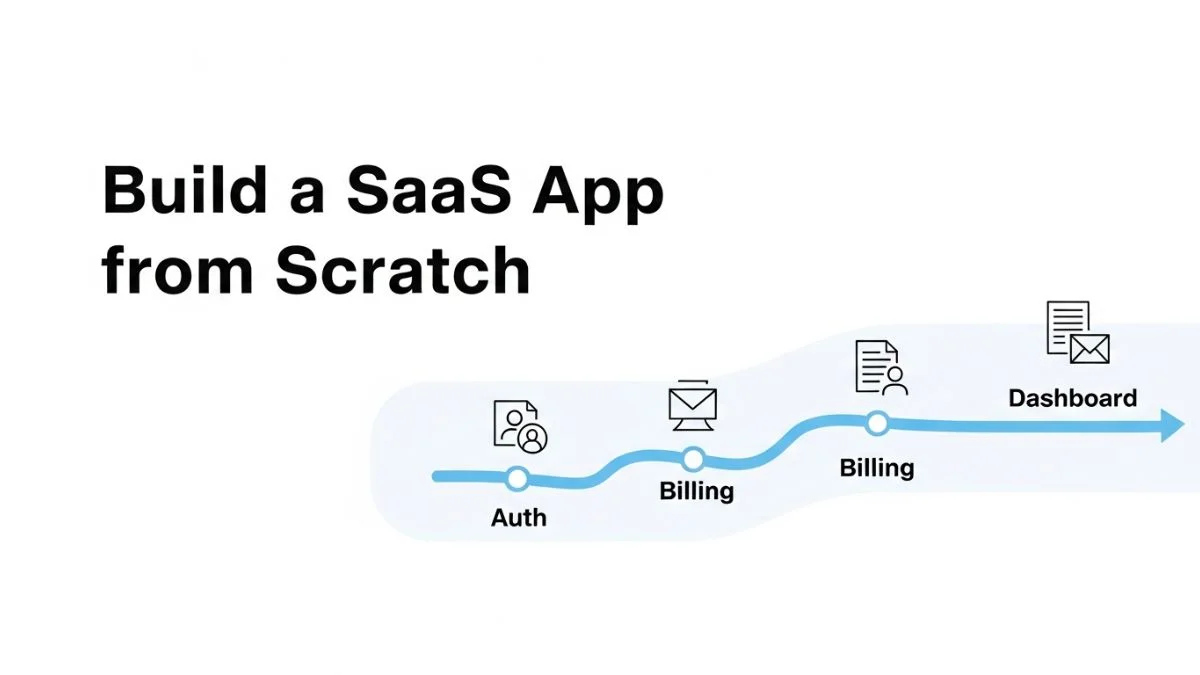
How to Build a SaaS App from Scratch: Full Roadmap

How to Build a SaaS App from Scratch: Full Roadmap
Most developers start building their SaaS app by choosing a tech stack—but that's exactly when they make their first critical mistake. The graveyard of failed SaaS products is full of perfectly coded applications that solved problems nobody would pay to fix. The real challenge isn't writing code; it's making a sequence of architectural and business decisions that compound into a product people actually use and pay for month after month.
This roadmap covers the complete journey from initial idea validation to scaling your first paying customers. Unlike typical tutorials that focus exclusively on code, this guide walks through both the technical architecture decisions and the business milestones you'll hit at each stage—with specific attention to the tradeoffs that determine whether your SaaS succeeds or joins the 90% that fail. You'll learn which corners you can cut in the beginning, which decisions are nearly impossible to reverse later, and how to validate your core assumptions before investing months in development.
The roadmap is organized into seven distinct phases: validation, architecture planning, MVP development, billing integration, user management, launch preparation, and growth infrastructure. Each phase builds on the previous one and addresses a specific risk that could kill your SaaS.
Phase 1: Validate the Problem Before Writing Code
The most expensive mistake in SaaS development is building something nobody wants. Before you touch code, you need evidence that people have the problem you're solving and that your proposed solution is something they'd actually use.
Start by conducting 10-15 customer development interviews with people who have the problem you're targeting. These aren't sales pitches—you're listening for how they currently handle the problem, what they've tried, what frustrated them about existing solutions, and crucially, whether they're already paying for something (even a partial solution). If nobody is paying for anything related to this problem, that's a red flag. People paying for inadequate solutions signals real pain worth solving.
The counterintuitive insight here: you're not validating whether people like your idea. You're validating whether the problem is severe enough that they've already tried to solve it and failed in ways your approach addresses. "That's interesting" is a polite rejection. "How soon can I use this?" is validation.
Document three things from your validation phase: the specific workflow your users currently follow (step-by-step), the exact point where it breaks down or frustrates them, and what they've tried to fix it. This becomes your product requirements document. Every feature you consider building should map back to solving one of these documented pain points.
Phase 2: Choose Your Architecture Based on Scale Assumptions
Most SaaS architecture guides recommend building for scale from day one. This is expensive advice that optimizes for a problem you don't have yet. The right approach depends entirely on your target market and realistic growth trajectory.
If you're building a B2B SaaS targeting 100-500 customers who will each pay $100-1000/month, you don't need microservices architecture, Kubernetes, or horizontally scalable everything. A well-structured monolith on a single server will easily handle 10,000 concurrent users and cost you $50-100/month to run. The architectural complexity of distributed systems will slow your iteration speed dramatically—and iteration speed is what matters most when you're finding product-market fit.
The key architectural decisions you need to make right now:
- Database choice: PostgreSQL is the default correct answer for most SaaS apps. Its JSONB support gives you schema flexibility early on, row-level security can handle multi-tenancy, and it scales vertically to millions of rows before you need to think about sharding.
- Backend framework: Choose based on your expertise, not blog posts. A Rails developer building in Rails will ship faster than that same developer building in Go for "performance reasons." Performance is not your bottleneck at zero customers.
- Frontend framework: Next.js (React) gives you the best balance of developer experience, hiring pool, and production-readiness. The server-side rendering is valuable for marketing pages, and the ecosystem is mature.
- Hosting: Start with Vercel (frontend) and Railway or Render (backend/database). Managed platforms cost 3-4x more than raw AWS, but they eliminate DevOps complexity when your time is worth more than the cost savings.
Phase 3: Build the Thinnest Possible MVP
Your MVP goal is not to build a minimal product. It's to build the minimum set of features that allows a user to complete the core workflow you validated in Phase 1—and nothing else. Most failed SaaS apps die because they over-built the MVP and ran out of time or money before getting real user feedback.
Start by mapping out the critical path: the exact sequence of actions a user must take to get value from your SaaS. For a project management tool, that might be: create project → add task → assign to team member → mark complete → see dashboard update. That's your entire MVP scope. No notifications, no file uploads, no integrations, no roles and permissions. Just the core workflow.
The technical implementation follows a simple pattern. Create your database schema with these tables at minimum: users, organizations (if B2B), and whatever entities are core to your workflow. Add a tenant_id to every table that holds customer data. Use an authentication library—don't build your own. For Node.js, NextAuth or Clerk work well. For Rails, Devise. For Python/Django, django-allauth.
Here's a critical mistake to avoid: don't build an admin panel yet. Your first 10 customers can be managed with direct database access or a quick Retool/internal script. That admin panel will take two weeks to build properly and won't teach you anything about whether customers want your product. You can add it later in Phase 6.
Your MVP should be completable in 4-8 weeks if you're building full-time. If your scope is creeping beyond that, you're not building an MVP—you're building a complete product without user feedback. Cut features until it's uncomfortable. The goal is to learn, not to launch something you're proud of.
Phase 4: Integrate Billing Before You Have Customers
Adding billing after you have users is psychologically and technically harder than building it from the start. The technical integration is straightforward, but founders delay it because making the product "paid" feels like a commitment. This is exactly backward—if nobody will pay for what you've built, you need to know that immediately, not after you've spent six more months adding features.
Stripe is the default choice for SaaS billing, and Stripe Checkout is the fastest way to integrate. You can go from zero to accepting payments in an afternoon. The more complex question is how to structure your pricing, and the answer depends on your market.
For B2B SaaS, start with flat-rate pricing, not usage-based. Charge $99/month or $299/month for unlimited use within reason. This is operationally simpler—no metering infrastructure, no bill shock risk, and no complex pricing page. You're testing whether customers see enough value to pay, not optimizing revenue per customer.
For B2C SaaS or developer tools, freemium can work, but only if your free tier delivers complete value for a specific use case. GitHub's free tier is perfect for open-source projects and students, creating a massive funnel of users who convert when they join companies. A crippled free tier that doesn't solve anyone's problem completely just creates tire-kickers who never convert.
| Pricing Model | Best For | Avoid If |
|---|---|---|
| Flat monthly rate | B2B tools where usage is predictable | Usage varies 10x between customers |
| Per-seat pricing | Team collaboration tools | Single-player tools or admin-only users |
| Usage-based | API products, infrastructure tools | Unpredictable bills create buyer anxiety |
| Freemium | High-volume B2C, viral potential | Support costs exceed free user value |
The technical implementation: use Stripe Customer Portal for self-service subscription management. Don't build your own billing UI. Let Stripe handle payment methods, invoices, and subscription changes. Your application just needs to check subscription status before allowing access to features. Store the Stripe customer_id and subscription_id in your users or organizations table, and use Stripe webhooks to update status when subscriptions change.
Phase 5: Implement User Management and Team Features
Once you have your core workflow and billing integrated, the next bottleneck is typically user management—especially for B2B SaaS where teams need to invite colleagues, manage permissions, and handle account ownership transfers.
The simplest model is organization-based access: each organization has one owner, and the owner can invite members. All members have the same permissions initially. This avoids the complexity of role-based access control (RBAC) while handling 90% of use cases. You can add granular permissions later once you understand how customers actually want to delegate access.
The critical technical pieces:
- Invitation flow: When a user invites a team member, create an invitation record with a unique token, send an email with the invitation link, and when clicked, either create a new user or associate an existing user with the organization.
- Organization context: Every request needs to know which organization the user is acting within. Use subdomain-based routing (acme.yourapp.com) or a path prefix (/org/acme/). The subdomain approach is cleaner but requires wildcard SSL and more complex routing.
- Data isolation: Every query that touches customer data must filter by organization_id. Use database constraints to prevent bugs. In PostgreSQL, row-level security policies enforce this automatically.
For authentication, use an established provider rather than building your own. Auth0, Clerk, and Supabase Auth all handle the complexity of OAuth providers, magic links, and security best practices. Rolling your own authentication means taking on the security responsibility for password storage, reset flows, session management, and defending against credential stuffing attacks. Unless you're a security expert, this is not where you add value.
Phase 6: Pre-Launch Technical Foundation
Before you launch publicly, there are several technical pieces that need to be in place—not for scale, but for reliability and debugging when things inevitably break with real users.
Logging and monitoring: Implement structured logging from day one. Use a service like Logtail, Papertrail, or the logging built into your hosting platform. Every API request should log the user ID, organization ID, endpoint, and execution time. When something breaks in production, you need to reconstruct what happened. Console.log statements don't cut it.
Set up basic uptime monitoring with UptimeRobot or Better Uptime (both have free tiers). Configure it to ping your app every 5 minutes and alert you when it's down. You'll feel ridiculous setting this up when you have zero users, but you'll be grateful the first time your database connection pool fills up and your app goes down at 2am.
Error tracking: Integrate Sentry or Rollbar before launch. These catch JavaScript errors in the browser and exceptions in your backend, giving you stack traces and context about what the user was doing when something broke. Most bugs in production won't be reported by users—they'll just leave. Error tracking shows you what's breaking even when nobody tells you.
Analytics: Install PostHog, Mixpanel, or Amplitude to track user behavior. Don't start with Google Analytics—it's designed for content sites, not applications. You need event-based tracking: user signed up, user completed core action, user invited team member, user upgraded to paid. These events become your health metrics and help you understand where users drop off in your onboarding flow.
The piece most founders skip: implement feature flags. Use a simple library like Unleash or LaunchDarkly's free tier. This lets you deploy code without immediately enabling it for all users, which is crucial for testing major changes with a small group first. It also gives you a kill switch if a new feature causes problems in production.
Phase 7: Launch Strategy and Initial Customer Acquisition
Launching your SaaS isn't a single event—it's a series of progressively wider releases. The goal is to stress-test your assumptions with increasingly less forgiving audiences before you stake your reputation on a public launch.
Private beta (10-20 users): Start with people who know you're early and are willing to give detailed feedback. These are often the people from your validation interviews. Give them free access in exchange for weekly feedback calls. Your goal here is to identify the highest-friction points in your onboarding and core workflow. Don't add features yet—just fix the broken experiences.
Paid beta (50-100 users): Charge full price but set expectations that things might break. Promote through targeted channels where your ideal customers congregate—niche Slack communities, relevant subreddits, or industry-specific forums. The counterintuitive insight: paid beta users give better feedback than free beta users because they have skin in the game. They're also your first validation that people will actually pay.
Public launch: Once you've proven that users can successfully complete your core workflow and you're not firefighting critical bugs daily, announce publicly. Product Hunt is overrated for B2B SaaS—you'll get a traffic spike and few customers. Better channels: write a detailed launch post on your blog explaining exactly who the product is for and what specific problem it solves, then share that in communities where your target users are.
The best initial customer acquisition channels for SaaS depend on your deal size. For products under $50/month, you need high-volume inbound channels: SEO content targeting long-tail keywords your customers actually search, free tools that demonstrate your expertise, or integrations with platforms your users already use. For products over $200/month, manual outreach still works—identify 100 companies that fit your ideal customer profile and email them personalized messages explaining how you solve their specific problem.
| Channel | Time to Results | Best For | Success Signals |
|---|---|---|---|
| SEO content | 6-12 months | Low-touch sales, high search volume problems | 10+ articles ranking in top 10 |
| Cold outreach | Immediate | High-ticket B2B, specific target companies | 15%+ reply rate, 3%+ conversion to calls |
| Paid ads | 1-2 weeks | High LTV products, proven messaging | CAC under 1/3 of LTV |
| Community engagement | 3-6 months | Developer tools, niche B2B software | Recognized name in target communities |
Post-Launch: When to Invest in Scale
The biggest architectural mistake after launch is premature optimization. You don't have a scale problem until you have scale. Most technical founders waste months building infrastructure for traffic they don't have instead of fixing the customer acquisition and retention problems that actually matter.
Here are the signals that indicate you actually need to invest in scalability:
- Your database queries are consistently slow (500ms+) even with proper indexes
- Your server CPU is consistently above 70% during normal traffic
- You're spending more than $500/month on infrastructure for under 1,000 users
- You're regularly hitting rate limits on third-party APIs
Until you see these signals, your bottleneck is not technical. It's product-market fit, customer acquisition, or churn. Adding caching layers, implementing queues, or migrating to microservices will consume weeks of engineering time and won't move your core metrics at all.
When you do need to scale, the progression is: vertical scaling first (bigger server), then read replicas (for read-heavy workloads), then caching (Redis for hot data), then finally horizontal scaling and distributed architecture. Most SaaS apps never progress past read replicas because vertical scaling on modern cloud platforms can handle enormous traffic.
Common Failure Modes and How to Avoid Them
After working with dozens of SaaS founders, certain failure patterns repeat consistently. Recognizing these early can save months of wasted effort.
Building in isolation for too long: Founders who spend 6-12 months building before showing anyone inevitably build the wrong thing. Combat this by showing incomplete work to potential users monthly. The discomfort of showing something half-finished is productive—it forces you to articulate what problem you're solving and get feedback when changes are still cheap.
Optimizing pricing before validating value: Founders obsess over whether to charge $29 or $49/month before proving anyone will pay anything. Start higher than feels comfortable ($99+), and discount for early customers if needed. It's easier to discount than to raise prices on existing customers later.
Adding features instead of fixing onboarding: When customers aren't converting, the instinct is to build more features. Usually the problem is that new users don't understand the value or can't figure out how to get started. Track your activation metrics and watch actual users go through onboarding. The friction points will be obvious.
Ignoring churn while focusing on acquisition: A SaaS with 10% monthly churn loses 65% of customers annually. No amount of growth can outpace high churn sustainably. Before you scale acquisition, get churn below 5% monthly (for B2C) or 2% monthly (for B2B). Interview every customer who cancels and identify the patterns.
Frequently Asked Questions
Should I build a SaaS with no-code tools or custom code?
No-code tools (Bubble, Webflow + Airtable, etc.) work well for validating ideas and building simple B2C apps, but they hit limitations quickly for B2B SaaS. The constraints appear when you need complex business logic, custom integrations, or specific performance characteristics. If you can code or hire developers, custom code gives you more control and better unit economics long-term. If you can't code and can't afford developers, no-code tools are better than not launching at all—but plan for a rebuild if you gain traction.
How much does it cost to build a SaaS app from scratch?
If you're building it yourself, the cash costs are minimal: $50-200/month for hosting, domains, and basic SaaS tools. The real cost is opportunity cost—expect 3-6 months of full-time work to reach a launchable MVP. If you're hiring developers, budget $50,000-150,000 for an MVP depending on complexity and whether you hire an agency (expensive, fast) or individual contractors (cheaper, slower). The dangerous middle ground is hiring a single junior developer—you'll spend months managing them and still need to rewrite most of the code.
Do I need a co-founder to build a SaaS successfully?
Solo founders can absolutely succeed, but the data shows co-founded companies have higher success rates. The ideal scenario is one technical founder and one business/sales founder—you cover both building the product and acquiring customers without one person burning out doing everything. If you're solo, be brutally honest about your weaknesses and hire or outsource those areas early. A technical founder who won't do sales will build a product nobody discovers. A non-technical founder who won't learn enough to evaluate developers will get taken advantage of.
How do I validate my SaaS idea without building it?
Create detailed mockups of the core workflow (Figma is free and perfect for this), write a clear explanation of what problem it solves and how, then show this to 20-30 people who have the problem. Track how many say "let me know when this is ready" versus "I would pay for this right now." Better yet, create a simple landing page describing the product and try to get pre-orders with a "we'll refund you if we don't launch" guarantee. If you can't get 10 people to pre-pay $50, you don't have sufficient validation to spend months building.
What tech stack should I use for my SaaS?
Use the stack you know best, not the stack that's currently trendy. That said, if you're learning from scratch, Next.js (React) for frontend, Node.js (Express or Fastify) or Python (FastAPI) for backend, and PostgreSQL for database is a solid default. This stack has extensive documentation, large hiring pools, and handles most SaaS use cases well. Avoid newer frameworks until you've shipped a product with established tools—the cutting edge is exciting but poorly documented and missing essential libraries.
How long should it take to build a SaaS MVP?
A proper MVP should take 4-8 weeks of full-time work if you're an experienced developer. If it's taking longer, you're either building too many features or you're learning the technology as you go (which is fine but adjust expectations). The MVP should only include the absolute minimum features for users to complete your core workflow once. Everything else—notifications, settings, integrations, analytics dashboards—comes after you validate people actually use the core feature.
Should I build mobile apps for my SaaS from the start?
No, unless your SaaS is inherently mobile-first (like a field service tool or consumer app where desktop usage makes no sense). For most B2B SaaS, build a responsive web app first. Mobile apps add 2-3x development time because you're building three products (web, iOS, Android) instead of one. Launch with web, track whether users try to access it on mobile, and only build native apps if you see significant mobile traffic and can identify features that would work better as native apps than web.
How do I handle customer data security and privacy compliance?
Start with the basics: use HTTPS everywhere (Let's Encrypt is free), hash passwords with bcrypt, and never log sensitive data. For GDPR compliance, add the ability for users to export their data and delete their account (which deletes or anonymizes their data). Store a privacy policy and terms of service (use a template from Termly or Iubenda). For HIPAA, SOC 2, or other strict compliance requirements, don't try to figure this out yourself—hire a compliance consultant early. The cost of getting it wrong is existential for your business.
When should I migrate from a monolith to microservices?
Almost certainly never. This is not a contrarian take—most successful SaaS companies run monoliths at scale because they're simpler to develop, deploy, and debug. Shopify serves millions of merchants on a Rails monolith. GitHub runs on a Rails monolith. The problems that microservices solve (independent team scaling, language diversity, isolated failure domains) only matter when you have 50+ engineers. At that scale, you'll have the resources to migrate specific high-load services out of the monolith gradually. Starting with microservices when you're a team of 1-5 people just means you spend weeks on service communication, deployment pipelines, and distributed debugging instead of shipping features.
How should I price my SaaS when I'm just starting?
Price based on value delivered, not cost to provide the service. A common mistake is thinking "my costs are $5 per customer, so I'll charge $10 to make profit." Instead, ask: what are customers currently paying to solve this problem (including their time cost), and what's a fair portion of those savings to capture? For B2B SaaS, if you save a company $1,000/month in labor costs, you can easily charge $200-300/month. Start with simple pricing (one or two tiers, flat monthly rate) and add complexity only after you understand which features customers actually value enough to pay more for.
Conclusion
Building a SaaS app from scratch is a marathon of compounding decisions. The most important ones happen before you write code: validating that the problem is worth solving, choosing an architecture that matches your realistic scale needs, and defining the minimum viable feature set that delivers complete value. Once you're building, the key is maintaining ruthless focus on the core workflow while ignoring the temptation to add features that seem important but don't move your activation or retention metrics.
The technical choices matter less than most developers think. Use familiar tools, build a monolith, deploy to managed platforms, and integrate with established services for payments, auth, and monitoring. Your competitive advantage comes from understanding your customers' problems deeply and building exactly what solves those problems—not from architectural sophistication or innovative technology choices.
The most common failure mode is spending too long building in isolation. Show your incomplete work early and often, charge money before you're ready, and let real user behavior guide your feature roadmap instead of your assumptions about what users might want. SaaS success is a function of iteration speed more than initial vision.