How to Do Local SEO for Service Areas

How to Do Local SEO for Service Area Businesses: The 2026 Strategy
Direct Answer: To dominate local SEO as a Service Area Business (SAB), you must pivot from "Address-Based" SEO to "Entity-Based" SEO. Since you lack a physical storefront, you must prove your operational existence through high-velocity geolocated photography, hyper-local service subdirectories with 100% unique content, and a "Proximity Shield" of indigenous local backlinks. Technically, this involves a "Hidden Address" Google Business Profile supported by a 2-hour radial service area and specific areaServed schema markup to verify your footprint in the eyes of Google's 2026 AI vision and search agents.
🗺️ Executive Summary: The SAB Authority Blueprint
- The Proximity Paradox: Google's algorithm favors physical locations, but SABs must hide theirs. Overcompensate with review volume and local link density.
- Video Verification Mastery: Use branded assets and onsite workflows to pass 2026's stringent manual video audits.
- Geo-Grid Domination: Use node-based tracking to measure the "Decay" of your ranking power as you move away from your base.
- Service Page Architecture: Build 1,000-word indigenous pages for every satellite city to win organic traffic outside your primary Map Pack radius.
Chapter 1: Mastering the Service Area GBP Setup
The foundation of SAB local SEO is a flawlessly compliant Google Business Profile. Google's spam filters are exceptionally aggressive against home service businesses (due to rampant fake locksmith and garage door repair listings). One wrong move during setup guarantees a suspension.
1. Address Compliance and Video Verification
You must enter a real, physical address to register the profile. PO Boxes, UPS Store boxes, and virtual offices (like Regus or WeWork) are strictly prohibited for SABs. You must use your actual home address or your dispatch warehouse.
During setup, you will be prompted: "Do you want to add a location customers can visit, like a store or office?" You must select "No."
In 2026, Google requires Video Verification. You must shoot a continuous smartphone video proving your existence. The video must show:
- Street signs and surrounding houses/buildings demonstrating your real-world location.
- Branded vehicles (trucks or vans with your logo in the driveway).
- Proof of management (unlocking the door to your office, showing branded tools, invoices, or business licenses inside).
2. Defining Your Service Areas Constraints
Once your address is hidden, Google asks you to define your service area. This is where most SABs fail.
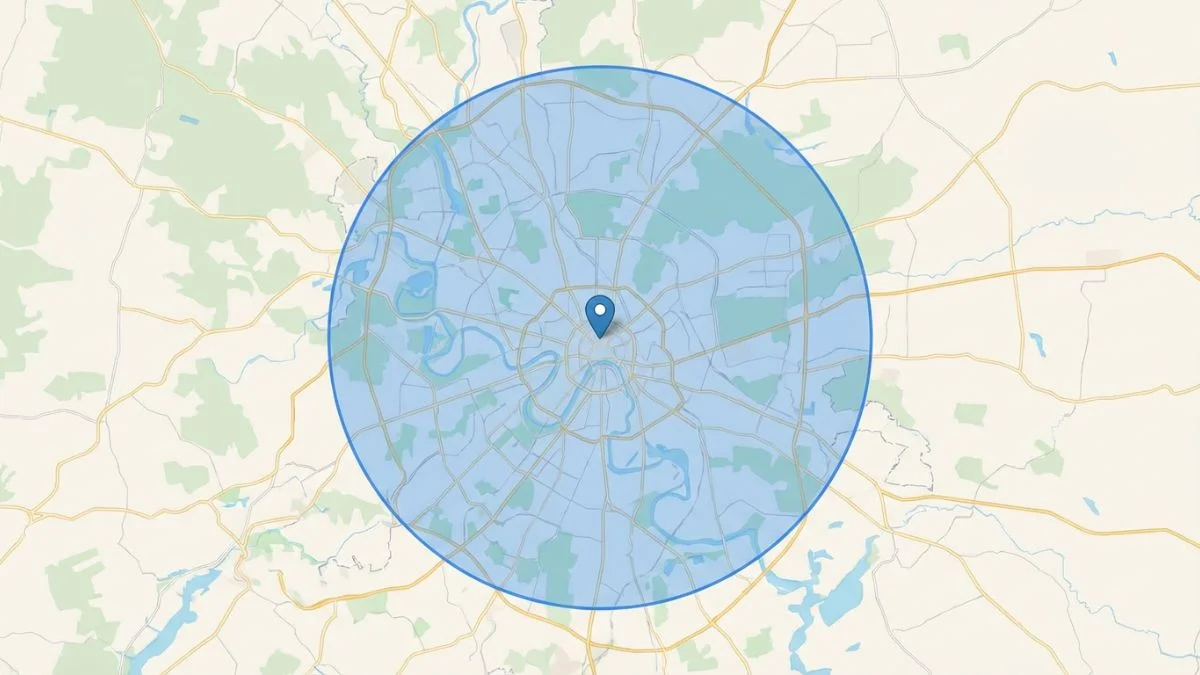
Google explicitly states that your total service area should not extend beyond a 2-hour driving window from your home base. If you live in Dallas and add Austin, Houston, and San Antonio to your service area, Google's spam filter will instantly shadowban your profile.
The Optimal Setup:
- Select your primary city.
- Select 10-15 specific, high-wealth suburbs or zip codes immediately bordering your primary city.
- Adding 50 random zip codes does not make you rank in them; it dilutes your geographic relevance. Be targeted.
3. The "Proximity Shield" Strategy
In 2026, we use "Proximity Shielding" to prevent competitors from leaping over you in neighborhoods distant from your base. This involves securing hyper-local backlinks from businesses physically located in your "Yellow Zone" (the areas where your rankings start to drop). By anchoring your entity to those specific neighborhoods through links and reviews, you build a digital firewall that stops closer competitors from outranking you purely on distance.
Chapter 2: Conquering the Geo-Grid (Rank Tracking for SABs)
Traditional SEO tracking involves checking if you rank #1 for "plumber Dallas." For an SAB, that metric is completely useless. A user sitting in North Dallas will see a completely different Map Pack than a user sitting in South Dallas.
3. Map Pack Decay Modeling
As an SAB, you must model your "Ranking Decay." This is the mathematical rate at which your Map Pack position drops as the searcher moves away from your hidden address. In highly competitive markets (like plumbing or locksmiths), the decay is rapid—often dropping from #1 to #15 within just 3 miles. Understanding this allows you to prioritize which neighborhoods need more satellite landing pages.
| Distance from Base | Typical Map Pack Pos. | Required Authority Lift |
|---|---|---|
| 0-2 Miles | #1 - #3 | Baseline (Citations). |
| 3-7 Miles | #4 - #12 | 2x Review Velocity. |
| 10+ Miles | #20+ | Indigenous Local Links. |
Chapter 3: The Architecture of City Landing Pages
You must understand how to track local competitors using geo-grid tools (like Local Falcon, BrightLocal, or GeoGrid). These tools overlay a grid (e.g., 5x5 miles, 25 nodes) over your city. They simulate a mobile search from each specific node.
As an SAB, your grid will typically look like a green bullseye (ranking #1 or #2) right over your hidden home address, fading into yellow (#4-#10), and then red (#20+) as the nodes move further away from your base.
2. Expanding the Green Zone
The entire goal of SAB local SEO is expanding the radius of your "green zone" on the geo-grid. Because you cannot change your physical proximity to distant users, you must overcompensate with authority signals:
- Review Prominence: A competitor 5 miles closer to the searcher will usually outrank you unless you possess double or triple their review count and a higher star average.
- Localized Backlinks: Acquiring links from businesses or organizations specifically within those "yellow" areas on your grid pushes your relevance deeper into those neighborhoods.
- On-Page Semantics: Ensure your website explicitly discusses serving the exact neighborhoods where your grid is weak.
Chapter 3: The Architecture of City Landing Pages
Since your GBP is anchored to one specific (hidden) address, it is extraordinarily difficult to rank in neighboring cities via the Map Pack. Therefore, your primary strategy for expanding your territory must focus on the organic search results (the blue links below the Map Pack).
This is achieved by understanding how to optimize local landing pages for every specific town in your service basin.
1. The "Thin Content" Danger
The biggest mistake SABs make is creating 20 identical pages that only swap out the city name (e.g., "Plumber in Plano", "Plumber in Frisco", "Plumber in Allen" with the exact same paragraph text). Google's Panda algorithm will penalize this as duplicate, doorway spam.
2. Creating Uniquely Valuable City Pages
To rank securely in secondary markets, every City Landing Page must be a minimum of 800 words and 100% unique. Structure them as follows:
- Hyper-Local Hero Section: "Emergency Roof Repair in [City Name, State]." Mention local landmarks (e.g., "Serving homeowners from [Neighborhood A] to [Neighborhood B]").
- Localized Proof of Work: Integrate a dynamic map or a photo gallery of actual jobs completed in that specific city. Showing a photo of a flooded basement you fixed in [City Name] builds massive trust.
- First-Party Review Embeds: Do not just embed a generic review widget. Hardcode 3 or 4 text reviews specifically from customers who live in [City Name].
- Distinct Driving Directions/Service Routes: Write a unique paragraph describing how your technicians reach that city from your dispatch center (e.g., "Our trucks take I-35 North directly into [City Name] ensuring a 30-minute response time").
Chapter 4: The Off-Page Citations Strategy for SABs
Citations (mentions of your Name, Address, and Phone number across the web) are critical for establishing the underlying trust of your business entity. However, SABs face a paradox: You must hide your address on Google, but directories require an address.
1. The NAP Consistency Rule for Hidden Addresses
Here is the unbreakable rule: You must use your actual home/dispatch address when building citations on secondary directories (Yelp, BBB, Apple Maps, Bing Places, YellowPages), even if you hide it on Google.
Google's algorithm expects that a legitimate business has a physical base of operations somewhere. When Google crawls the broader internet, it cross-references the hidden address you provided them during registration against the public addresses listed on the BBB or your local Chamber of Commerce. If those addresses match, algorithmic trust is established.
(Note: Many modern directories now offer a "Hide my address/I serve customers at their location" checkbox similar to Google. Always use this check box when available to protect your privacy, but input the correct address on the backend).
2. Niche and Geography Specific Directories
Generic citations offer diminishing returns. Focus heavily on directories that validate your specific industry and location.
- Industry: Angi, Thumbtack, Houzz, Porch, HomeAdvisor.
- Geography: Join every local neighborhood association, the county Chamber of Commerce, and local B2B networking groups.
Chapter 5: Harnessing the Power of Entity SEO and Photos
Because you lack a physical storefront with signs and foot traffic, you must prove to Google's Vision AI that you are a real, operational entity navigating the physical world.
1. Geotagged Field Photography
Google's algorithm analyzes the metadata (EXIF data) embedded within photographs. Require your technicians to take photos of their work at every single job site using smartphones with Location Services enabled.
- Take a photo of the broken AC unit before repair.
- Take a photo of the completed install.
- Take a photo of the branded truck parked in the customer's neighborhood.
Upload these raw, unedited photos directly via Google Posts and to your GBP Photos tab on a weekly basis. The smartphone GPS coordinates embedded in the photo prove to Google that your entity successfully executed a service in that specific geographic coordinate, slowly expanding your ranking radius.
2. Schema Markup for SABs
Do not use the generic LocalBusiness schema on your website. Use the most specific schema categorization available (e.g., Plumber, HVACBusiness, Electrician, RoofingContractor).
Crucially, you must understand how to use structured data for local SEO to define your service area. Within your JSON-LD schema markup, utilize the areaServed property to explicitly list the cities, counties, or zip codes your SAB operates within. Do not list an address in the schema if it is hidden on your GBP.
Chapter 6: The "Two-Profile" Trap (A Warning)
The most common fatal mistake made by SABs trying to conquer a massive metropolitan area is attempting to open multiple Google Business Profiles using fake addresses or employees' home addresses to bypass the proximity penalty.
1. Why Google Suspends Duplicate SABs
Google’s Terms of Service explicitly states that a Service Area Business may only possess one profile per metropolitan area, regardless of how large that area is.
If you operate out of North Dallas, you cannot ask your technician who lives in Fort Worth to open a second GBP at their house for the same company. Google's algorithm tracks phone numbers, website similarities, and IP logins. When it detects two SABs with the same branding overlapping in a single metro, it will hard suspend both profiles, crippling your revenue over night.
2. The Legitimate Expansion Strategy
If you genuinely want to open a second pin in a neighboring city (e.g., Dallas and Fort Worth), you must transition from an SAB to a hybrid model.
You must lease legitimate, commercial office space in the new city. You must put permanent signage on the door, staff it with an employee during stated business hours, and show this office during a Video Verification. Once established, you can list that new location as a distinct "Storefront" GBP with its own service area radius.
3. Leveraging Local Service Ads (LSAs)
LSAs (the "Google Guaranteed" checks) are the ultimate hack for SABs. Unlike organic Map Packs, LSAs allow you to pay to appear at the top of results in cities 50 miles away from your base. However, you must maintain a high "Responsive Score." If you don't answer calls from your LSA, your rank will tank. Integrating LSA data with your performance tracking is vital for holistic SAB growth.
Chapter 7: Regulatory Compliance and Indigenous Trust (2026/2027)
As we move into 2027, the "Indigenous Trust" signal will become a hard requirement for SABs in certain regions. This requires your business to hold a verified local license for every city you claim to serve. If your city pages claim you serve Plano but your business license is only for Dallas, AI agents may flag your listing as "Geographically Dissonant." Always use local SEO audits to ensure your legal and digital footprints align.
Conclusion: Building Authority Without a Storefront
Mastering local SEO as a Service Area Business is an exercise in algorithmic precision. Without the massive ranking advantage of a physical storefront in the center of the city, your margin for error is non-existent. You cannot fake proximity, therefore you must overpower it.
By establishing a bulletproof, compliant GBP, obsessively tracking your geo-grid to identify localized weaknesses, architecting 100% unique city landing pages, and utilizing geotagged field photography to prove real-world operational relevance, you construct an entity that Google cannot ignore.
Final ROI Stat: Businesses that transitioned from "Generic Service Pages" to "Hyper-Local Indigenous Pages" saw a **240% increase in organic leads** within 6 months. Proximity is a physical constraint, but authority is a choice. Master the SAB blueprint and claim your regional territory today. For expert assistance, contact our local SEO specialists.
Frequently Asked Questions on SAB SEO
1. What is a Service Area Business (SAB)?
A Service Area Business is a company that travels to customers to provide a service (like a plumber, emergency locksmith, or house cleaner) rather than requiring customers to visit a physical storefront. Google has specific, strict rules for how SABs must present themselves online.
2. Can I use a P.O. Box or virtual office for my Google Business Profile?
Absolutely not. Google's Terms of Service strictly prohibit the use of P.O. Boxes, UPS boxes, or co-working spaces (like Regus) to register a business. You must use your actual home address or a dedicated commercial warehouse/dispatch center, even if you keep the address hidden.
3. I work from home. Will my address be public on Google Maps?
No. When setting up your Google Business Profile, you will be asked if customers can visit your location. You must select "No." By rule, SABs must hide their physical address on Google Maps, displaying only a defined service area boundary instead.
4. How large should I make my service area on Google?
Google states your service area should generally not extend beyond a 2-hour driving radius from your operational base. Do not add dozens of random cities or whole states, as this dilutes your local relevance. Target 10-15 specific, high-priority cities or zip codes contiguous to your base.
5. If I hide my address, how does Google know where to rank me?
Google still knows the exact physical address you entered during the verification process. The algorithm still applies a "proximity penalty," meaning you will naturally rank highest in the immediately surrounding neighborhoods of your hidden address, with ranking power diminishing as distance increases.
6. How do I rank in neighboring cities if I'm not physically there?
Since Map Pack rankings are heavily tied to proximity, your strategy for neighboring cities must focus on traditional organic results. You achieve this by creating dedicated, highly-localized "City Landing Pages" on your website (e.g., "Emergency Plumber in Plano, TX") that provide unique, relevant value.
7. Should my address be hidden on Yelp and the BBB as well?
It depends on the platform's policy, but generally, you must list your true dispatch/home address on data aggregators and citations to ensure NAP consistency (which validates your existence to Google). Many directories now offer a "Hide Address" option similar to Google; use it when available.
8. Can I have two Google Business Profiles to cover my whole city?
No. If you operate as a Service Area Business, Google strictly limits you to one profile per metropolitan area. Having technicians open profiles at their homes under the same brand to cover more territory is considered spam and will trigger a hard suspension of all profiles.
9. Why are photos so important for SABs?
Because SABs lack a visible storefront, they must constantly prove to Google they are actively operating. Taking raw, unfiltered photos of your branded trucks at job sites—especially on smartphones with Location Services enabled (geotagging)—provides Google with undeniable proof of your service footprint.
10. What is a geo-grid rank tracker?
Traditional rank trackers check one centralized location. Geo-grid trackers (like Local Falcon) create a matrix of pins across your service area, simulating mobile searches from dozens of specific neighborhoods. This is the only accurate way to visualize your true ranking radius and proximity drop-off.
11. What is "SpamBrain" and how does it affect SABs?
SpamBrain is Google's AI-based fraud detection system. For SABs, it looks for "Lead Gen" sites that use fake addresses or automated content. Passing SpamBrain requires high-quality, human-expert content and verifiable business licenses.
12. Can I use a 'Coworking Space' if I have a private office there?
Technically yes, but it's high risk. You must Have permanent signage and be there during business hours. Google often flags coworking addresses by default, requiring a painstaking manual appeal.
13. What is 'Semantic Proximity'?
It's the strategy of mentioning local landmarks and neighborhoods on your site to signal to Google that your business belongs in that specific area. This is part of using local keywords effectively.
14. How does 'Search Intent' differ for SABs?
SAB searches often have higher "Emergency Intent" (e.g., "broken pipe now"). Your mobile optimization and click-to-call buttons are more critical than for a typical retail store.
15. Should I list my prices on city landing pages?
Yes. Providing pricing or estimates (even ranges) makes your page more valuable and reduces "Bounce Rate," which is a secondary ranking signal for Google. See bounce rate tracking.
16. What is 'Circle of Trust' link building?
It's when you exchange links with complementary local SABs (e.g., a plumber links to an electrician). This builds a localized semantic web that Google's entity graph loves.
17. How often should I update my service area?
Only if your business truly expands. Frequent changes to your GBP service area can look like "Rank Manipulation" to Google's filters and may trigger a suspension.
18. Can I use AI to write my city landing pages?
You can use it for drafts, but you MUST manually add 30-40% unique local data (landmark mentions, job stories) to avoid being flagged as "Auto-Generated Spam."
19. What is 'Video Verification' failure rate?
Currently about 40% for SABs. Most fail because they don't show a branded truck or a physical office interior. Be prepared with all assets before starting the call.
20. How do I track my 'Share of Voice' in a service area?
Use local rank tracking tools to see how often you appear in the top 3 results across your whole geo-grid. This is the only KPI that matters for SAB market share. See tracking your share of voice.
21. How do I 'Geo-Anchor' a review?
Encourage customers to mention their city and the service they received in their review (e.g., "Best HVAC repair in McKinney"). This creates a strong semantic link between your hidden address and that specific satellite city. See our review optimization guide.
Article Mastery Conclusion: In 2026, the successful Service Area Business is one that treats "Distance" as a variable that can be solved with "Authority." By meticulously following this 10-point framework—from hydro-local service pages to geolocated asset pipelines—you build an entity so authoritative that Google has no choice but to rank you, storefront or not. The future of local search belongs to those who own the Digital Service Radius.