How to Implement Blue-Green Deployments

How to Implement Blue-Green Deployments
Blue-green deployments eliminate deployment downtime by maintaining two identical production environments and switching traffic between them atomically. The challenge isn't understanding the concept—it's handling database migrations, session persistence, cost implications of double infrastructure, and rollback procedures when issues appear hours after cutover. Teams attempting blue-green deployments often discover that instant traffic switching exposes edge cases invisible during gradual rollouts.
This guide covers blue-green deployment implementation across Kubernetes, AWS, and cloud-native platforms including infrastructure setup, traffic switching mechanisms, database migration strategies, testing procedures, rollback automation, and cost optimization techniques. The approach focuses on practical patterns that work for stateful applications, not just stateless web services where blue-green is straightforward.
The structure progresses from core concepts through platform-specific implementations to production operational patterns that handle the complexity real applications introduce.
Blue-Green Deployment Fundamentals
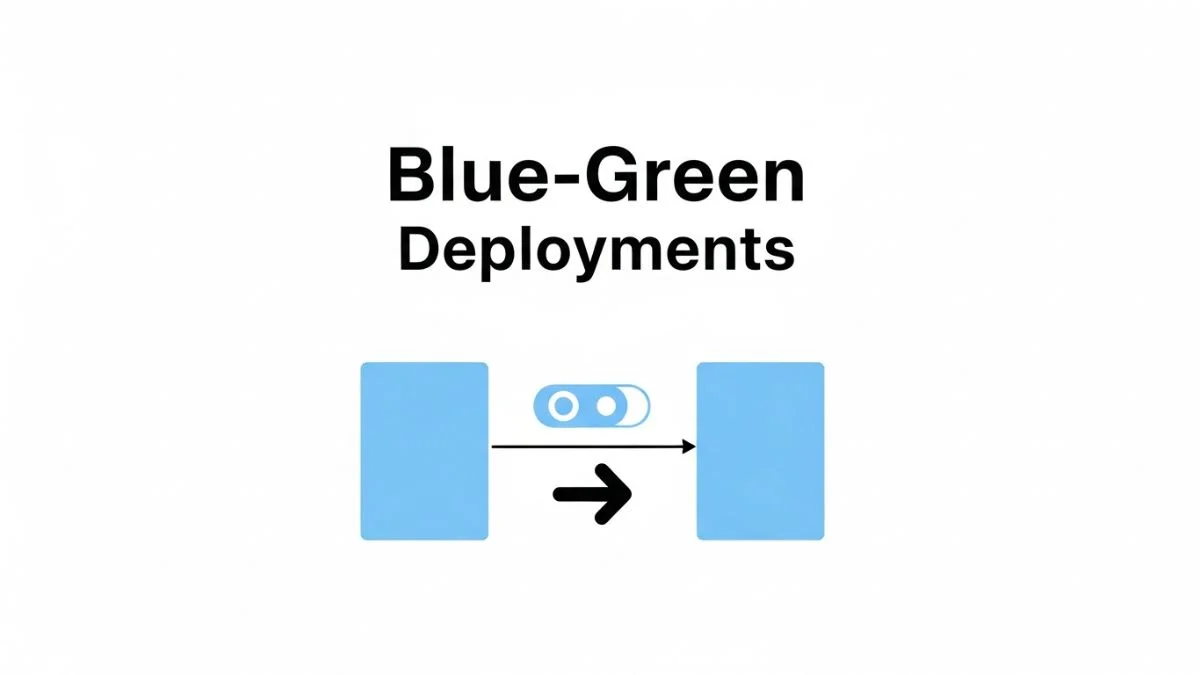
Blue-green deployments maintain two complete production environments labeled blue and green. At any time, one environment serves production traffic while the other remains idle. To deploy version 2.0, you update the idle environment, run tests to verify it works correctly, then switch the load balancer or router to direct traffic to the updated environment. The switch happens in seconds, making deployment downtime imperceptible to users.
If issues appear after cutover, switching back to the previous environment provides instant rollback. This differs from rolling deployments where rollback requires redeploying the old version pod-by-pod. The tradeoff is cost: you run double infrastructure during cutover periods. For critical services where downtime costs exceed infrastructure costs, blue-green deployments make sense.
When to Use Blue-Green Deployments
Blue-green works best for services where downtime is unacceptable and you can maintain duplicate infrastructure. Financial systems processing transactions, e-commerce platforms during high-traffic periods, and SaaS applications with uptime SLAs benefit from instant cutover. The cost of running two environments for 30 minutes during deployment is negligible compared to lost revenue from downtime.
Avoid blue-green for stateful applications with complex data synchronization requirements or when infrastructure costs double beyond budget. If your application stores session state locally rather than in shared databases or Redis, blue-green cutover logs out all users. If database migrations require significant time or aren't backward compatible, blue-green deployment coordination becomes complex.
Prerequisites for Blue-Green Success
Applications must be stateless with shared data stores. User sessions, shopping carts, and application state should live in databases or Redis rather than in-memory on application servers. When traffic switches from blue to green, users shouldn't notice because their data persists in shared infrastructure.
Database schemas must support both versions simultaneously during cutover. If version 2.0 adds a new column, version 1.0 must tolerate that column existing. If version 2.0 removes a column, version 1.0 must not break when it's missing. This backward and forward compatibility enables safe rollback after cutover if issues arise hours later after database writes occur.
Health checks must accurately determine application readiness. Switching traffic to green when applications haven't fully initialized causes errors. Health checks should verify database connectivity, dependency availability, and application warmup completion before reporting ready. A 200 OK from an endpoint that hasn't loaded configurations yet creates false confidence.
Kubernetes Blue-Green Implementation
Service Selector-Based Traffic Switching
Create two Deployments labeled blue and green with identical configurations except for the version tag and deployment label. A Service routes traffic to pods based on label selectors. Switching traffic requires updating the Service selector from version: blue to version: green. Kubernetes immediately updates endpoints, redirecting new connections to green pods.
apiVersion: apps/v1
kind: Deployment
metadata:
  name: app-blue
spec:
  replicas: 3
  selector:
    matchLabels:
      app: myapp
      version: blue
  template:
    metadata:
      labels:
        app: myapp
        version: blue
    spec:
      containers:
      - name: app
        image: myapp:v1.0
        ports:
        - containerPort: 8080
---
apiVersion: apps/v1
kind: Deployment
metadata:
  name: app-green
spec:
  replicas: 3
  selector:
    matchLabels:
      app: myapp
      version: green
  template:
    metadata:
      labels:
        app: myapp
        version: green
    spec:
      containers:
      - name: app
        image: myapp:v2.0
        ports:
        - containerPort: 8080
---
apiVersion: v1
kind: Service
metadata:
  name: app-service
spec:
  selector:
    app: myapp
    version: blue  # Change to green to switch traffic
  ports:
  - port: 80
    targetPort: 8080
To deploy, update the green Deployment with the new image version, wait for all pods to be ready, run smoke tests against green pods directly, then update the Service selector to version: green. Keep the blue Deployment running for 30-60 minutes as a rollback option before scaling it down to zero replicas.
Ingress-Based Traffic Switching
Create separate Services for blue and green Deployments. Use Ingress annotations or configuration to route traffic to the active Service. With nginx-ingress, use annotations to configure upstream servers. With Istio or other service meshes, use VirtualServices to define routing rules that can be updated to switch between backends.
This approach provides more control than Service selector switching. You can configure health checks, connection draining timeouts, and sticky sessions at the Ingress level. Some Ingress controllers support weighted routing, enabling blue-green with a brief canary phase where 10% of traffic goes to green before full cutover.
apiVersion: v1
kind: Service
metadata:
  name: app-blue-service
spec:
  selector:
    app: myapp
    version: blue
  ports:
  - port: 80
    targetPort: 8080
---
apiVersion: v1
kind: Service
metadata:
  name: app-green-service
spec:
  selector:
    app: myapp
    version: green
  ports:
  - port: 80
    targetPort: 8080
---
apiVersion: networking.k8s.io/v1
kind: Ingress
metadata:
  name: app-ingress
spec:
  rules:
  - host: app.example.com
    http:
      paths:
      - path: /
        pathType: Prefix
        backend:
          service:
            name: app-blue-service  # Change to app-green-service to switch
            port:
              number: 80
Argo Rollouts for Automated Blue-Green
Argo Rollouts extends Kubernetes with a Rollout CRD supporting blue-green deployments natively. It automates deployment orchestration including creating the preview environment, running tests, switching traffic, and cleanup. Rollouts integrate with service meshes and Ingress controllers for traffic management and Prometheus for metric analysis.
Define a Rollout resource with blue-green strategy specifying the active and preview services. When you update the Rollout template, Argo creates new pods, updates the preview Service to point to them, and waits for manual or automatic promotion. After promotion, it updates the active Service to the new version and scales down old pods after a configurable delay.
apiVersion: argoproj.io/v1alpha1
kind: Rollout
metadata:
  name: myapp
spec:
  replicas: 3
  revisionHistoryLimit: 2
  selector:
    matchLabels:
      app: myapp
  template:
    metadata:
      labels:
        app: myapp
    spec:
      containers:
      - name: app
        image: myapp:v2.0
        ports:
        - containerPort: 8080
  strategy:
    blueGreen:
      activeService: app-active-service
      previewService: app-preview-service
      autoPromotionEnabled: false
      scaleDownDelaySeconds: 300
With autoPromotionEnabled: false, deployments pause for manual verification before cutover. Run integration tests against the preview Service, check metrics, then promote with kubectl argo rollouts promote myapp. Enable auto-promotion with analysis templates that query Prometheus for error rates and latency metrics, automatically promoting or rolling back based on thresholds.
AWS Blue-Green Implementations
Elastic Load Balancer Target Group Switching
Create two Auto Scaling Groups (ASGs) representing blue and green environments. Each ASG has its own target group registered with an Application Load Balancer (ALB). The ALB listener forwards traffic to the active target group. To deploy, launch new instances in the green ASG with updated application versions, register them with the green target group, wait for health checks to pass, then update the ALB listener to forward to the green target group.
This approach works with EC2 instances or ECS tasks. For ECS, blue and green are separate services each with their own task definitions and target groups. CodeDeploy automates the process: you specify new task definition, CodeDeploy creates the green service, runs tests, shifts traffic, then terminates the blue service after a configurable wait period.
# Example AWS CLI commands for manual cutover
# 1. Update green target group with new instances
aws elbv2 register-targets \
  --target-group-arn $GREEN_TG_ARN \
  --targets Id=i-1234567890abcdef0

# 2. Wait for instances to become healthy
aws elbv2 wait target-in-service \
  --target-group-arn $GREEN_TG_ARN

# 3. Switch listener to green target group
aws elbv2 modify-listener \
  --listener-arn $LISTENER_ARN \
  --default-actions Type=forward,TargetGroupArn=$GREEN_TG_ARN

# 4. After verification, deregister blue targets
aws elbv2 deregister-targets \
  --target-group-arn $BLUE_TG_ARN \
  --targets Id=i-abcdef1234567890
Route 53 Weighted Routing for Blue-Green
Create separate load balancers or CloudFront distributions for blue and green environments. Use Route 53 weighted routing policies to control traffic distribution. Initially, blue gets 100% weight and green gets 0%. To deploy, update green infrastructure with new application versions, change Route 53 weights to 0% blue and 100% green, wait for DNS propagation (typically 60 seconds with low TTLs), then verify traffic shifted successfully.
DNS-based switching has propagation delays unlike load balancer switching which is instant. Set DNS TTLs to 60 seconds before deployment to minimize propagation time. After cutover, some clients might cache old DNS entries for minutes despite low TTLs. This makes DNS switching less precise than load balancer-based approaches but simpler for multi-region deployments.
CodeDeploy Blue-Green Automation
AWS CodeDeploy automates blue-green deployments for EC2, ECS, and Lambda. For ECS, create a CodeDeploy application with a blue-green deployment configuration. Specify the ECS service, load balancer, and production listener. CodeDeploy handles creating the replacement task set, registering it with the target group, running optional Lambda test functions, shifting traffic, and terminating the original task set.
Configure traffic shifting strategies: all-at-once switches instantly, canary shifts a percentage first (like 10% for 5 minutes) then shifts the rest, or linear shifts gradually in increments. Blue-green with canary combines benefits of both approaches—instant rollback capability with limited blast radius during initial traffic shift.
{
  "applicationName": "my-app",
  "deploymentGroupName": "my-app-dg",
  "deploymentConfigName": "CodeDeployDefault.ECSCanary10Percent5Minutes",
  "revision": {
    "revisionType": "S3",
    "s3Location": {
      "bucket": "my-deployment-bucket",
      "key": "app-revision.zip",
      "bundleType": "zip"
    }
  },
  "blueGreenDeploymentConfiguration": {
    "terminateBlueInstancesOnDeploymentSuccess": {
      "action": "TERMINATE",
      "terminationWaitTimeInMinutes": 30
    },
    "deploymentReadyOption": {
      "actionOnTimeout": "CONTINUE_DEPLOYMENT",
      "waitTimeInMinutes": 0
    }
  }
}
Database Migration Strategies
Backward Compatible Schema Changes
Design database migrations to support both old and new application versions simultaneously. Add new columns as nullable or with default values so old code doesn't break. When removing columns, follow a three-phase process: deploy code that stops writing to the column, verify old code no longer reads it, then drop the column in a subsequent deployment.
Renaming columns requires a bridge period with both names. Create the new column, populate it with values from the old column with database triggers or application dual-writes, deploy application code using the new column, verify no code uses the old column, then drop it. This allows rollback to the blue environment even after database writes occur in green.
| Migration Type | Backward Compatible Approach | Deployment Phases |
|---|---|---|
| Add Column | Add as nullable or with default value | 1. Migrate schema 2. Deploy code |
| Remove Column | Stop using, then drop later | 1. Deploy code 2. Verify 3. Drop column |
| Rename Column | Add new, dual-write, switch, drop old | 1. Add column 2. Dual-write 3. Switch reads 4. Drop old |
| Change Type | Add new column, migrate data, switch | 1. Add column 2. Backfill 3. Switch code 4. Drop old |
Database Migration Timing
Run schema migrations before deploying application code so the database supports both versions. If migration adds a column, run it first so both blue (old) and green (new) code find the schema they expect. If migration removes a column, deploy code that stops using it first, then drop the column after verifying blue is retired.
Use migration tools like Flyway or Liquibase that track applied migrations and prevent duplicate execution. These tools ensure migrations run exactly once even if multiple instances attempt migration simultaneously. They also provide rollback scripts for reversing migrations if needed, though backward-compatible migrations rarely need rollback.
Handling Data Synchronization
For applications that write to multiple datastores (like cache and database), ensure writes are atomic or eventually consistent. Blue and green environments sharing databases might update caches differently, causing temporary inconsistency. Use cache keys that include version information or set short TTLs to minimize stale data exposure.
If blue and green need separate databases (like when testing major database upgrades), implement data replication from blue to green during the cutover window. Tools like AWS DMS or database-native replication keep databases synchronized. After cutover, stop replication and let green become the authoritative source. This complicates rollback since green database writes must replay to blue if you switch back.
Testing and Validation
Smoke Testing Before Cutover
Run automated smoke tests against the green environment before switching production traffic. Tests should verify critical user flows: authentication, core transactions, database connectivity, and external API integrations. Use separate test credentials and data to avoid polluting production systems during testing.
Test both happy paths and error conditions. Verify that the application handles database failures gracefully, external API timeouts don't cause crashes, and validation logic rejects malformed input. A green environment that passes health checks but crashes on the first real user request wastes the blue-green investment.
#!/bin/bash
# Example smoke test script
GREEN_URL="http://green.internal.example.com"

# Test 1: Health check endpoint
curl -f $GREEN_URL/health || exit 1

# Test 2: User authentication
TOKEN=$(curl -s -X POST $GREEN_URL/auth/login \
  -d '{"username":"testuser","password":"testpass"}' \
  | jq -r '.token')
[ -n "$TOKEN" ] || exit 1

# Test 3: API call with auth
curl -f -H "Authorization: Bearer $TOKEN" \
  $GREEN_URL/api/user/profile || exit 1

# Test 4: Database write operation
ORDER_ID=$(curl -s -X POST $GREEN_URL/api/orders \
  -H "Authorization: Bearer $TOKEN" \
  -d '{"item":"test","quantity":1}' \
  | jq -r '.orderId')
[ -n "$ORDER_ID" ] || exit 1

echo "All smoke tests passed"
Production Traffic Mirroring
Some service meshes and proxies support traffic mirroring (shadowing) where production traffic sends to both blue and green simultaneously, but only blue responses return to clients. Green receives real production load patterns and requests, revealing issues that synthetic tests miss. Compare green responses and performance metrics to blue to verify behavior matches.
Mirroring doubles backend load, so implement it carefully. Mirror a percentage of traffic (10-20%) rather than all requests. Ensure mirrored requests don't trigger side effects like sending emails or charging credit cards. Add header tags to mirrored requests so green can identify and skip side-effect operations.
Synthetic Monitoring During Cutover
Run synthetic monitors that execute critical transactions continuously throughout the deployment. These detect issues immediately after cutover rather than waiting for user reports. Monitor metrics like request latency, error rates, and transaction success rates. Set alerting thresholds tighter than normal during cutover windows to catch subtle regressions.
Maintain synthetic monitors for 30-60 minutes post-cutover to detect delayed issues. Some problems only appear under sustained load or when background jobs run. Memory leaks, connection pool exhaustion, or rate limiting issues might not surface in initial smoke tests but appear over time.
Rollback Procedures
Immediate Rollback Mechanisms
The primary benefit of blue-green deployments is instant rollback. If issues appear in green, switch traffic back to blue immediately. In Kubernetes, update the Service selector back to blue. With load balancers, modify listener rules to point to the blue target group. With Route 53, update weights to 100% blue, 0% green.
Automate rollback procedures so anyone on-call can execute them without deep system knowledge. A runbook or script that takes a single parameter (blue or green) and handles all switching logic reduces human error during stressful incidents. Test rollback automation quarterly to verify it works when needed.
#!/bin/bash
# Example Kubernetes rollback script
ENVIRONMENT=$1  # blue or green

if [ "$ENVIRONMENT" != "blue" ] && [ "$ENVIRONMENT" != "green" ]; then
  echo "Usage: $0 [blue|green]"
  exit 1
fi

# Update service selector
kubectl patch service app-service -p \
  "{\"spec\":{\"selector\":{\"version\":\"$ENVIRONMENT\"}}}"

# Verify endpoint update
kubectl get endpoints app-service

echo "Rolled back to $ENVIRONMENT environment"
Delayed Issue Detection and Rollback
Some issues only appear hours after deployment when specific code paths execute or when batch jobs run. If you detect problems after scaling down blue, you need to quickly restore it. Keep blue deployment manifests or infrastructure-as-code configurations readily accessible. With Kubernetes, blue pods might be scaled to zero but the Deployment still exists—scale it back up and switch traffic.
For infrastructure-based blue-green (EC2 instances, ECS tasks), maintain blue infrastructure for at least 24 hours post-cutover. The cost of idle instances for a day is negligible compared to the time required to rebuild infrastructure from scratch during an incident. Use instance scheduling to stop instances overnight to save costs while keeping them available for restart.
Database Rollback Complexity
Database changes complicate rollback because data written by green might not be compatible with blue's schema expectations. If green adds a column and writes to it, blue can safely read those rows if the column was added as nullable. If green changes validation logic and allows data that blue considers invalid, rolling back to blue might cause errors when reading green's data.
Mitigate this by testing rollback scenarios in staging. After deploying green to staging and writing test data, rollback to blue and verify it handles green's data correctly. For high-risk migrations, implement application-level versioning where code checks schema versions and adapts behavior accordingly. This lets blue read green's data by understanding version differences.
Cost Optimization
Reducing Double Infrastructure Costs
Blue-green deployments double infrastructure costs during the cutover window. Minimize this by running green at minimum capacity during preparation, scaling up to production capacity only during final testing before cutover. In Kubernetes, this means running 1-2 green replicas during smoke testing, scaling to full replica count (10-50) only for the final 15 minutes before cutover.
Use spot instances or preemptible VMs for the green environment if your deployment window allows time to recover from interruptions. Spot instances cost 50-90% less than on-demand. If a spot instance terminates during green preparation, the deployment delays but production (blue) remains unaffected. Avoid spot instances for blue since interruptions impact production.
Automated Green Environment Cleanup
After successful cutover to green and verification period, automatically tear down blue infrastructure to eliminate ongoing costs. Configure automation to retain blue for 30-60 minutes post-cutover, then scale down or terminate. Keep infrastructure-as-code configurations so you can quickly recreate blue if needed for emergency rollback.
In Kubernetes, scale blue Deployments to zero replicas instead of deleting them. Scaling back up is faster than recreating Deployments from manifests. For cloud infrastructure, terminate instances but retain launch configurations, AMIs, and security groups for rapid recreation if necessary.
Shared Infrastructure for Blue-Green
Not all infrastructure needs duplication. Databases, caches, queues, and other stateful backing services can be shared between blue and green as long as both application versions are compatible. Only duplicate stateless compute resources (application servers, API containers) that differ between versions.
This approach reduces costs significantly. A deployment might duplicate 10 application containers (doubling from 10 to 20) but share a single RDS database and Redis cluster. Total infrastructure cost increases by 30-40% during cutover instead of doubling. The tradeoff is reduced isolation—database issues affect both environments rather than just one.
Advanced Blue-Green Patterns
Blue-Green with Canary Phase
Combine blue-green and canary strategies by initially routing a small percentage of traffic to green (5-10%) while the majority stays on blue. Monitor metrics for 15-30 minutes. If metrics are healthy, complete the cutover to 100% green. If issues appear, rollback to 100% blue before significant users are affected. This provides canary's limited blast radius with blue-green's fast rollback.
Implement this with weighted routing in load balancers, service meshes like Istio, or ingress controllers that support traffic splitting. The challenge is session stickiness—users should stay on the same environment during their session to avoid inconsistent behavior from environment differences.
Multi-Region Blue-Green Deployments
For global applications running in multiple regions, coordinate blue-green deployments across regions to avoid version skew issues. Deploy to green in one region, verify it works, then sequentially deploy to remaining regions. This limits blast radius—if green fails in the first region, other regions remain on blue.
Alternatively, run different regions on different versions intentionally to increase confidence. Deploy green to US-East while US-West remains blue. If no issues appear after 24 hours, deploy to US-West. This gradual regional rollout catches region-specific issues and provides natural traffic-based validation at scale.
Feature Flags in Blue-Green Deployments
Decouple code deployment from feature releases using feature flags. Deploy code with new features disabled (flags off) to green, verify the deployment succeeds, then gradually enable features for increasing user percentages. This separates deployment risk from feature risk. If deployment issues occur, rollback to blue. If features have issues after deployment succeeds, disable flags without redeploying.
Feature flags add complexity but provide finer control than environment-level switching. You might deploy green, find an issue with one new feature, disable that feature's flag while leaving green active, then fix and re-enable later. This avoids full rollback for isolated feature problems.
Monitoring and Observability
Deployment Metrics to Track
Monitor deployment-specific metrics throughout the blue-green process. Track deployment duration from green preparation start to blue teardown completion. Long deployments indicate automation gaps or manual steps slowing the process. Measure cutover duration—the time between traffic switch and verification completion. Fast cutover (under 5 minutes) reduces risk window.
Track deployment success rate showing what percentage of blue-green deployments complete without rollback. Low success rates (below 90%) suggest inadequate testing before cutover or environmental issues causing frequent failures. Monitor time to detect issues after cutover—if problems take hours to surface, improve smoke tests or synthetic monitoring to catch them sooner.
| Metric | Good Target | What It Indicates |
|---|---|---|
| Deployment Duration | < 30 minutes | Automation efficiency |
| Cutover Duration | < 5 minutes | Risk exposure window |
| Deployment Success Rate | > 95% | Testing and reliability |
| Time to Detect Issues | < 10 minutes | Monitoring effectiveness |
| Rollback Time | < 2 minutes | Recovery capability |
Comparing Blue and Green Metrics
During the overlap period when both blue and green run, compare their performance metrics side-by-side. Create dashboards showing error rates, latency percentiles, throughput, and resource utilization for both environments. Significant differences indicate potential issues—if green's p95 latency is 2x blue's, investigate before cutover even if it meets absolute SLO thresholds.
Tag metrics with environment labels (blue/green) so monitoring tools can segment and compare automatically. Set up alerts that trigger if green metrics diverge from blue by more than thresholds (like 20% difference in latency). These relative comparisons catch regressions that absolute threshold alerts miss.
Application Performance Monitoring
Use APM tools like Datadog, New Relic, or Elastic APM to trace requests through blue and green environments. Distributed tracing shows if green introduced latency in specific services or database queries. Compare transaction traces between environments to identify performance regressions before they affect users.
Enable real user monitoring (RUM) to measure actual user experience during cutover. Synthetic tests verify functionality, but RUM shows performance for real users across different geographies, devices, and network conditions. A spike in user-perceived latency post-cutover might indicate CDN configuration issues or database query regressions.
Frequently Asked Questions
What happens to in-flight requests during blue-green cutover?
Requests in progress when traffic switches complete on the blue environment. Load balancers maintain existing connections until they close naturally. Configure connection draining with appropriate timeouts (30-300 seconds depending on request duration) to let requests finish before terminating blue. Long-running requests like file uploads need longer draining periods than API calls.
How do we handle WebSocket connections during cutover?
WebSocket connections are long-lived and don't automatically migrate to green during cutover. Clients must reconnect. Implement client-side reconnection logic that detects disconnections and establishes new connections automatically. Or use graceful shutdown where blue sends close frames to clients with reconnection hints before terminating, prompting clients to reconnect to green.
Can we do blue-green deployments with scheduled jobs or cron tasks?
Scheduled jobs complicate blue-green since both blue and green might run the same job simultaneously during overlap periods. Use distributed locks or leadership election to ensure only one environment runs jobs. Or schedule jobs to run only on the active environment by checking a shared flag indicating which environment is active. Alternatively, deploy jobs separately from web services using different deployment strategies.
How do blue-green deployments work with microservices?
Deploy microservices independently with blue-green strategies per service rather than deploying the entire system simultaneously. This enables rapid iteration on individual services without coordinating with other teams. Ensure service APIs are backward compatible so blue and green versions of different services can interoperate during overlapping deployment windows.
What if green environment fails health checks during deployment?
If green fails health checks, deployment pauses before cutover. Investigate logs and metrics to determine why pods aren't ready. Common causes include missing configuration, database migration failures, or external dependency outages. Fix the issue, redeploy green, and restart verification. Never cut over to an unhealthy green environment even if pressure to deploy is high.
How do we test database migrations before blue-green deployment?
Test migrations in staging environments with production-like data volumes. Copy production database snapshots to staging (anonymizing PII), run migrations, then verify both old and new application versions work correctly. Measure migration duration to ensure it completes within acceptable timeframes. Long-running migrations might require different approaches like online schema change tools.
Should we automate blue-green cutover or require manual approval?
Start with manual approval to build confidence in the process. Automate smoke tests and metrics collection but require a human to review results and approve cutover. After dozens of successful deployments, consider automation with automatic rollback if metrics degrade. Full automation works for teams with strong testing, monitoring, and the ability to fix issues rapidly if automation makes wrong decisions.
How do we handle configuration differences between blue and green?
Store configuration in environment variables, ConfigMaps, or external configuration services. Both blue and green should use the same configuration with version differences handled by application logic. If green requires different configuration (like new feature flags or API endpoints), inject it through deployment-specific ConfigMaps that overlay on shared base configuration.
What if we need to rollback after database migrations have run?
Design migrations to be forward and backward compatible as discussed earlier. If you must rollback after incompatible migrations, you might need to run reverse migrations or accept data loss for writes that occurred during green's active period. This scenario highlights why backward compatibility is critical—it makes rollback possible without data corruption or loss.
How do we coordinate blue-green deployments across teams?
Use deployment calendars showing planned deployments across teams to avoid simultaneous changes that complicate incident debugging. Establish windows where cross-team dependencies are stable (like Monday-Wednesday for internal services, Thursday-Friday for user-facing apps). Communicate deployments through shared channels showing what's deploying, when cutover happens, and who's monitoring.
Conclusion
Blue-green deployments eliminate deployment downtime at the cost of infrastructure complexity and operational discipline. Success requires stateless applications with backward-compatible database migrations, comprehensive health checks and smoke tests, instant traffic switching mechanisms, and well-practiced rollback procedures. Teams that implement these prerequisites achieve sub-minute cutover times with single-digit rollback rates.
Start with simple blue-green implementations using Kubernetes Service selectors or load balancer target groups before adopting sophisticated automation like Argo Rollouts or CodeDeploy. Validate your traffic switching mechanism works through practice deployments in staging. Build confidence through repeated successful deployments before trusting blue-green for critical production systems. The goal is making deployment routine and safe enough to ship multiple times per day without anxiety.