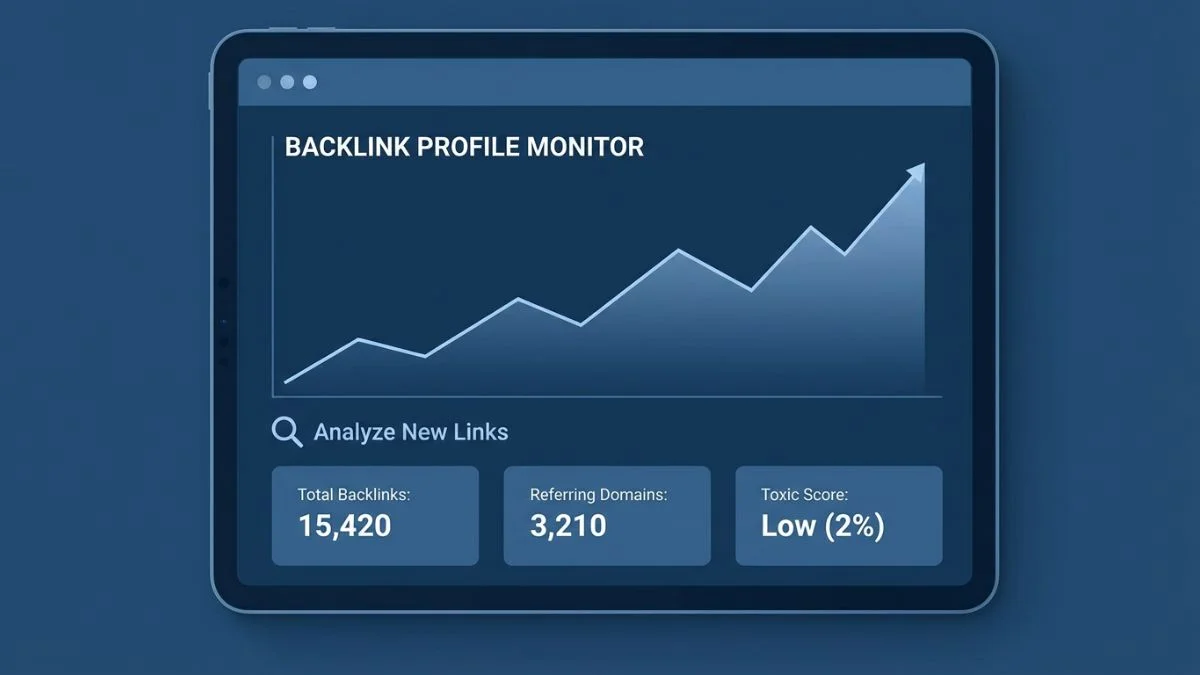
How to Monitor Your Backlink Profile

How to Monitor Your Backlink Profile: The Complete Guide for 2026
Building backlinks is only half the battle. Without consistent monitoring, you risk losing valuable links without knowing it, accumulating toxic links that damage your rankings, and missing opportunities to leverage your strongest link assets. Yet most site owners never look at their backlink profile after the initial setup.
A study by Ahrefs found that the average page loses 5-10% of its backlinks every year due to content updates, site changes, and link rot. That means without active monitoring, your hard-earned link equity is quietly eroding. At the same time, your site may be attracting toxic backlinks from scraper sites, spam bots, and competitors running negative SEO campaigns.
In this guide, you will learn exactly how to monitor your backlink profile, which metrics matter most, what tools to use, how to identify and handle toxic links, and how to turn backlink monitoring into a competitive advantage.
Quick Info: Backlink Monitoring Essentials
- Frequency: Weekly quick checks, monthly deep audits
- Best free tool: Google Search Console + BrightSEOTools Backlink Checker
- Best paid tool: Ahrefs or SEMrush for comprehensive monitoring
- Key metrics: Referring domains, DA distribution, anchor text, link velocity
- Red flags: Sudden spikes, irrelevant links, spammy domains, over-optimized anchors
- Action item: Set up automated alerts for new and lost backlinks
Why Backlink Monitoring Is Critical
Your backlink profile is a living, breathing ecosystem. Links appear and disappear daily. New sites discover your content, while old links break or get removed. Without monitoring, you are flying blind. Here is why regular monitoring matters:
1. Detect and Remove Toxic Links Early
Spammy backlinks from link farms, foreign-language spam sites, and private blog networks can accumulate without your knowledge. Google's spam detection algorithms evaluate your entire backlink profile, and too many toxic links can trigger ranking penalties. Catching these early through monitoring lets you disavow them before damage occurs.
2. Recover Lost High-Value Links
When a valuable link from a high-authority site disappears, you lose significant ranking power. Monitoring alerts you to lost links so you can reach out to the site owner and potentially recover them. Common reasons for lost links include page redesigns, content updates, and accidental URL changes.
3. Measure Link Building ROI
If you invest time and money in link building campaigns, monitoring shows you the actual results. You can see which strategies produce the highest-quality links, which outreach efforts convert, and how new links correlate with ranking improvements. Track these alongside other important SEO metrics.
4. Protect Against Negative SEO
Competitors can attempt to harm your rankings by building thousands of spammy links to your site. While Google claims its algorithms handle most negative SEO attempts, vigilant monitoring lets you respond quickly if an attack occurs.
5. Stay Ahead of Competitors
Monitoring competitor backlinks reveals their strategy in real time. When a competitor earns a link from a high-authority site, that is a signal that the site is willing to link in your niche. This intelligence fuels your own outreach efforts.
Essential Backlink Metrics to Track
Not all backlink data is equally important. Focus your monitoring efforts on these key metrics:
| Metric | What It Measures | Why It Matters | Priority |
|---|---|---|---|
| Total Referring Domains | Unique domains linking to your site | The single most important backlink metric for rankings | Critical |
| New Referring Domains/Month | Fresh domains linking to you each month | Shows link building momentum and growth trajectory | Critical |
| Lost Referring Domains/Month | Domains that stopped linking to you | Alerts you to link erosion requiring recovery outreach | Critical |
| Domain Authority Distribution | DA range of linking sites | Reveals the quality composition of your profile | High |
| Anchor Text Distribution | Types of anchor text used in links | Over-optimized anchors trigger Google penalties | High |
| Dofollow vs Nofollow Ratio | Proportion of link types | Unnatural ratios can signal manipulation | Medium |
| Top Linked Pages | Which of your pages earn the most links | Identifies your strongest assets and link magnets | Medium |
| Link Velocity | Speed of link acquisition over time | Sudden changes may signal problems or manipulation | Medium |
| Toxic Link Score | Percentage of harmful backlinks | High toxicity requires immediate disavow action | High |
Best Tools for Backlink Monitoring
The right tools make backlink monitoring efficient and actionable. Here is a comprehensive breakdown of the best options:
Free Tools
Google Search Console
Google Search Console is the most authoritative source for backlink data because it comes directly from Google. Navigate to Links > External Links to see your top linking sites, top linked pages, and top anchor text. While the data is not updated in real time, it provides the most accurate picture of what Google sees.
BrightSEOTools
Use BrightSEOTools SEO Score Checker for a comprehensive SEO health assessment that includes backlink indicators. The free backlink checker tools guide covers additional free options for analyzing your link profile.
Moz Link Explorer (Free Tier)
Moz's Link Explorer offers 10 free queries per month, providing domain authority, linking domains, inbound links, and ranking keywords for any URL. It is excellent for quick spot checks.
Paid Tools
Ahrefs
Ahrefs has the largest backlink index with over 35 trillion known links. Its backlink monitoring features include new and lost link alerts, referring domain tracking, anchor text analysis, and a comprehensive backlink audit tool. Starting at $99/month, it is the industry gold standard for backlink analysis.
SEMrush
SEMrush offers a powerful Backlink Audit tool that automatically identifies toxic backlinks and provides a toxicity score. It also tracks new and lost referring domains, anchor text distribution, and link type breakdown. Pricing starts at $129/month.
Majestic
Majestic provides unique metrics like Trust Flow and Citation Flow that give you a different perspective on link quality. Their historic index lets you see backlink data going back years, which is valuable for understanding long-term trends.
Monitor Backlinks
Monitor Backlinks is a specialized tool designed specifically for backlink tracking. It sends automatic alerts for new and lost links, provides keyword tracking, and includes competitor monitoring at a more affordable price point than the major suites.
Step-by-Step Backlink Monitoring Process
Follow this systematic approach to keep your backlink profile healthy and growing:
Weekly Quick Check (15 minutes)
- Check for new referring domains: Log into your preferred backlink tool and review new links acquired in the past 7 days.
- Review any lost links: Note any high-value links that disappeared and flag them for recovery outreach.
- Scan for obvious spam: Quickly scan new links for anything that looks clearly toxic (foreign-language spam, adult sites, link farms).
- Check Google Search Console: Review any new messages or manual action notifications.
Monthly Deep Audit (1-2 hours)
- Export your complete backlink profile: Download your full backlink list from Google Search Console and your primary backlink tool.
- Analyze anchor text distribution: Check that your anchor text mix remains natural. Flag any over-optimization trends.
- Review DA distribution: Assess the authority breakdown of your linking domains. Aim for a healthy mix with a growing percentage of high-DA links.
- Run a toxic link scan: Use SEMrush's Backlink Audit or Ahrefs' backlink analysis to identify potentially harmful links.
- Compare against competitors: Check competitor referring domain counts and growth rates to benchmark your progress.
- Update your disavow file: Add any newly identified toxic links to your Google Disavow file.
- Document everything: Record key metrics in a tracking spreadsheet or dashboard for trend analysis.
Quarterly Strategic Review (3-4 hours)
- Trend analysis: Review 3-month trends in referring domain growth, DA improvements, and link velocity.
- Strategy assessment: Evaluate which link building tactics produced the best results and adjust your approach.
- Competitor gap analysis: Identify high-authority domains that link to competitors but not to you.
- Content performance: Analyze which content pages attract the most links and create more content in those successful formats.
- ROI calculation: Measure the cost per acquired link across your different strategies and reallocate budget accordingly.
Use this monitoring process alongside a comprehensive SEO audit and the website audit checklist for a complete picture of your site's health.
How to Identify Toxic Backlinks
Not every low-quality link is toxic, but some can actively harm your rankings. Here is how to spot the dangerous ones:
Signs of Toxic Backlinks
- Link farms: Sites that exist solely to sell or exchange links, with no real content or audience
- Private blog networks (PBNs): Networks of sites created specifically to manipulate rankings through interlinking
- Irrelevant foreign-language sites: Links from sites in languages and regions completely unrelated to your business
- Spammy directories: Low-quality web directories with no editorial standards
- Hacked sites: Legitimate sites that have been compromised and injected with spammy links
- Sitewide footer or sidebar links: Links repeated on every page of a linking site, appearing thousands of times
- Exact-match anchor text from low-quality sites: Keyword-stuffed anchors from untrusted sources
- Adult or gambling sites: Unless your site is in those industries, these links are harmful
When you identify toxic backlinks, follow this process:
- Contact the site owner: Request removal of the link. Use Hunter.io to find contact information.
- Document your attempts: Keep records of outreach emails for any future manual review requests.
- Use the Disavow Tool: If removal fails, submit the toxic domains to Google's Disavow Tool.
- Monitor for recurrence: Set up alerts to catch if the same spammy sites link to you again.
Learn more about protecting your rankings in our guide on SEO mistakes that kill rankings.
How to Recover Lost Backlinks
Lost backlinks represent wasted link equity. Here is a systematic approach to recovering them:
Identify Why the Link Was Lost
- Page deleted: The linking page no longer exists. Check the Wayback Machine to see the original content.
- Link removed: The page exists but your link was edited out. This could be intentional or accidental.
- Site down: The entire linking site may be offline temporarily or permanently.
- Redirect issues: A site redesign may have changed URLs, breaking links in the process.
- Content update: The page was rewritten and your link was not included in the new version.
Recovery Outreach Process
- Compile a list of lost links sorted by the linking site's domain authority (prioritize high-DA losses).
- Visit each linking page to understand the current state.
- Craft a personalized, friendly email explaining that you noticed the link was removed and asking if it can be restored.
- If the page was deleted, suggest an alternative page on their site where the link would fit naturally.
- If the link was on content that was updated, offer to help update the reference to your content with a fresh angle.
Recovery rates for friendly link restoration requests typically range from 10-30%, making it a worthwhile time investment for high-value links.
Monitoring Competitor Backlinks
Tracking competitor backlinks is one of the smartest things you can do for your link building strategy. Here is how to do it effectively:
- Identify your top 5 competitors: Use BrightSEOTools SERP Checker to see who consistently ranks for your target keywords.
- Set up competitor alerts: In Ahrefs or SEMrush, configure email alerts for new backlinks to competitor domains.
- Analyze their link sources: Where are competitors getting links? Guest posts? PR coverage? Resource pages? This reveals opportunities for you.
- Identify common linking domains: Sites that link to multiple competitors are highly likely to be interested in linking to your content too.
- Track their link velocity: If a competitor suddenly accelerates link building, they may be preparing for a content push or algorithm update.
Apply the insights from competitor monitoring to your own SEO strategy development.
Setting Up Automated Backlink Alerts
Manual monitoring is essential, but automated alerts ensure you never miss critical changes. Here is how to set them up across different tools:
| Tool | Alert Type | How to Set Up |
|---|---|---|
| Ahrefs | New & lost backlinks, new keywords | Alerts > Backlinks > Enter your domain |
| SEMrush | New backlinks, toxic links detected | Backlink Audit > Set up automated reports |
| Google Alerts | Brand mentions (potential link opportunities) | Create alerts for your brand name and key products |
| Monitor Backlinks | New/lost links, keyword rankings | Add your domain and configure email frequency |
| Mention | Web mentions across all platforms | Create a monitoring project for your brand |
Creating a Backlink Monitoring Dashboard
A centralized dashboard gives you a at-a-glance view of your backlink health. Here is what to include:
Essential Dashboard Components
- Total referring domains (current count + month-over-month change)
- New referring domains this month (with a list of the top 10 by DA)
- Lost referring domains this month (flagged for recovery)
- Domain Authority/Rating score (current + trend line)
- Anchor text pie chart (branded, naked URL, keyword, generic)
- Link velocity graph (6-month trend of new links per week)
- Toxic link count (pending disavow or removal)
- Top 5 linked pages on your site
- Competitor comparison (referring domains vs top 3 competitors)
You can build this dashboard in Google Looker Studio (formerly Data Studio), a spreadsheet, or use the built-in dashboards in tools like Ahrefs and SEMrush. Regular dashboard reviews keep your entire team aligned on backlink performance.
For a comprehensive view of your site's overall performance, use BrightSEOTools SEO Score Checker alongside your backlink dashboard. Read more about tracking in our SEO performance tracking guide.
Common Backlink Monitoring Mistakes
- Only checking total links instead of referring domains: One domain with 1,000 links to your site counts far less than 100 domains with one link each. Always prioritize unique referring domains.
- Ignoring lost links: Many site owners focus only on gaining new links and never notice when valuable links disappear.
- Over-reacting to every low-quality link: Not every spammy link requires disavowing. Google generally ignores most low-quality links automatically. Only disavow links that are clearly part of a pattern or come from extremely toxic sources.
- Not monitoring competitors: Your competitors' backlink activities are a roadmap of opportunities you are missing.
- Relying on a single data source: Different tools have different backlink indices. Cross-reference Google Search Console with at least one third-party tool for the most complete picture.
Avoid these alongside the broader SEO habits you need to break for maximum impact.
Backlink Monitoring and Google Algorithm Updates
Google frequently rolls out algorithm updates that affect how backlinks are evaluated. During and after major updates, backlink monitoring becomes even more critical:
- Before an update: Ensure your backlink profile is clean. Run a toxic link scan and disavow anything suspicious.
- During an update: Monitor your rankings and traffic closely. Correlate any drops with specific backlink metrics.
- After an update: Analyze which sites gained or lost rankings. Check if the update targeted specific link patterns that exist in your profile.
Stay informed about the latest algorithm changes by following Google Search Central Blog, Search Engine Journal, and Search Engine Roundtable. Check our latest SEO trends for current developments.
Conclusion: Make Monitoring a Habit
Backlink monitoring is not a one-time task. It is an ongoing discipline that protects your rankings, identifies opportunities, and ensures your link building investments deliver returns. The most successful SEO practitioners treat backlink monitoring as a regular habit, not an occasional afterthought.
Start with the free tools: Google Search Console and BrightSEOTools SEO Checker. Set up weekly quick checks and monthly deep audits. As your site grows, invest in premium tools like Ahrefs or SEMrush for more comprehensive monitoring and automated alerts.
Remember: the backlinks you do not monitor are the ones most likely to cause problems. Stay vigilant, stay proactive, and keep building a backlink profile that Google rewards. For more guidance, read our complete SEO audit tips and essential SEO checker tools.