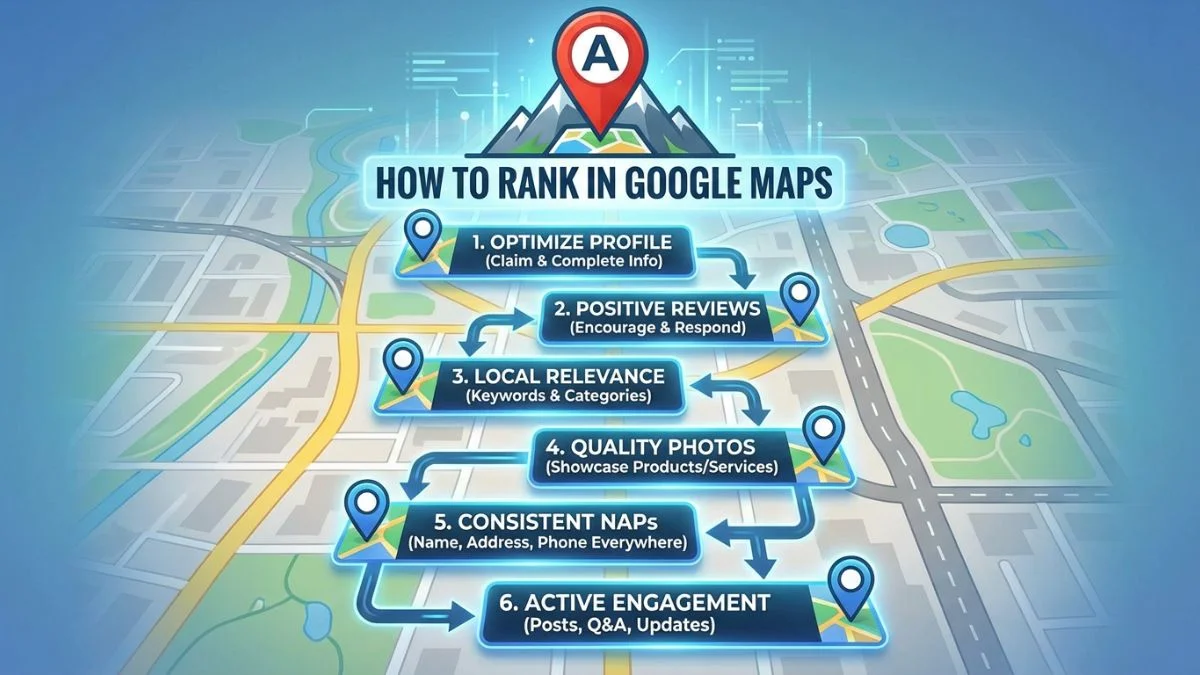
How to Rank in Google Maps

How to Rank in Google Maps: 2026 Complete Guide
Master the Map Pack with proven strategies to achieve top local rankings.
If you're a local business, ranking in the Google Map Pack—those three coveted listings that appear at the top of location-based searches—can be transformational. According to BrightLocal's research, the Map Pack captures 44% of all clicks for local searches, while the #1 organic result below it gets just 9%.
That means the difference between ranking #3 in the Map Pack and #4 (first in organic results) is a 50% reduction in clicks. The stakes are enormous.
Yet Google Maps ranking remains mysterious to many business owners. Why does your competitor rank #1 when you have more reviews? How can a newer business outrank an established one? What exactly is Google looking for?
The answer lies in understanding Google's three core ranking factors—Relevance, Distance, and Prominence—and systematically optimizing each one. According to Google's official documentation, these factors determine how local search results are ranked.
This comprehensive guide will teach you everything you need to know about ranking in Google Maps in 2026, with actionable strategies you can implement immediately to improve your positions.
📋 Key Takeaway
Google Maps ranking is determined by Relevance (how well you match the search), Distance (proximity to searcher), and Prominence (how established/authoritative you are). Success requires optimizing your Google Business Profile, building reviews and citations, earning local backlinks, and demonstrating consistent engagement and accuracy across all platforms.
Understanding the Google Map Pack
The Google Map Pack (also called the Local Pack or 3-Pack) is the set of three local business listings prominently displayed at the top of search results for location-based queries, accompanied by a map showing business locations.
Why the Map Pack Matters
| Metric | Data | Source |
|---|---|---|
| Click-through rate | 44% of all clicks go to Map Pack | BrightLocal 2025 |
| Mobile dominance | 60% of local searches happen on mobile | Google 2025 |
| Near me searches | Grown 200%+ in past 2 years | Google Trends |
| Visit conversion | 76% who search for something nearby visit within 24 hours | |
| Purchase rate | 28% of local searches result in purchase |
In simpler terms: If you're not in the Map Pack, you're invisible to the majority of local searchers.
For broader Local SEO context, see our guide on what is Local SEO and how it works.
The 3 Core Google Maps Ranking Factors
According to Google's official documentation, local search rankings are based on three primary factors:
1. Relevance
Definition: How well your business listing matches what the searcher is looking for.
What influences relevance:
- Primary category: Most important relevance signal
- Additional categories: Secondary services you offer
- Business name: Must be your real business name (no keyword stuffing)
- Business description: Clear description of what you do
- Services/products listed: Specific offerings you provide
- Attributes: Specific features (wheelchair accessible, outdoor seating, etc.)
- Google Posts: Recent updates about offerings/services
Example: If someone searches "Italian restaurant Boston," Google looks for businesses with "Italian restaurant" as a category, "pizza," "pasta," or "Italian" in their description, and relevant service listings.
2. Distance
Definition: How far your business is from the searcher's location (or the location specified in their search).
What influences distance:
- Physical proximity: Businesses closer to the searcher rank higher
- Centroid vs. actual location: Google uses your exact pin location, not city centroid
- Service area: For Service Area Businesses, your defined service areas
- Search specificity: "Near me" vs. "[City]" vs. "[Neighborhood]" produce different results
Critical insight: You can't change your physical location, but you can optimize for neighborhood-specific terms and ensure your address is 100% accurate everywhere online.
3. Prominence
Definition: How well-known, established, and authoritative your business is both online and offline.
What influences prominence:
- Review count and quality: More positive reviews = higher prominence
- Review velocity: Consistent flow of new reviews
- Citation consistency: NAP accuracy across directories
- Local backlinks: Links from local websites and authoritative sources
- Engagement metrics: Clicks, calls, direction requests, website visits from GBP
- Offline prominence: Well-known brands rank higher even with fewer reviews
- Social signals: Mentions, check-ins, and engagement on social platforms
- Website authority: Domain authority and content quality
Prominence is where most of the competitive differentiation happens—it's the factor you have the most control over.
⚖️ Ranking Factor Weight Distribution
While Google doesn't publish exact percentages, industry research suggests:
- Prominence: ~50-60% (reviews, links, citations, engagement)
- Relevance: ~25-30% (GBP optimization, categories, keywords)
- Distance: ~15-20% (proximity to searcher)
Source: BrightLocal Local Ranking Factors and Moz Local Ranking Factors
Step-by-Step: How to Rank #1 in Google Maps
Step 1: Claim and Verify Your Google Business Profile
This is non-negotiable. If you haven't claimed your GBP, you won't rank.
- Go to Google Business Profile
- Search for your business or click "Add your business to Google"
- Follow the verification process (postcard, phone, email, or instant verification)
- Complete every section of your profile (more on this below)
Pro Tip: If you see an existing listing that's not claimed, claim it immediately. Competitors or even customers sometimes create unverified listings.
For comprehensive GBP optimization, see our guide on how to optimize Google Business Profile.
Step 2: Complete Your Google Business Profile 100%
According to BrightLocal research, complete profiles rank significantly higher than incomplete ones.
✅ Complete GBP Optimization Checklist
- ☐ Business name: Accurate legal name (no keywords)
- ☐ Primary category: Most specific relevant category
- ☐ Additional categories: Up to 9 secondary categories
- ☐ Address: Exact, consistent with website/citations
- ☐ Service areas: Define areas you serve (SABs)
- ☐ Phone number: Local number, not 800 number preferred
- ☐ Website: Link to homepage or location-specific page
- ☐ Hours: Regular, special, and holiday hours
- ☐ Description: 750 characters of compelling, keyword-rich copy
- ☐ Services: List all services you provide
- ☐ Products: Add products with photos and prices
- ☐ Attributes: All applicable features (parking, WiFi, accessibility)
- ☐ Photos: Logo, cover photo, interior, exterior, team, products (min 10-15 photos)
- ☐ Opening date: When you opened
- ☐ Q&A: Seed with helpful questions and answers
Step 3: Choose the Right Categories
Your primary category is the single most important relevance signal. Choose carefully.
| Category Best Practices | Why It Matters |
|---|---|
| Be specific over generic | "Family law attorney" ranks better for family law than generic "Attorney" |
| Match searcher intent | Choose category people actually search for, not technical jargon |
| Research competitor categories | See what top-ranking competitors use |
| Use all 10 slots (1 primary + 9 additional) | Expands relevance for various searches |
| Don't use irrelevant categories | Can dilute relevance signals and hurt rankings |
Category Research Tools:
- GBP Category Tool by Pleper - Browse all available categories
- BrightLocal - See categories competitors use
- Manual research: Search your keywords and note what categories rank #1-3
Step 4: Build Reviews Aggressively
Reviews are arguably the most powerful ranking factor you can control. According to Moz, review signals account for approximately 15% of local ranking factors.
What Google Values in Reviews
- Quantity: More reviews = higher rankings (up to a point)
- Recency: Recent reviews carry more weight than old ones
- Velocity: Consistent flow of new reviews signals active business
- Rating: 4.0+ star average is ideal (4.2-4.7 is sweet spot)
- Keywords: Reviews mentioning relevant keywords boost relevance
- Diversity: Reviews on other platforms (Yelp, Facebook) also help
- Response rate: Responding to reviews (especially negative ones) helps
📊 Review Benchmarks by Competitive Level
| Market Competitiveness | Target Review Count | Monthly Goal |
|---|---|---|
| Low Competition | 25-50 reviews | 3-5 new reviews/month |
| Medium Competition | 75-150 reviews | 10-15 new reviews/month |
| High Competition | 200-500+ reviews | 20+ new reviews/month |
Benchmark: Check review count of current #1-3 Map Pack businesses for your keywords
Review Generation Strategies
For comprehensive review strategies, see our guide on how to get more reviews for Local SEO. Key tactics:
- Create a Google review link: Use short URL generators (reviewshake.com, whitespark, or manual short URL)
- Ask in-person: Train staff to request reviews after positive interactions
- Email campaigns: Automated review requests after purchase/service
- SMS requests: Text customers a review link
- Receipt inserts: Physical cards with QR codes to review page
- Website calls-to-action: "Leave us a review" buttons on your site
Step 5: Build Local Citations
Citations (mentions of your NAP on other websites) validate your business legitimacy to Google. According to Moz, citation signals account for about 11% of ranking factors.
Citation Building Priority
- Top 10 essential citations: Yelp, Facebook, Bing Places, Apple Maps, BBB, YellowPages, Foursquare, MapQuest
- Data aggregators: Acxiom, Data Axle, Factual, Neustar Localeze (use Moz Local or Yext)
- Industry-specific directories: Healthgrades (medical), Avvo (legal), TripAdvisor (hospitality), etc.
- Local directories: Chamber of commerce, local business associations
- Expand to 100+ citations: More citations = more validation
Critical: Ensure 100% NAP consistency across all citations. Even minor variations hurt rankings.
For detailed citation strategies, see our guides on local citations and NAP consistency.
Step 6: Earn Local Backlinks
Local backlinks from websites in your geographic area are powerful prominence signals. Link signals account for approximately 13% of local ranking factors.
High-Value Local Link Sources
- Chamber of commerce: Member directory link
- Local sponsorships: Sports teams, charities, events
- Local media: News coverage, press releases
- Local partnerships: Cross-promotion with complementary businesses
- Community involvement: Participation in local organizations
- Local resource pages: City government sites, local directories
- Local blogs: Guest posts, features, reviews
For comprehensive local link building strategies, see our guide on local link building strategies.
Step 7: Create Google Posts Regularly
While Google Posts don't directly impact rankings, they:
- Increase engagement (clicks, calls, directions) which ARE ranking signals
- Signal an active, engaged business
- Improve conversion rates by providing current information
- Keep your listing fresh and updated
Google Post Strategy
📅 Weekly Posting Schedule
- Monday: What's New post (weekly specials, new products)
- Wednesday: Offer post (promotion, discount, limited-time deal)
- Friday: Event post (if applicable) or another What's New
- Monthly: Create at least 4-8 posts minimum
Post Best Practices: Include photos, strong CTA, relevant keywords, 100-300 words, add call/book/learn more buttons
Step 8: Optimize for Engagement Signals
Google tracks how users interact with your GBP listing. Higher engagement signals a relevant, popular business.
Key Engagement Metrics
- Clicks to website: From your GBP listing to your site
- Direction requests: Users getting directions to your location
- Phone calls: Calls initiated from your listing
- Photo views: Engagement with your photos
- Search queries: Searches that show your business
- Discovery searches: "Near me" and broader searches (vs. branded)
How to Increase Engagement
- High-quality photos: Professional photos get 42% more direction requests (Google)
- Accurate hours: Incorrect hours kill engagement
- Compelling business description: Include benefits and CTAs
- Q&A optimization: Answer common questions proactively
- Fast review responses: Show you're active and engaged
- Regular posts: Keep listing fresh with current offers/info
- Complete information: Every blank field is a missed opportunity
Step 9: Optimize Your Website for Local SEO
Your website supports your GBP and provides additional relevance signals.
🌐 On-Page Local SEO Essentials
- Location pages: Dedicated page for each location with unique content
- NAP in footer: Consistent NAP on every page (often in footer)
- Schema markup: LocalBusiness schema with complete NAP, hours, coordinates
- Embedded Google Map: Embed your GBP map on contact/location pages
- Title tags & meta descriptions: Include city/neighborhood keywords
- Content optimization: Mention city, neighborhoods, local landmarks naturally
- Local testimonials: Display reviews mentioning location
- Service area pages: Pages for each neighborhood/city you serve
- Mobile optimization: Critical for local searches (mostly mobile)
- Page speed: Fast-loading sites perform better
Step 10: Monitor and Maintain
Google Maps ranking isn't "set it and forget it." Ongoing optimization is essential.
Monthly Maintenance Checklist
- ☐ Generate 10-20 new reviews
- ☐ Respond to all new reviews
- ☐ Create 4-8 Google Posts
- ☐ Add 5-10 new photos
- ☐ Answer Q&A questions
- ☐ Update hours for holidays
- ☐ Check NAP consistency across citations
- ☐ Build 2-5 new local backlinks
- ☐ Monitor rankings and traffic
- ☐ Audit competitors for strategy insights
Advanced Google Maps Ranking Strategies
1. The "Proximity Radius" Strategy
Since proximity matters so much, optimize for neighborhood-specific keywords:
- Create content targeting each neighborhood you serve
- Build citations on neighborhood-specific directories
- Earn backlinks from neighborhood associations
- Use neighborhood names in GBP posts and descriptions
Example: Instead of just ranking for "plumber Boston," also target "plumber Back Bay," "plumber Beacon Hill," "plumber South End," etc.
2. The "Review Velocity" Advantage
Consistent review flow signals an active, thriving business. Create a systematic review generation process:
- Transaction-triggered emails: Automated emails 1-2 days after service
- Staff incentives: Reward employees for generating reviews (without violating policies)
- QR codes everywhere: Physical locations, business cards, receipts, packaging
- Social media asks: Periodic requests to followers
- Website integration: Review CTA on thank you pages
3. The "Photo Dominance" Strategy
According to Google, businesses with photos receive 42% more requests for directions and 35% more clicks to their websites.
Photo Optimization Strategy
| Photo Type | Recommended Quantity | Best Practices |
|---|---|---|
| Logo | 1 (required) | Square, min 720x720px, clear on white background |
| Cover Photo | 1 (critical) | Landscape, 1920x1080px, best represents business |
| Exterior | 3-5 | Clear storefront, parking, entrance, signage |
| Interior | 5-10 | Show different areas, atmosphere, cleanliness |
| Team/Staff | 3-5 | Friendly, professional, builds trust |
| Products/Services | 10-20+ | Show offerings, quality, variety |
| Work Examples | 10-20+ | Before/after, completed projects, results |
Upload schedule: Add 5-10 new photos monthly to keep profile fresh.
4. The "Competitor Gap Analysis" Strategy
Systematically analyze what #1-3 competitors are doing that you're not:
- Review counts: How many reviews do they have? What's your gap?
- Categories: What categories are they using that you're not?
- Photos: Do they have more photos? Better quality?
- Citations: Use BrightLocal or similar to find their citations you don't have
- Backlinks: Use Ahrefs to see their local link sources
- Content: What location/service pages do they have that you don't?
- Posts: How frequently are they posting?
This reveals exactly what you need to do to catch up and surpass them.
Tracking Your Google Maps Rankings
You can't improve what you don't measure. Track these metrics:
📊 Essential Tracking Metrics
- Map Pack position: Your rank for target keywords (track 10-20 keywords)
- Google Search Console: Impressions, clicks, average position for local queries
- GBP Insights: Views, searches, actions (calls, direction requests, website clicks)
- Review metrics: Total reviews, average rating, review velocity
- Citation count: Total citations and consistency score
- Backlink profile: Total referring domains, especially local links
- Website traffic: Local organic traffic from Google Analytics
- Conversion tracking: Calls, form submissions, bookings from local traffic
Best Tools for Tracking Google Maps Rankings
- BrightLocal Local Search Rank Checker: Track Map Pack positions for multiple keywords and locations
- Local Falcon: Grid-based visual ranking tracking (see exactly where you rank around your location)
- GMB Crush: GBP rank tracking and insights
- Whitespark Local Rank Tracker: Accurate local rank tracking
- Google Business Profile Insights: Built-in analytics
- Google Search Console: Free search performance data
Common Google Maps Ranking Mistakes
❌ Mistakes That Kill Your Rankings
- Incomplete GBP profile: Even one blank field hurts rankings
- Wrong primary category: Using generic categories instead of specific ones
- Keyword stuffing business name: "Joe's Plumbing | Best Plumber Denver" violates guidelines
- Inconsistent NAP: Variations across citations confuse Google
- Ignoring reviews: Not responding or not generating new reviews
- No photo strategy: Few, low-quality, or outdated photos
- Neglecting Google Posts: Inactive profiles signal dead businesses
- Buying fake reviews: Violates policies, can result in suspension
- Using P.O. boxes: Hurts rankings vs. physical addresses (unless SAB)
- Creating duplicate listings: Multiple profiles dilute authority
- Ignoring Q&A section: Unanswered questions hurt credibility
- No ongoing optimization: One-and-done approach doesn't work
Frequently Asked Questions
How does Google Maps ranking work?
Google Maps ranking is determined by three primary factors: Relevance (how well your business matches the search query), Distance (proximity between searcher and business), and Prominence (how well-known and authoritative your business is). Google combines hundreds of signals across these categories to determine Map Pack positions.
What is the Google Map Pack?
The Google Map Pack (also called the Local Pack or 3-Pack) is the set of three local business listings that appear at the top of Google search results for location-based queries, accompanied by a map. These positions drive the majority of clicks for local searches.
How important is proximity for Google Maps ranking?
Proximity is extremely important—it's one of the top 3 ranking factors. Businesses closer to the searcher's location typically rank higher. While you can't change your physical location, you can optimize for neighborhood-specific terms and ensure your address is accurately listed everywhere.
What are the most important Google Maps ranking factors?
The most important factors include: Google Business Profile optimization (completeness, accuracy, updates), review quantity and quality, NAP consistency across the web, proximity to searcher, local backlinks, relevance signals (categories, description, services), and engagement metrics (clicks, calls, direction requests).
How long does it take to rank in Google Maps?
New businesses can start appearing in Google Maps within 2-4 weeks of creating and verifying their Google Business Profile. However, achieving top 3 Map Pack positions typically takes 3-6 months of consistent optimization in moderately competitive markets, and 6-12+ months in highly competitive markets.
Do reviews affect Google Maps rankings?
Yes, reviews are a critical ranking factor. Both quantity and quality matter—businesses with more recent, positive reviews rank higher. Review velocity (rate of new reviews) and responsiveness to reviews also impact rankings. Google official documentation confirms reviews influence local rankings.
Can I rank in Google Maps if I don't have a physical location?
Service Area Businesses (SABs) that serve customers at their locations can rank in Google Maps, but they don't have a specific map pin. Instead, they appear based on service areas. SABs face additional challenges and should hide their address, clearly define service areas, and build strong review/citation profiles.
How do I track my Google Maps ranking?
Track rankings using tools like BrightLocal Local Search Rank Checker, Local Falcon (grid-based tracking), GMB Crush, or Whitespark Local Rank Tracker. These tools track your position for specific keywords across different locations. Also monitor Google Business Profile Insights for impressions and engagement metrics.
What categories should I choose for Google Business Profile?
Choose your primary category based on your core business offering—this is the most important ranking signal for relevance. Select the most specific category available (not generic). Add up to 9 additional secondary categories that accurately describe related services, but prioritize accuracy over keyword stuffing.
Do Google Posts help with Map Pack rankings?
Google Posts don't directly impact rankings, but they increase engagement (clicks, calls, direction requests), which are ranking signals. Regular posting signals an active, engaged business to Google. Posts also improve conversion rates by providing current information, offers, and calls-to-action on your GBP listing.
Conclusion: Your Path to Google Maps Dominance
Ranking in Google Maps isn't about gaming the system or finding secret shortcuts. It's about systematically optimizing every factor Google uses to determine relevance, distance, and prominence—then maintaining those efforts consistently over time.
The businesses dominating the Map Pack aren't there by luck. They've:
- Completed their Google Business Profile 100%
- Generated hundreds of positive reviews
- Built consistent citations across the web
- Earned quality local backlinks
- Created location-optimized website content
- Maintained active, engaged profiles with regular posts and photos
- Responded to customers and demonstrated excellence
Most importantly: They didn't do it once and stop. They treat Local SEO as an ongoing priority, not a one-time project.
Your 90-day action plan:
🎯 90-Day Google Maps Ranking Plan
Days 1-30: Foundation
- Complete GBP 100% (every field, 15+ photos)
- Generate 20+ reviews
- Build top 20 citations
- Create 8+ Google Posts
- Optimize website with LocalBusiness schema
Days 31-60: Expansion
- Generate 20+ more reviews (40 total)
- Build 30+ more citations (50 total)
- Earn 5-10 local backlinks
- Create location/service pages on website
- Continue weekly Google Posts
Days 61-90: Competitive Advantage
- Generate 20+ more reviews (60+ total)
- Expand to 100+ total citations
- Earn 10+ more local backlinks
- Analyze and close competitor gaps
- Maintain consistent posting and engagement
Expected Result: Significant ranking improvements, likely breaking into top 5 (possibly top 3) for target keywords in moderately competitive markets.
The Map Pack is the most valuable real estate in local search. Claim your spot.
For more Local SEO strategies, explore our guides on optimizing Google Business Profile, getting more reviews, building citations, and local link building.
Start implementing today. Your competition certainly has.