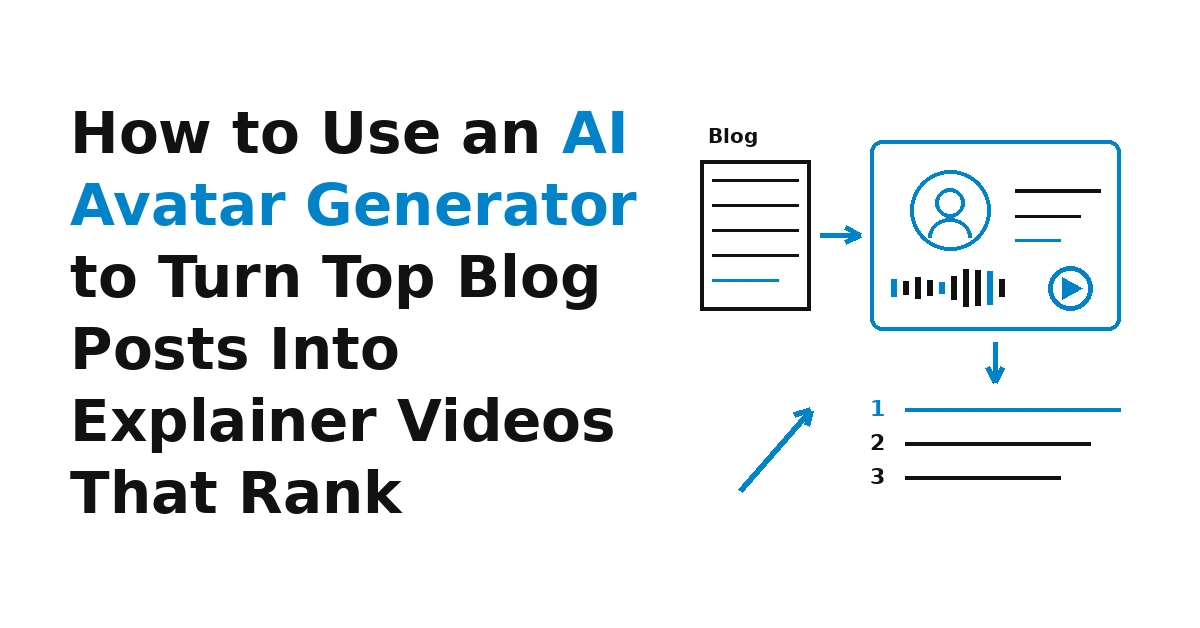
How to Use an AI Avatar Generator to Turn Top Blog Posts Into Explainer Videos That Rank

An AI Avatar Generator lets an SEO team turn its strongest blog posts into short presenter-led explainer videos without booking a studio, a camera operator or on-screen talent. The production step is now the easy part; the harder part is choosing the right posts and publishing each video so Google can actually show it in video results.
This guide covers the full workflow: which posts to convert, how to script from a post's H2s, how to produce the video, and how to handle watch pages, structured data, transcripts and thumbnails. It also covers the limits worth respecting.
Why Turning Blog Posts Into Video Makes Sense Now
Most SEO teams already have articles that hold steady rankings. Those posts have proven search demand, a tested structure and a clear answer to a real question, so the research and outline for a video already exist.
AI tools have also become a normal part of video production. Wyzowl's video marketing statistics report that 63% of video marketers have used AI to create or edit video, up from 51%. The practical change is turnaround: a presenter video that once needed a shoot and an editor can now come from a script and a still image.
The risk is the same one SEO teams saw with AI text: cheap production tempts people to publish too much. The workflow below is built around one useful video per strong post.
Which Blog Posts to Turn Into Talking Avatar Videos
Not every article deserves a video. Start with your analytics and rank tracker, then check the live search results by hand. A good candidate usually meets most of these conditions:
- It already ranks or earns steady traffic, which shows the topic matters and your answer is competitive.
- Video results already appear for the query. Search the main keyword and look for a video carousel, video thumbnails in the results, or key moments. If Google shows no video for the query, a new video may still help your readers, but it is less likely to earn search visibility.
- The topic is easier to show than to read. Processes, setups, comparisons and "how does this work" questions suit a presenter. Pure opinion pieces and long data roundups usually don't.
- The post has a clean outline, so it converts into a script with little rework.
- The content is evergreen rather than news that will date in a month.
A simple way to rank candidates is to export your top pages by organic clicks, add a column for "video results present (yes/no)," and add another for "procedural or explainer topic (yes/no)." The posts that score yes on both are your first batch.
Scripting a Digital Presenter From the Post's H2s
The script is where most repurposed videos succeed or fail. Reading the full article aloud produces a long, flat video that no one finishes. A better approach is to treat the post's H2s as a ready-made outline and compress each section into one or two spoken lines.
A practical structure for a two-to-four-minute explainer:
- Hook: State the question the post answers and who it is for.
- Direct answer (15 to 30 seconds): Give the short version up front, the way a featured snippet would.
- Core steps: Turn each main heading into a short spoken segment. Keep the order of the article so the video and the page match.
- One example or caution: Pick the single most useful example from the post rather than all of them.
- Close: Point viewers to the full article or the next step.
Write for the ear. Spoken sentences should be shorter than written ones, numbers should be rounded where precision doesn't matter, and lists of more than three items work better on screen as text than spoken by a digital presenter.
Keep a note of where each section starts in the script. Those section breaks become your key moments later, and planning them now saves guesswork after the video is rendered.
Producing the Video With an AI Avatar Generator
With a script in hand, production is mostly a matter of choosing a presenter and a voice. An AI Avatar Generator takes a face, either a photo or a library avatar, and animates it so the lips and expressions follow the audio. Most AI video avatars work this way, so the main decisions are about consistency and fit.
A few production choices matter for SEO content in particular:
- Use one consistent digital presenter per series to build recognition.
- Match the presenter's style to the subject: calm and neutral for technical walkthroughs.
- Check pronunciation of tool names. Lip sync AI can only follow the audio it gets, so fix names with phonetic spelling.
- Add on-screen text for key terms to help viewers who watch without sound.
The voice and the script are where the most time goes, so tools that keep those editable save the most work. With the Fish Audio AI Avatar Generator, you type the script and pick a voice, or upload your own narration, and get a lip-synced presenter back. Because the video comes from the script, you can edit that script and regenerate the clip when the article is updated, so the video stays in sync with the post instead of drifting out of date.
Building a Dedicated Watch Page for Each Video
Google's video best practices say that to be eligible for video features, including video results on the main results page, Video mode and Key Moments, you should "create a dedicated watch page for each video, if it makes sense for your business."
Google defines a watch page as a page whose main purpose is to show users a single video. Its own examples of pages that are not watch pages include "a blog post that reviews an embedded video," because there the video is complementary to the text. That has a direct consequence for this workflow: embedding the new video in the original article is fine for readers, but the article itself is unlikely to count as the video's watch page.
The usual setup has two parts:
- The original blog post keeps its text as the main content and embeds the video as a supporting element. According to the same guidance, a non-watch page can still appear as a text result or as an image result with a video badge.
- A separate watch page puts the video first, with a title and description unique to that video, the transcript below it, and a link back to the full article.
Google also says the video should be referenced in an element it can find, such as a video, embed, iframe or object tag, that it shouldn't depend on user actions like clicking or swiping to load, and that it can't be hidden behind other elements. Lazy-loading players and click-to-play overlays are common causes of trouble here, so load the watch page in a fresh browser session after publishing and confirm the player appears without any interaction.
VideoObject Structured Data and Key Moments
Structured data tells Google what the video is about, where the file lives and what thumbnail to use. Google lists structured data, video sitemaps and Open Graph as supported ways to provide video metadata. Of those, VideoObject markup on the watch page gives you the most control.
At minimum, give each video its own name, description, thumbnail URL and upload date, and point to the video file or player. Google's guidance asks that each video have unique thumbnailUrl, name and description values, and that the information in structured data be consistent with the actual video content. For AI-produced series, that second rule is easy to break by copying one template across many videos. Write each description from that video's script.
Key moments are where the H2-based script pays off. Google supports two approaches:
- Clip markup, where you specify the exact start and end time of each segment and the label to show for it. Your script's section breaks map directly onto these labels.
- SeekToAction markup, where you tell Google where timestamps typically go in your URL structure and let it identify segments.
Google says it will prioritize key moments set by you, either through structured data or the YouTube description. If you also publish the video on YouTube, use the same section labels there so both versions describe the video the same way. For a full rundown of the other technical steps, such as sitemaps, hosting and crawlability, the site's own Video SEO Checklist covers them in order.
Transcripts, Thumbnails and Metadata That Match the Video
The watch page needs text, and the most useful text is the transcript. Google's video guidance doesn't list transcripts as a requirement, but a transcript gives readers who can't play audio a way to follow along, helps accessibility, and gives the page indexable text that matches what is said in the video. Since an AI spokesperson video starts from a script, the transcript is nearly free. Clean it up into readable paragraphs with the same section headings as your key moments.
Thumbnails need more care than usual. Google states that a video must have a valid thumbnail to be eligible for video features, and it recommends using "a single unique and stable thumbnail URL for each video." It also asks that the same thumbnail URL be used per video across all metadata. In practice, that means:
- Create a distinct thumbnail for every video, not one shared image for the whole series.
- Host it at a URL that won't change when you redesign the site or swap CDNs.
- Use that exact URL in your VideoObject markup, your video sitemap and any Open Graph tags.
For titles and descriptions, Google asks that each watch page have a page title and description unique to that video. Don't reuse the article's title word for word. A distinct title signals a different format and keeps two of your pages from competing for the same intent.
Blog-to-Video SEO Checklist
Use this table as a per-video sign-off before publishing. It covers only the steps specific to repurposing a post with a talking avatar.
| Step | What to check | Why it matters |
|---|---|---|
| Post selection | Ranking post, video results present for the query, procedural topic | Puts effort where video visibility is possible |
| Script | One beat per H2, direct answer in the first 30 seconds, under about four minutes | Keeps the video watchable and aligned with the article |
| Production | Consistent presenter, correct pronunciation, on-screen text for key terms | Builds recognition and helps silent viewers |
| AI label | Short note on the watch page that the presenter is AI-generated | Sets honest expectations for viewers |
| Watch page | Separate URL where the video is the main content | Required for eligibility for video features |
| Title and description | Unique to the video, not copied from the article | Avoids duplicate metadata and intent overlap |
| VideoObject markup | Unique name, description, thumbnail URL, upload date | Gives Google consistent metadata |
| Key moments | Clip labels matching the script's sections | Lets Google show segments in results |
| Transcript | Cleaned script on the watch page with section headings | Adds matching text and accessibility |
| Thumbnail | Unique image at a stable URL, same URL in all metadata | Needed for indexing and video features |
| Fetchability | Video loads without clicks, not blocked by robots.txt or noindex | Google must fetch the file to show previews and key moments |
| Refresh | Script updated and video regenerated when the post changes | Keeps video and article consistent |
Avoiding Scaled, Thin AI Video Output
Any AI avatar video generator that makes one good video easy also makes a thousand weak ones easy. Pointing a template at every post produces hundreds of near-identical clips with auto-generated descriptions. That is scaled thin content in video form: duplicate metadata, watch pages with little unique value, and a channel viewers learn to skip.
Some practical guardrails:
- Each video should answer a question better in video form than the article alone does.
- Convert a small first batch and expand only where videos earn impressions.
- If two posts overlap, make one video that serves both.
- Have someone who knows the subject review every script before rendering.
Labeling AI Presenters and Getting Consent
Viewers notice synthetic presenters, and a short, plain label avoids any sense of being misled. Something like "This video uses an AI-generated presenter; the script was written and reviewed by our editorial team" on the watch page and in the video description is enough. Some regions also have transparency rules for synthetic media, so check the requirements that apply to where you publish.
Consent matters too. If you build a talking photo from a real person's image, such as a team member or a founder, get their written permission first and agree on how the likeness will be used. Using a library avatar or a generated face avoids that question, though the AI label still applies.
Measuring Video Results in Search Console
Google's guide includes a section on monitoring video watch pages with Search Console, which is the place to confirm whether pages are indexed as video pages and to see why any are not.
Track a few things per video:
- Whether the watch page is indexed and recognized as a video page
- Impressions and clicks for the watch page
- Whether key moments appear for your target queries
- Engagement on the original article where the video is embedded
If a video earns no video impressions after a reasonable period, check the basics first: fetchability, thumbnail URL, and whether the page really qualifies as a watch page. Only then consider whether the topic was a good fit.
FAQ
Can an embedded video on a blog post appear in video results?
The blog post can still show as a text result, and possibly as an image result with a video badge, but Google treats a post where the video supports the text as a non-watch page. For full video features, publish the video on its own watch page and embed it in the article as well.
How long should a repurposed explainer video be?
For most blog-to-video conversions, two to four minutes is a sensible range. That covers the main steps without losing viewers; don't stretch a script to hit a length.
Do I need a transcript on the watch page?
Google's video guidance doesn't list it as a requirement, but it is worth adding. It helps accessibility and gives the page text that matches the video, and it costs little since the video starts from a script.
Should the watch page use the same title as the blog post?
No. Google asks that each watch page have a title and description unique to that video.
Is it acceptable to use an AI spokesperson video for SEO content?
Yes, as long as the video is useful, accurate and honestly labeled. The concern is low-value content published at scale, not the production method. Review each script, label the AI presenter, and publish only videos that add something beyond the article.
How often should the video be updated?
Update it whenever the underlying post changes in a way that affects what the video says. Because a script-driven avatar video can be regenerated from an edited script, it can follow the same refresh schedule as the article instead of being left behind.
Final Thoughts
Turning top posts into explainer videos works best as a selective SEO project, not a content flood. Pick posts with proven demand and visible video results, script from their H2s, give each video its own watch page with matching structured data, a transcript and a stable thumbnail, and label the presenter honestly. Used that way, an AI Avatar Generator becomes a practical way to extend your best articles into video results without the cost of a traditional shoot.