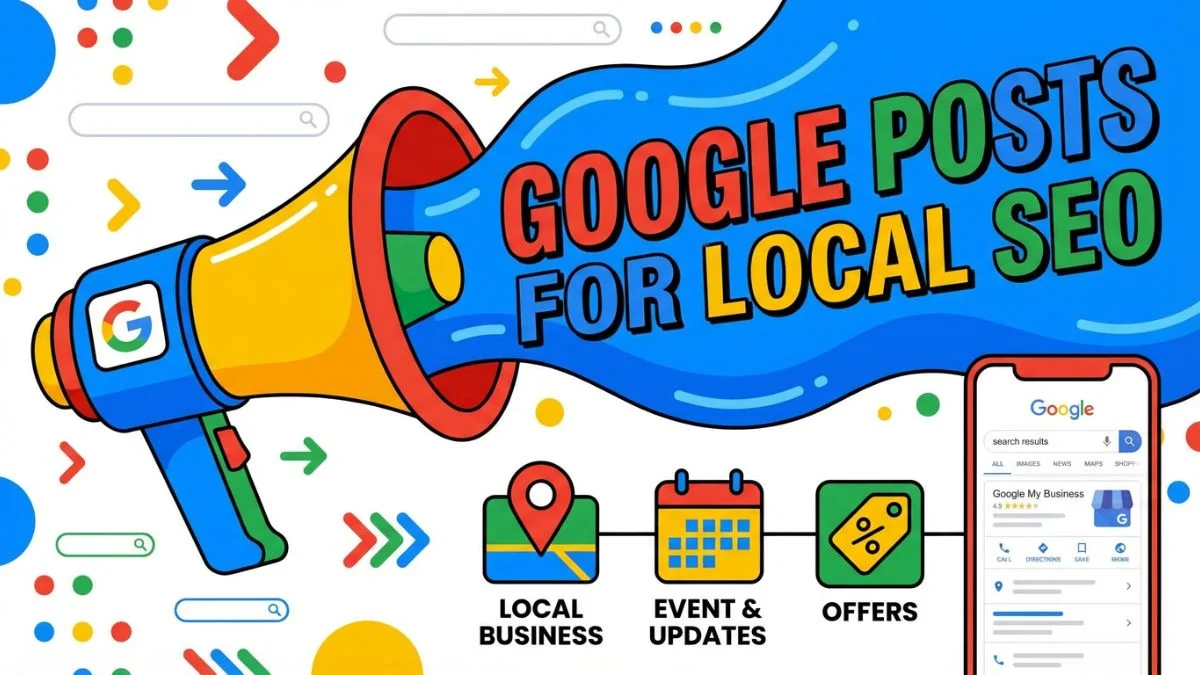
How to Use Google Posts for Local SEO

How to Use Google Posts for Local SEO: The 2026 Strategy Guide
Direct Answer: Using Google Posts for local SEO requires a High-Velocity Semantic Strategy. Businesses must publish at least 3 times weekly, utilizing Offer Posts for direct conversion and Update Posts for long-tail keyword injection. Strategic success is achieved by Entity Bridging—linking post copy to specific website service silos via UTM-tracked discovery links. In 2026, the algorithm prioritizes posts with Authentic Visual Evidence (original photos/videos) and Front-Loaded Prompts that convert users within the first 100 characters of the SERP display.
📱 Executive Summary: The Google Post Blueprint
- Semantic Pulse: Maintaining an active 'heartbeat' signal that proves entity relevance to Google's real-time local index.
- Conversion Anatomy: Utilizing the 'Offer' tag to occupy premium visual real estate in the mobile Map Pack.
- Multi-Surface Reach: Synchronizing posts with Schema-Marked Events and Product Catalogs for maximum SERP footprint.
- ROI Attribution: Bridging the 'Dark Traffic' gap using granular UTM parameters to track GBP sales in GA4.
Chapter 1: The Four Types of Google Posts
Before launching a strategy, you must understand the infrastructure. Google currently provides four distinct categories of Posts within the Business Profile dashboard. Choosing the wrong category severely limits your conversion potential.
1. The "Update" (What's New) Post
This is the most versatile and frequently used post type. It is designed for general business announcements, blog post promotions, or highlighting a specific service. It allows for a photo/video, up to 1,500 characters of text, and a Call to Action (CTA) button.
2. The "Offer" Post
Offer posts are the ultimate conversion drivers. They are designed explicitly for promotions and discounts. Crucially, Offer posts appear with a distinct, eye-catching "Offer" tag in the Maps interface, making them stand out significantly from standard updates.
- Unique Features: Requires a designated Start Date and End Date. Allows for a coupon code, terms and conditions, and a direct redemption link.
- Example: "20% off all Commercial HVAC Inspections until Friday!"
3. The "Event" Post
If your business hosts physical or virtual events, this post type is mandatory. Like Offers, they require a Start/End date and time. If a user searches for your business during the specified timeframe, the Event post is heavily prioritized at the top of your Knowledge Panel.
- Example: "First-Time Homebuyer Seminar - Downtown Office, Tuesday at 6 PM."
4. The "Product" Post
Product posts are slightly different; they integrate into the "Products" tab of your GBP rather than the standard post feed. They require a product name, category, price (or price range), a description, and a CTA. This is ideal for retail stores or service businesses with fixed-price packages (e.g., "Basic Lawn Care Package - $49/week").
5. Google Post Conversion Index (GPCI)
Not all posts are created equal. The GPCI helps businesses prioritize post types based on their specific quarterly objectives.
| Post Type | Primary SEO Goal | Conversion Weight |
|---|---|---|
| Update | Keyword Entity Association. | Moderate (CTR Focused). |
| Offer | Direct Action/Transactional Value. | High (Sales Focused). |
| Event | Knowledge Graph Density. | High (Engagement Focused). |
Chapter 2: The Anatomy of a High-Converting Post
A poorly constructed Google Post is a wasted opportunity. Because users are scrolling quickly through the SERP, your post must be visually arresting, immediately relevant, and algorithmically optimized.
1. The "First 100 Characters" Rule
While you have 1,500 characters available, Google truncates the text in the default Knowledge Panel view. Depending on the device, only the first 80 to 100 characters are visible before the "Read More" cut-off.
Therefore, your most critical local keywords and your primary value proposition must be front-loaded into the very first sentence. Do not bury the punchline.
Poor: "We are so excited to announce that our team has been working really hard this week..."
Optimized: "Need emergency roof repair in Chicago? Our certified crews are available 24/7 for storm damage..."
2. Image Optimization (The Visual Hook)
The image attached to your Google Post is the primary mechanism for stopping the scroll. A bad image renders your copy invisible.
- Dimensions: The optimal aspect ratio for a Google Post image in 2026 is 4:3 (ideal resolution is 1200 x 900 pixels). If you upload a square or heavily vertical image, Google Auto-Crop will butcher the focal point.
- Authenticity Over Stock: Do not use generic stock photos. Google's Vision AI analyzes image contents. Upload real photos of your team, your branded trucks, or actual completed projects (e.g., before-and-after shots).
- Text Overlays: Add bold, high-contrast text overlays to the image highlighting the offer or service (e.g., "FREE ESTIMATES").
3. Selecting the Correct CTA Button
Every post (except some events) allows you to append a Call To Action button. Never skip this. The available buttons are: Book, Order Online, Buy, Learn More, Sign Up, and Call Now.
The "Call Now" button is profoundly effective for emergency service businesses (plumbers, locksmiths, towing), as it utilizes the user's mobile device to initiate a one-tap phone call directly from the SERP. For promoting long-form localized blog content, use "Learn More" linked directly to the specific URL.
Chapter 3: Semantic Keyword Injection and "Entity Bridging"
Google Posts are not just for human readers; they are food for the ranking algorithm. By strategically structuring your post copy, you teach the algorithm exactly how to use local keywords for SEO related to your specific brand entity.
1. The Micro-Blogging Silo Strategy
Do not post randomly. Organize your Google Posts to reflect the service silos on your website.
If you are a personal injury lawyer trying to rank for "motorcycle accident attorney," you should publish a sequence of interconnected posts over a 4-week period specifically discussing motorcycle laws, common motorcycle injuries, and successful settlements. This concentrated burst of specific semantics aggressively signals your relevance for that exact long-tail keyword in your geographic area.
2. Utilizing Local Geo-Modifiers
Just as you would optimize a website landing page, you must inject local geo-modifiers into your post copy. Do not just say, "We offer the best landscaping." Say, "We offer the best landscaping in Oak Park, River Forest, and the wider Cook County area."
This tactic is highly effective when you are attempting to rank in neighboring zip codes where you do not possess a physical storefront.
Chapter 4: The Cadence of Dominance (Posting Frequency)
How often should you post? This is the most common question in local SEO. In the past, Google Posts "expired" and vanished from the main view after seven days. Google has since updated the interface, allowing users to scroll through a much longer history of posts.
1. The "Once-a-Week" Minimum Baseline
Posting once a week is the absolute minimum requirement to maintain local relevance. If your last post was published six months ago, Google's algorithm (and potential customers) may assume your business is dormant or neglected.
2. The Aggressive 3x Weekly Strategy
If you genuinely want to know how to track local competitors and beat them, check their GBP posting frequency. If the market leader posts once a month, you establish dominance by posting 3 times a week.
A highly aggressive, algorithmically favored weekly schedule looks like this:
- Monday: An "Update" post promoting a new piece of content on your website (driving traffic).
- Wednesday: A "Product/Service" highlight featuring a real, localized project photo and a "Call Now" CTA.
- Friday: An "Offer" post designed to drive weekend sales or bookings.
3. Post Performance Benchmarks (PPB)
In 2026, a "successful" post is defined by its ability to drive meaningful engagement within 48 hours. Monitor these benchmarks to gauge your content quality.
| Metric | Benchmark (Local SMB) | Success Signal |
|---|---|---|
| Impression-to-Action Rate | 1.5% - 3.0%. | High Local Intent. |
| Mobile CTR | > 2.5% (Offer Posts). | Visual Alignment. |
| Interaction Recency | < 72 Hours. | Algorithmic Freshness. |
As we detailed in our guide on tracking local SEO performance, using UTM parameters to segment this traffic is the only way to verify these benchmarks accurately.
Chapter 5: Integrating Posts with Your Off-Page Strategy
Google Posts do not exist in a vacuum. The most sophisticated local SEO campaigns integrate GBP posts seamlessly with their broader content and reputation management strategies.
1. Amplifying Review SEO
When you receive a stellar, keyword-rich 5-star review from a customer, do not just reply to it and forget it. Repurpose it.
Create a beautiful graphic featuring the customer's quote (and their first name/neighborhood for authenticity). Publish this graphic as an "Update" Google Post. This achieves three things:
- It provides excellent social proof right on the SERP.
- It naturally injects the customer's organic keywords back into your GBP feed.
- It demonstrates to potential customers that you highly value client feedback, supporting the overall goal of knowing how to optimize online reviews for SEO.
2. Promoting Local Landing Pages
If you have just spent time learning how to optimize local landing pages and published a brand new, 2,000-word page targeting "Dallas Commercial HVAC," use Google Posts to index and promote it instantly.
Write an enticing 100-word summary of the page, use the "Learn More" button, and link it directly to the new URL. This drives immediate, highly relevant organic traffic to the new page, sending positive user-engagement signals to Google's primary search index.
Chapter 6: Video Posts (The Highest Engagement Paradigm)
While most businesses use static images, Google Posts fully support video uploads. In an internet landscape dominated by TikTok and Instagram Reels, short-form video generates exponentially higher engagement than static photography.
1. Technical Specs for Video Posts
- Maximum Duration: 30 seconds.
- Maximum File Size: 75 MB.
- Resolution: 720p or higher.
2. High-Converting Video Formats
Do not upload heavily produced, corporate television commercials. Users prefer authentic, raw footage.
- The "Walk-and-Talk": The owner or lead technician walking through a job site, explaining the project directly to the camera (e.g., "Hey guys, we are out here in South Austin today fixing a massive pipe burst..."). This builds staggering levels of local trust.
- Time-Lapse: A 30-second time-lapse of a complex installation (like a new roof being laid or a driveway being paved).
- The "Before and After" Reveal: Highly effective for cleaning services, landscapers, and cosmetic dentists.
Chapter 7: UTM Tracking and Measuring ROI
One of the most frustrating aspects of Google Business Profile insights is the lack of granular data regarding Google Posts. Gating how many clicks a specific post generates is difficult using the native dashboard. To run a professional campaign, you must use UTM parameters.
1. What are UTM Parameters?
Urchin Tracking Modules (UTMs) are short pieces of code appended to the end of your URL. They do not change the destination of the link, but they pass tracking data to Google Analytics.
2. Creating Your Custom URL
Instead of linking your Google Post CTA to https://yourwebsite.com/services/, use a free UTM builder to create a link like:
https://yourwebsite.com/services/?utm_source=google_my_business&utm_medium=organic&utm_campaign=gbp_post_spring_sale
3. Analyzing the Data
By using UTMs on every single Google Post "Learn More" or "Book" button, you can open Google Analytics 4 (GA4) and definitively prove exactly how much website traffic, how many phone calls, and how much revenue was generated specifically from your Google Posts. This is the only way to measure the true ROI of your posting efforts.
Chapter 8: The Psychology of SERP Engagement
To win in 2026, you must understand the Micro-Moment Psychology of a local searcher. A user searching for "locksmith now" is in a high-stress, low-patience state. They will click the first 'Call Now' button they see in an active Google Post. Conversely, someone searching for "kitchen remodeling ideas" is in a low-stress, high-consideration state. They need long-form visual proof. Matching your post type and creative assets to the Intent Phase of the searcher is what separates basic SEO from elite local strategy. Explore optimizing local landing pages to ensure your post-click experience matches this high-intent psychology.
Conclusion: Activating the Digital Megaphone
A Google Business Profile without active Google Posts is an engine without gasoline; it exists, but it possesses no forward momentum. Understanding how to use Google Posts for local SEO is fundamentally about establishing a relentless cadence of communication with both your target demographic and Google's ranking algorithms.
By shifting your mindset from viewing the GBP as a static directory listing to treating it as an aggressive, hyper-local micro-blogging platform, you unlock massive competitive advantages. Through surgical keyword injection, the strategic use of Offer tags, high-converting video deployment, and rigorous UTM tracking, Google Posts transform into a scalable, high-velocity lead generation machine that your lazier competitors simply cannot match.
Frequently Asked Questions on Google Posts
1. How long do Google Posts stay visible on my profile?
Previously, standard "Update" posts disappeared from the default view after 7 days. Now, Google archives them in a scrollable feed indefinitely. However, to maintain the critical "freshness" ranking signal, you must publish new posts regularly, as older posts lose algorithmic value over time.
2. Does putting local keywords in Google Posts actually help me rank?
Yes. While it is not a direct, massive ranking factor like your primary GBP category, consistently using targeted long-tail keywords and local city modifiers in your post copy helps Google build a stronger semantic association between your business entity and those specific search phrases.
3. What is the best image size for a Google Post?
The optimal aspect ratio is 4:3. We recommend uploading images at a resolution of 1200 x 900 pixels. Avoid square images (1:1) or heavily vertical images, as Google's auto-cropping feature will usually cut off important details when displaying the thumbnail on the SERP.
4. How often should a local business publish a Google Post?
The absolute minimum is once per week to ensure your profile always looks active. However, for maximum competitive advantage and lead generation, an aggressive schedule of 2 to 3 times per week (mixing Updates, Offers, and Events) yields vastly superior results.
5. Are "Update" posts or "Offer" posts better?
They serve different purposes. "Updates" are great for sharing blog content or news and taking up SERP real estate. However, "Offer" posts are generally superior for direct conversions because Google highlights them with a distinct, brightly colored "Offer" tag in the Maps interface, drawing the user's eye.
6. Can I post videos instead of images?
Absolutely. Google Posts support video uploads up to 30 seconds in length and a maximum file size of 75MB. Short, authentic videos (like a quick tour of a completed job site or a face-to-camera tip from the owner) generally generate higher engagement than static images.
7. Should I use hashtags in my Google Posts?
No. Unlike Instagram or X (Twitter), Google's algorithm does not currently utilize hashtags in Google Posts to categorize content or surface it in search results. Using hashtags simply wastes character space and looks unprofessional in the Google interface.
8. Why isn't my Google Post showing up on desktop?
Google frequently tests different layouts for the Knowledge Panel on desktop vs. mobile. Often, Google Posts are highly visible on the Google Maps mobile app but are buried further down the page on desktop browsers. Optimization should always be mobile-first.
9. How do I know if anyone is actually clicking my Google Posts?
The built-in GBP Insights provide basic "views" and "clicks," but this data is often inaccurate. To truly track performance, you must append UTM (Urchin Tracking Module) parameters to the URL behind your Call-to-Action button, allowing you to track the exact traffic source in Google Analytics 4.
10. Can I get penalized for posting too much?
It is virtually impossible to be penalized purely for high volume. However, you can be penalized for "spammy" behavior. Do not post the exact same image and exact same text every single day. Ensure every post provides unique, legitimate value to the searcher, or Google may reject your posts.
11. What is 'Entity Bridging' in Google Posts?
Entity Bridging is the tactic of using post copy to link your GBP entity to specific service pages on your site, strengthening the semantic connection in Google's Knowledge Graph.
12. How do I track 'Post Discovery' impressions?
Monitor your GBP 'Performace' tab specifically for fluctuations in 'Discovery' searches following a high-frequency posting week.
13. What is 'Review Stacking' via Google Posts?
The practice of taking positive customer reviews, turning them into graphics, and publishing them as 'Update' posts to double your social proof real estate.
14. Why do my photos look blurry in Google Posts?
This is often due to uploading images with the wrong aspect ratio. Use 1200x900 (4:3) to ensure Google doesn't apply aggressive compression during the focal-point crop.
15. Can I schedule Google Posts in advance?
Native scheduling isn't available for all profiles, but most third-party local SEO tools (like BrightLocal or Publer) allow for automated multi-post scheduling.
16. Impact of 'Video Velocity' on ranking?
While not a direct ranking factor, videos generate higher dwell time on your listing, which signals to Google that your business is highly relevant to users.
17. What is the 'First 100' rule?
The requirement to place your most critical value prop and local keywords in the first 100 characters, before Google's mobile UI truncates the text.
18. How to use 'Offer' tags strategically?
Use them for high-margin services to take advantage of the bright eye-catching badge Google applies to offer posts in the mobile Map Pack.
19. Should I mention competitors in my posts?
No. Focus entirely on your own entity's unique value props. Comparison posts can sometimes lead to profile reporting or 'Suggest an Edit' spam from rivals.
20. What is 'Micro-Moment' posting?
Publishing posts that react to real-time local events (e.g., 'Storm Damage? We are out in [Neighborhood] today') to capture high-urgency traffic.
21. How to track post-driven revenue in GA4?
Assign unique UTM 'content' tags to each CTA button and monitor the 'Conversions' report filtered by that specific campaign source.
22. Impact of 'Core Web Vitals' on post clicks?
If your post links to a slow landing page, users will bounce, signaling to Google that your 'Learn More' link provides a poor experience.
23. What is 'Semantic Pulse' in local SEO?
The consistent broadcast of service-related keywords through posts that keeps your GBP 'fresh' in the eyes of the local algorithm.
24. Use of 'UTM Campaign' names for locations?
For multi-location brands, use city-specific UTM campaign names to see which branch is generating the highest post ROI.
25. How to handle 'Rejected' Google Posts?
Check for excessive punctuation, phone numbers in the text (use the CTA button instead), or use of prohibited medical/legal terms.
26. What is 'Visual Evidence' posting?
Using raw, unedited photos of your team or trucks to build more trust than generic, high-gloss stock photography ever could.
27. Impact of 'Seasonal Modifiers' in posts?
Updating your post topics to reflect seasonal needs (e.g., 'AC Repair' in June vs 'Heating' in December) to match search intent shifts.
28. How to use 'Q&A' signals in posts?
Take common questions from your GBP 'Q&A' section and answer them in-depth in a 'What's New' update post.
29. Importance of 'CTA Selection?'
Matching the button (e.g., 'Call Now' vs 'Learn More') to the urgency of the service being promoted in the post copy.
30. What is 'Spatial Visibility' expansion?
Using posts to mention neighboring towns and neighborhoods where you want to rank but don't have a physical address.
31. How to track 'Coupon Code' redemptions?
Use unique codes in 'Offer' posts that are different from your website or social media codes to track GBP-exclusive sales.
32. Impact of 'Emoji Usage' in posts?
Controlled use can draw the eye and improve mobile CTR, but over-use can degrade trust and trigger algorithmic spam flags.
33. What is 'Conversion Friction' in posts?
Any step (like a broken link or vague CTA) that prevents a user from moving from the SERP to a confirmed lead.
34. How to budget time for Google Posts?
Aim for 30 minutes per week to create 3 high-quality updates; the ROI of this time often exceeds that of social media management.
35. What is the 'Predatory' posting mindset?
Maintaining a higher posting frequency than your top 3 rivals to ensure your brand is always the most 'relevant' choice on the map.