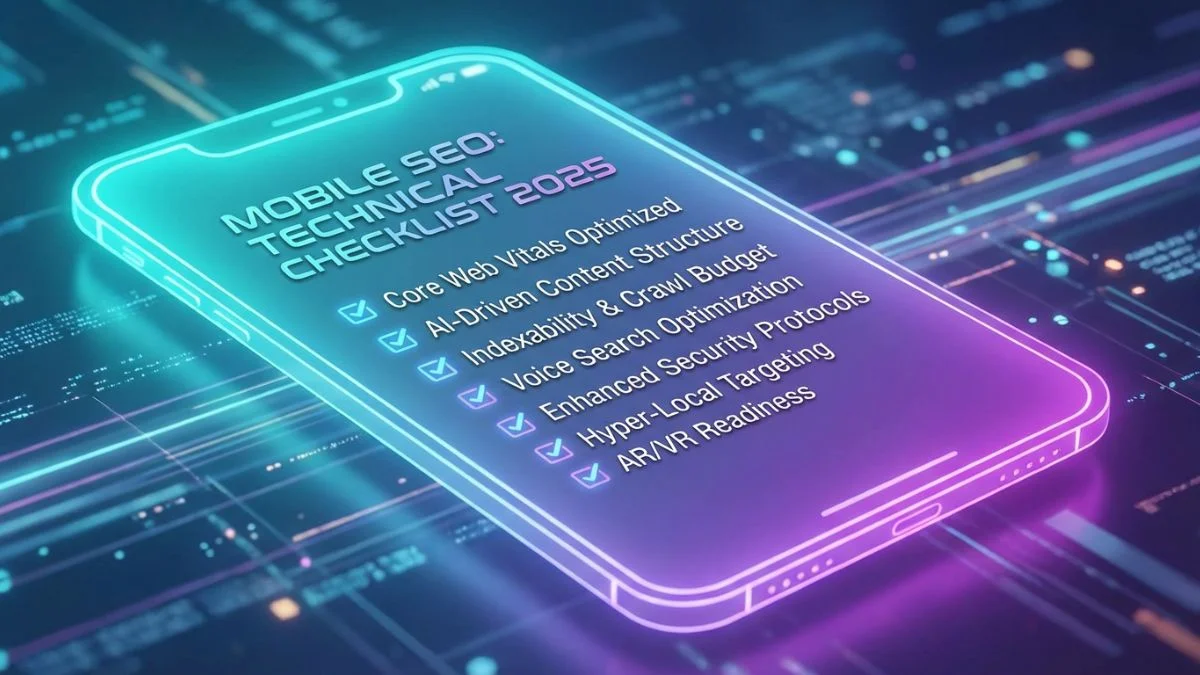
Mobile SEO Technical Checklist for 2026

Mobile SEO: Technical Checklist for 2026
Why Mobile SEO Is Non-Negotiable in 2026
There was a time when mobile SEO felt like an optional enhancement, something forward-thinking marketers did while everyone else focused on desktop optimization. That era is long gone. In 2026, mobile SEO is not a bonus; it is the foundation of every successful organic search strategy. If you have been treating it as secondary, the data should convince you otherwise.
According to Think with Google, mobile search queries have steadily outpaced desktop queries for several years, and the gap continues to widen. With the global proliferation of affordable smartphones and the expansion of 5G networks across developing regions, billions of users rely on their phones as their primary internet device. Many never touch a desktop browser at all.
Google's mobile-first indexing is no longer a phased rollout. Every website on the internet is now indexed mobile-first. What this means practically is that Googlebot crawls your site using a mobile user agent, evaluates your mobile page structure, reads your mobile content, and uses that version to determine your rankings across both mobile and desktop search results.
The implications are enormous. If your mobile site has less content than your desktop version, Google only sees the reduced content. If your mobile pages load slowly, that speed penalty hits your rankings everywhere. If your structured data only exists on desktop templates, Google may never find it. Understanding this shift and optimizing accordingly is no longer optional; it is the single most important technical SEO priority you have.
Understanding Mobile-First Indexing in 2026
What Mobile-First Indexing Actually Means
Mobile-first indexing is a concept that Google introduced back in 2016 and gradually rolled out over several years. The core idea is straightforward: instead of using the desktop version of your website as the primary source for indexing, Google uses the mobile version. This means the mobile version of your site is what determines your search visibility, your snippet content, your structured data recognition, and ultimately your rankings.
By July 2024, Google had completed the full migration, and in 2026 every single website is indexed mobile-first without exception. There is no opt-out mechanism and no way to request desktop-first indexing. According to Google Search Central Blog, this is now the permanent state of affairs.
What Google's Full Switch Means for Your Site
The practical consequences of this full switch are worth spelling out, because many site owners still have not fully internalized them. First, any content that appears only on your desktop version and is hidden or absent on mobile will not be indexed. Second, internal links that only exist in desktop navigation structures may not be followed by Googlebot. Third, images and videos that are present on desktop but missing from mobile pages will not appear in image or video search results. Fourth, structured data markup that only lives on desktop templates will be ignored.
If your site uses responsive design, where the same HTML serves both desktop and mobile users, you are likely in good shape. However, sites that use separate mobile URLs (m.example.com) or dynamic serving need to be especially careful that mobile pages contain all the content, links, and structured data that their desktop counterparts have. We strongly recommend using the Bright SEO Tools Mobile-Friendly Test to verify how Google sees your mobile pages.
The Complete Mobile SEO Technical Checklist
Below is the comprehensive checklist you need to follow. We have organized it into logical sections, each with actionable items, recommended tools, and explanations of why each element matters. Bookmark this page and work through it systematically; mobile SEO success comes from getting every detail right.
1. Responsive Web Design
Responsive design remains the gold standard for mobile optimization in 2026. Google explicitly recommends responsive design as their preferred approach because it uses a single URL and a single set of HTML for each page, making it easier for Googlebot to crawl, index, and assign ranking properties.
A responsive site uses CSS media queries to adapt the layout, images, and typography to whatever screen size the visitor is using. The content remains identical whether someone is viewing it on a 27-inch desktop monitor or a 6.1-inch smartphone. This eliminates the content parity issues that plague separate mobile URLs and dynamic serving configurations.
When implementing responsive design, pay attention to these technical details:
- Use fluid grid layouts based on percentages rather than fixed pixel widths.
- Apply CSS Flexbox and CSS Grid for complex layouts instead of relying on float-based systems.
- Implement the
srcsetandsizesattributes on images so browsers can load appropriately sized files. - Test your responsive breakpoints across a range of real devices, not just Chrome DevTools.
- Avoid horizontal scrolling at any viewport width between 320px and 1920px.
| Design Approach | Google Recommendation | SEO Impact | Maintenance Effort |
|---|---|---|---|
| Responsive Design | Recommended (Preferred) | Best - single URL, full content parity | Low - one codebase |
| Dynamic Serving | Supported | Good - requires Vary HTTP header | Medium - multiple templates |
| Separate Mobile URLs (m.) | Supported (Not Preferred) | Risky - content parity issues common | High - two separate sites |
| Separate Mobile App Only | Not Recommended alone | Poor - web content still needed | Very High - app + web maintenance |
2. Viewport Configuration
The viewport meta tag is one of the simplest yet most critical elements of mobile SEO. Without it, mobile browsers will render your page at a desktop width and then scale it down, resulting in tiny unreadable text and a terrible user experience. Google treats pages without a proper viewport tag as non-mobile-friendly, which directly harms your rankings.
The correct viewport meta tag looks like this:
<meta name="viewport" content="width=device-width, initial-scale=1">
Avoid setting maximum-scale=1 or user-scalable=no in your viewport tag. These attributes prevent users from zooming in on your content, which is an accessibility violation and something Google flags as a mobile usability issue in Google Search Console. Users with visual impairments need the ability to zoom, and restricting that ability can also negatively affect your SEO score.
3. Mobile Page Speed Optimization
Page speed has been a confirmed Google ranking factor since 2018, and on mobile the stakes are even higher. Mobile users are typically on cellular connections with higher latency than fixed broadband, and they have less patience for slow-loading pages. Data from Think with Google consistently shows that the probability of bounce increases by 32% as page load time goes from 1 second to 3 seconds, and by 90% as it goes from 1 second to 5 seconds.
In 2026, with 5G adoption expanding but still not universal, you need to optimize for a range of connection speeds. Here is what to focus on for site speed improvements:
- Enable compression: Use Brotli compression (preferred over Gzip) for all text-based resources including HTML, CSS, and JavaScript files.
- Optimize images: Convert images to WebP or AVIF formats. Use the Bright SEO Tools Image Compressor to reduce file sizes without visible quality loss.
- Implement lazy loading: Use the native
loading="lazy"attribute on images and iframes that are below the fold. - Minimize render-blocking resources: Defer non-critical CSS and JavaScript. Inline critical above-the-fold CSS directly in the HTML head.
- Use a CDN: Serve static assets from edge servers close to your users via a Content Delivery Network.
- Implement resource hints: Use
<link rel="preconnect">for third-party origins and<link rel="preload">for critical resources. - Reduce server response time: Aim for a TTFB under 800ms. Use server-side caching, optimize database queries, and consider upgrading your hosting infrastructure.
Mobile Page Speed Benchmarks by Industry (2026)
Average mobile LCP in seconds (lower is better):
Source: Industry aggregate data from HTTP Archive and CrUX reports, January 2026. Blue bars indicate sites meeting Google's "good" LCP threshold.
For a deeper dive into performance optimization techniques, check out our guide on 10 speed hacks for lightning-fast sites.
4. Mobile Core Web Vitals
Core Web Vitals are the specific page experience metrics that Google uses as ranking signals. In 2026, the three Core Web Vitals are Largest Contentful Paint (LCP), Interaction to Next Paint (INP), and Cumulative Layout Shift (CLS). Note that INP fully replaced First Input Delay (FID) in March 2024, so if you are still tracking FID, you need to update your monitoring immediately.
These metrics are evaluated separately for mobile and desktop, and since mobile-first indexing means mobile performance is paramount, your mobile Core Web Vitals scores carry the most weight. Here is what you need to know about each metric and how to optimize for it, according to web.dev:
| Core Web Vital | What It Measures | Good Threshold | Needs Improvement | Poor |
|---|---|---|---|---|
| LCP | Loading performance - time until largest visible element renders | ≤ 2.5 seconds | 2.5s - 4.0s | > 4.0 seconds |
| INP | Interactivity - responsiveness to user input throughout the page lifecycle | ≤ 200 milliseconds | 200ms - 500ms | > 500 milliseconds |
| CLS | Visual stability - how much visible content shifts unexpectedly | ≤ 0.1 | 0.1 - 0.25 | > 0.25 |
Improving your Core Web Vitals on mobile requires a targeted approach for each metric. For LCP, focus on optimizing your largest above-the-fold element, which is typically a hero image or large text block. For INP, break up long JavaScript tasks into smaller chunks and use web workers for heavy computations. For CLS, always set explicit width and height dimensions on images and videos, and avoid inserting content dynamically above existing content.
5. Touch-Friendly Navigation and Tap Targets
Mobile users interact with your site using their fingers, not a precise mouse cursor. This fundamental difference in input method means your navigation, buttons, links, and interactive elements need to be designed for touch. Google explicitly evaluates tap target sizing as part of its mobile usability assessment, and undersized or overlapping tap targets will trigger errors in your Search Console Mobile Usability report.
According to Google's Material Design guidelines, touch targets should be at least 48x48 CSS pixels with a minimum of 8 pixels of spacing between adjacent interactive elements. Apple's Human Interface Guidelines recommend a minimum of 44x44 points. In practice, you should aim for the larger of these two standards.
Common tap target issues to fix include:
- Links in body text that are too close together, making it hard to tap the intended link.
- Navigation menus with items spaced less than 8 pixels apart.
- Social sharing icons clustered tightly together.
- Footer links arranged in dense paragraphs rather than spaced lists.
- Form inputs and buttons that are smaller than 48 pixels in height.
- Close buttons on popups or modals that are too small to easily tap.
Beyond tap target sizing, your mobile navigation structure itself matters for SEO. Hamburger menus are standard on mobile, but make sure your most important pages are accessible within two taps from any page. Deep navigation hierarchies that require five or six taps to reach key content can hurt both user experience and crawl efficiency. Also, implementing sticky navigation headers can improve usability but be careful that they do not obscure content or cause CLS issues when they appear or disappear.
6. Font Sizing and Readability
Text readability on mobile devices is a direct ranking factor within Google's mobile usability criteria. If your text is too small to read without zooming, Google considers your page non-mobile-friendly. The minimum recommended base font size is 16px for body text. This is the default font size in most browsers, and using anything smaller forces users to pinch and zoom.
Beyond the base font size, consider your entire typographic hierarchy on mobile:
- Body text should be 16px minimum with a line height of 1.5 to 1.6 for comfortable reading.
- Headings should scale proportionally but remain readable without scrolling horizontally.
- Use a maximum content width of about 70-80 characters per line on mobile for optimal readability.
- Maintain sufficient contrast ratios between text and background colors. WCAG 2.2 guidelines require a minimum contrast ratio of 4.5:1 for normal text and 3:1 for large text.
- Avoid using fonts that render poorly on small screens. Stick to web-safe fonts or well-optimized web fonts loaded via
font-display: swapto prevent invisible text during loading.
7. Mobile-Friendly Content Formatting
How you format and structure your content on mobile has a significant impact on user engagement metrics, which in turn affect your search rankings. Mobile users scan content differently than desktop users. They scroll vertically and expect information to be presented in digestible chunks rather than dense walls of text.
Here are the key principles for mobile content formatting that will help you reduce bounce rate and keep users engaged:
- Short paragraphs: Limit paragraphs to 2-3 sentences on mobile. What looks like a reasonably-sized paragraph on a 24-inch desktop monitor becomes an overwhelming wall of text on a 6-inch phone screen.
- Descriptive subheadings: Use H2 and H3 subheadings every 200-300 words to break up content and create a scannable structure. According to Nielsen Norman Group, 79% of users scan rather than read, and this behavior is even more pronounced on mobile.
- Bulleted and numbered lists: Use lists liberally to present information in an easy-to-scan format.
- Expandable sections: For long content, consider using accordion-style expandable sections (like the FAQ at the bottom of this article) so users can jump to the information they need.
- Avoid intrusive interstitials: Google penalizes pages that use intrusive popups on mobile. Small banner notifications, age verification dialogs, and reasonably sized cookie consent notices are acceptable, but full-screen interstitials that block content immediately after a user arrives from search are not.
Content parity between mobile and desktop is absolutely essential in 2026. Some site owners hide content on mobile using CSS (display: none or similar) to reduce page length. While Google has stated it will still index content hidden behind tabs or accordions, content that is completely hidden from mobile users with no way to access it will not be indexed under mobile-first indexing. Make sure all important content is accessible on your mobile pages.
8. Mobile Structured Data
Structured data markup helps search engines understand the content and context of your pages, enabling rich results like review stars, recipe cards, FAQ dropdowns, and product information directly in search results. Under mobile-first indexing, Google reads structured data from your mobile pages, so it is critical that your mobile templates include the same structured data as your desktop versions.
In 2026, structured data has become increasingly important for mobile search visibility because rich results tend to occupy more screen real estate on mobile SERPs, making them significantly more prominent and clickable than plain blue links. According to Search Engine Journal, pages with rich results can see click-through rate improvements of 20-40% on mobile.
Key structured data types to implement for mobile SEO include:
| Schema Type | Mobile Benefit | Implementation Format | Priority |
|---|---|---|---|
| FAQPage | Expandable FAQ results dominate mobile SERP space | JSON-LD (recommended) | High |
| HowTo | Step-by-step rich results are highly visible on mobile | JSON-LD | High |
| LocalBusiness | Critical for local mobile search (near me queries) | JSON-LD | Critical (for local) |
| Product / Review | Star ratings and pricing in mobile results drive clicks | JSON-LD | High (for e-commerce) |
| Article | Enhanced appearance in Google News and Discover | JSON-LD | Medium |
| BreadcrumbList | Compact navigation breadcrumbs in mobile SERPs | JSON-LD | Medium |
| Speakable | Helps voice assistants identify content to read aloud | JSON-LD | Growing importance |
Always validate your structured data using Google's Rich Results Test and the Schema.org Validator. Test specifically from a mobile perspective by selecting the mobile user agent option in the Rich Results Test tool.
9. Mobile Redirects
If your site uses separate mobile URLs (m.example.com), handling redirects correctly is essential for both user experience and SEO. Faulty mobile redirects are one of the most common and damaging mobile SEO problems, and they continue to plague sites that have not migrated to responsive design.
The most frequent redirect issues include:
- Blanket redirects: Redirecting all mobile users to the mobile homepage instead of the mobile equivalent of the specific page they requested. A user searching for your product page and landing on your mobile homepage will bounce immediately.
- Redirect chains: Desktop URL redirects to mobile URL, which redirects to another URL, creating a chain. Each hop adds latency and dilutes link equity. Keep redirects to a single hop maximum.
- 302 instead of 301 redirects: If you are permanently redirecting desktop to mobile URLs, use 301 (permanent) redirects so link equity is properly transferred.
- Missing bidirectional annotations: If using separate mobile URLs, you need
rel="alternate"on desktop pages pointing to mobile equivalents andrel="canonical"on mobile pages pointing back to desktop equivalents.
The best practice in 2026 remains: switch to responsive design and eliminate the need for mobile redirects altogether. If you are still running a separate m-dot site, make planning the migration to responsive design a top priority on your technical SEO roadmap.
10. AMP Considerations in 2026
Accelerated Mobile Pages (AMP) had its moment when Google gave AMP pages preferential treatment in the Top Stories carousel and other mobile search features. However, that era has passed. Since June 2021, Google no longer requires AMP for Top Stories eligibility, and the focus has shifted entirely to page experience signals and Core Web Vitals.
In 2026, you should evaluate AMP pragmatically rather than dogmatically. If you already have an AMP implementation that is working well and delivering fast experiences, there is no urgent need to remove it. AMP pages do tend to load quickly because of the framework's strict constraints on JavaScript and resource loading. However, if you are considering implementing AMP from scratch, your development resources are almost certainly better spent optimizing your regular web pages for Core Web Vitals and considering a PWA approach instead.
The AMP project continues to evolve as an open-source framework, but its relevance to SEO has diminished significantly. Most publishers and businesses that adopted AMP purely for SEO benefits have either migrated away from it or are in the process of doing so, according to analysis from Semrush and Moz.
11. Progressive Web Apps (PWAs)
Progressive Web Apps represent the convergence of web and native app experiences, and in 2026 they have become a powerful tool for mobile SEO. A PWA uses modern web technologies like Service Workers, the Web App Manifest, and the Cache API to deliver app-like features through the browser, including offline functionality, push notifications, home screen installation, and background sync.
From an SEO perspective, PWAs offer several advantages. The content of a PWA is standard web content served over HTTPS, which means Google can crawl and index it just like any other website. The performance benefits of PWAs, including aggressive caching strategies and preloading, typically result in excellent Core Web Vitals scores. And the enhanced user experience can lead to improved engagement metrics like lower bounce rates and longer session durations, which are positive signals for search rankings.
When implementing a PWA, keep these SEO considerations in mind:
- Use server-side rendering (SSR) or pre-rendering to ensure Googlebot can access your content without executing JavaScript.
- Implement proper URL routing so each page has a unique, crawlable URL.
- Make sure your Service Worker does not interfere with Googlebot's ability to crawl your site.
- Test your PWA's indexability using Google Search Console's URL Inspection tool.
- Implement a comprehensive web app manifest with proper icons, theme colors, and start URL.
Companies like Pinterest, Twitter (now X), Starbucks, and Trivago have reported significant improvements in mobile engagement and conversion rates after implementing PWAs, with load time improvements of 50-70% being common.
12. App Indexing and App Links
If your business has a native mobile app alongside your website, app indexing allows Google to surface app content in search results and deep-link users directly into relevant screens within your app. This creates a seamless experience where mobile users searching on Google can be directed straight to the most relevant content in your app.
In 2026, app indexing involves implementing several technical components:
- Android App Links: Use Digital Asset Links to associate your website with your Android app, enabling verified deep links that bypass the disambiguation dialog.
- iOS Universal Links: Configure your Apple App Site Association file to enable Universal Links that open specific content in your iOS app.
- Firebase App Indexing API: Use Firebase to log user actions within your app, helping Google understand and surface your app content.
- Schema.org markup: Add appropriate schema markup on your website that references your app and its deep link structure.
Keep in mind that while app indexing can drive engagement for users who already have your app installed, the web remains the primary discovery channel. Do not sacrifice your mobile web experience in favor of pushing users toward your app, as this can backfire by creating intrusive interstitials that Google penalizes.
13. Mobile Image Optimization
Images are often the heaviest resources on a mobile page, and unoptimized images are one of the most common causes of slow mobile load times. With mobile devices varying widely in screen resolution and connection speed, a one-size-fits-all approach to images is wasteful and harmful to performance.
Here is a comprehensive approach to mobile image optimization:
- Use modern formats: WebP is supported by all major browsers in 2026 and typically provides 25-35% smaller file sizes than JPEG at equivalent quality. AVIF offers even better compression (up to 50% smaller than JPEG) but has slightly less universal support. Use the
<picture>element with fallbacks to serve the optimal format to each browser. - Implement responsive images: Use
srcsetandsizesattributes to serve different image resolutions based on the user's screen size and pixel density. There is no reason to serve a 2000px-wide hero image to a 375px-wide phone screen. - Lazy load below-fold images: Native lazy loading (
loading="lazy") is supported by all modern browsers and prevents off-screen images from consuming bandwidth until the user scrolls near them. - Set explicit dimensions: Always include
widthandheightattributes on images, or use CSSaspect-ratio, to reserve space and prevent CLS when images load. - Compress aggressively: Use quality settings of 75-85% for JPEG/WebP, which produces files that are visually indistinguishable from uncompressed versions on mobile screens. Run images through the Bright SEO Tools Image Compressor for automated optimization.
- Use CDN-based image optimization: Services like Cloudflare Image Resizing, Imgix, and Cloudinary can automatically serve optimized images based on the requesting device.
Mobile vs. Desktop Ranking Differences in 2026
One of the most important concepts to understand in modern SEO is that your rankings are not uniform across devices. The same keyword can rank your page at position 3 on desktop and position 8 on mobile, or vice versa. Research from Ahrefs and Semrush has consistently shown that approximately 65-70% of keywords show different rankings between mobile and desktop results.
Several factors contribute to these ranking differences:
| Factor | Mobile Impact | Desktop Impact | Why They Differ |
|---|---|---|---|
| Local Intent | Very High - strong local bias | Moderate | Mobile users often search with local intent and on-the-go context |
| Page Speed | Critical ranking factor | Important but less weight | Mobile connections are typically slower and less stable |
| Mobile Usability | Direct ranking signal | Not applicable | Mobile-specific UX factors only affect mobile rankings |
| Content Length | Concise content can rank well | Longer content tends to rank better | User behavior and expectations differ by device |
| SERP Features | More featured snippets, People Also Ask | More knowledge panels, sidebar | Different SERP layouts create different visibility dynamics |
| Voice Search | Major influence on mobile rankings | Minimal influence | Voice search is primarily a mobile behavior |
Understanding these differences is crucial for your SEO strategy. You should be tracking your rankings separately for mobile and desktop, and your optimization efforts should prioritize mobile performance. Tools like Ahrefs Rank Tracker, Semrush Position Tracking, and the Bright SEO Tools SEO Score Checker all allow you to monitor rankings by device type.
Mobile UX Signals and Their SEO Impact
Google has repeatedly stated that they want to reward pages that provide a great user experience. While the company is careful about specifying exactly which UX signals they use, there is strong evidence and industry consensus that certain mobile UX factors influence rankings either directly or indirectly.
The mobile UX signals that matter most for SEO in 2026 include:
Bounce Rate and Pogo-Sticking: When a mobile user clicks a search result and quickly returns to the search results page to click a different result, this pogo-sticking behavior signals that your page did not satisfy the user's query. High bounce rates on mobile can indicate poor mobile experience, slow loading, or content that does not match user intent. Our guide on proven tips to reduce bounce rate covers strategies to keep mobile users engaged.
Dwell Time: The amount of time a user spends on your page before returning to search results is another quality signal. On mobile, dwell time tends to be shorter overall, but pages that keep users engaged for longer relative to other mobile results for the same query tend to rank better. Well-formatted, scannable content with clear value propositions keeps mobile users on your page longer.
Scroll Depth: While not a confirmed ranking factor, scroll depth is a strong engagement signal. If mobile users consistently scroll through your content rather than bouncing at the top, it indicates that your content is relevant and your formatting is effective on small screens.
Interstitial Penalties: Google actively penalizes pages that use intrusive interstitials on mobile. Full-screen popups that appear immediately when a user arrives from search, overlays that cover the main content, and standalone interstitial pages that must be dismissed before accessing content are all grounds for a ranking penalty. This has been enforced since January 2017 and remains a significant issue in 2026 as documented by Google's guidelines on avoiding intrusive interstitials.
To understand how your mobile UX affects your SEO performance, regularly review your Google Analytics mobile behavior reports, paying attention to mobile-specific bounce rates, average session duration, pages per session, and conversion rates compared to desktop. Use the Bright SEO Tools Screen Resolution Simulator to preview how your pages look across different mobile devices.
Voice Search Optimization for Mobile
Voice search has grown from a novelty to a mainstream behavior, and it is overwhelmingly a mobile phenomenon. According to research by Think with Google, over 27% of the global online population uses voice search on mobile devices. With the proliferation of virtual assistants like Google Assistant, Siri, and Alexa on smartphones, voice search optimization has become an integral component of mobile SEO strategy.
Voice search queries differ fundamentally from typed queries in several ways:
- They are conversational: Users speak in natural language ("What's the best Italian restaurant near me that's open right now?") rather than keyword-style queries ("best Italian restaurant near me hours").
- They are longer: Voice queries average 29 words compared to 3-4 words for typed queries, according to research cited by Backlinko.
- They are question-based: Voice queries frequently begin with who, what, where, when, why, and how.
- They have strong local intent: A significant portion of voice searches seek local information like directions, business hours, and nearby services.
To optimize for voice search on mobile, implement these strategies:
- Target question-based keywords: Structure your content around questions your audience actually asks. Use tools like AnswerThePublic, AlsoAsked, and Google's People Also Ask feature to discover natural language queries.
- Optimize for featured snippets: Voice assistants frequently read featured snippet content as the answer to voice queries. Structure your content with clear question headings followed by concise, direct answers in the first paragraph, then expand with additional detail.
- Use Speakable structured data: The Speakable schema markup tells search engines which sections of your content are most suitable for audio playback via voice assistants. This is particularly relevant for news and informational content.
- Strengthen local SEO: Claim and optimize your Google Business Profile, ensure NAP (Name, Address, Phone) consistency across the web, and include location-specific content on your pages.
- Write in a conversational tone: Content that mirrors natural speech patterns is more likely to match voice search queries and be selected as a voice search answer.
- Optimize for speed: Voice search results load 52% faster than the average web page, according to Backlinko's voice search ranking factors study. Speed is even more critical for voice search than traditional search.
Voice Search Usage by Context on Mobile (2026)
Percentage of mobile users using voice search in each context:
Source: Aggregate data from voice search behavior studies and consumer surveys, Q4 2025 - Q1 2026.
Mobile SEO Testing Tools and How to Use Them
No mobile SEO checklist is complete without a robust testing and monitoring strategy. You need tools to identify issues, track improvements, and stay ahead of problems before they impact your rankings. Here are the essential tools for mobile SEO testing in 2026, along with specific guidance on how to use each one effectively.
| Tool | What It Tests | Cost | Best For |
|---|---|---|---|
| Google Search Console | Mobile usability, indexing, Core Web Vitals, performance | Free | Overall mobile health monitoring |
| PageSpeed Insights | Core Web Vitals (lab + field data), performance audits | Free | Page-level speed diagnostics |
| Google Lighthouse | Performance, accessibility, best practices, SEO | Free | Comprehensive mobile audits |
| Bright SEO Tools Mobile Test | Mobile-friendliness, viewport, tap targets, font sizing | Free | Quick mobile-friendliness assessment |
| Semrush Site Audit | Technical SEO issues including mobile-specific problems | Paid | Enterprise-level technical auditing |
| Ahrefs Site Audit | Technical SEO, mobile rendering, content parity | Paid | Crawl-based mobile issue detection |
| Screaming Frog | Mobile crawling, redirect chains, content comparison | Free / Paid | Desktop vs mobile content audits |
| GTmetrix | Page speed, waterfall analysis, performance metrics | Free / Paid | Detailed performance waterfall analysis |
| BrowserStack | Real device testing across hundreds of mobile devices | Paid | Cross-device compatibility testing |
How to Conduct a Mobile SEO Audit Step by Step
Running through this checklist once is not enough. Mobile SEO requires ongoing monitoring and regular audits. Here is a practical workflow you can follow quarterly:
- Start with Google Search Console: Check the Mobile Usability report for flagged issues. Review the Core Web Vitals report for mobile-specific performance data. Look at the Page Experience report for an overall health assessment.
- Run PageSpeed Insights on key pages: Test your homepage, top landing pages, category pages, and product/service pages. Look at both lab data (Lighthouse) and field data (CrUX). Document scores and specific recommendations for each page.
- Crawl your site with a mobile user agent: Use Screaming Frog set to crawl with a smartphone user agent. Compare the crawl results with a desktop user agent crawl. Look for content parity issues, missing structured data, different internal link structures, and redirect problems.
- Test on real devices: Chrome DevTools device emulation is useful but not a substitute for testing on actual smartphones. Test on at least one current iPhone, one current Android flagship, and one budget Android device to cover a range of hardware capabilities.
- Review analytics data: Compare mobile and desktop metrics in Google Analytics including bounce rate, session duration, pages per session, and conversion rate. Large discrepancies between mobile and desktop performance often indicate UX problems that need attention.
- Verify structured data: Run your mobile pages through the Rich Results Test to ensure all structured data is present and valid on the mobile version.
- Check your mobile rankings: Compare your mobile and desktop rankings for target keywords. If there are significant gaps, investigate the mobile-specific factors that might be causing the discrepancy.
Advanced Mobile SEO Strategies for 2026
Mobile-First Content Strategy
Beyond technical optimization, your content strategy itself should be mobile-first. This means planning, creating, and formatting content with mobile users as the primary audience rather than the secondary one. When writing content for the web in 2026, you should always ask: "How will this look and function on a 6-inch screen?"
A mobile-first content strategy includes:
- Front-loading value: Put the most important information at the top of the page. Mobile users may not scroll all the way through your content, so the key takeaways should be immediately visible.
- Visual content optimization: Infographics, charts, and data visualizations need to be readable on mobile without zooming. Consider creating mobile-specific versions of complex visual content.
- Video optimization: Mobile video consumption continues to grow dramatically. Embed videos with proper responsive containers, use video schema markup, provide captions (many mobile users watch without sound), and optimize thumbnail images.
- Interactive elements: Calculators, quizzes, configurators, and other interactive tools should be fully functional on touch devices. Test all interactive elements on mobile devices to ensure usability.
Mobile Local SEO
Local search and mobile search are deeply intertwined. The majority of "near me" searches happen on mobile devices, and these searches have grown by over 500% in recent years according to Think with Google. For businesses with physical locations, mobile local SEO is not optional.
Key mobile local SEO actions include optimizing your Google Business Profile with accurate business hours, photos, and categories; building consistent NAP citations across directories; earning Google reviews and responding to them promptly; creating location-specific landing pages with relevant local content; and implementing LocalBusiness structured data on every location page.
Mobile Security and HTTPS
HTTPS has been a Google ranking signal since 2014, and in 2026 it is essentially mandatory. Chrome and other browsers display prominent security warnings on non-HTTPS pages, which devastates user trust and click-through rates on mobile. Beyond the ranking signal, HTTPS protects user data, which is especially important on mobile devices that frequently connect to public Wi-Fi networks.
Make sure your entire site is served over HTTPS with a valid, current SSL/TLS certificate. Use HSTS (HTTP Strict Transport Security) headers to prevent protocol downgrade attacks. Redirect all HTTP URLs to their HTTPS equivalents with 301 redirects. And verify that all internal resources (images, scripts, stylesheets) are loaded over HTTPS to avoid mixed content warnings.
International Mobile SEO
If your website targets multiple countries or languages, mobile SEO adds additional complexity. Mobile device usage patterns, preferred screen sizes, network conditions, and search behaviors vary significantly across regions. For example, mobile internet penetration is higher in many developing countries than desktop penetration, making mobile optimization even more critical for international audiences.
Ensure that your hreflang tags are present on mobile pages (not just desktop), that your international mobile pages load quickly on the network conditions common in target regions, and that your content is properly localized for each market rather than merely translated.
The Mobile SEO Checklist Summary
Here is a condensed version of every critical item covered in this guide. Use this as a quick-reference checklist when auditing your site. For each item, you should check your status, prioritize fixes, and monitor improvements using the tools recommended throughout this article and available at Bright SEO Tools Technical SEO resources.
- Responsive design implemented and working across all breakpoints
- Viewport meta tag correctly configured (
width=device-width, initial-scale=1) - No zoom restrictions (
user-scalable=noormaximum-scale=1removed) - Mobile page speed optimized (LCP under 2.5 seconds)
- Core Web Vitals passing on mobile (LCP, INP, CLS all "good")
- Tap targets at least 48x48 CSS pixels with 8px spacing
- Base font size at least 16px with adequate line height
- Content parity between mobile and desktop versions
- No intrusive interstitials or popups on mobile
- Structured data present and valid on mobile pages
- Mobile redirects properly configured (if using separate URLs)
- Images optimized with WebP/AVIF, lazy loading, and explicit dimensions
- No horizontal scrolling at any mobile viewport width
- HTTPS enabled across the entire site
- Mobile sitemap submitted in Google Search Console
- Robots.txt not blocking mobile-specific resources
- PWA implemented (if applicable) with proper SEO considerations
- Voice search optimization in content strategy
- Local SEO optimized for mobile "near me" queries
- Regular mobile SEO audits scheduled (at least quarterly)
Getting all of these elements right requires ongoing attention and investment, but the payoff is enormous. Sites that nail mobile SEO in 2026 enjoy higher rankings, more organic traffic, better engagement metrics, and stronger conversion rates. Start by running your site through the Bright SEO Tools Mobile-Friendly Test to see where you stand, then work through this checklist systematically to address any gaps.
For more actionable strategies to improve your mobile search visibility, explore our in-depth guides on 7 smart ways to improve mobile SEO and our comprehensive resource on why mobile SEO matters in today's search landscape.