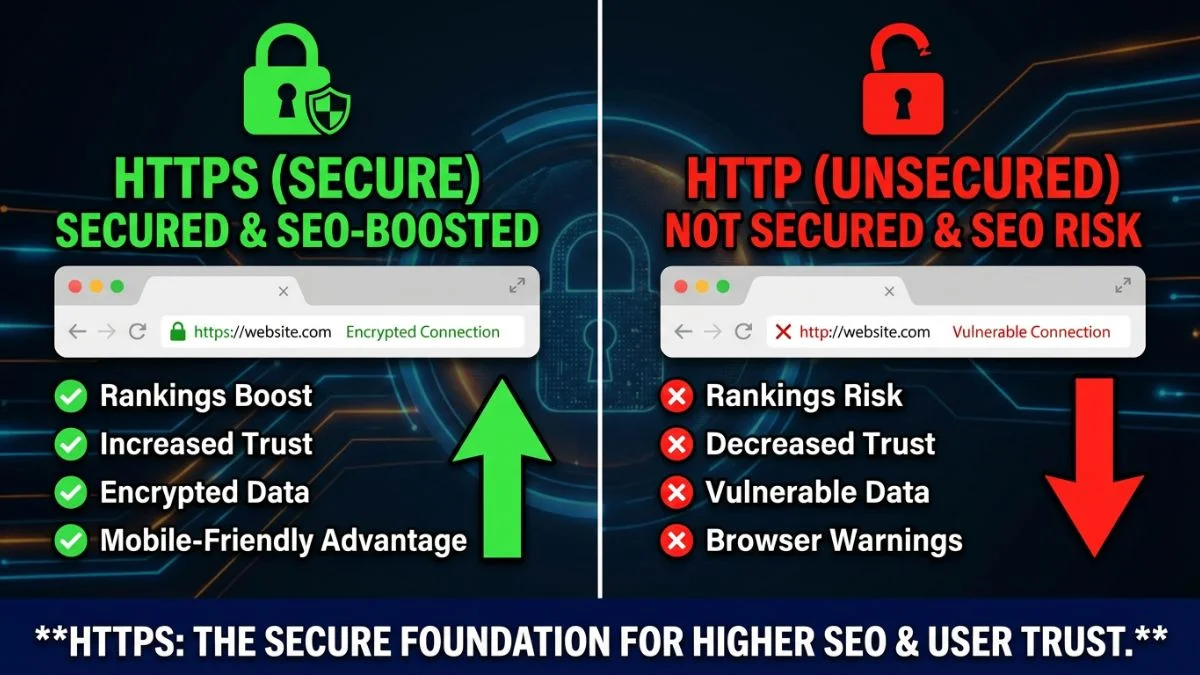
HTTPS vs HTTP SEO Implications

HTTPS vs HTTP: SEO Implications — The Definitive Guide for 2026
1. What Are HTTP and HTTPS? Understanding the Fundamentals
Before diving into SEO implications, it is essential to understand what these protocols actually do and why the distinction matters so much for modern websites.
HTTP: HyperText Transfer Protocol
HTTP (HyperText Transfer Protocol) is the foundational protocol that powers communication on the World Wide Web. Developed by Tim Berners-Lee at CERN in 1989, HTTP defines how messages are formatted and transmitted between web browsers and servers. When you type a URL into your browser and press Enter, HTTP governs the entire request-response cycle that delivers the web page to your screen.
The problem with standard HTTP is straightforward: every piece of data — including form submissions, login credentials, payment information, and browsing activity — travels across the network as plain text. Anyone positioned between the user and the server (on a public Wi-Fi network, at an internet service provider, or anywhere along the route) can intercept and read this data. The Electronic Frontier Foundation has extensively documented the privacy risks this creates.
HTTPS: HTTP Secure
HTTPS adds a critical security layer by wrapping HTTP communication inside TLS (Transport Layer Security) encryption. This means all data exchanged between the browser and server is encrypted, authenticated, and protected from tampering. According to the Google Transparency Report, as of early 2026, over 95% of all pages loaded in Chrome use HTTPS — a dramatic increase from just 40% in 2014.
Understanding these protocols is a key part of technical SEO. The choice between HTTP and HTTPS affects your search rankings, your site's security posture, user experience, and ultimately your bottom line.
2. Key Differences Between HTTP and HTTPS
The differences between HTTP and HTTPS extend far beyond the padlock icon in your browser's address bar. Here is a detailed comparison across every dimension that matters for SEO professionals and website owners.
| Feature | HTTP | HTTPS |
|---|---|---|
| URL Prefix | http:// | https:// |
| Default Port | 80 | 443 |
| Data Encryption | None — plain text | Full TLS encryption |
| Certificate Required | No | Yes (SSL/TLS certificate) |
| Data Integrity | No protection from tampering | Tamper-proof via message authentication codes |
| Authentication | No server verification | Server identity verified via certificate |
| Google Ranking Signal | No benefit | Confirmed ranking boost |
| Browser Warning (2026) | "Not Secure" label displayed | Padlock icon or neutral display |
| HTTP/2 & HTTP/3 Support | Not available in browsers | Fully supported |
| Referral Data | Stripped when traffic goes HTTPS to HTTP | Preserved in analytics |
| Cost | Free | Free (Let's Encrypt) to $1,500+/year (EV) |
As this comparison shows, HTTPS is superior in virtually every dimension. The performance gap has grown even wider since browsers universally require HTTPS for HTTP/2 and HTTP/3, meaning HTTP sites are now stuck on the significantly slower HTTP/1.1 protocol. You can verify your site's protocol support using our HTTP Headers Checker.
The Referral Data Problem
One lesser-known SEO consequence of running HTTP involves referral data. When a user clicks a link on an HTTPS page that leads to an HTTP page, the browser strips the referrer header for security reasons. This means your analytics will classify that traffic as "direct" instead of "referral," distorting your data. Since the overwhelming majority of linking sites now use HTTPS, running HTTP means you are losing visibility into where your traffic actually comes from. Moz has documented this referral data loss as a significant analytical blind spot for HTTP sites.
3. SSL/TLS Certificates Explained
An SSL/TLS certificate is a digital document that establishes a website's identity and enables encrypted communication. Understanding how certificates work helps you make informed decisions about your security setup, which in turn affects your SEO performance. You can check any site's certificate details using the Bright SEO Tools SSL Checker.
How TLS Encryption Works
When a browser connects to an HTTPS website, a process called the TLS handshake occurs. The Cloudflare Learning Center provides an excellent technical breakdown. Here is the simplified sequence:
- Client Hello: The browser sends its supported TLS versions and cipher suites to the server.
- Server Hello: The server responds with its chosen TLS version, cipher suite, and its SSL/TLS certificate.
- Certificate Verification: The browser verifies the certificate against trusted Certificate Authorities (CAs).
- Key Exchange: Both parties generate a shared session key using asymmetric encryption.
- Secure Connection: All subsequent data is encrypted with the symmetric session key.
With TLS 1.3 — now the standard in 2026 — this handshake is completed in just one round trip (down from two in TLS 1.2), and returning visitors can use "0-RTT" (zero round-trip time) resumption for even faster connections. This performance gain matters for site speed optimization.
Certificate Authorities and Trust
Certificates are issued by Certificate Authorities (CAs) — organizations that browsers and operating systems trust to verify website identities. Major CAs include Let's Encrypt (free, automated), DigiCert, Sectigo, and GlobalSign. According to W3Techs, Let's Encrypt alone now secures over 60% of all HTTPS-enabled websites, demonstrating that cost is no longer a barrier to adoption.
4. Certificate Types: DV, OV, and EV Compared
Not all SSL/TLS certificates are equal. The three primary types differ in validation depth, cost, and the trust signals they provide. While Google treats all valid certificates the same for ranking purposes, the choice between DV, OV, and EV affects user perception and is part of a comprehensive SEO strategy.
| Certificate Type | Validation Level | Issuance Time | Cost Range (Annual) | Best For |
|---|---|---|---|---|
| DV (Domain Validation) | Domain ownership only | Minutes | Free — $100 | Blogs, personal sites, small businesses |
| OV (Organization Validation) | Domain + organization identity | 1–3 days | $50 — $500 | Business websites, portals |
| EV (Extended Validation) | Domain + thorough organization vetting | 3–7 days | $150 — $1,500 | E-commerce, banking, enterprise sites |
Wildcard and Multi-Domain Certificates
Beyond the validation types, certificates also differ in scope:
- Single-Domain: Covers one domain (e.g., example.com).
- Wildcard: Covers a domain and all its subdomains (e.g., *.example.com). Useful if you run blog.example.com, shop.example.com, and app.example.com.
- Multi-Domain (SAN): Covers multiple distinct domains under one certificate. Ideal for businesses managing several brands.
Choosing the right certificate scope simplifies management and prevents the coverage gaps that can lead to security warnings — which Semrush notes are among the most damaging technical SEO issues.
5. HTTPS as a Google Ranking Signal
The relationship between HTTPS and Google rankings is one of the most well-documented factors in SEO. Understanding this history and its current weight helps you prioritize your technical SEO work and build a plan to rank higher on Google.
Timeline of Google's HTTPS Push
| Year | Google Action | SEO Impact |
|---|---|---|
| 2014 | Announced HTTPS as a ranking signal | Lightweight tiebreaker signal |
| 2015 | Started preferring HTTPS pages for indexing over HTTP duplicates | HTTPS pages indexed by default when HTTP and HTTPS versions coexist |
| 2017 | Chrome began showing "Not Secure" on HTTP pages with form fields | User trust decline for HTTP sites with login or contact forms |
| 2018 | Chrome marked ALL HTTP pages as "Not Secure" | Significant bounce rate increase on HTTP sites |
| 2020 | HTTPS became part of the Page Experience update considerations | HTTPS integrated into broader UX ranking factors |
| 2023 | HTTPS-First Mode introduced in Chrome as default for some users | HTTP sites face additional interstitial warnings for many Chrome users |
| 2025 | Chrome HTTPS-First Mode enabled by default for all users | HTTP pages require explicit user opt-in to load |
| 2026 | HTTPS treated as a baseline expectation in Google's ranking systems | HTTP sites face compounding disadvantages across all ranking dimensions |
How Much Does HTTPS Affect Rankings?
Google has consistently described HTTPS as a "lightweight" signal, but multiple independent studies suggest its practical impact is substantial — especially when combined with the indirect effects on user behavior and performance. Research from Backlinko's ranking factor analysis and Ahrefs' ranking factor study consistently find strong correlations between HTTPS and higher positions.
The data is clear: if you want to compete on page one, HTTPS is not optional. The remaining 4% of HTTP results are typically legacy government or institutional pages with extraordinary authority in niche queries. For everyone else, HTTPS is table stakes. You can evaluate your own site's technical health with our Website SEO Score Checker.
6. Security Benefits That Impact SEO
HTTPS security benefits extend well beyond the encryption itself. Each security advantage creates downstream SEO value that compounds over time.
Protection Against Content Injection
On HTTP connections, intermediaries (ISPs, Wi-Fi hotspot providers, malicious actors) can inject content into your web pages. This includes advertisements, tracking scripts, cryptocurrency miners, and even malicious redirects. The EFF has documented ISP content injection as a widespread practice. From an SEO perspective, injected content can alter your page's content, confuse Googlebot's rendering, slow down page load times, and trigger malware warnings — all of which devastate rankings.
Prevention of Man-in-the-Middle Attacks
Without HTTPS, attackers can intercept the communication between your users and your server. This enables credential theft, session hijacking, and data manipulation. If your site is compromised through such vulnerabilities, Google may flag it with a Safe Browsing warning, which according to Search Engine Land, causes an average traffic drop of 90% or more.
Referrer Data Preservation
As mentioned earlier, HTTPS preserves referral data when traffic flows between HTTPS sites. This is not just an analytics concern — it is an SEO concern. Without accurate referral data, you cannot properly evaluate which backlinks drive traffic, making it harder to refine your link-building strategy. Tools like Google Analytics depend on this referrer header to attribute traffic correctly.
7. Impact on User Trust and Conversions
SEO is not just about getting users to your site — it is about what happens after they arrive. User engagement signals like bounce rate, time on site, and conversion rates send indirect but powerful signals to search engines about your site's quality. HTTPS plays a significant role in all three.
The Trust Gap: User Perception Data
Multiple studies have quantified the impact of security indicators on user behavior. A HubSpot survey found that 85% of online shoppers avoid unsecured websites. Research from GlobalSign revealed that 84% of users would abandon a purchase if data was sent over an insecure connection.
These behavioral signals feed back into SEO. When users bounce immediately after seeing a "Not Secure" warning, Google interprets this as a negative quality signal. When users stay, engage, and convert on HTTPS sites, Google interprets this as positive validation. A Forbes report emphasized that trust indicators are among the most underestimated conversion drivers in digital marketing.
8. Performance Impact: HTTP/2, HTTP/3, and Beyond
One of the most compelling yet overlooked reasons to adopt HTTPS is the performance gain it unlocks. While HTTPS itself adds minimal overhead (the TLS handshake), it opens the door to HTTP/2 and HTTP/3 — protocols that dramatically improve load times. And speed, as we know from Google's speed update, is a confirmed ranking factor.
Protocol Performance Comparison
| Feature | HTTP/1.1 | HTTP/2 (Requires HTTPS) | HTTP/3 (Requires HTTPS) |
|---|---|---|---|
| Multiplexing | No — one request per connection | Yes — parallel requests on one connection | Yes — with independent stream handling |
| Header Compression | No | HPACK compression | QPACK compression |
| Server Push | No | Supported | Supported (via Alt-Svc) |
| Head-of-Line Blocking | Yes — major bottleneck | Partially resolved (TCP level remains) | Eliminated (QUIC/UDP based) |
| Connection Setup | TCP handshake (1 RTT) | TCP + TLS handshake (2-3 RTT) | QUIC handshake (1 RTT, 0-RTT resumption) |
| Transport Protocol | TCP | TCP | QUIC (UDP-based) |
| Mobile Performance | Poor on high-latency networks | Good | Excellent — handles network changes gracefully |
Real-World Speed Improvements
According to NGINX benchmarks and testing by KeyCDN, HTTP/2 delivers 30–50% faster page loads compared to HTTP/1.1, and HTTP/3 adds another 10–25% improvement on top of that. For mobile users on high-latency cellular connections, the gains are even more pronounced — Cloudflare's HTTP/3 benchmarks show up to 60% latency reduction on mobile networks.
These speed improvements directly affect your Core Web Vitals — specifically Largest Contentful Paint (LCP) and Interaction to Next Paint (INP) — which are ranking factors in Google's Page Experience signals. For more speed optimization techniques, read our guide to making your site lightning fast.
9. The Complete HTTP to HTTPS Migration Process
Migrating from HTTP to HTTPS is one of the most consequential technical changes you can make to a website. Done correctly, it improves security, performance, and rankings. Done incorrectly, it can cause indexing disasters, broken links, and significant traffic loss. This section provides a step-by-step migration plan informed by best practices from Google's official HTTPS migration guide and experienced practitioners at Search Engine Journal.
Pre-Migration Checklist
[ ] Verify certificate covers all subdomains and domain variations (www and non-www)
[ ] Crawl the entire HTTP site and document all URLs (use Screaming Frog or Sitebulb)
[ ] Back up the complete website and database
[ ] Test HTTPS implementation on a staging environment first
[ ] Identify all hardcoded HTTP internal links in content, templates, and scripts
[ ] Inventory all third-party resources (scripts, images, fonts) and confirm HTTPS availability
[ ] Review .htaccess or server configuration for existing redirect rules
[ ] Document current rankings and traffic baselines for comparison
[ ] Notify your CDN provider (if applicable) and configure HTTPS on the CDN
[ ] Ensure your hosting supports TLS 1.2+ (TLS 1.3 preferred)
Migration Execution Steps
[1] Install SSL/TLS certificate on the server
[2] Verify certificate installation using SSL checker tools
[3] Test HTTPS pages load correctly without errors
STEP 2: IMPLEMENT 301 REDIRECTS
[4] Add server-level 301 redirects from all HTTP URLs to HTTPS equivalents
[5] Redirect both www and non-www variations
[6] Verify redirects preserve the full URL path and query strings
[7] Test a sample of redirects across different URL patterns
STEP 3: UPDATE INTERNAL REFERENCES
[8] Update all internal links in content to use HTTPS (or protocol-relative URLs)
[9] Update canonical tags to point to HTTPS URLs
[10] Update hreflang tags if using international targeting
[11] Update Open Graph and Twitter Card meta tags
[12] Update sitemap URLs to HTTPS
STEP 4: UPDATE EXTERNAL SERVICES
[13] Add HTTPS property in Google Search Console
[14] Submit updated HTTPS sitemap in Google Search Console
[15] Update Google Analytics property to HTTPS
[16] Update Google Business Profile website URL
[17] Update Bing Webmaster Tools
[18] Update social media profile links
[19] Update email signatures and marketing materials
STEP 5: VERIFY AND MONITOR
[20] Crawl the HTTPS site to check for mixed content issues
[21] Monitor Google Search Console for crawl errors
[22] Monitor indexation status (HTTPS pages replacing HTTP in index)
[23] Track rankings and traffic daily for the first 4 weeks
[24] Check for redirect chains or loops
For a complete site audit workflow that covers HTTPS and beyond, refer to our detailed website audit checklist. You can also use our .htaccess redirect generator to create properly formatted redirect rules.
10. Resolving Mixed Content Issues
Mixed content is the single most common problem after an HTTPS migration. It occurs when an HTTPS page loads sub-resources (images, JavaScript, CSS, fonts, iframes) over insecure HTTP connections. The Chrome DevTools blog provides comprehensive documentation on how browsers handle mixed content.
Types of Mixed Content
| Type | Resources Affected | Browser Behavior (2026) | SEO Impact |
|---|---|---|---|
| Mixed Active Content | JavaScript, CSS, iframes, XMLHttpRequest, fetch() | Blocked entirely — page functionality breaks | Severe — broken pages, poor UX, crawl issues |
| Mixed Passive Content | Images, audio, video | Auto-upgraded to HTTPS; blocked if upgrade fails | Moderate — missing images, degraded experience |
| Mixed Form Actions | Form submissions pointing to HTTP endpoints | Warning displayed to user before submission | High — abandonment of forms, lost conversions |
How to Find and Fix Mixed Content
- Browser Developer Tools: Open Chrome DevTools (F12), go to the Console tab, and look for mixed content warnings. The Security tab provides a summary.
- Crawl Your Site: Use tools like Screaming Frog to crawl your HTTPS site and identify all HTTP resource references.
- Content Security Policy Reporting: Implement a
Content-Security-Policy-Report-Onlyheader to collect mixed content reports without blocking content. - Search and Replace in Database: For CMS-based sites (WordPress, Drupal), search for "http://yourdomain.com" in the database and replace with "https://yourdomain.com".
- Update CDN Configuration: Ensure your CDN serves all assets over HTTPS.
Content-Security-Policy: upgrade-insecure-requests;
Apache (.htaccess):
Header always set Content-Security-Policy "upgrade-insecure-requests;"
Nginx:
add_header Content-Security-Policy "upgrade-insecure-requests;" always;
The upgrade-insecure-requests directive is a useful safety net — it tells browsers to automatically upgrade HTTP sub-resource requests to HTTPS. However, it should complement proper fixes, not replace them. Unresolved mixed content issues are a significant finding in any technical SEO audit.
11. Redirect Chains and Their SEO Impact
A redirect chain occurs when a URL redirects through multiple intermediate URLs before reaching the final destination. HTTPS migrations often create or worsen redirect chains, and these chains can significantly harm your SEO performance.
Common Redirect Chain Scenarios
http://example.com/page → 301 → https://example.com/page → 301 → https://www.example.com/page
Problem: Two redirects instead of one. Each hop adds latency and can dilute link equity.
SCENARIO 2: Legacy chain extended by migration
http://example.com/old-page → 301 → http://example.com/new-page → 301 → https://example.com/new-page
Problem: Three total hops. The old redirect was never updated to point directly to the HTTPS destination.
SCENARIO 3: Correct implementation
http://example.com/page → 301 → https://www.example.com/page
http://example.com/old-page → 301 → https://www.example.com/new-page
Solution: Each source URL redirects directly to the final HTTPS destination in a single hop.
SEO Consequences of Redirect Chains
- Link Equity Loss: While Google has stated that redirect chains pass PageRank, Ahrefs' research on 301 redirects suggests that very long chains (4+ hops) can result in diminished equity transfer.
- Crawl Budget Waste: Each hop in a chain costs Googlebot an additional request. For large sites, thousands of redirect chains consume valuable crawl budget.
- Page Speed Impact: Each 301 redirect adds 50–200ms of latency. A three-hop chain can add 150–600ms before the page even begins loading.
- User Experience: Visible redirect delays frustrate users and increase abandonment.
After your migration, audit all redirects using tools like Screaming Frog or our .htaccess redirect tool to identify and flatten chains into single-hop redirects. This is a critical part of maintaining clean site architecture.
12. HSTS Implementation Guide
HTTP Strict Transport Security (HSTS) is a security mechanism that tells browsers to always use HTTPS for your domain, eliminating the initial HTTP-to-HTTPS redirect entirely. Once a browser receives the HSTS header, it will internally redirect any HTTP request to HTTPS (a "307 Internal Redirect") without ever contacting the server over HTTP. The MDN Web Docs HSTS reference provides the technical specification.
Why HSTS Matters for SEO
- Eliminates Redirect Latency: The browser handles the HTTP-to-HTTPS redirect internally (0ms) instead of making a network request to the server (50–200ms). This directly improves page load time.
- Prevents Downgrade Attacks: Attackers cannot strip HTTPS and force an insecure HTTP connection (known as an SSL stripping attack).
- Signals Commitment to Security: HSTS preloading (discussed below) provides the strongest possible security posture.
Implementation Steps
Strict-Transport-Security: max-age=300
STEP 2: Increase max-age after confirming no issues
Strict-Transport-Security: max-age=86400
STEP 3: Add includeSubDomains
Strict-Transport-Security: max-age=86400; includeSubDomains
STEP 4: Set final production max-age (1 year minimum for preload)
Strict-Transport-Security: max-age=31536000; includeSubDomains; preload
STEP 5: Submit to HSTS Preload List
Visit: https://hstspreload.org
This hardcodes HTTPS enforcement into Chrome, Firefox, Safari, and Edge.
13. Common HTTPS Migration Mistakes
After analyzing thousands of HTTPS migrations, SEO professionals at Semrush, Moz, and Search Engine Journal have identified consistent patterns of errors. Avoiding these mistakes can mean the difference between a seamless migration and a traffic catastrophe.
| Mistake | What Goes Wrong | How to Prevent It |
|---|---|---|
| Using 302 instead of 301 redirects | Link equity not transferred; Google may keep indexing HTTP versions | Always use 301 redirects for permanent protocol changes |
| Not updating internal links | Every internal link triggers an unnecessary redirect, wasting crawl budget and adding latency | Search-and-replace all internal links to HTTPS before launch |
| Forgetting canonical tags | Canonical tags still pointing to HTTP create conflicting signals | Update all canonical tags to HTTPS URLs |
| Not updating the XML sitemap | Sitemap still lists HTTP URLs, confusing Googlebot | Generate a new sitemap with HTTPS URLs and submit to GSC |
| Ignoring mixed content | Browser warnings, broken functionality, page not treated as fully secure | Crawl for mixed content before and after migration |
| Not adding HTTPS property in GSC | No data collection for HTTPS URLs; no migration monitoring | Add and verify the HTTPS property in Google Search Console immediately |
| Letting certificate expire | Complete site breakage — browsers block access entirely | Set up auto-renewal and monitoring alerts |
| Not testing on staging first | Unforeseen issues go live, causing immediate traffic impact | Always test the full migration on a staging environment |
| Creating redirect chains | Multiple hops waste crawl budget and add latency | Map all redirects directly to final HTTPS destinations |
| Forgetting robots.txt update | HTTPS version might have a different robots.txt blocking important resources | Ensure robots.txt on HTTPS allows proper crawling and points to HTTPS sitemap |
14. 2026 Browser Requirements and Standards
Browser policies in 2026 have made HTTPS adoption more urgent than ever. Every major browser now actively penalizes HTTP sites, and these penalties go well beyond a simple label change.
Current Browser Treatment of HTTP Sites (February 2026)
How Each Browser Handles HTTP in 2026
- Google Chrome: HTTPS-First Mode is enabled by default. HTTP pages display a full-page interstitial warning requiring user action to proceed. Chrome also restricts powerful web APIs (geolocation, camera, microphone, service workers, push notifications) to HTTPS-only contexts. See the Chromium blog for background.
- Mozilla Firefox: HTTPS-Only Mode is enabled by default. HTTP connections require explicit user override. Firefox also blocks mixed content by default without any option to load it.
- Apple Safari: Displays prominent "Not Secure" warnings and blocks HTTP connections for newly registered domains by default. Safari's Intelligent Tracking Prevention (ITP) works best with HTTPS.
- Microsoft Edge: Follows Chromium's HTTPS-First approach with identical behavior to Chrome.
API and Feature Restrictions
Modern browsers restrict numerous web platform features to secure contexts (HTTPS). If your site runs on HTTP, you cannot use:
- Service Workers (required for Progressive Web Apps)
- Geolocation API
- Camera and Microphone access (getUserMedia)
- Push Notifications
- Web Bluetooth, Web USB
- Payment Request API
- Clipboard API (write access)
- Web Share API
These restrictions effectively prevent HTTP sites from offering the modern, engaging user experiences that lead to strong engagement metrics — which in turn affect SEO performance.
15. Measuring the SEO Impact of Your Migration
After migrating to HTTPS, careful monitoring is essential to verify success and catch issues early. Here is the monitoring framework recommended by SEO experts at Ahrefs and Search Engine Land.
Key Metrics to Track Post-Migration
| Metric | Tool | What to Watch For | Expected Timeline |
|---|---|---|---|
| Index Coverage | Google Search Console | HTTPS pages replacing HTTP in index; total indexed pages stable | 1–4 weeks |
| Organic Traffic | Google Analytics, GSC | Temporary dip (<10%) acceptable; recovery within 2–4 weeks | 2–4 weeks to normalize |
| Keyword Rankings | Ahrefs, Semrush, GSC | Minor fluctuations; no sustained drops after 4 weeks | 1–4 weeks |
| Crawl Errors | Google Search Console | No new 404s or 500s; all HTTP URLs showing 301 | First 48 hours critical |
| Core Web Vitals | PageSpeed Insights, CrUX | LCP and INP should improve with HTTP/2 adoption | 28-day rolling window |
| Backlink Profile | Ahrefs, Moz | Backlinks pointing to HTTP URLs are resolved via 301s | Ongoing — update key links where possible |
| Mixed Content Errors | Chrome DevTools, crawl tools | Zero mixed content warnings | Immediate |
Use the Website SEO Score Checker for a comprehensive assessment of your post-migration technical health, and monitor for crawl errors using the tips in our crawl error troubleshooting guide.
Frequently Asked Questions
Yes. Google officially confirmed HTTPS as a ranking signal back in August 2014 and has steadily increased its importance since then. As of 2026, HTTPS is treated as a baseline expectation rather than a bonus factor. While Google describes it as a "lightweight" signal on its own, the combined impact of HTTPS — including improved user trust, lower bounce rates, access to HTTP/2 and HTTP/3 performance gains, and preserved referral data — creates a significant cumulative advantage. Sites still running on HTTP face compounding disadvantages that make competing for page-one rankings extremely difficult.
A properly executed migration should not cause lasting traffic loss. It is normal to see minor fluctuations during the first two to four weeks as Google recrawls and reindexes your pages under the new HTTPS URLs. To minimize disruption, implement proper 301 redirects from every HTTP URL to its HTTPS equivalent, submit an updated XML sitemap to Google Search Console, and add your HTTPS property in Search Console. Most well-managed migrations see traffic recover to baseline within two to three weeks, with gradual improvements following as the security signal takes full effect. Poorly managed migrations — those with missing redirects, mixed content, or redirect chains — can cause significant and prolonged traffic loss.
SSL (Secure Sockets Layer) was the original encryption protocol used for HTTPS connections. It was developed by Netscape in the mid-1990s. TLS (Transport Layer Security) is its successor, and all modern HTTPS connections use TLS. SSL versions 2.0 and 3.0 have known vulnerabilities and are deprecated — no browser supports them in 2026. TLS 1.0 and 1.1 were also deprecated in 2020. The current standards are TLS 1.2 and TLS 1.3, with TLS 1.3 being strongly preferred for its improved security and performance. Despite the technical shift, the industry still commonly uses the term "SSL certificate" to refer to what are actually TLS certificates.
Absolutely. From a search engine optimization perspective, Google does not differentiate between free DV (Domain Validation) certificates from Let's Encrypt and premium paid certificates. All valid SSL/TLS certificates provide the same HTTPS ranking benefit. Let's Encrypt certificates use the same strong encryption algorithms as paid alternatives. The choice between DV, OV (Organization Validation), and EV (Extended Validation) certificates should be based on your business requirements for organizational trust verification and compliance needs — not SEO considerations. Let's Encrypt secures over 60% of all HTTPS websites globally and is trusted by every major browser.
Mixed content happens when an HTTPS page loads sub-resources — such as images, JavaScript files, CSS stylesheets, or fonts — over an insecure HTTP connection. In 2026, browsers handle mixed content aggressively: active mixed content (scripts, stylesheets) is blocked entirely, and passive mixed content (images, video) is auto-upgraded to HTTPS or blocked if the upgrade fails. Mixed content prevents your page from being treated as fully secure, can break page functionality, and degrades user experience. From an SEO standpoint, broken functionality leads to poor user engagement signals, and incomplete security can prevent the full HTTPS ranking benefit from being applied. Always audit for mixed content after migration using tools like Screaming Frog and Chrome DevTools.
Reindexing timelines depend on your site's size and Google's existing crawl frequency for your domain. Small sites with fewer than 1,000 pages typically see complete reindexing within one to two weeks. Medium-sized sites with 1,000 to 50,000 pages usually take two to four weeks. Large enterprise sites with hundreds of thousands of pages may require four to eight weeks for full reindexing. You can accelerate the process by submitting an updated HTTPS sitemap in Google Search Console, using the URL Inspection tool to request indexing of critical pages, and ensuring your 301 redirects are functioning correctly so Googlebot can efficiently discover the new HTTPS URLs.
The TLS encryption handshake adds a small amount of overhead to the initial connection — typically 10 to 50 milliseconds with TLS 1.3. However, HTTPS is required for HTTP/2 and HTTP/3 in all major browsers, and these modern protocols deliver substantial performance improvements. HTTP/2 introduces multiplexing, header compression, and server push. HTTP/3, built on the QUIC protocol, eliminates head-of-line blocking and offers zero round-trip connection resumption. In practice, the combined effect of TLS 1.3 plus HTTP/2 or HTTP/3 makes HTTPS sites significantly faster than HTTP/1.1 sites — often 30% to 60% faster for resource-heavy pages. This performance gain directly improves Core Web Vitals and the user experience.
HSTS (HTTP Strict Transport Security) is a security response header that instructs browsers to always use HTTPS when connecting to your domain, even if the user types "http://" or clicks an HTTP link. Once a browser receives the HSTS header, it performs an internal 307 redirect to HTTPS without making any HTTP request, eliminating redirect latency entirely. You should implement HSTS after confirming your HTTPS setup is fully functional and all pages work correctly over HTTPS. Start with a short max-age value for testing, then increase it to at least one year. For the strongest protection, submit your domain to the HSTS Preload List at hstspreload.org, which hardcodes HTTPS enforcement into browser code. Be cautious: once HSTS is active, reverting to HTTP is very difficult.
Yes, without question. In 2026, the need for HTTPS extends far beyond data collection. Every major browser displays "Not Secure" warnings or interstitial pages on HTTP sites regardless of whether they handle sensitive data. Google uses HTTPS as a ranking signal for all websites, not just e-commerce or login-based sites. HTTP sites are stuck on the slower HTTP/1.1 protocol since browsers require HTTPS for HTTP/2 and HTTP/3. HTTP sites also lose referral data from HTTPS linking sites, distorting analytics. Even a simple blog benefits enormously from the improved security, performance, trust signals, and SEO advantages that HTTPS provides. With free certificates from Let's Encrypt and one-click installations on most hosting platforms, there is no legitimate reason for any website to remain on HTTP in 2026.
The ten most common mistakes are: (1) Using 302 temporary redirects instead of 301 permanent redirects, which fails to transfer link equity. (2) Not updating internal links, forcing every internal navigation through a redirect. (3) Leaving canonical tags pointing to HTTP URLs, creating conflicting signals. (4) Forgetting to update the XML sitemap with HTTPS URLs. (5) Ignoring mixed content issues where HTTP sub-resources break page functionality. (6) Not adding the HTTPS property in Google Search Console. (7) Letting the SSL certificate expire, causing complete site inaccessibility. (8) Not testing the migration on a staging environment first. (9) Creating redirect chains by layering HTTPS redirects on top of existing redirects instead of updating them. (10) Forgetting to update the robots.txt file on the HTTPS version to ensure proper crawling and sitemap references. A methodical, checklist-driven approach prevents all of these issues.
Final Thoughts: HTTPS Is Non-Negotiable in 2026
The question is no longer whether HTTPS matters for SEO — it is how quickly you can implement it if you have not already. In 2026, HTTPS is woven into every aspect of organic search performance: direct ranking signals, browser compatibility, protocol-level speed advantages, user trust, conversion rates, referral data accuracy, and access to modern web platform features.
The websites that still run on HTTP face a compounding set of disadvantages that grow more severe with each browser update and algorithm refinement. Meanwhile, HTTPS adoption is easier and cheaper than ever before, with free certificates from Let's Encrypt, automated installation on most hosting platforms, and comprehensive migration guides like this one.
Here is your action plan:
- Audit your current state using the Bright SEO Tools SSL Checker and Website SEO Score Checker.
- Follow the migration checklist in Section 9 of this guide, testing everything on staging first.
- Resolve mixed content and flatten redirect chains before and after launch.
- Implement HSTS once your HTTPS setup is confirmed stable.
- Monitor metrics in Google Search Console and your analytics platform for four to eight weeks post-migration.
- Continue learning with our SEO for Beginners guide and Technical SEO resources.
HTTPS is the foundation upon which all other SEO work is built. Secure your site, and you secure your rankings.