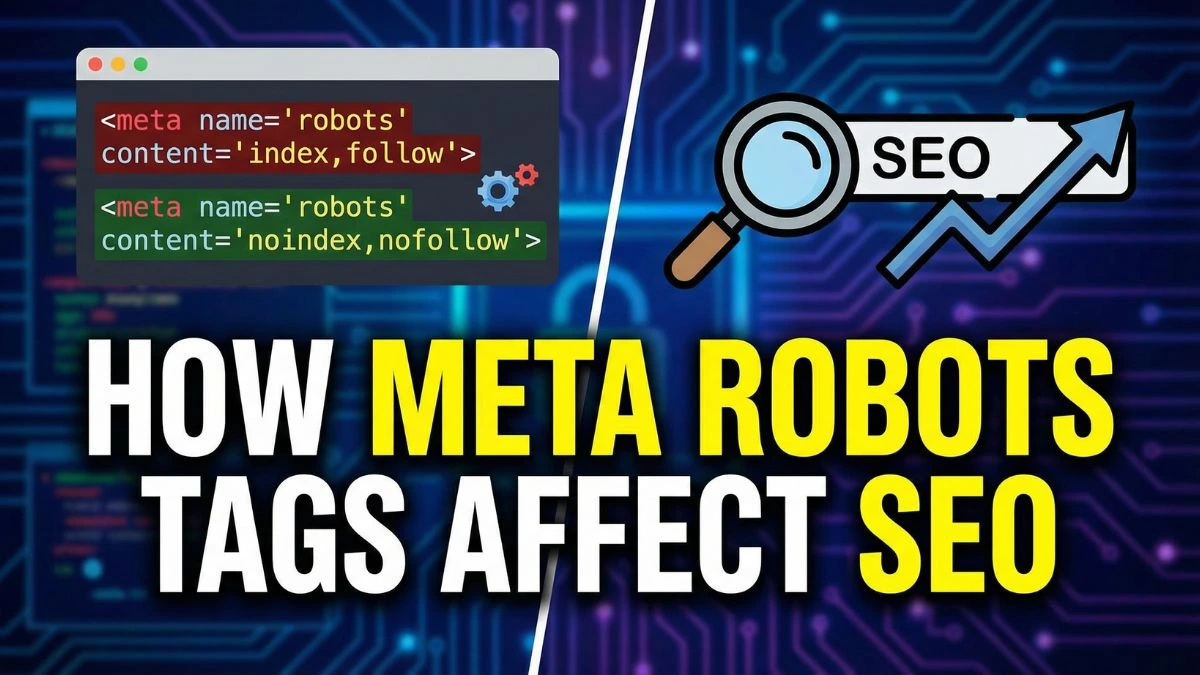
How Meta Robots Tags Affect SEO

How Meta Robots Tags Affect SEO: The Complete Guide to Controlling Search Engine Crawlers
Meta robots tags are one of the most powerful yet underutilized tools in a website owner's SEO arsenal. These small snippets of HTML code communicate directly with search engine crawlers, telling them exactly how to index and display your content. When used correctly, they can dramatically improve your site's search visibility, protect sensitive pages, and optimize how your content appears in search results.
In this comprehensive guide, we'll explore everything you need to know about meta robots tags and their profound impact on your website's SEO performance.
What Are Meta Robots Tags?
Meta robots tags are HTML elements placed in the <head> section of a webpage that provide instructions to search engine bots about how to crawl and index that specific page. Unlike the robots.txt file, which controls crawler access at the site level, meta robots tags offer page-level control with precision and flexibility.
The basic syntax looks like this:
<meta name="robots" content="noindex, nofollow">
These tags serve as a direct communication channel between your website and search engines like Google, Bing, and others. They're part of the Robots Exclusion Protocol, a standard that webmasters use to manage how automated bots interact with their sites.
Why Meta Robots Tags Matter for SEO
Understanding how meta robots tags affect SEO is crucial for anyone serious about optimizing their online presence. These tags influence several critical aspects of search engine optimization:
1. Index Control
Meta robots tags determine whether a page appears in search engine results pages (SERPs). This is fundamental to your SEO strategy because not every page on your website should be indexed. Duplicate content, thank you pages, internal search results, and admin pages are better left out of search results to preserve your site's overall quality score.
2. Crawl Budget Optimization
Search engines allocate a specific "crawl budget" to each website – the number of pages their bots will crawl within a given timeframe. By using meta robots tags strategically, you can guide crawlers toward your most important content, ensuring they don't waste resources on low-value pages. This is particularly important for large websites with thousands of pages, where efficient crawl budget management can significantly impact your rankings.
3. Link Equity Distribution
The "nofollow" directive in meta robots tags affects how PageRank flows through your website. While Google has evolved its treatment of nofollow links in recent years, understanding how to use these tags properly remains essential for technical SEO success.
4. SERP Appearance Management
Advanced meta robots directives control how your pages appear in search results, including snippet length, image usage, and cached versions. This directly impacts click-through rates and user engagement from search results.
Common Meta Robots Tag Directives and Their SEO Impact
Let's explore the most important meta robots tag directives and how each one affects your website's SEO performance:
Index vs. Noindex
Index (default): Allows search engines to include the page in their index and display it in search results. You typically don't need to explicitly state this, as it's the default behavior.
Noindex: Prevents the page from appearing in search results entirely. This is one of the most critical directives for SEO management.
When to use noindex:
- Duplicate or thin content pages that could trigger penalties
- Private or sensitive information pages (though password protection is more secure)
- Thank you pages and confirmation pages
- Staging or development versions of pages
- Paginated content beyond the first page
- Internal search result pages
- Admin and login pages
According to a Moz study, improper use of noindex directives is among the top 10 technical SEO mistakes that harm website rankings. Always conduct regular SEO audits to ensure your noindex tags are applied correctly.
Follow vs. Nofollow
Follow (default): Allows search engines to follow and crawl links on the page, passing along link equity (PageRank).
Nofollow: Instructs search engines not to follow links on the page or pass link equity through them.
Strategic uses for nofollow:
- Comment sections with user-generated links
- Paid or sponsored content links (Google requires this)
- Untrusted or low-quality outbound links
- Login and registration pages
- Links to pages you don't want to endorse
It's worth noting that in 2019, Google changed how it treats nofollow attributes, now using them as "hints" rather than absolute directives for ranking purposes. However, they still respect nofollow for crawling decisions.
Noarchive
This directive prevents search engines from storing a cached version of your page. Users won't see a "Cached" link in search results.
Use noarchive when:
- Content updates frequently and cached versions could confuse users
- The page contains time-sensitive information
- You're concerned about competitors copying your content from cache
Nosnippet
This directive prevents search engines from displaying a text snippet or video preview in search results. The page can still appear, but without a description.
Considerations:
- This can significantly reduce click-through rates since users rely on snippets to decide which results to click
- Use sparingly and only when absolutely necessary
- May impact your SERP features visibility
Noimageindex
Prevents images on the page from being indexed. The images won't appear in Google Images search results.
Best for:
- Product photography you want to protect
- Proprietary images or diagrams
- Personal photos on professional sites
However, if you want your images to drive traffic, proper image SEO optimization is more beneficial than blocking indexing.
Max-Snippet, Max-Image-Preview, and Max-Video-Preview
These advanced directives, introduced by Google in 2019, give you granular control over how your content appears in search results:
- max-snippet:[number]: Limits snippet length to a specified number of characters
- max-image-preview:[setting]: Controls image preview size (none, standard, or large)
- max-video-preview:[number]: Limits video preview to specified seconds
Example:
<meta name="robots" content="max-snippet:160, max-image-preview:large">
How to Implement Meta Robots Tags Correctly
Proper implementation is critical to avoid devastating SEO mistakes. Here's a step-by-step guide:
1. Place Tags in the Head Section
Meta robots tags must be placed within the <head></head> section of your HTML, before the closing </head> tag. They won't work if placed elsewhere.
<!DOCTYPE html>
<html>
<head>
    <meta charset="UTF-8">
    <title>Your Page Title</title>
    <meta name="robots" content="noindex, follow">
    <!-- Other head elements -->
</head>
<body>
    <!-- Page content -->
</body>
</html>
2. Use Proper Syntax
The syntax must be exact. Multiple directives should be separated by commas:
<meta name="robots" content="noindex, nofollow, noarchive">
3. Target Specific Search Engines
You can create tags for specific bots by replacing "robots" with the bot name:
<meta name="googlebot" content="noindex, follow">
<meta name="bingbot" content="index, follow">
This allows different treatment from different search engines, though it's rarely necessary.
4. Avoid Conflicting Directives
Don't use contradictory directives like "index, noindex" on the same page. Also, ensure your robots.txt file doesn't block pages where you've used meta robots tags – blocked pages can't be crawled, so the tags won't be seen.
5. Implement Through Your CMS
Most modern content management systems offer built-in functionality for meta robots tags:
- WordPress: Use plugins like Yoast SEO or Rank Math
- Shopify: Available in theme settings and apps
- Wix: Built into SEO settings panel
Always verify implementation using website SEO checker tools to ensure tags are properly rendered.
Meta Robots Tags vs. X-Robots-Tag HTTP Header
While meta robots tags work within HTML, X-Robots-Tag is an HTTP header that serves the same purpose but offers additional capabilities.
Advantages of X-Robots-Tag:
- Works with non-HTML files (PDFs, images, videos)
- Can be applied site-wide via server configuration
- More efficient for large-scale implementations
- Harder for competitors to discover your indexing strategy
Example X-Robots-Tag implementation in .htaccess:
<Files "document.pdf">
    Header set X-Robots-Tag "noindex, nofollow"
</Files>
For most websites, meta robots tags are sufficient and easier to implement. However, if you need to control indexing of multimedia files or prefer server-level control, X-Robots-Tag headers are worth exploring through your htaccess configuration.
Common Meta Robots Tag Mistakes That Hurt SEO
Even experienced SEO professionals make critical errors with meta robots tags. Here are the most damaging mistakes to avoid:
1. Accidentally Noindexing Important Pages
This is the most catastrophic error. A misplaced noindex tag on your homepage or key landing pages can tank your organic traffic overnight. According to Search Engine Journal, this accounts for approximately 15% of sudden ranking drops they investigate.
Prevention strategy:
- Regularly audit your site with SEO checker tools
- Set up monitoring alerts for indexation changes
- Maintain a checklist during website updates
- Use staging environments to test changes before deployment
2. Blocking Robots.txt and Using Meta Robots Tags
If robots.txt blocks a page, search engine crawlers never access it to read the meta robots tags. This creates conflicts and unpredictable behavior. The proper approach is:
- Use robots.txt to block crawling when you want to save crawl budget
- Use noindex meta tags when pages should be accessible but not indexed
3. Using Noindex, Nofollow on All Pages
Some website owners mistakenly apply blanket noindex directives across development sites and forget to remove them when launching. Always conduct a pre-launch website audit to catch these issues.
4. Inconsistent Mobile and Desktop Implementation
With mobile-first indexing, inconsistencies between mobile and desktop versions can cause indexing problems. Ensure meta robots tags are identical across all device versions unless you have a specific reason for differences.
5. Noindexing Paginated Content
While it might seem logical to noindex paginated pages (page 2, 3, etc.), this can actually hurt SEO by preventing search engines from discovering deeper content. Instead, use canonical tags or the "View All" approach for better technical SEO results.
Advanced Meta Robots Tag Strategies
Once you've mastered the basics, these advanced strategies can give you a competitive edge:
1. Dynamic Meta Robots Tag Implementation
Use server-side logic to apply different meta robots directives based on conditions:
<?php
if (is_category() || is_tag()) {
    echo '<meta name="robots" content="noindex, follow">';
} else {
    echo '<meta name="robots" content="index, follow">';
}
?>
This approach is particularly useful for e-commerce sites with filter pages, blogs with archive pages, or any site with dynamically generated content.
2. Controlling Search Result Appearance
Optimize how your content appears in SERPs using granular controls:
<meta name="robots" content="max-snippet:320, max-image-preview:large, max-video-preview:-1">
This configuration allows:
- Longer snippets (up to 320 characters) for better context
- Large image previews for visual impact
- Unlimited video preview length
These settings can significantly improve your click-through rates from search results.
3. Protecting Competitive Advantages
Some businesses use strategic noindex directives to keep certain operational pages out of competitors' view while still making them accessible to customers through internal navigation or email links.
4. International SEO Applications
For multilingual sites, carefully manage meta robots tags across language versions, especially when using hreflang tags. Ensure all language variations have consistent indexing directives unless there's a specific market-based reason for differences.
Testing and Monitoring Meta Robots Tags
Implementation is only half the battle – you must verify and monitor your meta robots tags continuously:
Essential Testing Tools
Google Search Console: The Coverage report shows which pages are indexed, blocked, or excluded due to meta robots tags. This is your primary monitoring tool for tracking SEO success.
Browser Developer Tools: Right-click any page, select "View Page Source," and search for "robots" to verify tag presence and syntax.
Screaming Frog SEO Spider: This crawler simulates search engine behavior and identifies meta robots tag issues across your entire site.
Website Screenshot Generator: Use screenshot tools to document page states and meta tag configurations for comparison over time.
HTTP Header Checker: Verify X-Robots-Tag headers using header checking tools to ensure server-level directives are working correctly.
Monitoring Best Practices
- Weekly Reviews: Check Google Search Console's Index Coverage report weekly for unexpected changes
- Monthly Audits: Conduct comprehensive technical SEO audits monthly
- Change Tracking: Document all meta robots tag changes in a spreadsheet with dates and reasons
- Alert Setup: Configure Search Console alerts for significant indexation drops
- Competitor Analysis: Monitor how competitors use meta robots tags using SEO analysis tools
Meta Robots Tags and Modern SEO Trends
The role of meta robots tags continues to evolve with search engine algorithm updates and new SEO trends:
JavaScript and Meta Robots Tags
Single-page applications and JavaScript frameworks present unique challenges. Search engines must render JavaScript to read meta robots tags, which can delay or prevent proper processing. If you're using React, Vue, or Angular:
- Implement server-side rendering (SSR) when possible
- Use dynamic rendering for search engine bots
- Test JavaScript-generated tags with Google's Mobile-Friendly Test
- Consider using the mobile-friendly test tool regularly
Core Web Vitals Impact
While meta robots tags don't directly affect Core Web Vitals, strategic use can improve overall site performance by preventing crawling of resource-heavy pages that don't need indexing.
AI and Automated Content
As AI-generated content becomes more prevalent, meta robots tags help manage quality control by selectively indexing only high-value, human-reviewed pages while keeping experimental or lower-quality AI content out of search results.
Voice Search Optimization
With the rise of voice search, controlling snippet length through max-snippet directives can ensure your content is properly formatted for voice assistants reading search results aloud.
Real-World Case Studies
Understanding theory is important, but seeing real-world applications demonstrates the true power of meta robots tags:
Case Study 1: E-commerce Site Recovery
An online retailer noticed a 40% traffic drop over three months. Investigation revealed that a website redesign had accidentally applied noindex tags to all category pages. After removing these tags and requesting re-indexing through Google Search Console, they recovered 95% of their traffic within six weeks.
Key takeaway: Always perform comprehensive SEO audits after any website changes.
Case Study 2: Content Pruning Success
A B2B SaaS company had thousands of low-quality blog posts diluting their domain authority. They implemented a strategic noindex campaign for underperforming content while improving top performers. Within four months, their average SERP position improved from 23 to 12, and organic traffic increased by 67%.
Key takeaway: Sometimes removing pages from the index is more valuable than adding them.
Case Study 3: Crawl Budget Optimization
A large news site with 500,000+ pages was struggling with crawl efficiency. By applying noindex tags to archive pages older than two years and using robots.txt to block less important sections, they improved crawler efficiency. Google began indexing their fresh content 3x faster, resulting in better coverage of breaking news topics.
Key takeaway: Efficient crawl budget management is critical for large sites.
Integration with Other SEO Elements
Meta robots tags work best as part of a holistic SEO strategy. Here's how they integrate with other critical elements:
Canonical Tags
Canonical tags indicate the preferred version of duplicate or similar pages, while meta robots tags control indexing. They serve different purposes:
- Use canonical tags when you have legitimate duplicate content and want to consolidate ranking signals
- Use noindex when content shouldn't appear in search results at all
Never use noindex and canonical together – they send conflicting signals.
XML Sitemaps
Your XML sitemap should only include pages you want indexed. Noindexed pages shouldn't appear in sitemaps as this wastes crawler resources and sends mixed signals.
Structured Data
Meta robots tags affect how structured data appears in search results. If you use nosnippet, your rich snippets won't display even if you have perfect schema markup. Coordinate these elements carefully to maximize your SERP features presence.
Internal Linking
Pages with noindex, follow tags can still pass link equity through their outbound links. This creates opportunities for strategic internal linking architecture where navigational pages aren't indexed but still distribute PageRank to important content.
Industry-Specific Applications
Different industries have unique meta robots tag needs:
E-commerce
Online stores benefit from noindexing:
- Filter combinations (color + size + price range)
- Search result pages
- Cart and checkout pages
- Account dashboards
- Product comparisons with minimal unique content
Learn more about optimizing e-commerce SEO.
Publishing and Media
News sites and blogs should consider:
- Archive pages (noindex after a certain age)
- Author pages with thin content
- Tag pages with few posts
- Print versions of articles
- AMP versions (use canonical instead)
Local Businesses
Service businesses often need to:
- Noindex location filter pages
- Control service area page indexing
- Manage franchise location duplicates
- Handle seasonal landing pages
SaaS and Software
Technology companies frequently:
- Noindex documentation versions
- Control API reference indexing
- Manage beta feature pages
- Handle user-generated content sections
The Future of Meta Robots Tags
As search technology evolves, so will the role of meta robots tags:
Predicted Developments
More Granular Controls: Expect additional directives for controlling AI training data scraping and large language model access.
Enhanced Video and Audio Directives: As multimedia content grows, more specific controls for video and audio indexing will emerge.
Better CMS Integration: Content management systems will offer more intuitive interfaces for managing meta robots tags at scale.
AI-Powered Recommendations: SEO tools will increasingly use AI to recommend optimal meta robots tag configurations based on page performance and content type.
Search Generative Experience (SGE) Controls: As Google's AI-powered search evolves, new directives may emerge to control how content appears in AI-generated answers.
Frequently Asked Questions About Meta Robots Tags
1. What is the difference between robots.txt and meta robots tags?
Robots.txt is a file that controls which parts of your website crawlers can access, working at the directory or file level. Meta robots tags work at the individual page level and control whether pages are indexed and how they appear in search results. Robots.txt prevents crawling; meta robots tags control indexing. You can access both, but for page-level control, meta robots tags are more precise.
2. Can I use multiple meta robots tags on the same page?
While technically possible, it's not recommended. Multiple tags can create conflicts and unpredictable behavior. Instead, combine all directives into a single tag separated by commas: <meta name="robots" content="noindex, nofollow, noarchive">. This ensures clear communication with search engines.
3. How long does it take for Google to respect a noindex tag?
Google typically respects noindex tags within a few days to a few weeks, depending on your site's crawl frequency and the page's importance. You can expedite this by requesting removal through Google Search Console's Removals tool. High-authority pages on frequently crawled sites may see changes within 24-48 hours.
4. Will a noindex tag remove my page from Google immediately?
No, the page will remain in search results until Google recrawls it and processes the noindex directive. For urgent removals, use Google Search Console's URL Removal tool, which provides temporary removal while the noindex tag takes permanent effect.
5. Should I noindex thin content pages or delete them?
It depends on the page's purpose. If the page serves users but lacks SEO value (like thank you pages), use noindex. If the page serves no purpose, deletion is better. For underperforming blog posts, consider improving them before deciding. Use your SEO audit process to make informed decisions.
6. Does nofollow in meta robots tags affect internal links?
Yes, when you use <meta name="robots" content="nofollow">, it prevents link equity from passing through any links on that page, including internal links. This is different from the nofollow attribute on individual links. Use this directive carefully as it can disrupt your site architecture.
7. Can meta robots tags fix duplicate content issues?
Yes, but canonical tags are usually better for duplicate content. Use noindex when you want to prevent a page from appearing in search results entirely. Use canonical tags when you want to consolidate ranking signals to a preferred version while keeping the alternate version accessible.
8. Do meta robots tags affect my site speed?
No, meta robots tags themselves don't impact page load speed. However, strategic use can improve overall site performance by directing crawlers away from resource-heavy pages, preserving crawl budget for important content.
9. Should I noindex pagination pages?
Generally, no. Noindexing pagination can prevent search engines from discovering deeper content. Instead, use rel="next" and rel="prev" tags (though Google no longer uses them, they don't hurt), or provide a "View All" option with a canonical tag. Properly handle paginated content as part of your overall technical SEO strategy.
10. How do meta robots tags affect social media sharing?
Meta robots tags don't directly affect social media sharing. Social platforms use Open Graph tags and Twitter Cards for preview generation. However, if you use nosnippet, you might want to ensure social tags are properly configured. Use our Open Graph generator and Twitter Card generator to optimize social sharing.
11. Can competitors see my meta robots tags?
Yes, meta robots tags are visible in page source code, which anyone can view. If you want to hide your indexing strategy, consider using X-Robots-Tag HTTP headers instead, which are less obvious but still technically discoverable through browser developer tools.
12. Should I use noindex for pages with login requirements?
Yes, pages behind authentication (login, registration, account dashboards) should typically be noindexed since users can't access them from search results anyway. Additionally, use proper password protection and authentication rather than relying solely on noindex for security.
13. Do meta robots tags work on PDF files?
No, meta robots tags work only in HTML. For PDFs, use X-Robots-Tag HTTP headers. You can configure your server to send these headers for specific file types, preventing them from appearing in search results while still making them accessible to users.
14. What happens if I accidentally noindex my entire site?
Your organic traffic will plummet as pages drop from search results. If caught quickly (within a few days), damage is minimal. Remove the tags immediately, request re-indexing through Google Search Console, and your rankings should recover within 2-4 weeks. This is why regular SEO monitoring is crucial.
15. Can I noindex pages but still have them in my sitemap?
You shouldn't. Including noindexed pages in your XML sitemap sends conflicting signals and wastes crawl budget. Your XML sitemap should only include pages you want indexed. Most modern CMS platforms automatically exclude noindexed pages from sitemaps.
16. How do meta robots tags affect mobile vs. desktop indexing?
With mobile-first indexing, Google primarily uses the mobile version of your content for indexing. Ensure meta robots tags are consistent across mobile and desktop versions. Discrepancies can cause indexing problems and ranking issues. Test both versions using mobile-friendly testing tools.
17. Should I noindex category and tag pages on my blog?
It depends on their value. If category pages have substantial unique content and provide good user experience, index them. If they're thin with just lists of posts, consider noindexing them or improving their content. Many successful blogs selectively index main categories while noindexing tags and sub-categories.
18. Can meta robots tags prevent content scraping?
No, meta robots tags only affect legitimate search engine crawlers that respect them. Content scrapers and malicious bots typically ignore these directives. For scraping protection, you need other measures like DMCA takedown notices, watermarking, or technical barriers like rate limiting.
19. How do meta robots tags interact with hreflang tags?
Meta robots tags and hreflang tags serve different purposes and can be used together. Hreflang indicates language/region targeting while meta robots controls indexing. Ensure all language versions referenced in hreflang tags are indexable (not noindexed), or Google may not properly recognize the international targeting.
20. Should I use noarchive for time-sensitive content?
Yes, noarchive is ideal for time-sensitive content like news articles, event pages, or limited-time offers where cached versions could confuse users. However, consider that cached versions help users access content when your site is down. Balance this with your specific needs and content strategy.
Mastering Meta Robots Tags for SEO Success
Meta robots tags are powerful tools that give you precise control over how search engines interact with your website. When used correctly, they can dramatically improve your site's search visibility, protect sensitive content, optimize crawl budget, and enhance how your pages appear in search results.
The key to success with meta robots tags lies in:
- Understanding each directive's purpose and SEO implications
- Implementing tags correctly in your site's HTML structure
- Avoiding common mistakes that can devastate your rankings
- Regularly monitoring and auditing your implementation
- Integrating meta robots tags with your broader SEO strategy
Remember that meta robots tags are just one component of comprehensive SEO. They work best when combined with quality content, strong technical SEO fundamentals, strategic internal linking, and excellent user experience.
Whether you're managing a small blog or a large e-commerce site with thousands of pages, taking control of how search engines index your content through strategic use of meta robots tags will give you a significant competitive advantage in search rankings.
Start by auditing your current implementation, identifying pages that shouldn't be indexed, and systematically applying the appropriate directives. Use the tools and strategies outlined in this guide, and you'll be well on your way to mastering this critical aspect of SEO.
For more insights on improving your website's search performance, explore our comprehensive guides on SEO best practices, ranking strategies, and measuring SEO success.
Ready to optimize your website's meta robots tags? Use our free Website SEO Score Checker to identify meta robots tag issues and get actionable recommendations for improvement. Don't let improper meta robots configuration hold back your search rankings – take control today!