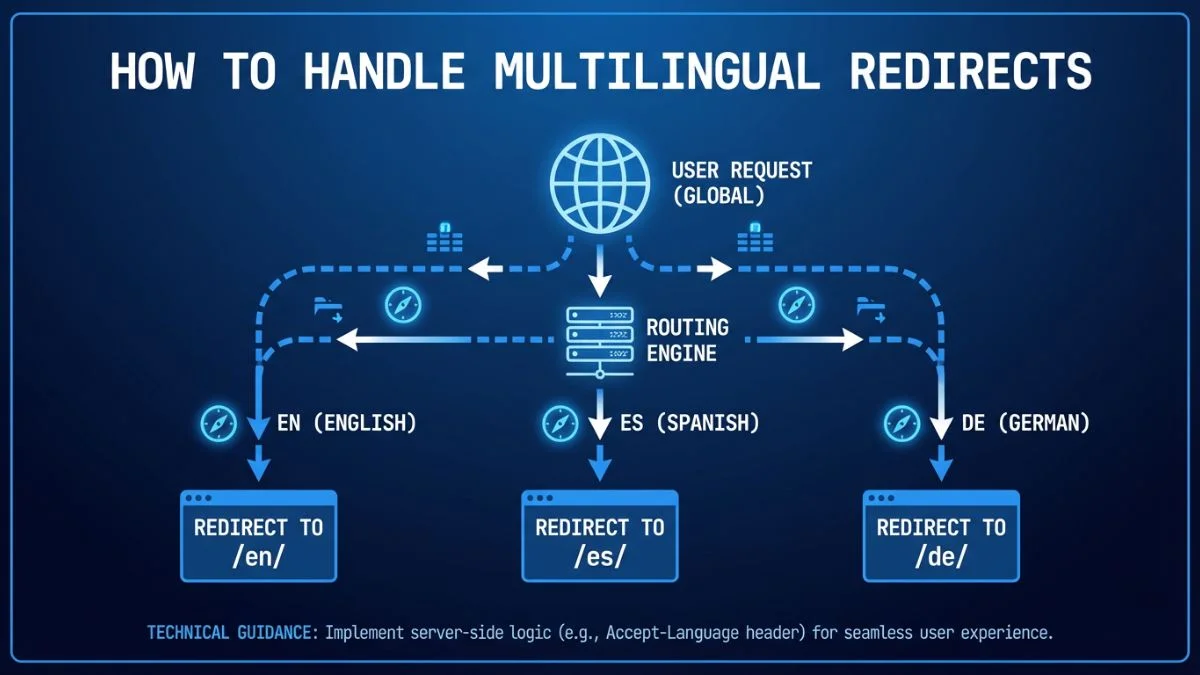
How to Handle Multilingual Redirects

How to Handle Multilingual Redirects in International SEO
The complete 2026 guide to geo, language, and device redirects without harming rankings or user experience.
Multilingual redirects are one of the most misunderstood parts of international SEO. Done right, they improve user experience and help search engines deliver the right version of your site. Done wrong, they can block crawlers, create indexing chaos, and drop your traffic across multiple markets.
This guide explains exactly how to handle multilingual redirects in 2026. You will learn what Google recommends, how to avoid forced redirects, how to build a language switcher correctly, and how to manage geo-based routing without harming SEO.
Why Redirects Are Risky in International SEO
Redirects can override user intent and block search engine crawlers. When a crawler hits a URL and gets redirected to a different locale, it may not index the original page at all. That is why Google advises caution with automatic redirects in multilingual websites.
According to Google Search Central, you should avoid automatic redirects that block users from accessing other language versions. Instead, rely on hreflang annotations and clear user controls.
Types of Multilingual Redirects
| Redirect Type | How It Works | SEO Risk |
|---|---|---|
| IP-based | Detects user IP location and redirects to country site | High (blocks crawlers, wrong location detection) |
| Browser language | Uses Accept-Language header to redirect | Moderate (users may want different locale) |
| Manual selection | User selects language/country from switcher | Low (best practice) |
| Hybrid | Suggests locale but allows user override | Low (recommended) |
Google's Recommended Approach
Google recommends using hreflang annotations and letting users choose their preferred language or region. If you use automatic redirects, you must still allow users to switch and allow crawlers to access every locale version.
- Use hreflang to indicate language and region
- Provide a visible language selector on every page
- Avoid redirecting Googlebot based on IP
- Allow access to all versions with direct URLs
Best Practice: The Locale Suggestion Model
The safest approach is to suggest a locale instead of forcing one. You can detect language or IP and display a banner like: "We noticed you are in Germany. Would you like to switch to the German site?" The user can accept or dismiss.
Why This Works
- Users keep control
- Search engines can crawl all versions
- Reduces friction for bilingual users
- Matches Google's guidelines
Redirects and Hreflang: How They Work Together
Hreflang tells search engines about the relationship between language versions. Redirects are for users. You should not use redirects as a substitute for hreflang.
If a page redirects automatically, hreflang can be ignored because the original page is never accessed. This is why forced redirects are risky.
How to Set Up a Multilingual Redirect System (Safe Method)
- Create dedicated URLs for each language or region
- Implement hreflang across all versions
- Add a language/country selector on every page
- Use a suggestion banner (not forced redirect)
- Store user choice in a cookie or local storage
- Allow search engines to access each version directly
Common Multilingual Redirect Mistakes
- Redirecting every user based on IP without choice
- Blocking crawlers from accessing alternate versions
- Redirecting language pages to the homepage only
- Using incorrect language codes
- Failing to update hreflang when redirect logic changes
When Automatic Redirects Are Acceptable
There are a few cases where automatic redirects are acceptable:
- Regional legal compliance (data residency, regulations)
- Payment or shipping restrictions by country
- Temporary maintenance on a locale version
Even in these cases, provide a manual override and explain the reason for the redirect.
Tracking and Testing Redirects
Use tools to ensure redirects do not block indexing. Recommended testing tools:
Redirects in Multilingual Ecommerce
Ecommerce sites need extra caution. If a user searches for a product in Spanish and lands on the English product page, a forced redirect to the homepage can kill conversions. Always redirect to the equivalent localized page if it exists.
Internal Resources from Bright SEO Tools
- Schema Markup Guide
- SEO for Beginners
- SEO Strategy Guide
- URL Structure Best Practices
- Website SEO Score Checker
- Use Keywords Effectively
- Keyword Research Tool
- SEO-Friendly Landing Pages
- Content Marketing and SEO
- Improve Content Readability
Frequently Asked Questions
Should I auto-redirect users based on IP?
No. It can block search engines and frustrate users. Use a suggestion banner instead.
Do multilingual redirects hurt SEO?
They can if forced. Proper hreflang plus user choice is safest.
What is the safest redirect strategy?
Suggest the correct locale and let users opt in, while keeping all versions crawlable.
Do I still need hreflang if I redirect?
Yes. Hreflang is required for language and region targeting.
Can I redirect to a homepage only?
Avoid this. Redirect to the equivalent localized page whenever possible.
How do I let users switch languages?
Add a visible language selector on every page and store the preference in a cookie.
What if a localized page does not exist?
Show the closest match and allow a manual switch. Avoid hard errors.
Do redirects impact crawl budget?
Yes. Excessive redirects waste crawl budget and slow indexing.
Should I use 302 or 301 redirects?
Use 302 for temporary redirects. Use 301 only for permanent changes.
How do I test multilingual redirect issues?
Use Search Console, log file analysis, and crawling tools like Screaming Frog to confirm access and indexing.