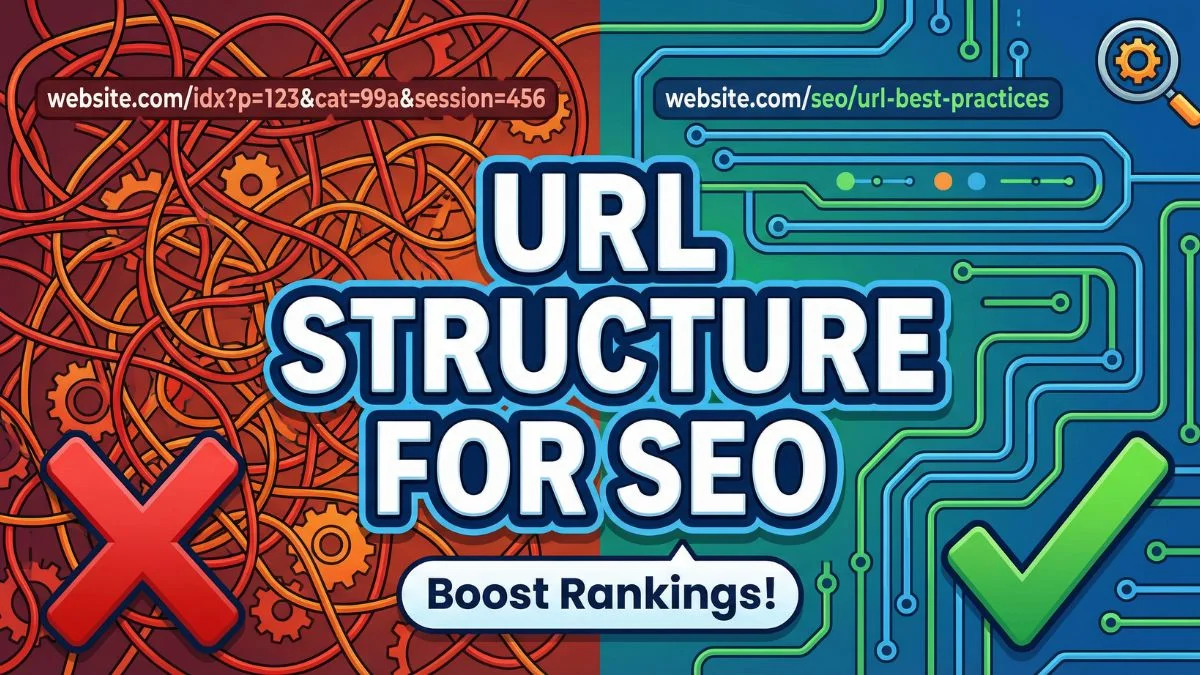
URL Structure Best Practices for SEO

URL Structure Best Practices for SEO: The Complete Guide to Building Search-Friendly URLs
When it comes to SEO for Beginners, one of the most overlooked yet critical elements is URL structure. Your website's URLs are more than just web addresses—they're powerful signals that tell search engines and users what your content is about. A well-optimized URL structure can dramatically improve your search rankings, click-through rates, and overall user experience.
In this comprehensive guide, we'll explore everything you need to know about creating SEO-friendly URLs that help your content rank higher on Google and other search engines.
What Is URL Structure and Why Does It Matter for SEO?
URL structure refers to the format and organization of web addresses on your website. It's the blueprint that determines how your pages are identified and accessed by both users and search engines.
A good URL structure matters because:
Search engines use URLs to understand content: Google's algorithms analyze URLs to determine what a page is about before they even crawl the content.
Users make decisions based on URLs: People are more likely to click on clean, descriptive URLs in search results than confusing strings of numbers and characters.
URLs contribute to site architecture: A logical URL hierarchy helps search engines rank websites by understanding the relationship between different pages.
They affect user experience: Clean URLs are easier to remember, share, and trust.
According to industry research, URLs are one of the top 200 ranking factors Google considers. While they may not carry the same weight as quality content or backlinks, optimizing your URL structure is a fundamental step in any effective SEO strategy.
The Anatomy of an SEO-Friendly URL
Before diving into best practices, let's break down the components of a well-structured URL:
https://www.example.com/category/subcategory/page-name
- Protocol (https://): Indicates secure connection
- Subdomain (www): Optional prefix to the domain
- Domain (example.com): Your website's main address
- Path (/category/subcategory/): Hierarchical structure
- Slug (page-name): Specific page identifier
Each component plays a role in SEO, but the path and slug are where you have the most control and opportunity for optimization.
15 Essential URL Structure Best Practices
1. Keep URLs Short and Descriptive
Short URLs perform better in search results and are easier for users to process. Aim for URLs that are:
- 50-60 characters or less when possible
- Descriptive without being verbose
- Focused on the primary keyword
Good example: example.com/seo-url-best-practices
Bad example: example.com/the-ultimate-comprehensive-guide-to-understanding-url-structure-optimization-techniques
Research from Backlinko analyzing over 11 million Google search results found that shorter URLs tend to rank better than longer ones. This doesn't mean you should sacrifice clarity for brevity, but it does emphasize the importance of conciseness.
2. Use Hyphens to Separate Words
Always use hyphens (-) to separate words in your URLs, never underscores (_) or spaces.
Correct: example.com/on-page-seo-techniques
Incorrect: example.com/on_page_seo_techniques example.com/onpageseo techniques
Google treats hyphens as word separators, making it easier for search engines to read and understand your URLs. Underscores, on the other hand, are treated as word connectors, potentially creating confusion. This seemingly small detail can impact how well search engines interpret your on-page SEO techniques.
3. Use Lowercase Letters Exclusively
URLs are case-sensitive on most servers, meaning Example.com/SEO and example.com/seo could theoretically be treated as different pages. This can lead to:
- Duplicate content issues
- Broken links
- Wasted crawl budget
Always use lowercase letters in your URLs to avoid these problems. It's a simple rule that prevents complications down the road.
4. Include Target Keywords Strategically
Your primary keyword should appear in the URL, but avoid keyword stuffing. The URL should read naturally and make sense to users.
Strategic keyword use: example.com/how-to-improve-seo-score
Keyword stuffing: example.com/seo-score-improve-seo-optimization-seo-tips-seo
When you're working on improving your SEO score, remember that search engines value relevance over keyword density. A naturally placed keyword in your URL signals what the page is about without appearing manipulative.
5. Avoid Stop Words When Possible
Stop words like "a," "an," "the," "and," "or," "but," "in," "on," and "at" don't add SEO value and make URLs longer. Remove them unless they're necessary for clarity.
Streamlined: example.com/optimize-images-seo
With unnecessary stop words: example.com/how-to-optimize-the-images-for-seo
However, if removing stop words makes the URL confusing or changes its meaning, keep them. Readability should always take precedence over minor length reductions.
6. Create a Logical Hierarchical Structure
Your URL structure should mirror your site's organizational hierarchy. This helps users and search engines understand how pages relate to each other.
example.com/blog/
example.com/blog/on-page-seo/
example.com/blog/on-page-seo/meta-tags/
This structure creates clear relationships and makes it easier to implement effective site architecture tweaks that improve crawlability and user navigation.
7. Limit Subdirectories to 3-4 Levels
While hierarchical structures are beneficial, going too deep can hurt your SEO. Google recommends keeping your most important pages within three clicks of your homepage.
Good depth: example.com/services/web-design/portfolio
Too deep: example.com/company/divisions/services/web-services/design/web-design/portfolio/2024
Deep URLs can signal to search engines that a page is less important, potentially diluting its ranking power. They also create a poor user experience and make URLs harder to share.
8. Use HTTPS Protocol
Security is a confirmed Google ranking factor. Always use HTTPS instead of HTTP to:
- Protect user data
- Build trust with visitors
- Gain a slight ranking advantage
- Avoid browser security warnings
You can verify your site's security status using an SSL checker to ensure your certificate is properly configured.
9. Avoid Dynamic Parameters When Possible
Dynamic URLs with parameters like ?id=123&cat=456 are harder for users to read and can create crawling issues. Use URL rewriting to create static, descriptive URLs instead.
Static URL (preferred): example.com/blog/seo-trends-2025
Dynamic URL (avoid): example.com/page.php?id=123&category=seo&year=2025
If you must use parameters, keep them to a minimum and use Google Search Console to tell Google which parameters to ignore.
10. Implement Consistent URL Formatting
Choose a URL format and stick with it across your entire site. Consistency helps with:
- User expectations
- Internal linking
- Site organization
- Technical SEO maintenance
Decide on conventions for:
- Date formatting (if used):
/2025/01/vs/2025-01/vs no dates - Trailing slashes:
/page/vs/page - www vs non-www
- Blog post structure:
/blog/post-name/vs/post-name/
Once established, maintain these conventions religiously. Use your website SEO score checker to identify any inconsistencies.
11. Make URLs Readable and Memorable
Your URLs should make sense to humans, not just search engines. A good test: if you read the URL aloud to someone, would they understand what the page is about?
Readable: example.com/keyword-research-guide
Not readable: example.com/pg-297-kw-rsch-gd
Memorable URLs are more likely to be:
- Typed directly into browsers
- Shared on social media
- Linked to naturally
- Clicked in search results
This ties directly into improving your click-through rate with SEO titles and URLs working together.
12. Avoid Dates Unless Necessary
Including dates in URLs can make content seem outdated, even if you've updated it. For evergreen content, skip the dates.
Evergreen (no date): example.com/content-marketing-tips
Date-specific (appropriate for news): example.com/2025/01/google-algorithm-update
However, for time-sensitive content like news articles, industry updates, or annual reports, dates can provide useful context. Consider your content type when making this decision.
13. Use Canonical Tags for Similar URLs
If you have multiple URLs with similar or duplicate content, use canonical tags in on-page SEO to specify the preferred version.
For example, if your e-commerce site has:
example.com/shoesexample.com/shoes?color=blueexample.com/shoes?size=10
Set the canonical URL to the main category page to consolidate ranking signals.
14. Avoid Special Characters
Special characters like &, %, $, @, !, and * can cause encoding issues and make URLs look messy. Stick to:
- Letters (a-z)
- Numbers (0-9)
- Hyphens (-)
Clean URL: example.com/mobile-seo-tips
Problematic URL: example.com/mobile-seo-tips!@2025
15. Plan for Scalability
Design your URL structure with future growth in mind. Reorganizing URLs later creates redirect chains and can harm your SEO.
Consider:
- How your content categories might expand
- Whether you'll add new languages or regions
- If you'll need separate sections for different content types
- How product lines or service offerings might evolve
A well-planned structure from the start saves countless hours of technical SEO work later.
Common URL Structure Mistakes to Avoid
While following best practices is important, avoiding common pitfalls is equally crucial. Here are mistakes that can seriously impact your SEO performance:
1. Changing URLs Without Proper Redirects
One of the most damaging mistakes is changing URLs without implementing 301 redirects. This causes:
- Loss of accumulated link equity
- Broken backlinks
- Poor user experience
- Potential ranking drops
Always use an htaccess redirect checker to verify your redirects are working correctly before making URL changes live.
2. Using Session IDs in URLs
Session IDs create duplicate content issues by generating unique URLs for each visitor:
example.com/page?sessionid=abc123xyz
These should be managed through cookies, not URL parameters.
3. Ignoring Mobile URL Structure
With mobile-first indexing, your mobile URLs matter more than ever. Avoid:
- Separate mobile subdomains (m.example.com) when possible
- Different URL structures for mobile and desktop
- Mobile URLs that redirect through multiple hops
Implement responsive design with the same URLs for desktop and mobile to streamline your mobile SEO strategy.
4. Creating Orphan Pages
Pages without internal links or clear URL hierarchy become orphans that search engines struggle to find and index. Every page should be reachable through your URL structure and internal linking strategy.
5. Using Generic Page Names
URLs like /page1/, /untitled/, or /new-page/ waste valuable SEO opportunities and confuse users about content.
URL Structure for Different Content Types
Different types of content benefit from different URL approaches. Here's how to structure URLs for various page types:
Blog Posts
Recommended structure: example.com/blog/post-topic
Alternative with categories: example.com/blog/category/post-topic
For blog content, focus on the topic rather than dates. This allows you to update old content for SEO without the URL appearing outdated.
Product Pages
Recommended structure: example.com/products/category/product-name
With additional detail: example.com/products/category/subcategory/product-name
For e-commerce sites, include category hierarchies that reflect how users shop and search. This helps with both SEO and user navigation.
Service Pages
Recommended structure: example.com/services/service-name
For location-based services: example.com/services/service-name/city-name
Service URLs should be straightforward and include location information when targeting local search.
Landing Pages
Recommended structure: example.com/offer-name
Keep SEO-friendly landing pages at the root level or one directory deep for maximum impact.
Category and Tag Pages
Categories: example.com/category/category-name
Tags: example.com/tag/tag-name
Be strategic with categories and tags to avoid creating thin content or duplicate content issues. Optimize these pages properly using techniques for optimizing blog categories for SEO.
Technical Considerations for URL Structure
Beyond the visible aspects of URLs, several technical factors affect their SEO impact:
URL Encoding
Special characters and spaces must be URL-encoded to function properly. Use a URL encoder decoder to ensure your URLs are properly formatted.
For example, a space becomes %20 or + in encoded URLs.
Trailing Slashes
Decide whether your site uses trailing slashes consistently:
example.com/page/(with slash)example.com/page(without slash)
Google treats these as different URLs unless you specify otherwise. Choose one format and use canonical tags or redirects to consolidate the other version.
URL Parameters
If you use parameters for tracking or filtering, configure them properly in Google Search Console to prevent crawling issues. You can also use your robots.txt file to manage how search engines handle parameterized URLs.
Subdomain vs. Subdirectory Debate
For additional sections of your site, you can use either:
Subdomain: blog.example.com
Subdirectory: example.com/blog
Generally, subdirectories are better for SEO because they consolidate authority under your main domain. Subdomains are treated more like separate sites by search engines.
However, there are valid use cases for subdomains, such as completely separate applications, different language versions, or distinct product lines that benefit from separate branding.
How URL Structure Impacts Core Web Vitals
Your URL structure indirectly affects Core Web Vitals, Google's user experience metrics. Here's how:
Loading Speed
- Shorter URLs require less data transfer
- Simpler URL structures often correlate with cleaner site architecture
- Fewer redirects in your URL structure improve loading times
Learn more about optimizing these metrics with our guide on fixing Core Web Vitals.
Crawl Budget
Efficient URL structures help search engines crawl your site more effectively. Avoid:
- Infinite scroll URLs that generate endless variations
- Parameter-heavy URLs that create duplicate content
- Redirect chains that waste crawl budget
Implement smart crawl budget optimization tips to ensure your important pages get crawled regularly.
URL Structure and International SEO
If you're targeting multiple countries or languages, your URL structure becomes even more critical. There are three main approaches:
1. Country Code Top-Level Domains (ccTLDs)
example.co.uk (United Kingdom)
example.de (Germany)
example.fr (France)
Pros: Strongest geo-targeting signal Cons: Most expensive, requires managing multiple domains
2. Subdirectories with Language/Country Codes
example.com/uk/
example.com/de/
example.com/fr/
Pros: Consolidates domain authority, easier to manage Cons: Weaker geo-targeting signal than ccTLDs
3. Subdomains with Language/Country Codes
uk.example.com
de.example.com
fr.example.com
Pros: Can host on servers in target countries Cons: Separates domain authority, more complex to manage
For most businesses, subdirectories offer the best balance of SEO benefit and manageability.
Tools for Analyzing and Optimizing URL Structure
Several tools can help you audit and improve your URL structure:
1. Google Search Console
Monitor how Google crawls and indexes your URLs. Look for:
- Crawl errors related to URL issues
- Duplicate content from URL variations
- Pages not being indexed due to URL problems
2. SEO Score Checkers
Use a comprehensive website SEO score checker to identify URL structure issues across your site. These tools often flag common problems like:
- URLs that are too long
- Missing keywords in URLs
- Inconsistent formatting
- Broken links
3. Sitemap Generators
Create an organized sitemap that reflects your URL structure with an XML sitemap generator. This helps search engines understand your site hierarchy.
4. Redirect Checkers
Before making URL changes, use an htaccess redirect checker to ensure your redirects work properly and don't create chains.
5. Broken Link Finders
Regularly check for broken links that result from URL structure changes. Learn how to fix broken links effectively to maintain your site's SEO health.
Migrating to a New URL Structure
Sometimes you need to restructure your URLs completely. This requires careful planning to avoid SEO disasters:
Step 1: Audit Your Current URL Structure
Document all existing URLs and their:
- Current rankings
- Inbound links
- Traffic levels
- Conversion rates
Step 2: Plan Your New Structure
Design your new URL structure following the best practices outlined in this guide. Map each old URL to its new equivalent.
Step 3: Implement 301 Redirects
Create permanent redirects from old URLs to new ones. Test thoroughly before going live.
Step 4: Update Internal Links
Change all internal links to point directly to new URLs rather than relying on redirects.
Step 5: Update External References
Where possible, update:
- Links from your own social media profiles
- Links in guest posts you've written
- Citations in directories
- Any other links you control
Step 6: Monitor and Adjust
After migration, closely monitor:
- Search rankings
- Organic traffic
- Crawl errors in Search Console
- User behavior metrics
A complete SEO audit should be performed both before and after major URL structure changes.
URL Structure and Content Silos
Strategic URL structure is essential for implementing content silos for on-page SEO. Content silos organize your site into topic clusters, with URL structure reflecting these relationships:
example.com/seo/ (pillar page)
├── example.com/seo/keyword-research/
├── example.com/seo/on-page-optimization/
├── example.com/seo/link-building/
└── example.com/seo/technical-seo/
This structure tells search engines that all these pages are related and reinforces your topical authority.
Future-Proofing Your URL Structure
As search continues to evolve, consider these emerging trends when planning your URL structure:
Voice Search Optimization
With the rise of voice search affecting SEO strategy, natural language in URLs becomes more important. While you shouldn't make URLs conversational, they should align with how people ask questions.
AI and Semantic Search
As AI changes SEO, search engines better understand context and relationships. Your URL structure should support topical authority and clear content relationships.
Zero-Click Searches
While optimizing for zero-click SEO and SERP features, remember that URLs still appear in featured snippets and knowledge panels, reinforcing your brand even when users don't click.
Measuring the Impact of URL Structure on SEO
To determine if your URL optimization efforts are working, track these metrics:
1. Organic Click-Through Rate
Compare CTR before and after URL changes. Well-optimized URLs can significantly improve CTR from search results.
2. Rankings for Target Keywords
Monitor whether pages with optimized URLs rank better for their target keywords compared to pages with poor URL structure.
3. Crawl Efficiency
Check whether search engines are crawling your important pages more frequently after improving URL structure.
4. User Engagement
Look at metrics like:
- Bounce rate
- Time on page
- Pages per session
Better URL structure can reduce bounce rate by setting clear expectations about content.
5. Social Sharing
Clean, descriptive URLs get shared more often on social media, driving additional traffic and potential backlinks.
For a comprehensive view of your progress, learn how to measure SEO success using the right metrics and tools.
Real-World URL Structure Examples
Let's examine some real-world examples of excellent URL structures:
Example 1: E-commerce Site
Poor structure: shop.com/product.php?id=12345&cat=3&color=blue
Optimized structure: shop.com/mens-shoes/running-shoes/nike-air-zoom-pegasus
The optimized version includes keyword-rich categories, descriptive product name, and logical hierarchy.
Example 2: News Website
Poor structure: news.com/article?id=987654
Optimized structure: news.com/technology/artificial-intelligence-breakthrough-2025
The optimized version includes topical category and descriptive headline that includes the year for context.
Example 3: Service Business
Poor structure: service.com/services.html?loc=nyc&type=plumbing
Optimized structure: service.com/plumbing-services/new-york-city
The optimized version clearly indicates service type and location, both critical for local SEO.
URL Structure Checklist for SEO Success
Use this checklist when creating or auditing your URLs:
- [ ] URLs are 50-60 characters or less when possible
- [ ] Primary keyword is included in the URL
- [ ] Words are separated by hyphens, not underscores
- [ ] All letters are lowercase
- [ ] Unnecessary stop words are removed
- [ ] HTTPS protocol is used
- [ ] URLs follow a logical hierarchical structure
- [ ] No more than 3-4 subdirectory levels
- [ ] No dynamic parameters when possible
- [ ] URL formatting is consistent across the site
- [ ] URLs are readable by humans
- [ ] Special characters are avoided
- [ ] Canonical tags are properly implemented
- [ ] 301 redirects are in place for any changed URLs
- [ ] URLs reflect content silos and topic clusters
Frequently Asked Questions About URL Structure and SEO
1. Does URL length directly affect SEO rankings?
While URL length isn't a direct ranking factor, shorter URLs (50-60 characters) tend to perform better in search results. They're easier for users to read and share, which can indirectly benefit SEO through improved click-through rates and user engagement. However, don't sacrifice descriptiveness for brevity—clarity should always come first.
2. Should I include my main keyword in every URL?
Include your primary target keyword in the URL whenever it's natural and relevant to the page content. However, avoid forcing keywords into URLs or keyword stuffing. The URL should accurately reflect the page topic and make sense to human readers. For navigation pages like "About Us" or "Contact," keywords may not be necessary or appropriate.
3. Is it better to use www or non-www in my URLs?
From an SEO perspective, it doesn't matter which you choose—what matters is consistency. Pick either www or non-www and stick with it across your entire site. Use 301 redirects to point the non-preferred version to your chosen format, and set your preference in Google Search Console to avoid duplicate content issues.
4. Can I change my URLs without hurting SEO?
You can change URLs safely if you implement proper 301 redirects from old URLs to new ones. This preserves most of your link equity and rankings. However, you should only change URLs when there's a compelling reason, as any URL change carries some risk. Always monitor rankings and traffic closely after URL changes and be prepared to adjust if issues arise.
5. How do URL parameters affect SEO?
URL parameters (like ?id=123 or &color=blue) can create duplicate content issues and make URLs less user-friendly. When possible, use URL rewriting to create static, descriptive URLs instead. If you must use parameters, configure them properly in Google Search Console to tell Google which parameters to ignore and how to handle different parameter values.
6. Should I use underscores or hyphens in URLs?
Always use hyphens to separate words in URLs, never underscores. Google treats hyphens as word separators, making "seo-tips" readable as "seo tips." Underscores are treated as word connectors, so "seo_tips" would be read as "seotips," which could confuse search engines and reduce the URL's SEO value.
7. Do subdirectories or subdomains work better for SEO?
Subdirectories (example.com/blog) are generally better for SEO because they consolidate all authority under your main domain. Subdomains (blog.example.com) are treated more like separate sites by search engines. However, subdomains can be appropriate for completely separate services, different language versions, or when you need distinct technical configurations.
8. How important are URLs for mobile SEO?
URLs are equally important for mobile and desktop SEO, especially since Google uses mobile-first indexing. Avoid separate mobile subdomains (m.example.com) when possible—use responsive design with the same URLs for both mobile and desktop. This prevents duplicate content issues and consolidates your ranking signals.
9. Should I include dates in my URLs?
For evergreen content, avoid dates in URLs as they can make content appear outdated even after updates. However, for time-sensitive content like news articles, event coverage, or annual reports, including dates provides helpful context. Consider your content type and update frequency when deciding whether to include dates.
10. What's the ideal URL depth for SEO?
Keep your most important pages within 3-4 clicks (and thus 3-4 directory levels) of your homepage. Deep URLs like example.com/category/subcategory/sub-subcategory/page signal to search engines that content may be less important. They also create poor user experience and make URLs harder to remember and share.
11. Can special characters in URLs hurt SEO?
Yes, special characters like &, %, $, @, and ! can cause encoding problems, make URLs look spammy, and create technical issues. Stick to letters, numbers, and hyphens only. If special characters are necessary (like ampersands in official names), ensure they're properly URL-encoded (%26 for &).
12. How do I handle URL changes for migrated content?
When migrating content, create a mapping document pairing each old URL with its new equivalent. Implement 301 redirects from all old URLs to new ones before the migration goes live. Update all internal links to point directly to new URLs. Monitor Search Console for crawl errors and traffic analytics for drops after migration.
13. Should category pages have different URL structures than posts?
Yes, different content types benefit from distinct but related URL structures. For example, blog posts might use example.com/blog/post-title while category pages use example.com/blog/category-name. This creates clear hierarchy and helps users and search engines understand the relationship between different content types on your site.
14. Do URLs affect page load speed?
URLs themselves have minimal direct impact on page load speed, but URL structure decisions can affect speed indirectly. For example, excessive redirects from poorly planned URL changes slow loading, and complex parameter-heavy URLs can cause server processing delays. Clean, well-structured URLs typically correlate with better site architecture and faster performance.
15. How do I optimize URLs for featured snippets?
While URLs alone won't get you into featured snippets, they support snippet optimization when they clearly indicate content relevance. Use descriptive URLs that include your target question or topic, maintain consistent structure across similar content types, and ensure URLs accurately represent page content. The primary factors for snippets remain content quality and formatting.
16. Should I use URL folders for better organization?
Yes, logical folder structures (subdirectories) in URLs help both SEO and user experience. They show content hierarchy, make navigation intuitive, and help search engines understand topic relationships. However, avoid creating folders just for the sake of organization—each level should represent a meaningful category or content grouping.
17. Can I use uppercase letters in URLs?
While technically possible, you should avoid uppercase letters in URLs. Most web servers treat URLs as case-sensitive, meaning example.com/Page and example.com/page could be different URLs, potentially creating duplicate content issues. Lowercase URLs are standard practice, easier for users to type, and eliminate potential technical problems.
18. How do trailing slashes affect SEO?
Trailing slashes (example.com/page/ vs. example.com/page) can create duplicate content issues if not handled consistently. Choose one format and stick with it across your site. Use 301 redirects or canonical tags to consolidate the alternate version. Google generally treats both versions the same if you're consistent, but inconsistency can cause problems.
19. Should my URL exactly match my page title?
Your URL should reflect your page topic but doesn't need to exactly match your title. Titles can be longer and more descriptive while URLs should be concise. The URL should contain your primary keyword and give users a clear idea of content, but optimizing the title tag separately allows for more compelling, click-worthy headlines.
20. How often should I audit my URL structure?
Conduct a comprehensive URL structure audit at least annually, or whenever you're planning major site changes. Additionally, monitor URLs monthly for issues like broken links, redirect chains, or new pages not following your conventions. Regular audits help catch problems early and ensure your URL structure continues supporting your SEO goals as your site grows.
Building URLs That Drive SEO Success
URL structure is a foundational element of technical SEO that impacts everything from crawling and indexing to user experience and click-through rates. While it may seem like a small detail, optimizing your URLs can provide significant SEO benefits when combined with other best practices.
The key takeaways for SEO-friendly URL structure are:
- Keep URLs short, descriptive, and keyword-focused
- Use hyphens to separate words and lowercase letters exclusively
- Create logical hierarchies that reflect your site organization
- Avoid dynamic parameters, special characters, and unnecessary complexity
- Maintain consistency across your entire site
- Plan for scalability and future growth
- Always use 301 redirects when changing URLs
Remember that URL optimization is just one component of a comprehensive SEO strategy. To rank #1 on Google, you'll need to combine perfect URL structure with high-quality content, technical optimization, and strategic link building.