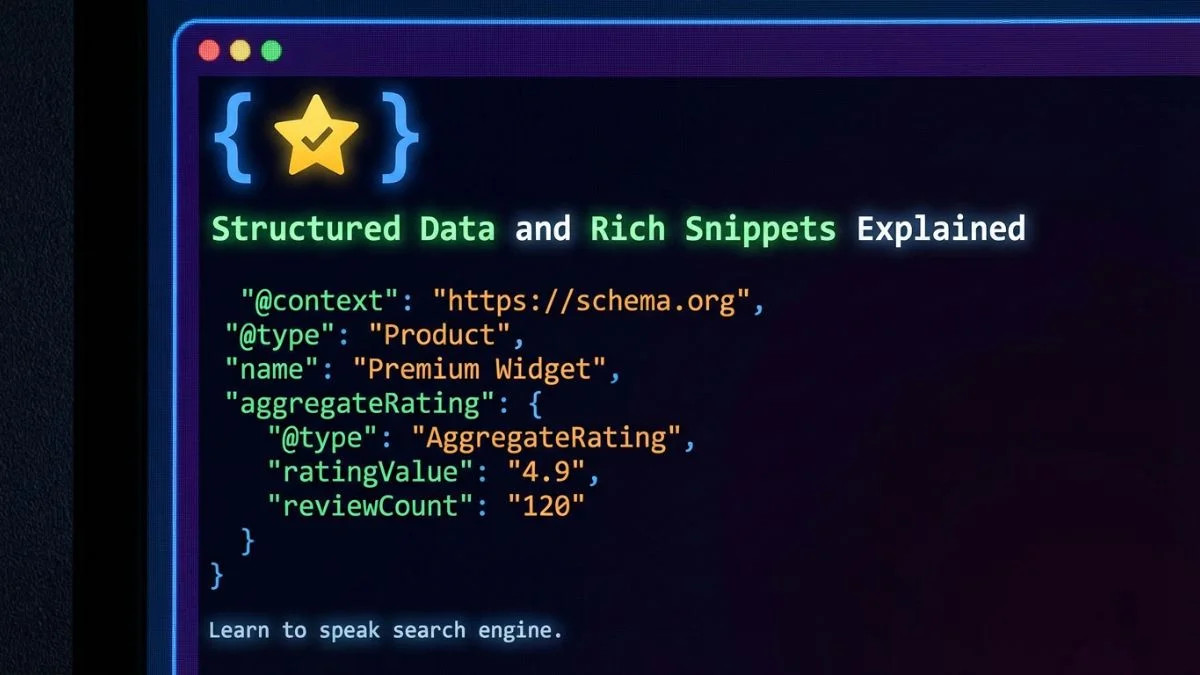
Structured Data and Rich Snippets Explained

Structured Data and Rich Snippets Explained: The Definitive Guide for 2026
Published by Bright SEO Tools on February 8, 2026 • Last Updated: February 2026
1. What Is Structured Data?
Structured data is a standardized format for providing information about a page and classifying its content. Think of it as a translator between your website and search engines. While humans can look at a page and understand that "$29.99" is a price and "4.5 stars" is a rating, search engine crawlers need explicit labels to make those same connections.
According to Google's Developer Documentation, structured data is code in a specific format that you add to your web pages so that search engines can understand the content and display it more attractively in search results. The format most widely used today is JSON-LD (JavaScript Object Notation for Linked Data), which Google explicitly recommends.
If you are new to the topic of search engine optimization, our SEO for Beginners: The Ultimate Step-by-Step Guide covers the foundational concepts you need before diving into structured data.
Why Structured Data Matters in 2026
The search landscape has shifted dramatically. With Google's AI Overviews now appearing in over 30% of search queries, structured data has become more important than ever. Search engines rely on structured data to populate AI-generated summaries, knowledge panels, and featured snippets. Without it, your content is less likely to be surfaced in these prominent positions.
Research from Search Engine Journal shows that fewer than 35% of websites have any form of structured data implemented, meaning there is a significant competitive advantage for those who do. And as Moz has highlighted, structured data is one of the most impactful on-page SEO elements you can add with relatively little effort.
Structured Data Formats: A Quick Comparison
There are three primary formats for implementing structured data. Each has its own syntax and approach, but JSON-LD has become the clear industry standard.
| Format | Syntax | Placement | Google Recommendation | Ease of Use |
|---|---|---|---|---|
| JSON-LD | JavaScript within a <script> tag | <head> or <body> | Recommended | Easy |
| Microdata | HTML attributes (itemscope, itemprop) | Inline with HTML elements | Supported | Moderate |
| RDFa | HTML attributes (vocab, typeof, property) | Inline with HTML elements | Supported | Moderate |
As Google's official documentation states, JSON-LD is the recommended format because it can be injected into the page without modifying the existing HTML structure. This is a critical advantage for large websites managed by content teams who may not have direct access to the template code.
For a deeper look at technical SEO fundamentals including structured data, read our guide on What is Technical SEO and Why You Need It.
2. Understanding the Schema.org Vocabulary
Schema.org is a collaborative project founded in 2011 by Google, Bing, Yahoo, and Yandex. It provides a shared vocabulary that webmasters can use to mark up content so that search engines can understand it. The vocabulary covers an enormous range of content types from articles and products to medical conditions and government services.
How Schema.org Works
At its core, Schema.org uses a hierarchy of Types (what
the thing is) and Properties (the attributes of that
thing). For example, a Product type might have properties
like name, price, availability, and
review. Every type inherits properties from its parent type,
all the way back to the root type called
Thing.
| Schema.org Hierarchy Level | Example Types | Common Properties |
|---|---|---|
| Thing (root) | Thing | name, description, url, image |
| CreativeWork | Article, Book, Recipe, Movie | author, datePublished, headline |
| Product | Product, IndividualProduct | brand, offers, sku, review |
| Event | Event, MusicEvent, SportEvent | startDate, location, organizer |
| Organization | Organization, LocalBusiness | address, contactPoint, logo |
| Person | Person | jobTitle, email, birthDate |
| Place | Place, Restaurant, Hotel | geo, address, telephone |
Understanding this hierarchy is essential. As Semrush explains in their schema markup guide, properly nesting types and using the correct properties ensures that search engines can extract maximum value from your markup. If you use the wrong type or omit required properties, Google may ignore your structured data entirely.
You can explore the full Schema.org vocabulary and browse all available types at schema.org/docs/full.html. For practical implementation, we recommend using our JSON Validator to check your markup before deployment.
Schema.org vs. Google's Supported Types
It is important to understand that Schema.org defines hundreds of types, but Google only supports a subset for rich results. Just because a schema type exists does not mean it will generate a rich snippet. Google maintains a specific list of supported structured data types that are eligible for enhanced search features.
3. Rich Snippets Explained
Rich snippets (also called rich results) are enhanced search result listings that display additional visual elements beyond the standard blue link, URL, and meta description. These enhancements can include star ratings, prices, images, FAQ dropdowns, step-by-step instructions, and much more.
The term "rich snippet" comes from Google, and as Backlinko explains, they are designed to give users a preview of the page's content directly in the search results. This increased information helps users make better decisions about which results to click.
Rich Snippets vs. Rich Results vs. SERP Features
The terminology can be confusing. Here is a clear distinction:
| Term | Definition | Example |
|---|---|---|
| Rich Snippet | An enhanced organic result with extra visual data | Star ratings below a product listing |
| Rich Result | Google's broader term covering all enhanced results | FAQ accordion, How-To carousel |
| Featured Snippet | A box at the top of results answering a query directly | Paragraph or list answering "what is..." |
| SERP Feature | Any non-standard element on the search results page | Knowledge Panel, Local Pack, Image Pack |
For a complete breakdown of how to optimize for different SERP features, including those powered by structured data, check out our guide on Zero-Click SEO: How to Optimize for SERP Features.
How Rich Snippets Affect User Behavior
Research from Ahrefs demonstrates that rich snippets fundamentally change how users interact with search results. Pages with rich snippets occupy more visual real estate, draw the eye with color and formatting, and provide users with immediate answers to their questions.
A study published by HubSpot found that search results with rich snippets can see up to a 58% increase in clicks compared to results without them. This is because users perceive rich results as more trustworthy and informative.
4. 10 Types of Rich Snippets (with Code Examples)
Let us walk through the ten most impactful types of rich snippets you can implement on your website. For each, we provide a description, the required and recommended properties, and a ready-to-use JSON-LD code example. If you want a step-by-step tutorial on adding schema markup, our guide on How to Add Schema Markup for On-Page SEO walks you through the entire process.
4.1 FAQ Rich Snippet
The FAQPage schema displays a collapsible list of questions and answers directly in the search results. This is one of the most powerful schema types because it can dramatically increase the visual space your listing occupies on the SERP.
According to Search Engine Journal, FAQ rich results have been shown to increase CTR by up to 87% in competitive niches. They work best for informational pages, service pages, and blog posts that naturally answer common questions.
4.2 How-To Rich Snippet
The HowTo schema displays step-by-step instructions directly in search results, often in a carousel or accordion format. This is particularly valuable for tutorial content, DIY guides, and instructional articles.
4.3 Product Rich Snippet
The Product schema is essential for any ecommerce website. It can display price, availability, review ratings, and shipping information directly in search results. According to Semrush, product pages with proper schema markup see conversion rate increases of 15-25% due to better qualified clicks.
priceValidUntil property for Product schema. As announced in
the
Google Search Central Blog, product listings without a price expiration date may lose their rich
result eligibility. Additionally, merchant-specific attributes like
shippingDetails and returnPolicy are now
strongly recommended.
4.4 Review / AggregateRating Rich Snippet
Review rich snippets show star ratings alongside your search listing. These are among the most visually compelling rich results and have a proven impact on CTR. The Review snippet documentation covers both individual reviews and aggregate ratings.
Note that Google restricts which content types can show review stars. Self-serving reviews (a business reviewing itself) are not eligible. As Moz warns, misuse of review schema can result in a manual penalty. You can check your overall site health with our Website SEO Score Checker.
4.5 Recipe Rich Snippet
The Recipe schema creates one of the most visually rich results in Google, displaying cooking time, calorie count, ratings, and an image carousel. Food blogs and recipe websites benefit enormously from this markup.
4.6 Event Rich Snippet
The Event schema displays event details such as date, time, location, and ticket availability directly in search results. According to Forbes, event pages with structured data see 40% more registrations from organic search.
4.7 Article Rich Snippet
The Article schema helps Google understand news articles, blog posts, and editorial content. It enables features like Top Stories carousels, article-specific knowledge panels, and enhanced article previews in search results.
As noted by
Ahrefs, Article schema is particularly important for publishers who want to
appear in Google News and Discover feeds. The author and
datePublished properties are critical for E-E-A-T
(Experience, Expertise, Authoritativeness, and Trustworthiness) signals.
4.8 Video Rich Snippet
The VideoObject schema displays a video thumbnail, duration, and upload date in search results. Videos with structured data are eligible for the Video carousel and can also appear with key moments (timestamps).
HubSpot reports that video results get 41% more clicks than plain text results. Combining video content with proper schema markup creates a significant competitive advantage.
4.9 Breadcrumb Rich Snippet
The BreadcrumbList schema replaces the URL in search results with a clean, clickable breadcrumb trail. This helps users understand your site structure and navigate more effectively. While breadcrumb snippets have a more modest CTR impact than star ratings or FAQs, they improve user experience and are recommended by both Moz and Semrush.
For more on site structure and navigation best practices, explore our Technical SEO category.
4.10 Organization Rich Snippet (Knowledge Panel)
The Organization schema helps Google generate and populate Knowledge Panels for your brand. It provides information about your company name, logo, social media profiles, contact information, and founding details.
Complete Rich Snippet Types Comparison
| Rich Snippet Type | Schema Type | Visual Elements in SERP | Best For | Difficulty |
|---|---|---|---|---|
| FAQ | FAQPage | Expandable Q&A dropdowns | Service pages, blog posts | Easy |
| How-To | HowTo | Numbered steps, images | Tutorials, guides | Easy |
| Product | Product + Offer | Price, availability, stars | Ecommerce product pages | Moderate |
| Review | Review / AggregateRating | Star ratings, review count | Product reviews, comparisons | Easy |
| Recipe | Recipe | Image, cook time, calories, stars | Food blogs, recipe sites | Moderate |
| Event | Event | Date, location, price, status | Conferences, concerts, meetups | Easy |
| Article | Article / NewsArticle | Top Stories, author info | Blogs, news, publications | Easy |
| Video | VideoObject | Thumbnail, duration, key moments | Video tutorials, vlogs | Moderate |
| Breadcrumb | BreadcrumbList | Clickable navigation trail | All websites | Easy |
| Organization | Organization | Knowledge Panel, logo, info | Brand homepages | Easy |
5. JSON-LD Implementation Step-by-Step
Now that you understand the different types of structured data, let us walk through the process of implementing JSON-LD on your website. This section will cover the technical details, from choosing the right placement to handling complex nested schemas.
Step 1: Identify the Right Schema Types for Your Pages
Start by auditing your website content. Map each page type to its corresponding schema type. As Search Engine Journal recommends, prioritize pages that are already ranking on page one or two, as these will benefit the most from the CTR boost that rich snippets provide.
Use our Website SEO Score Checker to identify which pages have the highest potential for rich snippet optimization.
Step 2: Write Your JSON-LD Code
Every JSON-LD block follows the same basic structure. Here is the template:
Key rules to remember:
- Always start with
"@context": "https://schema.org" -
The
@typemust match an official Schema.org type exactly (case-sensitive) - Include all required properties as specified in Google's Search Gallery
- Include as many recommended properties as possible for maximum rich result eligibility
- Use proper JSON syntax — validate with our JSON Validator
Step 3: Place the Code in Your HTML
JSON-LD can be placed in either the <head> or the
<body> of your HTML document. Google processes it the
same way regardless of placement. However, best practice is to place it in
the <head> section for cleaner organization.
<script> tag.
Step 4: Handle Dynamic Content
For websites with dynamically generated content (ecommerce products, event listings, etc.), you will need to generate JSON-LD programmatically. Most modern CMS platforms and frameworks support this. Here is an example using JavaScript:
Google's web.dev resource provides additional guidance on generating structured data for single-page applications and JavaScript-rendered websites.
Step 5: Validate Before Publishing
Never publish structured data without testing it first. A single syntax error can invalidate your entire schema block. We will cover testing tools in detail in the next section.
For a complete on-page optimization workflow that includes structured data, refer to our On-Page SEO Checklist: The Complete Guide.
6. Testing and Validation Tools
Validating your structured data is a non-negotiable step. Even a missing comma or an incorrect property name can cause Google to completely ignore your markup. Fortunately, there are several excellent tools available.
| Tool | Provider | What It Tests | Cost | Best For |
|---|---|---|---|---|
| Rich Results Test | Rich result eligibility + errors | Free | Quick validation of live URLs or code snippets | |
| Schema Markup Validator | Schema.org | Schema.org compliance | Free | Checking against the full Schema.org spec |
| Google Search Console | Site-wide structured data reports | Free | Monitoring structured data across your entire site | |
| Bright SEO JSON Validator | Bright SEO Tools | JSON syntax + Schema.org validation | Free | Quick JSON-LD syntax checking before deployment |
| Semrush Site Audit | Semrush | Structured data issues across site | Paid | Enterprise-level auditing with crawl-based detection |
| Ahrefs Site Audit | Ahrefs | Schema markup presence and errors | Paid | Combining structured data checks with full site audits |
Using Google's Rich Results Test
The Rich Results Test is the most important validation tool. It shows you exactly how Google sees your structured data and whether your page qualifies for rich results. You can test by entering a URL or by pasting your code directly.
The test provides three types of feedback:
- Valid items: Your markup is correct and eligible for rich results
- Items with warnings: Your markup works but is missing recommended properties that could enhance your rich results
- Invalid items: Your markup has errors that prevent rich results from appearing
You should also run your pages through our Meta Tag Analyzer to ensure that your structured data works in harmony with your meta tags and Open Graph tags for maximum visibility across both search and social platforms.
7. Google Search Console Integration
While one-off testing tools are great for development, Google Search Console (GSC) is your long-term monitoring solution. GSC provides ongoing reports about your structured data across your entire website, alerting you to new errors as they arise.
Enhancements Reports
In the left sidebar of Google Search Console, the "Enhancements" section shows dedicated reports for each structured data type detected on your site. Common reports include:
- FAQs — status of FAQPage markup
- How-to — status of HowTo markup
- Products — status of Product markup (including Merchant Center integration)
- Review snippets — status of review and rating markup
- Breadcrumbs — status of BreadcrumbList markup
- Videos — status of VideoObject markup
- Sitelinks searchbox — status of WebSite schema with SearchAction
Each report classifies your pages into three buckets: Valid, Valid with warnings, and Error. You can click into any category to see the specific URLs and issues.
Using GSC for Structured Data Debugging
When GSC flags an error, follow this workflow:
- Click the specific error in the Enhancement report to see affected URLs
- Click "Inspect URL" to see the exact issue Google found
- Fix the error in your code (use the JSON Validator to verify the fix)
- Click "Validate Fix" in GSC — Google will re-crawl the affected pages
- Monitor the report over the next few days for confirmation
For a broader look at how to identify and fix crawl issues that may affect structured data, see our guide on 7 Powerful Fixes for Crawl Errors.
8. Impact on CTR and Rankings
The relationship between structured data, rich snippets, and search performance is one of the most studied topics in SEO. Let us look at what the data shows.
CTR Impact
Multiple studies from industry leaders confirm that rich snippets significantly improve click-through rates:
- Search Engine Journal reported an average CTR increase of 30% for pages with rich snippets
- Backlinko's CTR study found that pages with star ratings in organic results saw CTR improvements of up to 35%
- A Semrush analysis showed that FAQ rich results increased CTR by 87% for informational queries
- Ahrefs research demonstrated that product rich snippets with price and availability data outperformed standard listings by 52% in CTR
Does Structured Data Directly Improve Rankings?
This is one of the most debated questions in SEO. Google has officially stated that structured data is not a direct ranking factor. However, the indirect effects are substantial:
- Higher CTR: Rich snippets increase clicks, which is a user engagement signal
- Lower bounce rate: Users who see detailed information before clicking are better qualified, reducing pogo-sticking
- Better content understanding: Structured data helps Google parse complex content, potentially improving relevance matching
- AI Overviews eligibility: Pages with structured data are more likely to be cited in Google's AI-generated answers
- Voice search optimization: Structured data provides the exact answers that voice assistants need
As Forbes noted, the cumulative effect of these indirect benefits can lead to measurable ranking improvements over time, even if structured data is not a ranking signal by itself.
For a complete strategy on ranking improvement, including structured data optimization, see our article on How to Rank #1 on Google: Real Checklist.
9. Common Structured Data Errors
Even experienced developers make structured data mistakes. Here are the most common errors we see and how to fix them. Our 10 Technical SEO Secrets Revealed guide covers additional technical pitfalls to avoid.
Error 1: Missing Required Properties
Each schema type has both required and recommended properties. Missing a required property means your page will not qualify for rich results at all.
Error 2: Markup Does Not Match Visible Content
Your structured data must reflect what users actually see on the page. Adding schema for content that is not visible (hidden behind tabs, in the source code only, or fabricated) violates Google's guidelines.
Error 3: Incorrect Data Types
Properties expect specific data formats. A common mistake is using the wrong format for dates, prices, or URLs.
Error 4: Self-Serving Reviews
Adding review schema where your business reviews itself is a violation. Google specifically prohibits self-serving review markup.
Error 5: Invalid JSON Syntax
A single missing comma, extra bracket, or unescaped character will break your entire JSON-LD block. Always validate JSON syntax before publishing.
Complete Error Reference Table
| Error | Impact | How to Fix | Detection Tool |
|---|---|---|---|
| Missing required properties | No rich results | Add all required fields per Google's docs | Rich Results Test |
| Content mismatch | Manual penalty risk | Ensure markup matches visible content | Manual review |
| Invalid JSON syntax | Markup completely ignored | Validate with JSON linter | JSON Validator |
| Wrong data types | Fields ignored or errors | Use ISO 8601 dates, numeric prices | Schema Markup Validator |
| Self-serving reviews | Manual penalty | Only mark up third-party reviews | Manual audit |
| Duplicate schema blocks | Conflicting signals | Use one block per schema type | Rich Results Test |
| Deprecated properties | Warnings, potential errors | Update to current schema versions | GSC Enhancement reports |
| Missing @context | Markup not recognized | Always include Schema.org context URL | Rich Results Test |
10. Best Practices for Structured Data in 2026
The structured data landscape continues to evolve rapidly. Here are the strategies and best practices that matter most in February 2026.
10.1 Prioritize Author and Expertise Markup
With Google's ongoing emphasis on
E-E-A-T
(Experience, Expertise, Authoritativeness, and Trustworthiness), author
markup has become critically important. Always include detailed
author properties with links to author pages or social
profiles. As
Search Engine Journal reports, Google is increasingly using author entities to evaluate content
quality.
10.2 Implement Sitewide Schema Architecture
Do not just add schema to individual pages. Create a cohesive schema architecture across your entire website:
- Homepage: Organization + WebSite (with SearchAction for Sitelinks Searchbox)
- Blog posts: Article + BreadcrumbList + FAQPage (where relevant)
- Product pages: Product + BreadcrumbList + Review
- Category pages: CollectionPage + BreadcrumbList
- About page: Organization or Person + BreadcrumbList
- Contact page: ContactPoint + LocalBusiness (if applicable)
10.3 Use Nesting for Richer Context
Nest related schema types to provide search engines with more context. For example, instead of a standalone Product schema, nest an Offer inside the Product, and include AggregateRating and Review objects.
10.4 Keep Structured Data Updated
Stale structured data is worse than no structured data at all. If your product's price changes but the schema still shows the old price, Google may penalize you for misleading markup. Implement dynamic schema generation for frequently changing content.
10.5 Prepare for AI-Driven Search
As Google's Search blog has highlighted, AI Overviews rely heavily on structured data to generate accurate summaries. Pages with comprehensive schema markup are more likely to be cited as sources in AI-generated answers. This means structured data is no longer just about traditional rich snippets; it is about visibility in the next generation of search.
10.6 Monitor with Regular Audits
Schedule monthly audits of your structured data using a combination of Google Search Console, third-party tools, and manual testing. Look for:
- New errors introduced by website updates
- Deprecated schema properties that need updating
- Pages missing structured data that should have it
- Opportunities to add new schema types as Google expands support
Our Free Website SEO Checker: The Definitive Guide shows you how to run a comprehensive site audit that includes structured data evaluation.
10.7 Leverage Merchant-Specific Schema for Ecommerce
Google has expanded its support for ecommerce-specific structured data in
recent years. As detailed by
Shopify's SEO guide, merchant listings now support properties like
shippingDetails, returnPolicy, and
hasMerchantReturnPolicy. Adding these can unlock enhanced
merchant listing features in Google Shopping and organic results.
10.8 Use SpeculativeAction for Conversion Optimization
A relatively new addition to structured data best practices is the use of
potentialAction properties. These tell Google about the
actions users can take on your page (buy, subscribe, register, etc.) and
can enhance how your page appears in search results and AI answers.
potentialAction markup now positions your site for these
features as they roll out more broadly.
Implementation Priority Matrix
Frequently Asked Questions
Below are the ten most common questions about structured data and rich snippets, answered in detail.
Structured data is a standardized format — typically JSON-LD — that helps search engines understand the content on your web pages. It uses the Schema.org vocabulary to label elements like products, reviews, events, and articles so that Google can display enhanced search results known as rich snippets. Rather than guessing what your page is about, search engines can read structured data to understand the precise meaning of your content. This is especially important in 2026 as Google's AI Overviews and other SERP features increasingly rely on structured data for accuracy.
Structured data is the code you add to your HTML to describe your page content to search engines. Rich snippets are the enhanced visual search results that Google displays as a result of reading that structured data. In short, structured data is the input, and rich snippets are the output. You implement structured data on your end; Google decides whether to reward you with a rich snippet based on your markup validity, content quality, and relevance to the search query.
Google has stated that structured data is not a direct ranking factor. However, it indirectly boosts rankings by improving click-through rates (CTR), reducing bounce rates, and helping search engines better understand your content. Pages with rich snippets consistently see CTR increases of 20-40% on average, and higher CTR is a strong positive signal for search algorithms. Additionally, structured data improves your chances of being cited in AI Overviews and voice search answers.
JSON-LD (JavaScript Object Notation for Linked Data) is a method of
encoding structured data using JSON format. Google explicitly
recommends JSON-LD because it is easy to implement (added via a
script tag), does not interfere with existing HTML markup, and is
simpler to maintain than Microdata or RDFa. With JSON-LD, you can
add, modify, or remove structured data without touching your page's
HTML structure. It can be placed in the <head> or
<body> of your page and can even be injected
dynamically via JavaScript.
You can test structured data using multiple tools. The Google Rich Results Test checks whether your page is eligible for rich results and identifies errors. The Schema Markup Validator checks against the full Schema.org specification. Google Search Console's Enhancement reports monitor structured data across your entire site over time. Our JSON Validator can quickly catch syntax errors before deployment. We recommend using all of these tools as part of your workflow.
The most common and impactful rich snippet types include: FAQ snippets (expandable questions and answers), How-To snippets (step-by-step instructions), Product snippets (with price and availability), Review snippets (star ratings), Recipe snippets (with images, cooking time, and calories), Event snippets (with dates and locations), Article snippets (for news and blog content), Video snippets (with thumbnails and duration), Breadcrumb snippets (navigation trails), and Organization snippets (Knowledge Panels with brand information). The best type for your site depends on your content and industry.
Yes, misusing structured data can result in a manual action from Google. Common violations include marking up content that is not visible to users, adding fake reviews, using misleading schema (such as claiming a product is in stock when it is not), and self-serving review markup. Google's spam policies specifically address structured data abuse. A manual action can strip rich results from your entire domain. Always ensure your structured data accurately represents the on-page content that users can see.
After implementing structured data, it can take anywhere from a few days to several weeks for Google to crawl, process, and display rich snippets. The timeline depends on how frequently Google crawls your site, the quality of your content, and whether your markup is error-free. There is no guarantee that Google will show rich results for every page, even if the markup is perfectly valid. You can speed up the process by requesting indexing through Google Search Console and ensuring your site has a clean XML sitemap.
You do not need structured data on every page, but you should implement it on pages where it adds value and where Google supports the corresponding rich result type. Focus on product pages, blog articles, FAQ pages, event listings, recipe pages, and your homepage (Organization schema). Prioritize pages that already drive significant search traffic, as these will benefit the most from the CTR improvements that rich snippets provide. Use a structured data audit to identify gaps across your site.
Key trends for 2026 include: AI-generated structured data validation
tools that can automatically detect and suggest schema markup for
your pages; expanded support for vehicle, education, and course
schema types; deeper integration with Google's AI Overviews, where
structured data helps determine which sources get cited;
merchant-specific structured data for ecommerce (shipping details,
return policies); the growing importance of author and expertise
markup for E-E-A-T signals; and the rise of "action chips" in mobile
search results powered by potentialAction properties.
Staying ahead of these trends will give you a significant
competitive edge.
Conclusion: Your Structured Data Action Plan
Structured data and rich snippets are no longer optional for websites that want to compete in modern search. In 2026, with Google's AI Overviews, expanded SERP features, and increasingly sophisticated search algorithms, properly implemented schema markup is a fundamental requirement for visibility.
Here is your action plan:
- Audit your current site — use our Website SEO Score Checker to identify pages without structured data
- Prioritize high-impact pages — start with your homepage (Organization), blog posts (Article), and top-performing pages (FAQ)
- Write valid JSON-LD — follow Google's documentation for required and recommended properties
- Validate everything — use the Rich Results Test, Schema Markup Validator, and our JSON Validator
- Monitor in Google Search Console — check Enhancement reports weekly for new errors
- Iterate and expand — add new schema types as Google expands support and your content grows
Structured data is one of the highest-ROI activities in SEO. A few hours of implementation work can yield months or years of improved click-through rates, better search visibility, and a stronger competitive position. Start today, and your future self will thank you.
For more strategies and tools to improve your search performance, explore the full suite of resources at Bright SEO Tools.