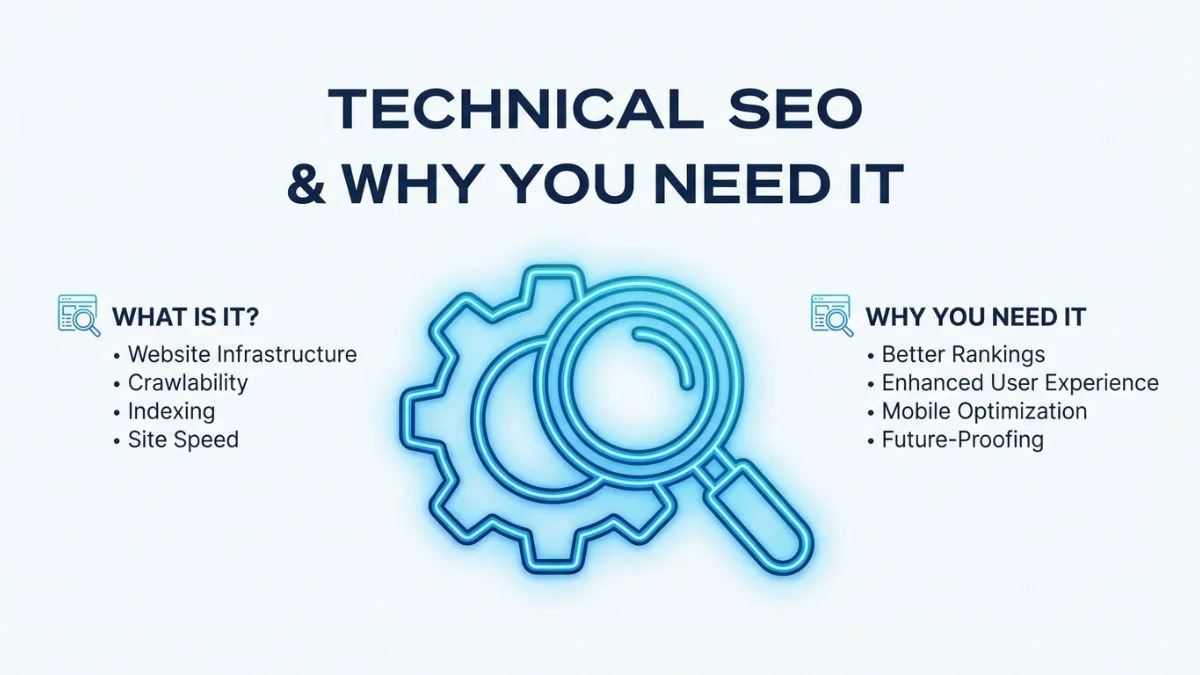
What is Technical SEO and Why You Need It

What is Technical SEO and Why You Need It
Understanding Technical SEO: A Definitive Explanation
If you have spent any time studying search engine optimization, you have likely encountered three fundamental pillars: on-page SEO, off-page SEO, and technical SEO. While each pillar plays a crucial role in achieving high search engine rankings, technical SEO serves as the foundation upon which the other two depend entirely. Without it, your carefully crafted content and hard-earned backlinks mean absolutely nothing if search engines cannot find, access, or properly understand your website.
At its core, technical SEO encompasses every optimization you perform on the infrastructure and backend of your website that enables search engines to crawl, index, and render your pages without friction. Think of it this way: if your website were a house, technical SEO would be the foundation, electrical wiring, plumbing, and structural framework. On-page SEO would be the interior decoration, and off-page SEO would be the neighborhood's reputation. You can have the most beautifully decorated house in the best neighborhood, but if the foundation is cracked and the plumbing is broken, no one will want to stay.
The term "technical SEO" covers a broad spectrum of activities. From ensuring that Googlebot can access your pages to implementing Schema.org structured data markup, from optimizing your server response times to configuring your robots.txt file correctly, technical SEO touches virtually every aspect of how your website communicates with search engine crawlers. According to a Semrush study published in late 2025, websites that resolve technical SEO issues see an average ranking improvement of 25 percent within three months.
How Technical SEO Differs from On-Page and Off-Page SEO
One of the most common points of confusion among website owners and even some marketers is understanding where technical SEO ends and where other forms of SEO begin. While there is some natural overlap, each pillar addresses distinctly different areas of your overall search strategy. Let us break this down clearly.
| Aspect | Technical SEO | On-Page SEO | Off-Page SEO |
|---|---|---|---|
| Primary Focus | Website infrastructure and backend | Page-level content and HTML | External signals and reputation |
| Key Activities | Crawlability, indexing, speed, security | Keywords, meta tags, headings, images | Backlinks, social signals, brand mentions |
| Who It Serves | Search engine crawlers and users | Users and search algorithms | Search algorithms for authority |
| Tools Used | Screaming Frog, GSC, GTmetrix | Yoast, Surfer SEO, Clearscope | Ahrefs, Majestic, BuzzSumo |
| Impact on Rankings | Enables crawling and indexing of content | Determines relevance to queries | Builds authority and trust |
| Control Level | Full control (your server and code) | Full control (your content) | Limited control (third-party sites) |
| Time to See Results | Days to weeks after fixes | Weeks to months | Months to years |
As you can see, technical SEO is the enabler. Without proper technical optimization, Google simply cannot evaluate your on-page efforts or give weight to your off-page authority signals. It is the gatekeeper between your website and search engine visibility. For a deeper understanding of the off-page side of things, read our guide on 10 Technical SEO Secrets Revealed.
Why Technical SEO is the Foundation of All SEO Efforts
Imagine spending months writing the best article on the internet about a particular topic. You have done exhaustive keyword research, created original graphics, and built dozens of high-quality backlinks pointing to that article. Yet when you search Google, your article is nowhere to be found. What went wrong?
Nine times out of ten, the answer lies in technical SEO. Perhaps your robots.txt file is blocking Googlebot from accessing the page. Maybe a noindex tag was accidentally left in the page header. Perhaps your server takes 8 seconds to respond, and Google gave up trying to crawl the page. Or maybe your site's internal linking structure is so convoluted that Google's crawler never found the page in the first place.
These are not hypothetical scenarios. They happen to real websites every single day. According to Ahrefs' research, over 90 percent of all web pages receive zero organic traffic from Google, and a significant portion of those pages have underlying technical issues preventing them from ranking. Search Engine Journal has reported that technical SEO errors are among the top five reasons websites fail to gain search visibility.
The reason technical SEO acts as the foundation is straightforward: the search engine ranking process follows a strict sequence. First, Google must discover your page (crawlability). Second, it must store your page in its index (indexability). Third, it must be able to render your page properly (rendering). Only after all three steps are completed successfully does Google evaluate your page for relevance (on-page SEO) and authority (off-page SEO). If you fail at step one, steps four and five never happen.
The Search Engine Processing Pipeline
To truly appreciate why technical SEO matters, you need to understand how search engines process websites. Google's processing pipeline operates in a specific sequence, and failure at any point means your content never reaches the ranking stage.
Search Engine Processing Success Rates by Technical SEO Quality
The data is clear. Sites that invest in technical SEO get the vast majority of their pages indexed, while those that neglect it struggle to get even a fraction of their content visible in search results. You can check your own site's technical health with the Bright SEO Tools Website SEO Score Checker.
Core Components of Technical SEO
Technical SEO is not a single activity but rather a collection of interconnected optimizations. Each component plays a specific role in ensuring your website is search-engine-friendly. Let us explore each one in detail.
1. Crawlability
Crawlability refers to a search engine's ability to access and traverse the pages of your website. If Google's crawler, known as Googlebot, cannot reach a page, that page will never appear in search results. Several factors influence crawlability.
Your robots.txt file is the first thing Googlebot checks when it visits your domain. This small text file, located at the root of your website, tells crawlers which areas of your site they are allowed and not allowed to access. A misconfigured robots.txt file can accidentally block critical pages from being crawled. We have written extensively about this in our guide on 8 Key Tips for Robots.txt Perfection.
Your XML sitemap serves as a roadmap for search engine crawlers. It lists all the important URLs on your website along with metadata about each URL, such as when it was last updated and how frequently it changes. Submitting your sitemap through Google Search Console ensures that Google is aware of all the pages you want indexed. You can generate one quickly using our XML Sitemap Generator.
Internal linking structure is another critical crawlability factor. Google discovers new pages primarily by following links from pages it has already crawled. If a page on your site is not linked to from any other page (an "orphan page"), Googlebot may never find it. A well-structured site architecture ensures every important page is reachable within a few clicks from the homepage.
Crawl budget is particularly important for large websites. Google allocates a certain amount of resources to crawling each website, and if your crawl budget is spent on low-value pages such as duplicate content, filter pages, or session-based URLs, your important pages may not get crawled frequently enough. Learn more about this in our article on 12 Crawl Budget Tips That Matter.
2. Indexability
Just because Google can crawl a page does not mean it will index it. Indexability is the ability of a page to be added to Google's search index. Several factors determine whether a crawled page gets indexed.
The meta robots tag and X-Robots-Tag HTTP header can instruct search engines to not index a page. The most common directive is <meta name="robots" content="noindex">, which tells Google to crawl the page but not add it to the index. While this is useful for pages you intentionally want to keep out of search results such as thank-you pages or admin panels, accidentally applying noindex to important pages is a common and devastating mistake.
Canonical tags help Google understand which version of a page is the preferred one when duplicate or near-duplicate content exists. If you have the same product accessible via multiple URLs, for example through category filters, the canonical tag points Google to the primary URL, preventing duplicate content issues that could dilute your ranking potential. Google's documentation on canonicalization provides comprehensive guidelines on implementation.
Thin content and duplicate content can also prevent indexing. Google's algorithms are designed to filter out pages that offer little or no unique value. If your site has hundreds of pages with nearly identical content, Google may choose to index only a handful and ignore the rest. The Google Helpful Content system specifically targets websites with large amounts of unhelpful or duplicate content.
3. Site Speed and Performance
Page speed has been a Google ranking factor since 2010, and its importance has only grown over time. In 2021, Google introduced Core Web Vitals as a formal ranking signal, making performance optimization more critical than ever. As of early 2026, Core Web Vitals remain one of the most impactful page experience signals in Google's algorithm.
The three Core Web Vitals metrics are:
Largest Contentful Paint (LCP) measures how quickly the largest visible content element on a page loads. Google considers an LCP of 2.5 seconds or less as "Good." This metric directly reflects a user's perception of how fast a page loads. Common LCP issues include slow server response times, render-blocking JavaScript and CSS, slow resource load times, and client-side rendering bottlenecks.
Interaction to Next Paint (INP) replaced First Input Delay (FID) in March 2024 as the responsiveness metric within Core Web Vitals. INP measures the overall responsiveness of a page to user interactions throughout the entire page lifecycle, not just the first interaction. An INP of 200 milliseconds or less is considered "Good." This metric is particularly important for interactive web applications and e-commerce sites.
Cumulative Layout Shift (CLS) measures the visual stability of a page. It quantifies how much the page content shifts unexpectedly during loading. A CLS score of 0.1 or less is considered "Good." Layout shifts are typically caused by images without specified dimensions, dynamically injected content, web fonts causing FOUT or FOIT, and ads or embeds without reserved space.
For a comprehensive understanding of how to optimize these metrics, read our detailed guide on Core Web Vitals: 10 Key Fixes for Blazing SEO Success and Site Speed: 7 Killer Tips to Instantly Boost UX.
| Core Web Vital | Good | Needs Improvement | Poor |
|---|---|---|---|
| LCP (Largest Contentful Paint) | ≤ 2.5 seconds | 2.5s – 4.0s | > 4.0 seconds |
| INP (Interaction to Next Paint) | ≤ 200ms | 200ms – 500ms | > 500ms |
| CLS (Cumulative Layout Shift) | ≤ 0.1 | 0.1 – 0.25 | > 0.25 |
Beyond Core Web Vitals, other speed-related factors include Time to First Byte (TTFB), which measures server responsiveness; First Contentful Paint (FCP), which tracks when the first piece of content appears on screen; and Total Blocking Time (TBT), which measures the total time during which the main thread is blocked. Tools like Google PageSpeed Insights, GTmetrix, and web.dev's measurement tools provide detailed performance reports and actionable recommendations.
4. Mobile-Friendliness
Google officially completed its transition to mobile-first indexing for all websites. This means Google predominantly uses the mobile version of your website for indexing and ranking. If your mobile experience is subpar, your rankings will suffer regardless of how good your desktop site looks.
A mobile-friendly website must have a responsive design that adapts seamlessly to different screen sizes and orientations. This includes properly configured viewport meta tags, flexible images and media, touch-friendly navigation elements with adequate tap target sizes, readable font sizes without requiring zooming, and content that does not extend beyond the screen width.
Google's own Mobile-Friendly Test tool allows you to quickly check whether a specific URL meets mobile usability standards. You can also use our Mobile-Friendly Test tool for a comprehensive analysis with actionable recommendations.
In 2026, mobile-friendliness extends beyond just responsive design. Users now expect app-like experiences on the mobile web, which has led to increased adoption of technologies such as Progressive Web Apps (PWAs) and AMP (Accelerated Mobile Pages), though the latter has seen declining adoption as Core Web Vitals have become the primary performance benchmark.
5. HTTPS and Website Security
HTTPS has been a confirmed Google ranking signal since 2014, and in 2026, there is absolutely no excuse for any website to still be running on HTTP. Beyond the marginal ranking benefit, HTTPS is essential for user trust and data protection.
Modern browsers prominently display warnings on HTTP sites. Chrome shows a "Not Secure" label in the address bar, which immediately erodes user confidence. For e-commerce sites or any site that handles user data, running on HTTP is not just an SEO mistake but a security and legal liability, particularly under regulations like GDPR and CCPA.
Proper HTTPS implementation involves more than just installing an SSL certificate. You need to ensure that all internal resources including images, scripts, and stylesheets are served over HTTPS to avoid mixed content warnings. You also need to set up proper 301 redirects from HTTP to HTTPS, update your XML sitemap and canonical tags to reflect HTTPS URLs, and configure HTTP Strict Transport Security (HSTS) headers. Check your SSL implementation using our SSL Checker tool.
6. Structured Data and Schema Markup
Structured data is a standardized format for providing information about a page and classifying the page content. When you add Schema.org markup to your pages, you help search engines understand the context and meaning of your content, which can result in enhanced search result appearances known as rich results or rich snippets.
The JSON-LD format is Google's recommended method for implementing structured data. Common schema types include Article, Product, FAQPage, HowTo, LocalBusiness, Organization, BreadcrumbList, Review, Event, and Recipe. Implementing relevant schema types can dramatically improve your click-through rates from search results.
According to Search Engine Journal, pages with structured data can see up to a 30 percent increase in click-through rates compared to standard search listings. While structured data is not a direct ranking factor, the improved CTR and user engagement signals it generates can indirectly benefit your rankings.
Use Google's Rich Results Test to validate your structured data and preview how your pages might appear in search results. The Schema.org Validator is another excellent tool for checking the correctness of your markup.
7. Site Architecture and URL Structure
Site architecture refers to how your website's pages are organized and interlinked. A well-planned architecture makes it easy for both users and search engine crawlers to find content. The ideal site architecture follows a flat hierarchy where every page is accessible within three to four clicks from the homepage.
Your URL structure should be clean, descriptive, and follow a logical hierarchy. URLs like example.com/category/subcategory/page-title are far more effective than example.com/p?id=12345&cat=7. Clean URLs are easier for users to read and share, and they provide search engines with additional context about the page's content and position within your site hierarchy.
Breadcrumb navigation complements your site architecture by showing users their current location within the site hierarchy. Breadcrumbs also provide additional internal links that help distribute link equity throughout your site. When marked up with BreadcrumbList schema, breadcrumbs can appear directly in search results, improving your SERP appearance.
For a deep dive into optimizing your site structure, explore our guide on 9 Site Architecture Tweaks That Work.
Technical SEO Audit Checklist for 2026
Performing a regular technical SEO audit is essential for maintaining and improving your search visibility. The following checklist covers the most critical areas to review. For a step-by-step walkthrough, see our complete guide on How to Do an SEO Audit for Your Website.
| Audit Area | What to Check | Priority | Recommended Tool |
|---|---|---|---|
| Crawlability | Robots.txt rules, XML sitemap validity, crawl errors | Critical | Google Search Console, Screaming Frog |
| Indexability | Noindex tags, canonical tags, index coverage | Critical | Google Search Console, Bright SEO Tools |
| Site Speed | Core Web Vitals, TTFB, FCP, TBT | High | PageSpeed Insights, GTmetrix, WebPageTest |
| Mobile Usability | Responsive design, viewport config, tap targets | High | Mobile-Friendly Test, Chrome DevTools |
| HTTPS Security | SSL certificate validity, mixed content, HSTS | High | SSL Checker, Qualys SSL Labs |
| Structured Data | Schema markup validity, rich result eligibility | Medium | Rich Results Test, Schema Validator |
| Site Architecture | URL structure, internal linking depth, orphan pages | Medium | Screaming Frog, Ahrefs Site Audit |
| Broken Links | 404 errors, broken internal and external links | Medium | Screaming Frog, Bright SEO Tools |
| Duplicate Content | Canonical issues, www vs non-www, HTTP vs HTTPS | Medium | Siteliner, Semrush |
| International SEO | Hreflang tags, language targeting, geo-targeting | Low (if applicable) | Hreflang Tag Generator, Ahrefs |
Common Technical SEO Issues and How to Fix Them
Even well-maintained websites regularly encounter technical SEO issues. The key is identifying them quickly and knowing how to resolve them efficiently. The following table summarizes the most frequently encountered issues and their recommended fixes.
| Technical Issue | Impact on SEO | Recommended Fix | Difficulty |
|---|---|---|---|
| Broken internal links (404s) | Wastes crawl budget, loses link equity | Update or 301 redirect broken URLs | Easy |
| Duplicate content | Dilutes ranking signals, confuses crawlers | Implement canonical tags and 301 redirects | Medium |
| Slow page load times | Hurts rankings, increases bounce rate | Optimize images, enable caching, use CDN | Medium |
| Missing or incorrect robots.txt | Blocks crawlers from critical pages | Audit and correct robots.txt directives | Easy |
| Redirect chains (3+ hops) | Adds latency, dilutes PageRank | Consolidate to single 301 redirects | Easy |
| Orphan pages | Pages never discovered by crawlers | Add internal links, include in sitemap | Easy |
| JavaScript rendering failures | Content not indexed, invisible to Google | Implement SSR or pre-rendering | Hard |
| Mixed content (HTTP on HTTPS pages) | Browser warnings, reduced trust | Update all resource URLs to HTTPS | Medium |
| Missing structured data | No rich results, lower CTR | Add relevant JSON-LD schema markup | Medium |
| Accidental noindex tags | Pages removed from index entirely | Remove noindex, request re-indexing in GSC | Easy |
Let us now walk through each of these common problems and their solutions in greater detail.
Crawl Errors and Broken Links
Crawl errors occur when Googlebot attempts to access a page on your site but fails. The most common types are 404 (Not Found) errors, 500 (Server Error) errors, and soft 404s where the server returns a 200 status code for a page that does not actually exist. Regularly monitoring your crawl errors in Google Search Console is essential.
Broken links, both internal and external, damage user experience and waste crawl budget. When a user clicks a broken link and lands on a 404 page, they are likely to leave your site entirely. From a technical SEO perspective, broken internal links waste the link equity that would otherwise flow to the target page. Use our guide on 10 Smart Ways to Fix Broken Links for a comprehensive repair strategy, and learn more about crawl error resolution in 7 Powerful Fixes for Crawl Errors.
Duplicate Content Issues
Duplicate content confuses search engines and dilutes your ranking potential. Common causes include HTTP vs HTTPS versions of pages, www vs non-www versions, URL parameters creating multiple versions of the same page, print-friendly page versions, and pagination issues. The fix involves implementing proper canonical tags, setting up 301 redirects for duplicate URLs, and configuring your CMS to avoid generating duplicate content automatically.
Slow Page Load Times
Page speed issues can stem from numerous sources. Unoptimized images are the most common culprit, as large image files can dramatically increase page load times. Implementing modern image formats like WebP and AVIF, using lazy loading, and serving properly sized images through responsive image techniques can significantly reduce image-related load times.
Render-blocking resources such as CSS and JavaScript files that must be fully loaded before the browser can render the page are another major issue. Critical CSS inlining, asynchronous script loading, and code splitting can help mitigate these problems. Additionally, leveraging browser caching, implementing a CDN (Content Delivery Network), and minimizing server response times through proper hosting and backend optimization are essential steps.
JavaScript Rendering Issues
Modern websites increasingly rely on JavaScript frameworks like React, Angular, and Vue.js to render content. While Google has made significant strides in JavaScript rendering, it still faces challenges. Google processes JavaScript rendering in a two-phase indexing system: first, it crawls the HTML and indexes what it finds; then, it renders the JavaScript in a queue, which can be delayed by hours or even days.
This delay means that content rendered exclusively through JavaScript may not be indexed as quickly as server-rendered content. For critical content, consider using server-side rendering (SSR), static site generation (SSG), or hybrid rendering approaches. The Google JavaScript SEO basics guide provides detailed recommendations for ensuring your JavaScript-powered content is properly indexed.
Redirect Chains and Loops
A redirect chain occurs when a URL redirects to another URL, which redirects to yet another URL, and so on. Each redirect in the chain adds latency and dilutes link equity. Moz recommends keeping redirects to a maximum of one hop, meaning every old URL should redirect directly to its final destination.
Redirect loops, where URL A redirects to URL B which redirects back to URL A, are even more problematic as they create infinite loops that prevent both users and search engines from accessing the content. These issues typically arise during site migrations and need to be identified and resolved immediately using tools like Screaming Frog or httpstatus.io.
Orphan Pages
Orphan pages are pages that exist on your website but are not linked to from any other page within the site. Since search engine crawlers primarily discover new pages by following internal links, orphan pages may never be found and crawled unless they are listed in your XML sitemap. Identifying and linking to orphan pages is essential for ensuring complete crawl coverage.
Thin Content Pages
Pages with very little substantive content, sometimes called thin content pages, can negatively impact your overall site quality in Google's eyes. This includes pages with only a few sentences, auto-generated content, doorway pages, and pages that exist solely to target a specific keyword without providing real value. Google's Helpful Content system specifically targets these types of pages. The fix involves either expanding the content to provide genuine value, consolidating thin pages into more comprehensive resources, or removing them entirely and redirecting their URLs.
Essential Tools for Technical SEO in 2026
Having the right tools in your technical SEO toolkit is crucial for efficient diagnosis and resolution of issues. Here is a comprehensive overview of the most valuable tools available in 2026.
| Tool | Best For | Pricing | Key Features |
|---|---|---|---|
| Google Search Console | Index monitoring, crawl stats | Free | Index coverage, Core Web Vitals, mobile usability reports |
| Screaming Frog SEO Spider | Technical crawl audits | Free (500 URLs) / $259/yr | Full site crawl, redirect analysis, broken link detection |
| Ahrefs Site Audit | Comprehensive SEO audits | From $129/mo | 100+ SEO checks, JavaScript rendering, internal link analysis |
| Semrush Site Audit | Enterprise-level audits | From $139.95/mo | 140+ checks, thematic reports, crawlability metrics |
| Bright SEO Tools | Quick SEO health checks | Free | SEO scoring, mobile testing, SSL checking, sitemap generation |
| Google PageSpeed Insights | Performance analysis | Free | Core Web Vitals data, Lighthouse scores, optimization tips |
| GTmetrix | Page speed testing | Free / From $18.25/mo | Waterfall charts, video playback, multi-location testing |
| Chrome DevTools | Debugging and performance | Free | Network analysis, performance profiling, Lighthouse audits |
Beyond these primary tools, several others serve specialized purposes. W3C validation tools help ensure your HTML and CSS comply with web standards. WebPageTest provides advanced performance testing with detailed waterfall charts and filmstrip views. And for log file analysis, tools like Screaming Frog Log Analyzer and Botify help you understand exactly how search engine crawlers interact with your site.
Technical SEO vs Content SEO: Where to Focus First
This is one of the most hotly debated topics in the SEO community, and the answer depends heavily on the current state of your website. However, the general principle is clear: technical SEO should come first. Here is why.
Content SEO, which involves creating high-quality, keyword-optimized content, is meaningless if search engines cannot access, crawl, and index that content. Investing in content creation while your site has fundamental technical problems is like building a beautiful storefront on a road that has been closed to traffic. No one will ever see it.
That said, technical SEO and content SEO are not an either-or proposition. They work best when pursued simultaneously, with technical SEO providing the foundation and content SEO building upon it. The most effective approach is to address critical technical issues first, such as crawlability blocks, indexing problems, and severe speed issues, and then shift to a parallel strategy where you maintain technical health while ramping up content production.
Backlinko's analysis of over 11 million Google search results found that technical factors such as page speed and HTTPS usage correlated strongly with higher rankings, but the highest-ranking pages also had comprehensive, in-depth content. This reinforces the idea that both elements are necessary for top rankings.
Where SEO Budgets Are Allocated in 2026 (Industry Survey)
As you can see, while content creation receives the largest share of SEO budgets, technical SEO is the second-highest investment area, reflecting its recognized importance among industry professionals. Explore our full Technical SEO resource library for more insights on balancing these priorities.
Technical SEO Trends for 2026
The technical SEO landscape evolves continuously as search engines become more sophisticated and user expectations change. Here are the most significant trends shaping technical SEO in 2026.
| Trend | What It Means | Action Required | Priority Level |
|---|---|---|---|
| AI-Powered Search (AI Overviews) | Google uses AI to generate search result summaries | Implement comprehensive structured data, clean HTML | Critical |
| Edge SEO | SEO changes deployed at the CDN level | Evaluate Cloudflare Workers or similar edge solutions | Medium |
| Core Web Vitals evolution | New metrics may be added; INP is now standard | Continuously monitor and optimize all CWV metrics | High |
| HTTP/3 and QUIC | Faster protocol replacing HTTP/2 | Enable HTTP/3 on your server or CDN | Medium |
| IndexNow protocol | Instant crawl notifications for Bing and others | Implement IndexNow API for supported search engines | Low |
| Visual and video search | Google Lens and visual search growing rapidly | Optimize image alt text, filenames, and VideoObject schema | Medium |
| Sustainability and green hosting | Environmental impact gaining attention | Optimize code efficiency, consider green hosting | Low |
AI-Powered Search and Its Technical Implications
Google's AI-powered search experiences, including AI Overviews (formerly Search Generative Experience), have fundamentally changed how content is surfaced in search results. From a technical SEO perspective, this means ensuring your content is structured in a way that AI systems can easily parse and reference. Clean HTML structure, comprehensive structured data markup, and well-organized content hierarchies are more important than ever.
The rise of AI-powered search also places greater emphasis on structured data as a means of communicating content meaning to AI systems. Sites that implement comprehensive schema markup are more likely to have their content featured in AI-generated summaries and responses.
Edge SEO and Serverless Computing
Edge computing and serverless architectures are becoming increasingly prevalent, and they bring new technical SEO considerations. Edge SEO involves implementing SEO changes at the CDN (Content Delivery Network) level rather than at the origin server. This approach allows for faster deployment of technical SEO fixes such as redirect management, header modifications, and HTML alterations without requiring backend development resources.
Platforms like Cloudflare Workers, AWS Lambda@Edge, and Vercel Edge Functions enable SEO teams to implement changes with minimal developer involvement. However, this also introduces new complexities around testing, monitoring, and maintaining consistency between edge-level modifications and server-level configurations.
Core Web Vitals Evolution
Google continues to refine its Core Web Vitals metrics. The transition from FID to INP in 2024 signaled Google's commitment to measuring real-world user experience more accurately. In 2026, there is growing speculation about additional metrics being added to the Core Web Vitals suite, potentially including measures of visual smoothness and network responsiveness. Staying current with web.dev's Core Web Vitals documentation is essential for keeping ahead of these changes.
Passage Ranking and Technical Optimization
Google's passage ranking technology allows the search engine to index and rank specific passages within a page, rather than only evaluating the page as a whole. This has technical implications for content structure. Using clear heading hierarchies, logical content sections, and descriptive subheadings helps Google identify and extract relevant passages from your content.
Video and Visual Search Optimization
As visual search capabilities expand through Google Lens and similar technologies, technical optimization for images and videos has become increasingly important. This includes implementing proper image alt text, using descriptive file names, providing image sitemaps, implementing VideoObject schema markup, and ensuring images are served in modern formats with appropriate compression.
Sustainability and Green Hosting
Website sustainability is emerging as a consideration in technical SEO. While not yet a direct ranking factor, the environmental impact of websites is gaining attention. Efficient code, optimized assets, and green hosting solutions reduce a site's carbon footprint while simultaneously improving performance metrics that do influence rankings. The Green Web Foundation provides tools for measuring and reducing your website's environmental impact.
HTTP/3 and QUIC Protocol Adoption
The adoption of HTTP/3, built on the QUIC transport protocol, continues to accelerate in 2026. HTTP/3 provides significant performance improvements over HTTP/2, particularly for users on mobile networks with higher latency and packet loss. Enabling HTTP/3 on your server can improve load times and consequently your Core Web Vitals metrics. Most major CDN providers including Cloudflare and Fastly now support HTTP/3 by default.
IndexNow Protocol
The IndexNow protocol, initially developed by Microsoft for Bing, allows websites to instantly notify participating search engines about content changes. While Google has not officially adopted IndexNow, the protocol has gained traction with Bing, Yandex, and other search engines. Implementing IndexNow can help ensure your content changes are reflected in search results more quickly across supporting search engines.
Advanced Technical SEO Concepts
Log File Analysis
Server log files contain records of every request made to your web server, including requests from search engine crawlers. Analyzing these logs reveals exactly how Googlebot interacts with your site: which pages it crawls most frequently, which pages it ignores, how much crawl budget is being allocated, and whether it encounters any errors.
Log file analysis is particularly valuable for large websites because it provides ground-truth data about crawler behavior, unlike third-party tools that simulate crawling. By comparing your log file data with your site's page inventory, you can identify pages that Googlebot never visits (orphan pages), pages that receive excessive crawling (potential crawl traps), and patterns in crawl frequency that correlate with ranking changes.
International Technical SEO
Websites serving multiple countries or languages face additional technical SEO challenges. The hreflang attribute tells Google which language and regional version of a page to serve to users in different locations. Implementing hreflang correctly is notoriously complex, as it requires reciprocal tags between all language versions and precise use of ISO language and country codes.
Other international SEO considerations include choosing between ccTLDs (country-code top-level domains), subdirectories, and subdomains for language targeting; implementing proper language-specific XML sitemaps; and ensuring that your server infrastructure can handle geo-distributed traffic efficiently.
JavaScript SEO Beyond the Basics
For websites built entirely on JavaScript frameworks, technical SEO becomes significantly more complex. Beyond server-side rendering, considerations include managing JavaScript-based internal linking, ensuring that dynamic content is accessible in the DOM, handling client-side routing for proper URL management, implementing proper meta tag management through helmet libraries, and managing canonical URLs in single-page applications.
Dynamic rendering, which serves a pre-rendered version of a page to search engine crawlers while serving the full JavaScript version to users, remains a viable strategy for sites that cannot implement full server-side rendering. However, Google considers dynamic rendering a workaround rather than a long-term solution.
API-First and Headless CMS Technical SEO
The growing adoption of headless CMS platforms (like Contentful, Strapi, and Sanity) and API-first architectures introduces unique technical SEO challenges. Since the frontend is decoupled from the content management system, SEO elements like meta tags, canonical URLs, structured data, and XML sitemaps must be explicitly managed in the frontend application rather than being handled automatically by the CMS.
Properly implementing technical SEO in a headless architecture requires close collaboration between content teams and developers. Pre-rendering or server-side rendering is almost always necessary, and careful attention must be paid to ensuring that all SEO-critical elements are present in the initial HTML response.
Measuring Technical SEO Success
Tracking the right metrics is essential for understanding whether your technical SEO efforts are producing results. Here are the key performance indicators you should monitor.
Key Performance Indicators for Technical SEO
Crawl Stats: Monitor the number of pages crawled per day, average page load time during crawling, and the percentage of successful crawl requests. These metrics are available in Google Search Console's crawl stats report.
Index Coverage: Track the number of valid indexed pages versus excluded pages over time. An increasing ratio of excluded to indexed pages may indicate growing technical issues.
Core Web Vitals Pass Rate: Monitor the percentage of your URLs that pass all three Core Web Vitals thresholds. Google Search Console's Core Web Vitals report provides this data for both mobile and desktop.
Organic Click-Through Rate: While partially influenced by on-page elements, CTR improvements after implementing structured data can validate your technical SEO investments.
Page Load Time: Track your site's average page load time over time using tools like Google Analytics site speed reports or GTmetrix monitoring.
Crawl Errors: Monitor the trend of crawl errors over time. A decreasing trend indicates improving site health, while an increasing trend signals emerging problems that need attention.
Building a Technical SEO Workflow
Effective technical SEO is not a one-time project but an ongoing process. Establishing a structured workflow ensures continuous improvement and prevents technical debt from accumulating.
Weekly Tasks
Check Google Search Console for new crawl errors, index coverage changes, and security issues. Monitor Core Web Vitals for any regressions. Review server uptime and response time logs. These weekly checks allow you to catch and address issues before they significantly impact your search visibility.
Monthly Tasks
Run a comprehensive site crawl using Screaming Frog or a similar tool. Analyze the results for new broken links, redirect chains, duplicate content, and orphan pages. Review your site's structured data for any validation errors. Check for new mobile usability issues. Audit your robots.txt file and XML sitemap for accuracy.
Quarterly Tasks
Perform a full technical SEO audit covering all areas described in our checklist above. Review your site architecture and internal linking strategy for optimization opportunities. Analyze server log files to understand crawler behavior patterns. Benchmark your Core Web Vitals against competitors. Evaluate new tools and technologies that could improve your technical SEO.
Annual Tasks
Conduct a comprehensive review of your URL structure and consider whether any restructuring would be beneficial. Evaluate your hosting infrastructure for performance and scalability. Review your CDN configuration and explore new CDN features. Assess whether emerging technologies like HTTP/3, edge computing, or new schema types should be adopted. Plan and budget for technical SEO projects for the coming year.
Technical SEO for Different Website Types
Different types of websites face unique technical SEO challenges. Understanding these distinctions helps you prioritize the most impactful optimizations for your specific situation.
E-Commerce Websites
E-commerce sites face some of the most complex technical SEO challenges due to their large page counts, faceted navigation systems, and constantly changing product inventories. Key priorities include managing crawl budget for potentially millions of product pages, handling faceted navigation URL parameters to prevent duplicate content and crawl waste, implementing product schema markup for rich results, managing out-of-stock product pages, and optimizing category page pagination.
Content-Heavy Websites and Blogs
Blogs and media sites need to focus on article schema implementation, pagination and infinite scroll optimization, AMP consideration for news sites, image optimization for media-heavy content, and internal linking strategies that distribute link equity to both new and old content. The Moz Blog serves as an excellent example of a content-heavy site with strong technical SEO implementation.
Single-Page Applications (SPAs)
SPAs built with frameworks like React, Angular, or Vue.js present the most significant technical SEO challenges. Server-side rendering or static site generation is almost always required. Client-side routing must be properly configured for search engine compatibility. Meta tag management requires special handling, and careful attention must be paid to ensuring all content is available in the rendered DOM.
Local Business Websites
Local business sites should prioritize LocalBusiness schema markup, NAP (Name, Address, Phone) consistency, Google Business Profile integration, local landing page optimization for multi-location businesses, and mobile optimization since the majority of local searches occur on mobile devices.
Common Technical SEO Myths Debunked
The technical SEO field is plagued with misconceptions. Let us address some of the most persistent myths.
Myth: You need to submit your site to Google. Reality: Google discovers most sites through links. While submitting your sitemap through Google Search Console can speed up discovery, it is not required. Google will eventually find your site through links from other indexed pages.
Myth: XML sitemaps boost rankings. Reality: Sitemaps help with discovery and crawling but do not directly influence rankings. They are a signal to Google about which pages you consider important and when they were last updated, but the actual ranking of those pages depends entirely on their content quality and authority.
Myth: HTTPS gives a massive ranking boost. Reality: While HTTPS is a confirmed ranking signal, Google has described it as a "lightweight" signal. Its primary benefits are user trust and data security. The ranking impact is marginal compared to factors like content relevance and backlink authority.
Myth: Page speed is the most important ranking factor. Reality: Page speed matters, but content relevance and backlink authority remain the dominant ranking factors. However, extreme slowness can absolutely prevent ranking, and speed improvements often lead to better user engagement metrics, which can indirectly improve rankings.
Myth: Google cannot crawl JavaScript. Reality: Google can render and index JavaScript content, but it does so with a delay and not always perfectly. The concern is not whether Google can handle JavaScript but whether it processes your specific JavaScript implementation correctly and timely.
Step-by-Step Technical SEO Implementation Guide
If you are starting from scratch or looking to overhaul your technical SEO, follow this prioritized implementation roadmap.
Phase 1: Foundation (Week 1-2)
Start by setting up Google Search Console and verifying your website ownership. Submit your XML sitemap and review the initial index coverage report. Check your robots.txt file for any unintended blocking directives. Verify that your site uses HTTPS and that all HTTP URLs redirect properly to their HTTPS equivalents. Use our SSL Checker to confirm your certificate is valid and properly configured.
Phase 2: Crawlability and Indexability (Week 3-4)
Run a comprehensive crawl of your site using Screaming Frog or a similar tool. Identify and fix broken links, redirect chains, and orphan pages. Review all noindex tags and canonical tags for accuracy. Ensure your internal linking structure provides clear paths to all important content. Generate and submit an updated XML sitemap.
Phase 3: Performance Optimization (Week 5-8)
Address Core Web Vitals issues starting with LCP, as it typically has the most significant impact on user experience. Optimize images by converting to modern formats, implementing lazy loading, and specifying dimensions. Minimize render-blocking resources by deferring non-critical CSS and JavaScript. Implement a CDN if you have not already. Consider server-level optimizations such as HTTP/3, Brotli compression, and browser caching headers.
Phase 4: Enhanced Optimization (Week 9-12)
Implement structured data markup for your most important content types. Review and optimize your site architecture for flat hierarchy and efficient internal linking. Set up mobile usability monitoring and fix any issues identified. Establish a log file analysis process for ongoing crawler behavior monitoring.
Phase 5: Ongoing Maintenance (Continuous)
Establish the weekly, monthly, quarterly, and annual task cadences described earlier in this article. Set up automated alerts for critical issues such as site downtime, significant crawl error spikes, or Core Web Vitals regressions. Continuously educate yourself on emerging trends and algorithm updates through resources like Google Search Central Blog, Search Engine Land, and Search Engine Roundtable.
Technical SEO ROI: Justifying the Investment
One of the challenges of technical SEO is demonstrating its return on investment to stakeholders. Unlike content marketing or paid advertising, the impact of technical SEO fixes can be difficult to quantify directly. However, there are several approaches to measuring ROI.
Calculate the revenue impact of page speed improvements using the correlation between faster load times and improved conversion rates. According to research by Portent, a site that loads in 1 second has a conversion rate three times higher than a site that loads in 5 seconds. If you can attribute a specific revenue increase to a speed improvement, you have a clear ROI calculation.
Measure the traffic impact of indexation improvements. If fixing technical issues leads to more pages being indexed, and those pages receive organic traffic, the incremental traffic and its associated revenue can be attributed to the technical SEO work.
Track cost savings from reduced crawl waste. For large sites with crawl budget constraints, optimizing crawl efficiency means more important pages get crawled and indexed, reducing the need for additional content production to compensate for non-indexed pages.
Consider the risk mitigation value. Technical SEO audits can identify potential catastrophic issues such as accidental noindex directives or blocked crawling before they cause significant traffic losses. The value of preventing a disaster is real, even if it is harder to quantify.