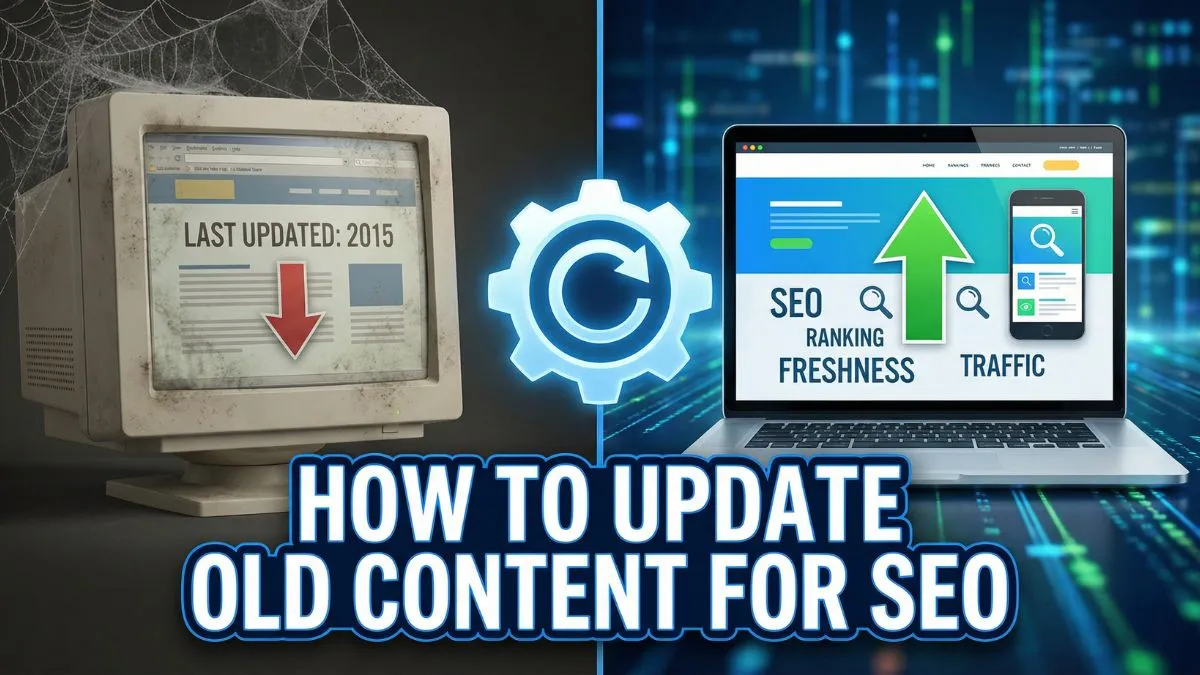
How to Update Old Content for SEO

How to Update Old Content for SEO: The Complete Guide
Content decay is real. That blog post that once ranked on page one? It's probably slipping down the search results right now. But here's the good news: updating old content is one of the most cost-effective SEO strategies available, and it often delivers faster results than creating new content from scratch.
In this comprehensive guide, you'll learn exactly how to refresh, optimize, and revitalize your existing content to reclaim lost rankings, boost organic traffic, and maximize your content ROI.
Why Updating Old Content Matters for SEO
Before diving into the how, let's understand the why. Search engines like Google prioritize fresh, relevant, and comprehensive content. When your content becomes outdated, several things happen:
- Rankings drop as competitors publish fresher content
- Click-through rates decline when your titles and meta descriptions feel stale
- Bounce rates increase when users find outdated information
- Backlink value diminishes as other sites stop referencing your content
According to recent data from Backlinko's SEO research, updating old content can increase organic traffic by 111% on average. That's more than double the traffic with a fraction of the effort required to create new content.
The reality is simple: you've already done the hard work of creating content, building authority, and earning backlinks. Now it's time to leverage those assets by bringing them up to current standards.
When Should You Update Content vs. Create New Content?
Not every piece of content deserves an update. Here's how to decide:
Update Content When:
- The page ranks on pages 2-5 for target keywords (quick wins)
- Content has existing backlinks and domain authority
- The topic is evergreen but details are outdated
- Traffic has declined by 30% or more over 6-12 months
- The content has good engagement metrics but needs refreshing
- Competitors have passed you in rankings with updated content
Create New Content When:
- The topic is completely irrelevant to your current business
- The page has never ranked well and has zero backlinks
- Search intent has fundamentally changed
- The content is thin (under 300 words) and barely worth salvaging
- You're targeting a completely different keyword with different intent
Running a website SEO audit will help you identify which pages need attention. Use the Website SEO Score Checker to evaluate your current performance baseline.
Step 1: Identify Content That Needs Updating
Start by conducting a thorough content audit. Here's your systematic approach:
Use Google Analytics to Find Declining Content
Navigate to your Google Analytics 4 property and:
- Go to Reports → Engagement → Pages and screens
- Set the date range to compare year-over-year
- Sort by traffic decline percentage
- Filter for pages with at least 100 sessions in the previous period
- Export pages showing 20%+ traffic drops
Analyze Search Console Performance
Google Search Console reveals which pages are losing rankings:
- Open Performance report
- Filter by pages
- Sort by position change (descending)
- Identify pages dropping 5+ positions
- Note pages with high impressions but low CTR
Check for Outdated Information
Look for content containing:
- Dates in titles or URLs (e.g., "2020 Guide")
- References to discontinued products or services
- Broken outbound links
- Outdated statistics or research
- Old screenshots or images
- Deprecated technical information
Use the Broken Link Checker strategies to identify and fix dead links that hurt user experience.
Evaluate Content Against Current SERP Leaders
For each piece of content, Google your target keyword and ask:
- Is my content more comprehensive than the top 3 results?
- Does my content answer questions the top results don't?
- Is my content more recent and updated?
- Are my visuals and formatting better?
- Do I provide unique insights or data?
If you answer "no" to most of these questions, that content needs updating.
Step 2: Research Current Search Intent and Competitor Content
Search intent evolves. What users wanted three years ago may differ from what they want today. Before updating, research thoroughly:
Analyze the Current SERP
Type your target keyword into Google and observe:
- Content types ranking (listicles, how-to guides, comparison posts, tools)
- Average word count of top 10 results
- SERP features (featured snippets, People Also Ask, video carousels)
- Content freshness (publication and update dates)
- Depth of coverage (topics and subtopics addressed)
Use the SERP Checker to analyze your keyword positions across different locations.
Study Top-Ranking Competitor Content
For the top 5 ranking pages, document:
- Headings and structure - What sections do they include?
- Unique angles - What differentiates each piece?
- Multimedia elements - Videos, infographics, screenshots, diagrams
- Internal linking patterns - How do they link to related content?
- External sources - What authoritative sites do they reference?
- Content formats - Tables, checklists, templates, calculators
Create a spreadsheet comparing your content against competitors across these dimensions. This becomes your content gap analysis.
Identify Related Keywords and Topics
Modern SEO requires topical coverage, not just keyword stuffing. Use:
- Google's "People Also Ask" section
- "Searches related to" at the bottom of SERPs
- Google Suggest (autocomplete)
- Keyword research tools to find semantic variations
- Related Keywords Finder for LSI keywords
For example, an article about "content marketing" should also cover: content strategy, content creation, content distribution, content analytics, B2B content marketing, content calendars, and more.
Learn advanced keyword research without expensive tools using free resources.
Step 3: Update and Optimize Title Tags and Meta Descriptions
Your title tag and meta description are your first impression in search results. Even if your content is perfect, poor metadata kills CTR.
Optimize Title Tags
Before: "SEO Tips | Marketing Blog" After: "10 Expert SEO Tricks Google Loves in 2025 (Tested & Proven)"
Title tag best practices:
- Include your primary keyword near the beginning
- Add the current year to signal freshness
- Use power words (proven, ultimate, expert, complete)
- Keep under 60 characters to avoid truncation
- Add numbers when applicable (lists perform well)
- Create curiosity without clickbait
Check your current titles using the Meta Tag Analyzer to identify optimization opportunities.
Craft Compelling Meta Descriptions
Meta descriptions don't directly impact rankings, but they dramatically affect CTR, which influences rankings.
Before: "Learn about SEO in this helpful article." After: "Discover 10 proven SEO strategies that increased our organic traffic by 287%. Includes step-by-step implementation guides, real case studies, and free tools. Updated for 2025 algorithm changes."
Meta description best practices:
- Target 150-160 characters for optimal display
- Include primary and secondary keywords naturally
- Add a clear call-to-action
- Highlight unique value propositions
- Use active voice and benefit-driven language
- Mention "updated 2025" or "latest version"
Generate optimized meta tags using the Meta Tag Generator tool.
Step 4: Update Statistics, Data, and Research Citations
Nothing screams "outdated content" like statistics from 2018. Current data builds credibility and trust.
Replace Old Statistics
Search your content for:
- Percentage figures
- Market size numbers
- Growth rates
- Survey results
- Industry benchmarks
Replace them with current data from:
- Statista
- Industry association reports
- Recent academic studies
- Company earnings reports
- Government databases
Pro tip: When citing statistics, link to the original source rather than secondary sources. This builds authority and provides value to readers.
Update Research Citations
Academic research and industry studies age quickly. Review your sources and:
- Check publication dates on all cited studies
- Search for more recent research on the same topics
- Replace studies older than 3 years when possible
- Add newer perspectives that challenge or support original claims
- Link directly to primary sources
For technical topics, reference the latest documentation from authoritative sources like MDN Web Docs or official API documentation.
Verify External Links
Broken external links damage user experience and credibility. They also signal to Google that your content isn't maintained.
Use these strategies to maintain link quality:
- Run your content through a broken link checker tool
- Replace dead links with updated resources
- Use the Internet Archive to find archived versions if needed
- Remove links to low-quality or spammy sites
- Add relevant links to newer authoritative sources
Implement htaccess redirects for any URLs you've moved or renamed.
Step 5: Expand Content Depth and Coverage
Google rewards comprehensive content that fully satisfies user intent. Simply updating dates isn't enough—you need to expand depth.
Add Missing Sections
Based on your competitor analysis, identify gaps in your content. Common additions include:
- FAQs section addressing common questions
- Case studies with real-world examples
- Step-by-step tutorials with screenshots
- Comparison tables for product/service options
- Best practices and expert tips
- Common mistakes to avoid
- Tools and resources section
- Templates or downloadable assets
- Video content or embedded tutorials
For instance, if you're updating an article about technical SEO, ensure you cover Core Web Vitals, mobile optimization, structured data, and crawl budget optimization.
Increase Word Count (When It Adds Value)
Longer content often ranks better, but only when the additional words provide value. The goal isn't hitting arbitrary word counts—it's comprehensive coverage.
How to expand meaningfully:
- Break down complex concepts with detailed explanations
- Add examples for each major point
- Include expert quotes from industry leaders
- Provide context for recommendations
- Address objections readers might have
- Share personal experiences or case studies
- Explain the "why" behind recommendations
Avoid fluff like restating the same points with different words or adding generic information found everywhere else.
Improve Content Structure
Well-structured content is easier to read, easier to scan, and easier for search engines to understand.
Structure improvements:
- Add descriptive H2 and H3 headings that include keywords
- Use short paragraphs (2-4 sentences maximum)
- Incorporate bullet points for easy scanning
- Add numbered lists for sequential processes
- Include table of contents for long articles
- Use bold text to highlight key points
- Add callout boxes for important tips
- Create visual hierarchy with spacing and formatting
Review site architecture tweaks to improve overall content organization.
Step 6: Optimize for Featured Snippets and SERP Features
Featured snippets (position zero) drive significant traffic. Updating content provides an opportunity to target these premium placements.
Types of Featured Snippets
Paragraph snippets: Direct answers to questions (40-60 words) List snippets: Ordered or unordered lists Table snippets: Data organized in rows and columns Video snippets: Relevant video content
How to Optimize for Snippets
- Identify snippet opportunities using Google Search Console (queries with high impressions, positions 2-10)
- Answer questions directly in 40-60 words immediately after H2 headings
- Use question-based headings (How to, What is, Why does)
- Format lists clearly with proper HTML markup
- Create comparison tables for product/service features
- Add schema markup for structured data
Example format:
H2: What is SEO? "SEO (Search Engine Optimization) is the practice of improving your website to increase visibility in search engine results. It involves optimizing content, technical elements, and building authority to rank higher for relevant keywords. SEO drives organic (unpaid) traffic to your website."
[More details follow...]
Optimize for People Also Ask (PAA)
The People Also Ask box appears in 85% of searches. Optimize by:
- Listing PAA questions from your target keyword's SERP
- Creating H2 or H3 headings matching those questions exactly
- Providing concise answers (2-3 sentences) immediately after
- Expanding with details below the brief answer
This strategy helps you dominate more SERP real estate beyond traditional rankings.
Step 7: Add and Optimize Visual Content
Visual content improves engagement, reduces bounce rate, and increases time on page—all positive ranking signals.
Types of Visual Content to Add
- Custom screenshots showing step-by-step processes
- Infographics summarizing key concepts
- Charts and graphs visualizing data
- Diagrams explaining relationships or workflows
- Before/after images demonstrating results
- Product images with annotations
- Embedded videos from YouTube or Vimeo
Image Optimization for SEO
Poor image optimization slows page speed and hurts rankings. Follow these practices:
Compression:
- Use Image Compressor to reduce file sizes by 60-80%
- Target under 100KB for most images
- Use modern formats (WebP) with fallbacks
File naming:
- Use descriptive, keyword-rich filenames
- Replace "IMG_1234.jpg" with "content-update-seo-process.jpg"
- Use hyphens, not underscores
Alt text:
- Describe images accurately and concisely
- Include relevant keywords naturally
- Keep under 125 characters
- Don't start with "image of" or "picture of"
Responsive images:
- Implement srcset for different screen sizes
- Use Image Resizer to create multiple dimensions
- Test with Mobile Friendly Test
Learn complete image SEO optimization strategies including compression and formatting.
Add Video Content
Video increases time on page by 88% on average. Consider adding:
- Explainer videos demonstrating concepts
- Tutorial screencast recordings
- Expert interviews related to the topic
- Product demonstrations
Embed videos from YouTube, then optimize:
- Add video schema markup
- Include transcript below video
- Optimize video title and description
- Create custom thumbnail images
Step 8: Improve Internal Linking Structure
Internal links distribute page authority, help search engines understand site structure, and keep users engaged longer.
Internal Linking Best Practices
Link from high-authority pages: Your updated content should link to and from your highest-authority pages. This passes equity and signals importance.
Use descriptive anchor text:
- ❌ Bad: "click here" or "read more"
- ✅ Good: "proven SEO strategies for 2025" or "complete keyword research guide"
Link to relevant related content: Every article should link to 3-5 related pieces of content on your site. For this article, relevant internal links include:
- 10 Proven SEO Tips to Skyrocket Traffic
- SEO for Beginners: The Ultimate Step-by-Step Guide
- How to Do an SEO Audit for Your Website
- 11 Hot SEO Trends Dominating 2025
- How Content Marketing Boosts SEO
Link to tool pages: When mentioning specific tactics, link to relevant tools:
- Mention keyword research → link to Keyword Research Tool
- Discuss site speed → link to page speed optimization tips
- Cover technical SEO → link to SSL Checker
Create topical clusters: Your updated content should be part of a topic cluster. For SEO content, ensure you have:
- A comprehensive pillar page covering what is SEO
- Cluster content on specific aspects
- All pages linking back to the pillar
Update old internal links: Find pages linking to your updated content and refresh the anchor text to reflect new focus keywords.
Link Building Opportunities
After updating content, it's higher quality and more worthy of links. Reach out to:
- Sites that linked to the old version
- Sites linking to competitors' similar content
- Resource pages in your niche
- Industry roundups and lists
Use the Best Free Backlink Checker Tools to analyze your backlink profile.
Step 9: Optimize for Core Web Vitals and Page Speed
Google's page experience update makes Core Web Vitals a ranking factor. Your content update is the perfect time to address technical performance.
Core Web Vitals Metrics
Largest Contentful Paint (LCP): Should occur within 2.5 seconds
- Optimize images and videos
- Remove render-blocking resources
- Use CDN for faster delivery
First Input Delay (FID): Should be less than 100ms
- Minimize JavaScript execution
- Break up long tasks
- Use browser caching
Cumulative Layout Shift (CLS): Should be less than 0.1
- Add size attributes to images and videos
- Avoid inserting content above existing content
- Use CSS aspect ratio boxes
Implement these 7 proven ways to improve Core Web Vitals for better performance.
Page Speed Optimization
Fast pages rank better and convert better. Implement:
- Image optimization (covered above)
- Minify HTML, CSS, JavaScript
- Use HTML Minifier
- Use CSS Minifier
- Use JavaScript Minifier
- Enable GZIP compression - Test with Check GZIP Compression
- Leverage browser caching
- Use lazy loading for images below the fold
- Reduce server response time
- Eliminate render-blocking resources
Follow the complete guide on speed optimization for developers and site speed tips to boost UX.
Test your performance with Google PageSpeed Insights and Screen Resolution Simulator to check mobile views.
Step 10: Optimize for Mobile-First Indexing
Google predominantly uses mobile versions of content for indexing and ranking. Your updated content must be mobile-optimized.
Mobile Optimization Checklist
✅ Responsive design that adapts to all screen sizes ✅ Readable font sizes (minimum 16px for body text) ✅ Tap targets at least 48×48 pixels ✅ Adequate spacing between interactive elements ✅ Viewport meta tag configured correctly ✅ No horizontal scrolling required ✅ Fast mobile page speed (under 3 seconds) ✅ Accessible buttons and forms on mobile ✅ No intrusive interstitials or pop-ups ✅ Properly sized images for mobile screens
Test using:
- Mobile Friendly Test for quick checks
- Google Mobile-Friendly Test for detailed analysis
Implement these 7 smart ways to improve mobile SEO for better mobile rankings.
Step 11: Add Schema Markup and Structured Data
Schema markup helps search engines understand your content better and can earn you rich results in SERPs.
Types of Schema to Add
Article schema:
{
  "@context": "https://schema.org",
  "@type": "Article",
  "headline": "How to Update Old Content for SEO",
  "datePublished": "2024-01-15",
  "dateModified": "2025-01-15",
  "author": {
    "@type": "Person",
    "name": "Your Name"
  }
}
FAQ schema: Add structured data for your FAQ section to appear in rich results.
HowTo schema: For step-by-step guides, HowTo schema can earn you enhanced SERP listings.
Breadcrumb schema: Improves site navigation understanding.
Review/Rating schema: If your content includes product reviews.
Implementation
- Use Google's Structured Data Markup Helper
- Generate JSON-LD format (preferred by Google)
- Add to page <head> or before </body>
- Test with Google's Rich Results Test
- Monitor in Google Search Console
Proper schema implementation can increase CTR by 30% or more through enhanced SERP displays.
Step 12: Update the Publication Date and Add "Last Updated"
Freshness matters. Updating the publication date signals to both search engines and users that your content is current.
Best Practices for Dating Content
Display "Last Updated" prominently:
- Add "Last updated: January 2025" near the top
- Include in schema markup
- Show in article metadata
Update the URL date (carefully):
- If URL includes year (e.g., /2020/), consider 301 redirecting to new URL
- Weigh SEO benefits against breaking backlinks
- Generally, keep URL structure stable unless necessary
Modify publication date in CMS: Most platforms let you update the published date without creating a new post.
Don't fake freshness: Only update dates when you've made substantial improvements. Search engines can detect thin updates.
Freshness Signals Google Looks For
- Publication/modified dates in schema markup
- Recently added backlinks
- Increased social shares
- User engagement metrics improving
- Content updates visible in HTML
- New comments or discussions
Step 13: Republish and Promote Updated Content
You've done the work—now maximize its impact through strategic republishing and promotion.
Republishing Strategy
Announce updates to email subscribers: "We've completely updated our guide on [topic] with 2025 strategies, new examples, and fresh data. Check it out!"
Share on social media:
- LinkedIn: "We just updated our most popular guide with [specific improvements]"
- Twitter/X: Thread highlighting key additions
- Facebook: Share with context about what's new
Notify sites linking to old version: Reach out: "Hi [Name], I noticed you linked to our article on [topic]. We just updated it with [improvements]. Thought you'd want to know!"
Submit to social bookmarking sites:
- Reddit (relevant subreddits)
- Hacker News (for technical content)
- Pinterest (for visual content)
Repurpose into other formats:
- Create slide deck from updated content
- Record video walkthrough
- Design infographic summarizing key points
- Host webinar covering updated strategies
- Create podcast episode
Track Performance Post-Update
Monitor these metrics to gauge success:
- Organic traffic (expect improvements within 2-8 weeks)
- Rankings for target keywords
- Engagement metrics (time on page, bounce rate)
- Conversions from the updated page
- Backlinks acquired post-update
- Social shares and engagement
Use Google Search Console to track impression and click improvements. Set up Google Analytics event tracking for conversions.
Step 14: Create a Content Update Schedule
Don't treat content updates as a one-time project. Build a systematic refresh schedule.
Suggested Update Frequencies
High-priority content (quarterly):
- Top 10 traffic-driving pages
- Money pages (product/service pages)
- Pages ranking positions 4-10 for high-value keywords
Medium-priority content (biannually):
- Pages ranking on page 2
- Moderately important blog posts
- Support and FAQ content
Low-priority content (annually):
- Pages with minimal traffic
- Evergreen content that rarely changes
- Archive content
Content Update Calendar Template
Create a spreadsheet tracking:
- URL
- Target keywords
- Current ranking
- Last updated date
- Next update date
- Update priority (high/medium/low)
- Traffic trend
- Notes on needed improvements
Set calendar reminders quarterly to review and update your highest-value content.
Automate Where Possible
Use tools to streamline the process:
- Content audit tools to identify update candidates automatically
- Rank tracking to alert you when rankings drop
- Broken link checkers running monthly
- Site crawlers to identify technical issues
Implement crawl budget optimization tips to ensure search engines efficiently crawl your updated content.
Common Content Update Mistakes to Avoid
Even experienced SEOs make these errors when updating content:
Mistake #1: Changing URLs Without Redirects
The problem: Changing the URL breaks backlinks and loses equity. The solution: Keep URLs stable or implement 301 redirects using htaccess.
Mistake #2: Thin Updates That Don't Add Value
The problem: Only changing the date without substantial improvements. The solution: Add at least 20% new content with real value.
Mistake #3: Ignoring User Intent Changes
The problem: Keeping the same angle when search intent has shifted. The solution: Research current SERPs and align with dominant intent.
Mistake #4: Over-Optimization
The problem: Stuffing keywords unnaturally during updates. The solution: Write for humans first, optimize naturally for search engines second.
Mistake #5: Forgetting to Update Internal Links
The problem: Other pages still link with outdated anchor text. The solution: Update all internal links pointing to refreshed content.
Mistake #6: Not Fixing Technical Issues
The problem: Updating content but ignoring broken links, slow load times, or mobile issues. The solution: Address technical SEO alongside content updates using this technical SEO checklist.
Mistake #7: Deleting Working Elements
The problem: Removing sections that were actually performing well. The solution: Check analytics to see which sections get the most engagement before deleting anything.
Advanced Content Update Strategies
Once you've mastered the basics, implement these advanced tactics:
Strategy #1: Content Merging
Combine multiple thin pieces of content into comprehensive guides:
- Identify related articles with overlapping topics
- Choose the best-performing URL to keep
- Merge all unique information into one comprehensive piece
- 301 redirect old URLs to the consolidated page
- Update internal links site-wide
Result: Stronger, more comprehensive content that ranks better than multiple weak pages.
Strategy #2: Content Pruning and Redirection
Sometimes the best update is removal:
- Identify truly outdated or low-quality content
- Delete the page
- 301 redirect to the most relevant existing page
- Update internal links
When to prune:
- Duplicate or near-duplicate content
- Irrelevant topics from old business directions
- Thin content with no backlinks or traffic
- Outdated news with no evergreen value
Learn about fixing crawl errors when restructuring content.
Strategy #3: Create Content Hubs
Transform updated content into pillar pages:
- Identify your updated content's broader topic
- Create a comprehensive pillar page covering the entire topic
- Break specific subtopics into cluster content
- Link all cluster pages to the pillar
- Link pillar to all clusters
Example structure:
- Pillar: "Complete SEO Guide"
- Clusters: keyword research, on-page SEO, technical SEO, link building, content optimization (this article), local SEO, etc.
Strategy #4: Historical Optimization
For evergreen content, preserve historical value while updating:
- Keep historical context sections
- Add "What's New in 2025" sections
- Use comparison tables showing evolution
- Link to archived versions for reference
- Explain what's changed and why
This approach works well for industry guides, regulations, and technical documentation.
Tools for Efficient Content Updates
Streamline your workflow with these tools:
Content Analysis Tools
- Clearscope or Surfer SEO: Analyze top-ranking content and suggest improvements
- Frase: Generate content briefs based on SERP analysis
- MarketMuse: Identify content gaps and opportunities
SEO Tools
- Website SEO Score Checker - Evaluate page optimization
- Meta Tag Analyzer - Review title tags and descriptions
- Ahrefs/SEMrush: Track rankings, backlinks, and competitor content
- Google Search Console - Monitor search performance
Technical Tools
- Mobile Friendly Test - Check mobile optimization
- SSL Checker - Verify security certificates
- Check GZIP Compression - Test compression
- PageSpeed Insights - Analyze Core Web Vitals
Content Tools
- Grammarly: Check grammar and readability
- Image Compressor - Optimize images
- Online Text Editor - Edit content efficiently
- Hemingway App: Improve readability scores
Tracking Tools
- Google Analytics: Monitor traffic and engagement
- Google Tag Manager: Implement tracking codes
- Google Cache Checker - Verify indexing
Explore the complete list of best AI tools for content creation and optimization.
Measuring Content Update Success
Define success metrics before updating content:
Primary Metrics
Organic traffic increase:
- Target: 30-50% increase within 8 weeks
- Track in Google Analytics using date comparisons
- Segment by device, source, and landing page
Keyword ranking improvements:
- Monitor positions for target keywords
- Track impressions and click-through rates
- Aim for 3-10 position improvements for key terms
Engagement metrics:
- Time on page should increase by 20%+
- Bounce rate should decrease by 10%+
- Pages per session should increase
- Scroll depth should improve
Conversion rate:
- Newsletter signups from updated content
- Product/service inquiries
- Download completions
- Goal completions relevant to your business
Secondary Metrics
Backlink acquisition:
- New referring domains linking to updated content
- Improvement in domain authority
- Quality of new backlinks
Social engagement:
- Shares, likes, and comments
- Social referral traffic
- Brand mentions
SERP features earned:
- Featured snippets captured
- People Also Ask appearances
- Image pack inclusions
- Video results
Technical improvements:
- Core Web Vitals scores
- PageSpeed scores
- Mobile usability rating
Reporting Dashboard
Create a monthly report tracking:
- Total updated pages this month
- Aggregate traffic increase/decrease
- Top 10 performing updates
- Updates needing additional work
- ROI calculation (time invested vs. traffic gained)
Use the 10 most important SEO metrics to create comprehensive reports.
Real-World Content Update Case Studies
Case Study #1: SaaS Company Blog Update
Situation: A B2B SaaS company had 150 blog posts, with 80% published 2+ years ago. Traffic declined 40% year-over-year.
Action:
- Audited all content and prioritized 30 high-potential posts
- Updated statistics, added new examples, expanded sections
- Improved internal linking between related posts
- Added schema markup and optimized for featured snippets
- Created comparison tables and visual elements
Results (6 months):
- Organic traffic increased 127%
- 12 featured snippets captured
- Average position improved from 18 to 8
- Conversion rate increased 34%
- Investment: 120 hours total
Case Study #2: E-commerce Product Category Pages
Situation: Online retailer's category pages were ranking poorly due to thin content and outdated product information.
Action:
- Added comprehensive buying guides above product listings
- Updated product descriptions with current specifications
- Added FAQ sections answering common questions
- Implemented review schema for product ratings
- Created comparison tables for similar products
Results (3 months):
- Organic revenue increased 89%
- Category page rankings improved from page 3 to page 1
- Time on page increased 156%
- Reduced bounce rate by 28%
- Investment: 80 hours across 15 category pages
Case Study #3: Professional Services Firm
Situation: Law firm's practice area pages were outdated with old case law references and poor formatting.
Action:
- Updated all legal citations to current case law
- Added attorney bios and credentials
- Implemented local schema markup
- Added client testimonials and case results
- Improved mobile experience and page speed
- Created FAQ sections addressing common legal questions
Results (4 months):
- Local pack appearances increased 220%
- Consultation requests up 67%
- Organic visibility improved 143%
- Mobile traffic increased 189%
- Investment: 60 hours across 8 practice pages
These case studies demonstrate that strategic content updates deliver measurable ROI with relatively modest time investment.
Creating Your Content Update Action Plan
Ready to implement? Here's your step-by-step action plan:
Week 1: Audit and Prioritize
Day 1-2: Content inventory
- Export all URLs from sitemap
- Pull analytics data (traffic, bounce rate, conversions)
- Pull Search Console data (rankings, CTR)
Day 3-4: Prioritization
- Score each page on traffic potential
- Identify quick wins (pages ranking 11-20)
- Create priority tiers (high/medium/low)
Day 5: Create update schedule
- Assign update dates for top 20 pages
- Set realistic deadlines
- Allocate resources
Week 2-4: Execute Updates
For each piece of content:
- Research current SERP and competitors (1 hour)
- Update content following the 14 steps above (3-5 hours)
- Optimize technical elements (1 hour)
- Add visuals and multimedia (1-2 hours)
- Quality check and publish (30 minutes)
Aim for: 2-3 major updates per week
Week 5+: Monitor and Iterate
Weekly:
- Check rankings for updated pages
- Monitor traffic trends
- Review engagement metrics
- Identify any issues
Monthly:
- Comprehensive performance report
- Adjust strategy based on results
- Plan next batch of updates
- Celebrate wins and learn from misses
Resource Allocation
For small teams:
- Dedicate 5-10 hours per week to content updates
- Focus on highest-impact pages first
- Update 2-3 pieces monthly minimum
For larger teams:
- Assign content updates as ongoing responsibility
- Set quarterly goals (e.g., update 50 pages per quarter)
- Create specialized roles (research, writing, technical optimization)
Use these SEO tips to skyrocket traffic alongside your content updates for maximum impact.
Frequently Asked Questions (FAQs)
1. How often should I update my blog content for SEO?
High-priority content should be updated quarterly, medium-priority content every 6 months, and low-priority content annually. However, the specific frequency depends on your industry's pace of change, competition, and how quickly your content becomes outdated. Monitor your rankings and traffic—if you notice declines, that's your signal to update.
2. Will updating content hurt my current rankings?
No, when done properly. The risk is minimal if you follow best practices: keep URLs stable, expand rather than remove content, maintain or improve quality, and ensure updates are substantial. Google rewards fresh, comprehensive content. In rare cases where rankings temporarily dip after an update, they typically recover and improve within 2-8 weeks.
3. Should I change the publication date when updating content?
Yes, but add a "Last Updated" date prominently rather than changing the original publication date. This maintains credibility while signaling freshness. In your schema markup, include both datePublished and dateModified fields. This approach gives search engines and users full transparency.
4. How much new content should I add when updating an article?
Aim to add at least 20-30% new content for updates to be meaningful. This could include new sections, updated examples, current statistics, additional case studies, or deeper explanations. The goal isn't hitting arbitrary percentages but making substantial improvements that genuinely enhance value for readers.
5. Is it better to update old content or create new content?
Both strategies are essential. Update old content when it has existing authority, backlinks, and rankings but needs refreshing. Create new content for completely new topics, different search intents, or when existing content is beyond salvaging. As a general rule, updating produces faster results with less effort for pages already ranking on pages 2-5.
6. Will Google penalize me for updating content too frequently?
No. Google doesn't penalize frequent updates if they're substantial and add value. However, constantly tweaking without meaningful improvements won't help rankings. Focus on quality updates that genuinely improve the content rather than minor changes just to show activity. Monthly minor updates are fine for high-priority content.
7. How long does it take to see results from content updates?
Typically 2-8 weeks. Google needs time to recrawl, reindex, and reassess your updated content. High-authority sites with frequent crawling see results faster (sometimes within days). New or lower-authority sites may take 8-12 weeks. Request reindexing through Google Search Console to expedite the process.
8. Should I update content that ranks on page 1 already?
Yes, but cautiously. Even top-ranking content needs periodic updates to maintain position as competitors improve. For page 1 content, focus on adding new information, updating statistics, and improving user experience rather than major rewrites. Small, incremental improvements are safer for already-successful content.
9. How do I prioritize which content to update first?
Prioritize based on: (1) Pages ranking positions 4-20 for high-value keywords (quick wins), (2) Pages with declining traffic but existing backlinks, (3) High-traffic pages with outdated information, (4) Money pages (product/service pages), and (5) Pages with high bounce rates or low time on page. Use data from Google Analytics and Search Console for objective prioritization.
10. What's the minimum word count for updated content in 2025?
There's no universal minimum, but comprehensive content typically performs better. For blog posts, aim for 1,500-2,500 words minimum. For pillar pages and guides, 3,000-5,000+ words is common. However, word count should serve comprehensive coverage, not arbitrary targets. Short-form content can rank well when it perfectly satisfies user intent.
11. Should I update my meta descriptions when refreshing content?
Absolutely. Meta descriptions are your advertisement in search results. Update them to include current year (2025), new value propositions, and compelling CTAs. Even if your content update is minor, improved meta descriptions can boost CTR by 20-30%, which positively impacts rankings. Keep them between 150-160 characters for optimal display.
12. How do I handle outdated content that's still getting backlinks?
Keep it, but update it thoroughly. Pages with strong backlink profiles are valuable assets. Update the content to current standards while maintaining the same URL. Reach out to sites linking to notify them of the improvements—some may update their link anchor text to reflect your enhanced content.
13. Can I combine multiple old blog posts into one comprehensive guide?
Yes, this "content merging" strategy is highly effective. Combine related thin articles into one comprehensive resource. Choose the best-performing URL, consolidate all unique information, add substantial new content, and 301 redirect the old URLs to the merged piece. This strategy eliminates keyword cannibalization and creates stronger, more comprehensive content.
14. Should I remove outdated content or update it?
Update when possible, remove when necessary. Update if the topic is still relevant, the page has backlinks, or with refreshing the content could rank well. Remove (with proper 301 redirects) if the topic is completely irrelevant, the content is extremely thin with no backlinks, or it's duplicate/near-duplicate content. Review SEO mistakes killing rankings before deciding to remove content.
15. How do I track the success of my content updates?
Set up tracking before updating: (1) Document current rankings, traffic, and engagement metrics, (2) Create goals in Google Analytics for conversions, (3) Set up Search Console to monitor impressions and CTR, (4) Use rank tracking tools for keyword monitoring, (5) Create a dashboard comparing before/after metrics. Review performance 4 weeks and 8 weeks post-update for accurate assessment.
16. What's the best way to handle URLs when updating content?
Keep URLs stable unless absolutely necessary. Changing URLs breaks backlinks and loses SEO equity. If you must change a URL (e.g., updating /2020/ to /2025/), implement proper 301 redirects. However, most content updates don't require URL changes—you can completely refresh content while maintaining the same URL structure.
17. Do I need to update internal links pointing to my updated content?
Yes, this is crucial but often overlooked. After updating content, review all internal links pointing to that page. Update anchor text to reflect new focus keywords, add internal links from new related content, and ensure link placement makes contextual sense. This amplifies the impact of your content update across your entire site.
18. How do I update content without losing featured snippets I already have?
Carefully. If you currently hold a featured snippet, note the exact format, word count, and structure that earned it. When updating, enhance that section without completely changing it. Add complementary information above or below, but preserve the snippet-winning element. Test changes gradually if the snippet is valuable traffic source.
19. Should I update content that has very low traffic?
It depends. Low traffic with zero backlinks and poor rankings is low priority—create new content instead. Low traffic but ranking positions 11-30 with some backlinks is worth updating—these are potential quick wins. Use data to make decisions; don't waste resources on content with no potential for improvement.
20. What tools can help automate the content update process?
While content updates require human oversight, these tools streamline the process: (1) Website SEO Score Checker for baseline analysis, (2) Ahrefs Content Explorer for identifying declining content, (3) Screaming Frog for technical audits, (4) Keyword Research Tool for finding new keywords to target, (5) Meta Tag Analyzer for metadata optimization, and (6) Google Search Console for performance monitoring. Create workflows combining these tools for efficiency.
Make Content Updates a Core SEO Strategy
Updating old content isn't just a maintenance task—it's one of the highest-ROI SEO strategies available. While everyone else races to create new content, you can gain competitive advantage by systematically improving what you already have.
The mathematics are compelling: you've already invested time in research, writing, and building authority for existing content. Updates require 25-50% of the effort of creating new content while often delivering superior results because you're building on existing foundation of backlinks, domain authority, and search engine trust.
Remember these key principles:
Start with data: Use analytics to identify high-potential update candidates rather than updating randomly.
Focus on value: Every update should meaningfully improve user experience and information quality, not just change dates.
Think comprehensively: Address content, technical performance, user experience, and promotional opportunities in each update.
Build systems: Create repeatable processes, schedules, and checklists rather than treating updates as one-time projects.
Measure results: Track performance metrics to understand what works and refine your approach over time.
Stay consistent: Regular updates compound in value as your site becomes known for current, comprehensive information.
The websites dominating search results in 2025 aren't necessarily creating the most content—they're creating and maintaining the best content. Your competitive edge comes from having a systematic approach to keeping your content fresh, comprehensive, and optimized.
Start today by identifying your top 10 underperforming pages with the most potential. Apply the strategies in this guide systematically. Track your results. Refine your process. Then scale up.
Content updates might not be as exciting as launching new campaigns, but they're incredibly effective at driving sustainable organic growth. In a digital landscape where everyone is focused on "new," your commitment to "better" will set you apart.
Need more guidance on building a complete SEO strategy? Check out these comprehensive resources:
- How to Develop an Effective SEO Strategy
- 30-Day SEO Plan for New Websites
- How to Rank #1 on Google: Real Checklist
- 12 Smart SEO Rules Every Site Must Follow
Start optimizing your content today, and watch your organic traffic soar.
About the Tools: For comprehensive SEO analysis, optimization, and tracking, explore the complete suite of free tools at BrightSEOTools.com, including keyword research, technical SEO checkers, content optimization tools, and more.