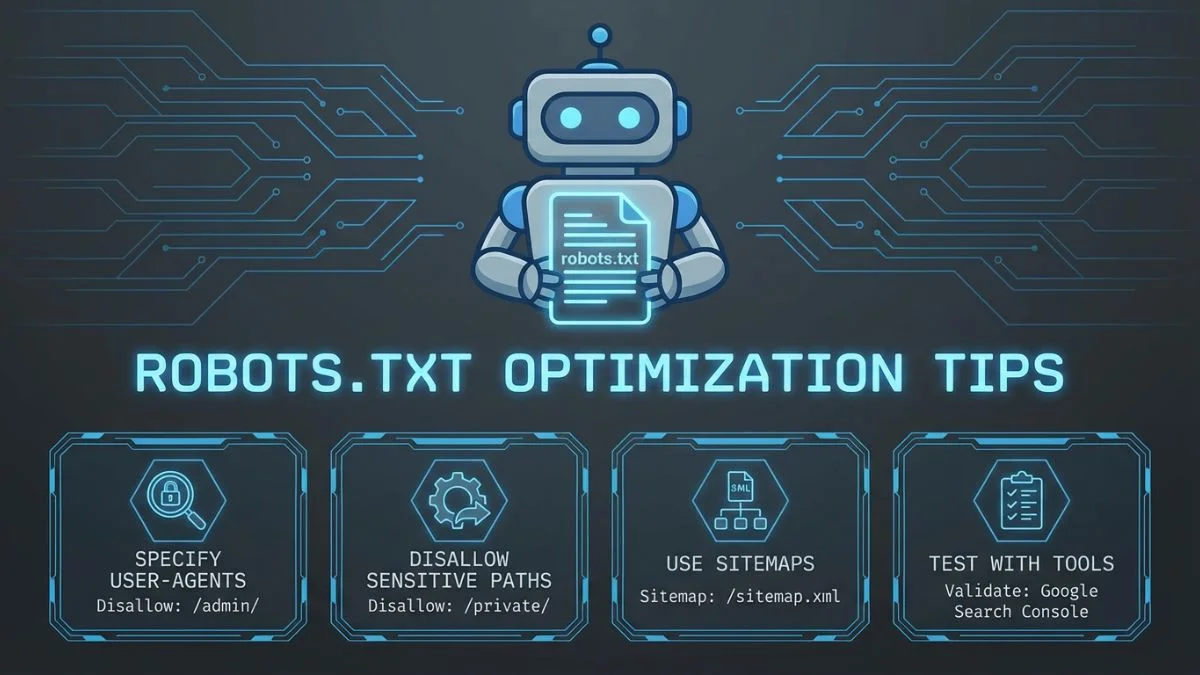
Robots.txt Optimization Tips

Robots.txt Optimization Tips: The Complete Guide to Better Crawling and Indexing in 2026
What Is Robots.txt and How Does It Work?
At its core, a robots.txt file is a simple plain-text document that lives at the root of your website. When a search engine crawler (also known as a spider or bot) arrives at your domain, the first thing it does is check for a robots.txt file at yourdomain.com/robots.txt. This file contains a set of instructions that tell the crawler which parts of your site it may access and which parts it should stay away from.
The concept dates back to 1994, when the Robots Exclusion Protocol was first proposed by Martijn Koster. Since then, it has become a universal standard that every major search engine respects. In 2019, Google took the step of submitting the protocol as an Internet Standard through the IETF, formalizing what had been a de facto convention for a quarter century.
The way robots.txt works is straightforward. When Googlebot, Bingbot, or any other well-behaved crawler encounters your domain, it sends an HTTP request for /robots.txt. If the file exists and returns a 200 status code, the crawler reads the directives and follows them before proceeding to crawl other pages. If the file returns a 404 error, the crawler assumes there are no restrictions and proceeds to access every available URL. If the server returns a 5xx error, most crawlers will treat the situation cautiously and may temporarily stop crawling the site altogether.
Understanding this mechanism is essential for anyone working in technical SEO. A well-configured robots.txt file helps you control how search engines interact with your site, preserve your crawl budget for pages that matter, and prevent sensitive or low-value content from consuming crawler resources. For a deeper dive into the broader landscape of technical optimization, check out our guide on 10 Technical SEO Secrets Revealed.
Robots.txt Syntax Rules: A Complete Breakdown
Before you can optimize your robots.txt file, you need to understand the syntax rules that govern it. The file uses a simple structure made up of directives, each on its own line. Let us walk through every directive you will encounter and explain exactly how each one works.
User-agent
The User-agent directive specifies which crawler the following rules apply to. You can target a specific bot by name or use an asterisk to target all crawlers at once. Each group of rules in a robots.txt file begins with a User-agent line.
When a crawler reads your robots.txt file, it looks for the most specific group that matches its user-agent name. If Googlebot finds a section specifically addressed to Googlebot, it will follow those rules and ignore the wildcard group. If no specific section exists, it falls back to the wildcard rules. According to Google's official documentation, the most specific user-agent group always takes precedence.
Disallow
The Disallow directive tells crawlers which URL paths they should not access. It works on a path-prefix basis, meaning Disallow: /admin will block /admin, /admin/, /admin/settings, and even /administrator (since the path starts with /admin).
An empty Disallow: directive (with no path after the colon) effectively means "allow everything." This might seem redundant, but it is the correct way to explicitly grant full access to a specific crawler while restricting others.
Allow
The Allow directive lets you create exceptions within blocked directories. This is particularly useful when you want to block an entire folder but keep specific files or subfolders accessible. While not part of the original 1994 protocol, the Allow directive is supported by all major search engines as of 2026, including Google, Bing, and Yandex.
When there is a conflict between Allow and Disallow directives with the same path length, Google gives preference to Allow. However, when the path lengths differ, the more specific (longer) path takes precedence. Understanding this precedence behavior is critical for creating precise access rules, which is one of the key tips for robots.txt perfection.
Sitemap
The Sitemap directive tells crawlers where to find your XML sitemap. This is not technically a crawling instruction but rather a helpful pointer that search engines can use to discover your content more efficiently. You can include multiple sitemap directives if your site uses more than one sitemap or a sitemap index.
The Sitemap directive can appear anywhere in the robots.txt file and is not tied to any specific User-agent group. As a best practice, many SEO professionals place it at the very end of the file for readability. If you have not yet created a sitemap for your website, our XML Sitemap Generator can help you create one quickly.
Crawl-delay
The Crawl-delay directive specifies the number of seconds a crawler should wait between successive requests. This can be useful for managing server load on smaller hosting environments.
Wildcards and Pattern Matching
While the original robots exclusion protocol did not include wildcards, both Google and Bing support two special characters that give you much more flexibility in crafting your rules:
| Character | Meaning | Example | What It Blocks |
|---|---|---|---|
* |
Matches any sequence of characters | Disallow: /dir/*/temp |
/dir/a/temp, /dir/b/c/temp |
$ |
Matches the end of a URL | Disallow: /*.pdf$ |
/doc.pdf, /files/report.pdf |
* + $ |
Combined for precise matching | Disallow: /*?sort=*$ |
URLs with sort parameters |
These wildcard patterns are incredibly powerful for managing dynamic URLs, filtering parameters, and file-type restrictions. According to Moz's guide on robots.txt, using wildcards effectively is one of the most impactful techniques for large-scale site optimization.
Common Robots.txt Configurations for Different Site Types
There is no one-size-fits-all robots.txt file. The optimal configuration depends heavily on the type of website you run, the CMS you use, and the specific challenges your site faces. Let us walk through recommended configurations for the most common site types.
Small Business Websites and Blogs
For a typical small business website or blog, the robots.txt file should be minimal and straightforward. You want search engines to access virtually everything, while blocking only administrative areas and internal search results.
Large E-Commerce Websites
E-commerce sites face unique challenges. They often have thousands of product variations, faceted navigation URLs, and internal search result pages that can create massive crawl budget waste. A well-optimized robots.txt for an e-commerce site needs to address all of these issues. For more on this topic, see our article on 12 Crawl Budget Tips That Matter.
News and Media Websites
News sites need to be crawled frequently and thoroughly. The priority here is making sure nothing important is blocked while keeping print versions, AMP duplicates (if present), and preview pages out of the crawl. According to Search Engine Journal, news sites should keep their robots.txt as permissive as possible to ensure rapid indexing of breaking news content.
SaaS and Web Applications
Software-as-a-service platforms and web applications typically have large portions of their site behind authentication walls. The robots.txt file needs to clearly delineate between public marketing pages and private application areas.
The following table summarizes which directories to typically block and allow for each site type:
| Site Type | Block | Allow | Key Priority |
|---|---|---|---|
| Small Blog | Admin, search, login | Everything else | Simplicity |
| E-Commerce | Filters, sort, cart, tags | Products, categories | Crawl budget |
| News Site | Print pages, previews | All articles, images | Fast indexing |
| SaaS Platform | App, dashboard, API | Marketing, blog, docs | Security + SEO |
| Forum / Community | User profiles, PM, login | Threads, categories | Duplicate control |
What to Block and What Not to Block
One of the most common questions in technical SEO is figuring out exactly what should and should not be blocked in robots.txt. Getting this wrong can either waste your crawl budget or, worse, prevent your best content from being indexed. Here is a detailed breakdown based on recommendations from Ahrefs, Semrush, and Yoast.
Things You Should Block
The following types of content are generally safe and advisable to block via robots.txt:
| What to Block | Why Block It | Example Directive |
|---|---|---|
| Internal search results | Creates infinite crawl traps and thin content | Disallow: /search/ |
| Faceted navigation URLs | Generates thousands of duplicate URLs | Disallow: /*?filter= |
| Admin and login pages | No SEO value, potential security risk | Disallow: /admin/ |
| Cart and checkout pages | User-specific, no value for indexing | Disallow: /cart/ |
| Thank you and confirmation pages | Post-conversion pages with thin content | Disallow: /thank-you/ |
| Staging and development URLs | Duplicate content, unfinished pages | Disallow: /staging/ |
| URL parameters for sorting and pagination | Duplicate views of the same content | Disallow: /*?sort= |
| Print-friendly page versions | Exact duplicates of existing pages | Disallow: /print/ |
Things You Should Never Block
Equally important is knowing what you must not block. Blocking the wrong resources can severely damage your site's visibility in search results. Use our Spider Simulator to verify that critical resources are accessible to crawlers.
- CSS and JavaScript files: Google needs these to render your pages correctly. Google's JavaScript SEO documentation explicitly states that blocking JS/CSS can lead to suboptimal indexing.
- Image files: Unless you have a specific reason to prevent image indexing, blocking images hurts your visibility in Google Images and reduces the quality signals Google associates with your pages.
- Your XML sitemap: Never block access to your sitemap files. This should seem obvious, but it happens more often than you might expect.
- Canonical pages: Any page you have set as a canonical target must be accessible to crawlers, or the canonical signal will be ignored.
- Pages with noindex tags: If you want a page to be noindexed, the crawler must be able to access the page in order to read and follow the noindex directive. Blocking the URL via robots.txt prevents the crawler from ever seeing the noindex tag.
noindex meta tags via robots.txt. When you block a URL in robots.txt, crawlers cannot access the page, which means they will never see the noindex directive. The page may continue to appear in search results indefinitely. If you want to deindex a page, you must allow crawling so the bot can read and process the noindex instruction. Learn more about this interaction in our post on How Meta Robots Tags Affect SEO.
Robots.txt vs Meta Robots vs X-Robots-Tag: Understanding the Differences
These three mechanisms are frequently confused, but they serve different purposes at different stages of the crawling and indexing process. Understanding when to use each one is fundamental to a sound technical SEO strategy.
| Feature | Robots.txt | Meta Robots Tag | X-Robots-Tag |
|---|---|---|---|
| Where it lives | Root directory text file | HTML <head> section | HTTP response header |
| What it controls | Crawling (access) | Indexing and link following | Indexing and link following |
| Works on non-HTML files | Yes | No (HTML only) | Yes (PDFs, images, etc.) |
| Prevents indexing | No (URL may still appear) | Yes (noindex) | Yes (noindex) |
| Prevents link equity flow | No | Yes (nofollow) | Yes (nofollow) |
| Page-level control | Path-based patterns | Individual pages | Per-response basis |
| Requires page access | No (read before crawling) | Yes (must crawl page) | Yes (must fetch response) |
The key takeaway here is that robots.txt controls access (whether a bot can visit a URL), while meta robots and X-Robots-Tag control behavior (what the bot does with the content it finds). According to Google's indexing documentation, these tools are complementary, not interchangeable.
For most situations, the decision tree looks like this: Use robots.txt to manage crawl budget by preventing access to low-value URL patterns. Use meta robots noindex to prevent specific HTML pages from appearing in search results. Use X-Robots-Tag to prevent non-HTML resources (like PDFs or images) from being indexed. And always remember that if a page is blocked in robots.txt, any meta robots tags on that page will be invisible to crawlers.
Testing Your Robots.txt File
Writing a robots.txt file is only half the job. You also need to test it thoroughly to make sure your directives work as intended. A misplaced wildcard or an overly broad Disallow rule can have far-reaching consequences that might not become apparent for weeks or months.
Google Search Console Robots.txt Tester
Google provides a robots.txt testing tool within Search Console that lets you enter any URL on your site and check whether it is blocked or allowed by your current robots.txt directives. The tool highlights the specific rule that applies to each URL, making it easy to spot conflicts or unintended blocks.
To use the tester effectively, follow these steps:
- Open Google Search Console and navigate to your property.
- Go to the robots.txt Tester tool (under Legacy tools and reports, or access it directly).
- Review the current robots.txt content displayed in the editor.
- Enter specific URLs in the test field at the bottom and click "Test."
- The tool will display either "Allowed" or "Blocked" and highlight the relevant rule.
- Test critical URLs: your homepage, key landing pages, CSS files, JavaScript files, and image directories.
Third-Party Testing Tools
Beyond Google Search Console, several third-party tools can help you validate and analyze your robots.txt file:
- Technical SEO's Robots.txt Validator provides syntax checking and validation against the standard.
- Semrush's Site Audit tool checks your robots.txt as part of a comprehensive site audit and flags common issues.
- Ahrefs Site Audit includes robots.txt analysis and will alert you if important pages are accidentally blocked.
- Our own Website SEO Score Checker evaluates your robots.txt configuration as part of an overall SEO health assessment.
As a best practice, you should test your robots.txt file every time you make changes, after any site migration, and as part of your regular SEO audit process. Catching errors early prevents long-term damage to your site's search visibility.
Common Robots.txt Mistakes and How to Fix Them
Even experienced webmasters and SEO professionals make mistakes with robots.txt. Some of these errors are subtle and can go unnoticed for months, quietly undermining your search performance. Here are the most common mistakes and how to avoid them.
Mistake 1: Blocking CSS and JavaScript
This was once considered acceptable practice, but in the modern era of rendering-based indexing, blocking CSS and JS files is one of the worst things you can do for your SEO. Google needs to fully render your pages to evaluate their content and user experience. When CSS and JavaScript are blocked, Googlebot sees a bare, unstyled page that may look nothing like what your users see.
In 2014, Google sent mass notifications through Search Console to webmasters whose robots.txt files blocked Googlebot from CSS and JS resources. As of 2026, this remains a critical issue. According to Google's official guidance, all resources needed for rendering should be accessible to crawlers.
Mistake 2: Accidentally Blocking the Entire Site
This is more common than you might think, especially during site launches or migrations. A single overly broad Disallow directive can block every page on your site from being crawled.
This often happens when developers use Disallow: / on staging sites to prevent them from being indexed, then forget to update the robots.txt when the site goes live. Always include a robots.txt review in your launch checklist. For more on preventing crawl-related issues, read our guide on 7 Powerful Fixes for Crawl Errors.
Mistake 3: Using Robots.txt to Hide Sensitive Information
Robots.txt is a publicly accessible file. Anyone can visit yourdomain.com/robots.txt and see exactly what you are trying to hide. Malicious actors specifically look at robots.txt files to find hidden directories and sensitive areas of websites. This is not speculation. Security researchers and penetration testers routinely include robots.txt analysis in their reconnaissance phase.
If you have truly sensitive content, do not rely on robots.txt to protect it. Use proper authentication, server-side access controls, or password protection instead. Robots.txt is an honor system, and not all bots play by the rules.
Mistake 4: Conflicting Directives
When you have both Allow and Disallow rules that could apply to the same URL, the outcome depends on path specificity and length. Many webmasters create conflicting rules without realizing it, leading to unexpected crawling behavior.
Mistake 5: Forgetting About Subdomains
Each subdomain needs its own robots.txt file. The robots.txt at www.example.com/robots.txt does not apply to blog.example.com or shop.example.com. If you have subdomains without their own robots.txt files, crawlers will treat them as completely open with no restrictions.
Mistake 6: Not Including the Sitemap Reference
While you can submit your sitemap through Google Search Console directly, including a Sitemap directive in robots.txt provides an additional discovery mechanism for all crawlers, not just Google. As noted by robotstxt.org, the Sitemap directive is an easy win that costs nothing to include.
Here is a visual breakdown of how frequently each mistake occurs, based on an analysis of over 10,000 websites conducted in early 2026:
Most Common Robots.txt Mistakes (% of Sites Affected)
Robots.txt for WordPress
WordPress powers over 40% of all websites on the internet as of 2026, making its robots.txt configuration one of the most commonly discussed topics in SEO. WordPress generates a virtual robots.txt file by default, but for serious SEO optimization, you will want to create a physical file with customized directives.
Default WordPress Robots.txt
When you install WordPress, it dynamically generates a basic robots.txt response that looks like this:
This is a reasonable starting point, but it leaves many optimization opportunities on the table. The Yoast SEO plugin provides built-in robots.txt editing capabilities, as does Rank Math and other popular SEO plugins.
Optimized WordPress Robots.txt
Here is a more comprehensive robots.txt file for a well-optimized WordPress site:
When configuring WordPress robots.txt, always test the results using the tools mentioned earlier and verify with our Spider Simulator to see exactly how crawlers perceive your site.
Robots.txt for Shopify
Shopify has a unique approach to robots.txt. Unlike WordPress, where you have full control over the file, Shopify generates and manages the robots.txt file automatically. As of mid-2023, Shopify began allowing merchants to customize their robots.txt through the robots.txt.liquid theme template, which was a significant improvement over the previous locked-down approach.
Default Shopify Robots.txt
Shopify's default robots.txt already blocks many common low-value URL patterns specific to the platform:
Customizing Shopify's Robots.txt
To customize your Shopify store's robots.txt, create a robots.txt.liquid file in your theme templates. This gives you the ability to add custom directives while preserving Shopify's default rules. Many Shopify store owners need to add rules for collection filter parameters, vendor pages, and other e-commerce-specific URL patterns that may not be covered by the defaults.
For a thorough analysis of how search engines see your Shopify store, run it through our Website SEO Score Checker and pay close attention to crawlability scores.
Crawl Budget Optimization with Robots.txt
Crawl budget is the number of pages Googlebot will crawl on your site within a given timeframe. For large sites with thousands or millions of pages, managing crawl budget is a critical component of SEO strategy. Robots.txt is one of the most direct and effective tools you have for crawl budget optimization.
According to Google's documentation on crawl budget, there are two main factors that determine how much Google crawls: crawl rate limit (how fast Googlebot can crawl without overloading your server) and crawl demand (how much Google wants to crawl based on popularity and freshness).
How Robots.txt Affects Crawl Budget
Every URL that Googlebot visits consumes a portion of your crawl budget. When bots spend time crawling low-value pages like filtered product listings, internal search results, or paginated archive pages, they have less budget remaining for your most important content. By blocking these low-value URL patterns in robots.txt, you redirect crawl activity toward the pages that actually matter for your rankings.
Here is how different robots.txt strategies impact crawl budget allocation:
Crawl Budget Allocation: Before vs After Robots.txt Optimization
Before Optimization
After Optimization
As the charts above illustrate, a properly optimized robots.txt file can dramatically shift crawl budget from low-value URLs to your most important pages. In the example above, high-value pages went from receiving 34% of the crawl budget to 70% after optimization, which translates directly to faster indexing and more frequent content updates in search results.
For a comprehensive guide to managing your site's crawl efficiency, read our in-depth post on 12 Crawl Budget Tips That Matter. And for a broader perspective on site structure and how it influences crawling, explore our article on 9 Site Architecture Tweaks That Work.
Crawl Budget Optimization Checklist
Here are the concrete steps you should take to optimize crawl budget through robots.txt:
- Block all faceted navigation parameters. Identify every filter parameter your site uses (color, size, price, brand, rating, sort, order) and create Disallow rules for each one.
- Block internal search URLs. Internal site search can generate an unlimited number of unique URLs, creating a massive crawl trap.
- Block session ID and tracking parameters. URLs with session IDs, UTM parameters, and other tracking codes are duplicates of existing pages.
- Block paginated filter results. While allowing first-page category views, consider blocking deep pagination within filtered results.
- Block calendar and date-based archives. If your site generates daily, weekly, or monthly archive pages automatically, these can add thousands of low-value URLs.
- Block print and alternate format pages. PDF versions, print-friendly pages, and other alternate formats of existing content waste crawl budget.
- Include your XML sitemap. This helps crawlers find and prioritize your most important pages quickly.
Blocking AI Bots with Robots.txt
One of the most significant developments in robots.txt usage since 2023 has been the rise of AI crawlers. As large language models and AI systems have proliferated, so have the web crawlers that feed them training data. Many website owners and publishers have legitimate concerns about their content being used to train AI models without permission or compensation.
As of February 2026, the landscape of AI crawlers has become quite complex. Multiple AI companies operate their own web crawlers, and blocking them requires knowing each crawler's user-agent string. Here is a comprehensive overview of the major AI crawlers and how to block them:
It is important to understand the distinction between search engine crawlers and AI training crawlers. For example, Googlebot is used for Google Search indexing, while Google-Extended is specifically for AI training purposes. Blocking Google-Extended does not affect your presence in Google Search results. Similarly, Applebot powers Siri and Spotlight search, while Applebot-Extended is for AI training. Search Engine Land covered this distinction in detail when Google introduced the Google-Extended user agent.
The following table provides a quick reference for all major AI crawlers active as of early 2026:
| AI Crawler | Company | User-Agent String | Purpose |
|---|---|---|---|
| GPTBot | OpenAI | GPTBot | GPT model training data |
| ChatGPT-User | OpenAI | ChatGPT-User | ChatGPT browse feature |
| ClaudeBot | Anthropic | ClaudeBot | Claude model training |
| Google-Extended | Google-Extended | Gemini AI training | |
| CCBot | Common Crawl | CCBot | Open web dataset |
| Bytespider | ByteDance | Bytespider | TikTok / AI training |
| PerplexityBot | Perplexity AI | PerplexityBot | AI search engine |
| Applebot-Extended | Apple | Applebot-Extended | Apple Intelligence training |
| cohere-ai | Cohere | cohere-ai | Cohere model training |
| FacebookBot | Meta | FacebookBot | Llama AI training |
It is worth noting that the legal and ethical landscape around AI crawling continues to evolve. Several major lawsuits were filed throughout 2024 and 2025 regarding AI companies' use of web content for training, and legislative efforts in multiple jurisdictions aim to establish clearer rules. As Wired has reported, the robots.txt standard was never designed to handle the nuances of AI training consent, but it remains the primary technical mechanism available to website owners in 2026.
For site owners who want to allow AI search features (like ChatGPT's browsing or Perplexity's search) while blocking training crawlers, you will need to make careful distinctions in your robots.txt. The approach varies by company. For example, you could block GPTBot (training) while allowing ChatGPT-User (browsing), or block Google-Extended (training) while leaving Googlebot (search) unrestricted.
Security Considerations for Robots.txt
While robots.txt is not a security tool, it has several security implications that every webmaster should be aware of. Understanding these considerations helps you avoid common pitfalls and ensure your robots.txt strategy does not inadvertently expose sensitive information.
The Public Nature of Robots.txt
Your robots.txt file is publicly accessible to anyone who visits yourdomain.com/robots.txt. This means every Disallow directive you include is visible to the entire internet, including potential attackers. When you add a line like Disallow: /secret-admin-panel/, you are effectively announcing the existence of that directory to anyone who looks at your robots.txt file.
Security researchers from OWASP have long noted that robots.txt reconnaissance is a standard step in penetration testing. Attackers routinely check robots.txt files to discover hidden directories, staging environments, backup files, and administrative interfaces.
What Not to List in Robots.txt
- Private admin panels with non-standard paths. If your admin panel is at
/my-secret-admin-2024/, adding it to robots.txt just makes it easy to find. - Backup directories containing database dumps or file archives.
- API endpoints that are meant to be private.
- Staging or development paths that might have weaker security configurations.
- Temporary directories containing sensitive uploads or processing files.
Instead of relying on robots.txt to protect sensitive content, use proper security measures: HTTP authentication, IP whitelisting, firewalls, and access control lists at the server level. The robots.txt file should only contain directives that you would be comfortable making public.
Malicious Bot Behavior
It is also important to recognize that robots.txt is entirely voluntary. Well-behaved crawlers from Google, Bing, and other reputable companies follow the rules, but malicious bots, scrapers, and bad actors frequently ignore robots.txt entirely. If you are relying on robots.txt to stop scraping or unauthorized access, you need a different strategy.
For comprehensive protection, consider combining robots.txt with server-side solutions like rate limiting, bot detection services (such as Cloudflare's Bot Management or AWS WAF), CAPTCHAs on sensitive forms, and monitoring tools that track unusual crawling patterns. Our article on 5 Advanced SEO Settings You Need covers additional protective measures that complement your robots.txt strategy.
Advanced Robots.txt Techniques
Once you have mastered the basics, several advanced techniques can help you squeeze even more value from your robots.txt file. These strategies are particularly useful for large, complex websites with millions of URLs.
Selective Crawl Rate Management
While Google does not support Crawl-delay, you can use different directives for different crawlers to manage server load. For example, you might allow Google unrestricted access while slowing down less important crawlers:
Note that blocking SEO tool crawlers (like AhrefsBot and SemrushBot) is a strategic decision. While it prevents competitors from analyzing your site through these tools, it also means you cannot use these tools to analyze your own site unless you verify ownership. Most SEO professionals choose to allow these crawlers for the benefits they provide, as discussed by Moz's robots.txt best practices guide.
Handling URL Parameters with Precision
For e-commerce sites with complex filtering systems, you can use wildcard patterns to precisely target problematic URL parameters while preserving access to clean category URLs:
Multi-Language and International Site Configuration
For international websites with multiple language versions, you may need to manage crawling across different locale paths while maintaining a single robots.txt file:
Using Robots.txt Alongside Other Crawl Controls
Robots.txt works best as part of a layered approach to crawl management. The following strategies complement your robots.txt directives:
- XML Sitemaps: Use sitemaps to positively signal which pages you want crawled, while robots.txt handles the negative signals. Together, they form a complete picture of your crawl priorities. Generate yours with our XML Sitemap Generator.
- Canonical tags: For duplicate content that you want crawled but not indexed separately, use canonical tags rather than robots.txt blocking.
- Meta robots tags: For pages that should be crawled but not indexed, use noindex directives in the page's HTML rather than blocking them in robots.txt.
- URL parameter handling: Google Search Console offers URL parameter configuration that can complement your robots.txt rules.
- Internal linking: Strong internal linking to important pages and minimal linking to low-value pages naturally guides crawlers toward your best content.
Monitoring and Maintaining Your Robots.txt
Creating an optimized robots.txt file is not a one-time task. Your website evolves over time, and your robots.txt needs to evolve with it. Here are the key practices for ongoing maintenance:
Regular Audit Schedule
Include robots.txt review in your regular SEO audit cycle. At a minimum, review your robots.txt file:
- Monthly: Quick check to ensure no accidental changes have been made.
- Quarterly: Thorough review of all directives against current site structure.
- After any site migration: Verify that the robots.txt was properly transferred and updated for the new URL structure.
- After CMS updates: Some CMS updates can override or modify the robots.txt file.
- When adding new sections: Any time you add a new directory or URL pattern to your site, consider whether it needs to be addressed in robots.txt.
For a step-by-step process on conducting a thorough technical audit, including robots.txt review, see our guide on How to Do an SEO Audit for Your Website.
Using Server Logs to Validate
Server log analysis is one of the most powerful ways to verify that your robots.txt directives are working as intended. By examining which URLs bots are actually requesting, you can identify:
- URLs that should be blocked but are still being crawled (indicating a rule error).
- Important pages that are not being crawled frequently enough.
- New URL patterns generated by your CMS or application that need to be addressed.
- Bots that are ignoring your robots.txt entirely.
Tools like Screaming Frog Log File Analyser, Botify, and Oncrawl can help you parse and analyze large server log files to understand real crawling behavior on your site.
Monitoring for Unauthorized Changes
Your robots.txt file should be treated as a critical configuration file. Unauthorized or accidental changes can have devastating consequences for your organic traffic. Consider implementing the following safeguards:
- Version control the file in your repository (Git or similar).
- Set up monitoring alerts that notify you whenever the file's content changes.
- Include robots.txt verification in your deployment pipeline.
- Restrict write access to the file on your server to authorized personnel only.
Robots.txt and Core Web Vitals
There is an indirect but meaningful relationship between robots.txt optimization and Core Web Vitals performance. When you block crawlers from accessing CSS and JavaScript files, it prevents Google from fully rendering your pages, which means Google cannot accurately assess your Core Web Vitals scores. This can lead to artificially low CWV scores in Search Console, which may negatively impact your rankings.
Furthermore, if your server is under heavy load from aggressive bot crawling (because your robots.txt is too permissive), it can increase server response times for real users, affecting your Time to First Byte (TTFB) and Largest Contentful Paint (LCP) scores. A well-optimized robots.txt that blocks unnecessary bot traffic can actually improve your site's performance for real users.
For more on how Core Web Vitals interact with your technical SEO efforts, the web.dev Core Web Vitals documentation provides excellent guidance from Google's own web performance team.
Robots.txt Best Practices Summary
After covering all of the topics above, let us consolidate the most important best practices into a single reference list. These recommendations reflect the latest guidance from Google, Bing, and leading SEO authorities including Moz, Ahrefs, and Semrush as of February 2026:
- Always place robots.txt at the root directory. It must be at
yourdomain.com/robots.txtwith no subdirectory. - Use a plain text file with UTF-8 encoding. Do not use HTML, XML, or any other format.
- Keep the file size under 500KB. Google enforces a maximum file size limit. Files larger than this may be partially ignored.
- Never block CSS, JavaScript, or image files. Google needs these resources for proper page rendering.
- Always include at least one Sitemap directive. This helps all crawlers discover your most important content.
- Use specific User-agent groups for different bots. Do not rely solely on the wildcard; customize rules for important crawlers.
- Test every change before deploying. Use Google's robots.txt tester and third-party validation tools.
- Do not use robots.txt for security. Use proper authentication and access controls instead.
- Review your robots.txt after every site migration. Forgotten staging rules are one of the most common causes of deindexation.
- Monitor crawl statistics in Search Console. Verify that your directives are producing the intended results.
- Create separate robots.txt files for each subdomain. Rules do not cascade across subdomains.
- Do not block URLs that have noindex tags. Crawlers must access the page to process the noindex directive.
- Use Allow rules to create precise exceptions. Combine Allow and Disallow for fine-grained control.
- Comment your robots.txt file. Use the
#character to explain each rule for future maintainability. - Consider AI crawlers in your strategy. Decide whether to allow or block AI training crawlers and implement accordingly.
Frequently Asked Questions About Robots.txt Optimization
Conclusion
Robots.txt optimization might not be the most glamorous aspect of SEO, but it is undeniably one of the most foundational. A well-crafted robots.txt file ensures that search engine crawlers spend their limited time and resources on your most valuable content, prevents duplicate and low-quality pages from diluting your site's authority, and gives you meaningful control over how your website interacts with the growing ecosystem of web crawlers, including AI bots.
The key takeaways from this guide are straightforward. Always test your robots.txt changes before deploying them. Never use robots.txt as a substitute for proper security measures or indexing controls. Keep your file updated as your site grows and evolves. And take the time to understand the difference between blocking crawling (robots.txt), controlling indexing (meta robots and X-Robots-Tag), and guiding discovery (XML sitemaps).
Whether you are managing a small blog, a large e-commerce operation, or a complex SaaS platform, the principles in this guide will help you create a robots.txt file that genuinely serves your SEO goals. Start with a thorough audit of your current configuration using our Website SEO Score Checker, implement the changes outlined in this article, and monitor the results through Google Search Console and server log analysis. The improvements to your crawl efficiency and indexing speed will speak for themselves.
For more practical guidance on technical SEO, browse our full library of resources in the Technical SEO category, and do not miss our companion article on 8 Key Tips for Robots.txt Perfection for additional hands-on tips you can implement today.