Best Claude AI Alternatives in 2026 (Free & Paid)

Let's be real — Claude is genuinely impressive. But it's not the right fit for everyone.
Maybe you hit a usage limit. Maybe you need something cheaper, faster, or better at a specific task like coding or image generation. Or maybe you're just curious what else is out there.
Whatever the reason, you're in the right place. This guide breaks down 9 of the best Claude AI alternatives, with honest pros and cons, so you can pick the one that actually fits your workflow.
Quick answer: The best Claude AI alternatives in 2026 are ChatGPT, Gemini, Copilot, Perplexity AI, DeepSeek, Mistral, and a few other solid contenders depending on your use case.
Why Look for a Claude Alternative?
Claude (made by Anthropic) is excellent for long-context tasks, nuanced writing, and thoughtful reasoning. But it has real limitations:
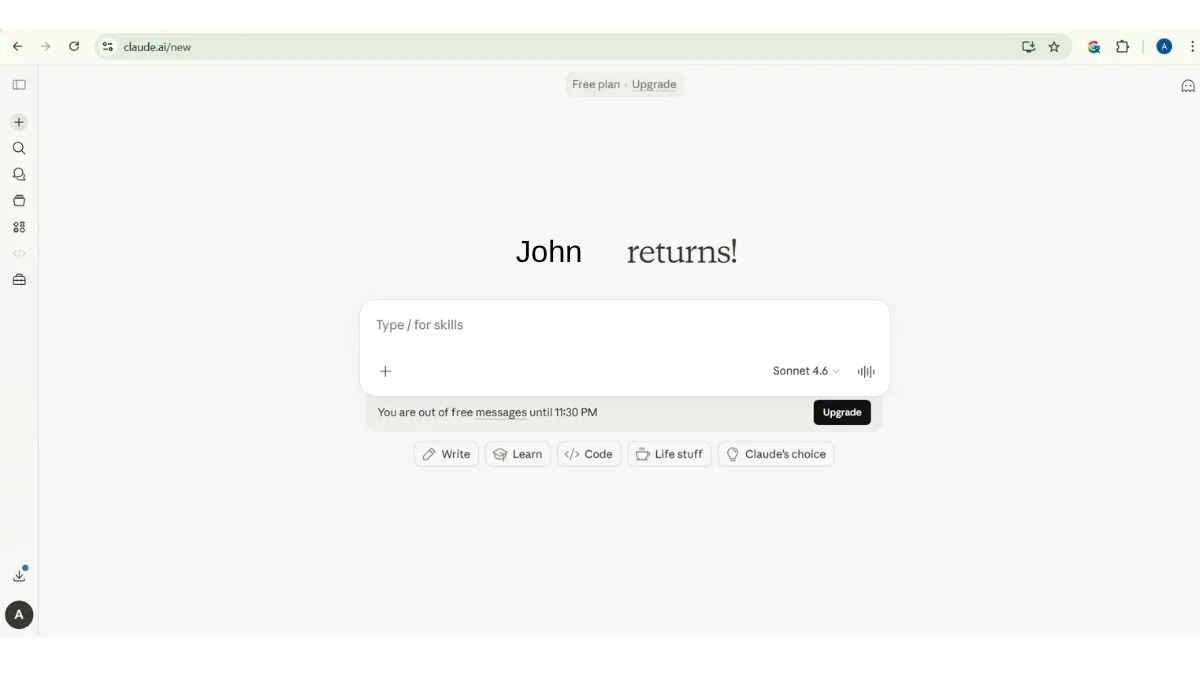
- Rate limits on the free tier
- No image generation built in
- Limited third-party integrations compared to some rivals
- Pricing can add up for heavy users
If any of those are deal-breakers, keep reading.
9 Best Claude AI Alternatives in 2026
1. ChatGPT (OpenAI) — Best All-Around AI Assistant
What it is: The most popular AI chatbot in the world, built by OpenAI. ChatGPT runs on GPT-4o and offers text, image, voice, and data analysis in one place.
Best use case: General productivity, creative writing, coding help, and business tasks.
Who should use it: Pretty much anyone — students, professionals, developers, marketers.
Key advantage: The largest ecosystem of plugins, GPTs, and integrations. If you need an AI that "does everything," this is it.
Pros:
- Huge feature set (voice, images, file uploads, web browsing)
- Massive plugin and custom GPT marketplace
- Reliable and fast on GPT-4o
- Free tier is genuinely usable
Cons:
- Can feel less thoughtful than Claude on nuanced tasks
- GPT-4o responses can occasionally be over-eager to please
- Premium plan ($20/month) required for full features
2. Google Gemini — Best for Google Workspace Users
What it is: Google's flagship AI, integrated directly into Search, Docs, Gmail, and more. Gemini Ultra is their most powerful model.
Best use case: Research, summarizing documents, drafting emails, and anything inside the Google ecosystem.
Who should use it: Anyone already living in Google Workspace — this integration is seamless.
Key advantage: Native Google Search integration means it pulls real-time information better than most.
Pros:
- Deep integration with Gmail, Docs, Drive, and Search
- Strong multimodal capabilities (text + image + audio)
- Free tier is solid
- Google's infrastructure = fast and reliable
Cons:
- Can be overly cautious on some topics
- Less consistent personality than Claude or ChatGPT
- Advanced features require Google One AI Premium
3. Microsoft Copilot — Best for Office 365 Users
What it is: Microsoft's AI assistant, built on OpenAI's models and baked directly into Windows, Edge, Word, Excel, and Teams.
Best use case: Summarizing meetings, drafting Word docs, analyzing spreadsheets, and Windows-native tasks.
Who should use it: Corporate users and anyone already paying for Microsoft 365.
Key advantage: If your company runs on Microsoft, Copilot is the path of least resistance — it's literally already there.
Pros:
- Embedded in tools you already use (Word, Excel, Teams)
- Free in Edge browser and Windows
- Powered by GPT-4 — genuinely capable
- Great at data analysis inside Excel
Cons:
- Best features locked behind Microsoft 365 subscription
- Less creative than Claude or ChatGPT for open-ended tasks
- Sometimes feels like a fancy autocomplete rather than a real assistant
4. Perplexity AI — Best for Research (#4 Is a Game-Changer for Students)
What it is: An AI-powered search engine that gives cited, sourced answers instead of blue links. Think Google + ChatGPT, but smarter about citations.
Best use case: Research, fact-checking, and getting current information with sources you can actually verify.
Who should use it: Students, journalists, researchers, and anyone tired of sifting through 10 search results to find one answer.
Key advantage: Every answer includes citations. You know where the information came from — which is huge for academic and professional work.
Pros:
- Real-time web access by default
- Cited sources on every answer
- Clean, distraction-free interface
- Free tier is excellent
Cons:
- Less conversational than Claude or ChatGPT
- Not ideal for creative writing or open-ended brainstorming
- Pro version ($20/month) needed for advanced models
5. DeepSeek — Best Free Claude Alternative for Coding
What it is: A powerful open-source AI from a Chinese research lab that went viral for matching GPT-4 performance at a fraction of the cost. DeepSeek R1 is particularly strong at reasoning and code.
Best use case: Coding, math, logical reasoning, and tasks requiring step-by-step thinking.
Who should use it: Developers and technical users who want a free, capable model without usage limits.
Key advantage: Genuinely competitive with top-tier models on benchmarks — and it's free to use.
Pros:
- Free and open-source
- Excellent at coding and reasoning
- Strong performance on technical benchmarks
- Available via API for developers
Cons:
- Data privacy concerns (servers based in China)
- Less polished UX than ChatGPT or Claude
- Occasionally inconsistent on creative tasks
6. Mistral — Best for Privacy-Focused Users
What it is: A European AI company offering open-source and commercial models. Mistral's models (especially Mistral Large) are lean, fast, and surprisingly capable.
Best use case: Developers building AI-powered apps, and users who want to self-host an LLM for privacy.
Who should use it: Privacy-conscious users, developers, and businesses that need GDPR-compliant AI.
Key advantage: You can run Mistral models locally — no data leaves your machine if you choose that route.
Pros:
- European company = GDPR-friendly
- Open-source models available for self-hosting
- Fast and efficient
- Strong multilingual support
Cons:
- Less polished consumer interface than Claude
- Smaller ecosystem than OpenAI or Google
- Le Chat (their chatbot) is improving but still behind in UX
7. Meta AI (Llama) — Best Open-Source Foundation
What it is: Meta's open-source AI models (Llama 3 and beyond) that you can use for free, run locally, or build products on. Meta AI is also available inside WhatsApp, Instagram, and Facebook.
Best use case: Developers building custom AI tools, and anyone who wants a capable free chatbot on social platforms.
Who should use it: Developers, researchers, and tech-savvy users who want full control over their AI.
Key advantage: Truly open-source — you can download, modify, and deploy Llama models however you want. No usage fees.
Pros:
- Free and open-source
- Integrated into WhatsApp and Instagram (zero friction)
- Strong community and fine-tuned model ecosystem
- No API costs for self-hosted use
Cons:
- Requires technical setup for self-hosting
- Meta AI (consumer version) is less capable than Claude or GPT-4
- Limited multimodal support in some versions
8. Poe by Quora — Best for Trying Multiple AI Models
What it is: A platform that gives you access to dozens of AI models — including Claude, ChatGPT, Gemini, Llama, and more — all in one place.
Best use case: Comparing different AI models side-by-side, or switching between models depending on your task.
Who should use it: Power users who want flexibility without subscribing to every AI service separately.
Key advantage: One subscription, access to many models. You can literally ask Claude and ChatGPT the same question and compare.
Pros:
- Access to Claude, GPT-4, Gemini, and many others
- Great for model comparison
- Build and share custom bots
- Reasonable pricing vs. subscribing to everything
Cons:
- Not ideal if you just need one tool
- Interface feels busier than single-model apps
- Some top models still require credits
🔗 Try Poe
9. Grok (xAI) — Best for Real-Time X/Twitter Data
What it is: Elon Musk's AI built by xAI, integrated into X (formerly Twitter). Grok has real-time access to everything happening on X, which no other AI has.
Best use case: Social media monitoring, trend analysis, and real-time event tracking.
Who should use it: Social media managers, journalists, and marketers who live on X.
Key advantage: Real-time data from X. If you want to know what's happening right now online, Grok has an edge.
Pros:
- Real-time X data access
- Less censored than most AI models
- Included with X Premium
- Improving rapidly (Grok 3 is impressive)
Cons:
- Requires X Premium subscription
- Less refined for academic or professional writing
- Smaller knowledge base outside of X
🔗 Try Grok
Quick Comparison Table
| Tool | Best For | Free Tier | Coding | Real-Time Web | Privacy |
|---|---|---|---|---|---|
| ChatGPT | All-around use | ✅ (limited) | ✅ | ✅ | Medium |
| Gemini | Google users | ✅ | ✅ | ✅ | Medium |
| Copilot | Office 365 | ✅ | ✅ | ✅ | Medium |
| Perplexity | Research | ✅ | ❌ | ✅ | High |
| DeepSeek | Coding/Math | ✅ | ✅✅ | ❌ | Low |
| Mistral | Privacy/Dev | ✅ | ✅ | Limited | High |
| Meta AI | Open-source | ✅ | ✅ | ❌ | High (self-host) |
| Poe | Multi-model | Limited | ✅ | ✅ | Medium |
| Grok | Social/X data | ❌ | ✅ | ✅ | Medium |
Pro Tips: How to Choose the Right Claude Alternative
Not sure which one to pick? Here's a quick decision framework:
- 🎓 Student or researcher? → Start with Perplexity AI for cited answers, then upgrade to ChatGPT if you need more.
- 💻 Developer or coder? → Try DeepSeek R1 (free) or Mistral for privacy-sensitive projects.
- 📊 Business / Office user? → Copilot if you're in Microsoft, Gemini if you're in Google.
- 🔒 Privacy-conscious? → Mistral (self-hosted) or Perplexity with their privacy features.
- 🛠️ Want to build something? → Meta's Llama (open-source) or Mistral for API access.
- 🧪 Just exploring? → Poe gives you access to nearly everything in one place.
How Claude Compares to These Alternatives
Claude still holds its own in several areas:
- Long-context tasks — Claude handles 200K token context windows better than most
- Thoughtful, nuanced writing — less likely to give sycophantic answers
- Document analysis — excellent at reading and reasoning over long PDFs
- Safety and alignment — Anthropic's focus on AI safety is genuine
But if you need real-time search, image generation, better pricing, or tighter tool integrations — the alternatives above are genuinely worth your time.
For more on AI tools, check out these related guides on BrightSEOTools:
- ChatGPT vs Claude vs Gemini: Which AI Wins?
- What is Claude Opus 4.6?
- GPT-5 vs Claude: Who Codes Better?
- Best Free ChatGPT Alternatives
- Free AI Assistants Better Than ChatGPT
- Best AI Tools Complete Guide
- Top 100 Best AI Tools
- AI Agents vs Chatbots: What's the Real Difference?
- Best AI Tools for Productivity
- Free AI Tools That Replace Expensive Software
Frequently Asked Questions
What is the best free alternative to Claude AI?
ChatGPT's free tier and Perplexity AI are the strongest free alternatives to Claude. ChatGPT offers GPT-4o on its free plan (with usage limits), while Perplexity gives real-time cited answers at no cost. For developers, DeepSeek R1 is free and technically powerful, though privacy tradeoffs apply.
Is there an AI better than Claude for coding?
Yes — for coding specifically, DeepSeek R1 and ChatGPT (with Code Interpreter) often outperform Claude. DeepSeek R1 has scored exceptionally on competitive programming benchmarks. GitHub Copilot (built on GPT-4) is also purpose-built for code and integrates directly into your IDE.
Which Claude alternative is best for research and academic work?
Perplexity AI is the top choice for research. It provides cited, sourced answers that you can trace back to original documents — critical for academic integrity. For deeper document analysis, NotebookLM by Google is worth exploring as a companion tool.
Can I use multiple AI models instead of just Claude?
Absolutely — and it's often a smart strategy. Poe by Quora is designed exactly for this: it gives you access to Claude, ChatGPT, Gemini, and many more in a single interface. Many power users run two or three models depending on the task.
Is DeepSeek safe to use as a Claude alternative?
DeepSeek is capable, but has real privacy concerns. Its servers are based in China, which raises data sovereignty questions for sensitive business or personal data. For general coding problems or math, it's fine. For confidential work, consider Mistral (self-hosted) or ChatGPT instead.
How does Claude compare to Gemini?
Claude generally edges out Gemini on nuanced writing and long-document reasoning, while Gemini has the advantage of real-time Google Search and tighter Google Workspace integration. If you live in Google Docs and Gmail, Gemini is the more practical choice. If you need careful, thoughtful text output, Claude has a slight edge.
Final Thoughts
There's no single "best" Claude alternative — it depends entirely on what you're doing.
- Everyday productivity? → ChatGPT or Gemini
- Research with sources? → Perplexity AI
- Coding? → DeepSeek or Copilot
- Privacy? → Mistral
- Multiple models? → Poe
The good news is that most of these tools have generous free tiers. There's nothing stopping you from trying two or three before committing to one.
And honestly? Using Claude alongside one of these tools is a legitimate strategy. Different models have different strengths, and smart users know which one to reach for.
Want to explore more AI tools? Check out our full breakdown: Best AI Tools for Every Profession and Best Free AI Tools to Use Daily.
External resources for further reading:
- Anthropic Claude overview — official Claude documentation
- OpenAI model comparison — official GPT model specs
- Hugging Face Open LLM Leaderboard — benchmark comparisons across open-source models