9 Best Notion AI Alternatives in 2026 (Honest Picks That Actually Work)

Let's be real — Notion is great. But Notion AI? It's decent at best, and at $10/month on top of an already paid plan, it starts feeling expensive fast.
Maybe you need more writing power. Maybe you want better summarization. Or maybe you just tried Notion AI and thought, "That's it?"
Whatever your reason — you're in the right place. This guide covers 9 Notion AI alternatives that are faster, smarter, or cheaper (sometimes all three). Each one is tested, honestly reviewed, and matched to specific use cases so you can pick the right tool without wasting time.
Ready? Let's get into it.
What Is Notion AI, and Why Are People Looking for Alternatives?
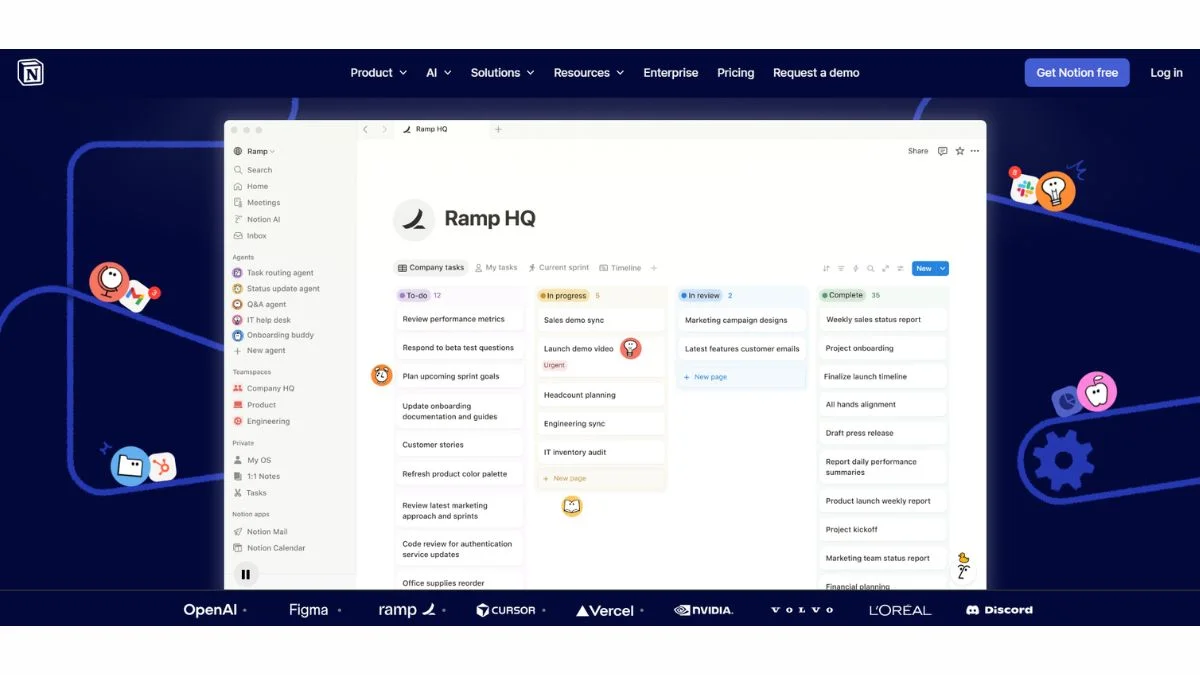
Notion AI is built directly into the Notion workspace. It can summarize pages, generate content, fix grammar, and auto-fill databases. For casual users, it's convenient. But here's why people start looking elsewhere:
- Limited context window — it struggles with long, complex documents
- Not a dedicated AI tool — writing quality lags behind specialized tools like Jasper or Claude
- Extra cost — $10/month per member on top of your existing Notion plan
- No deep research mode — it can't browse the web or pull real-time data
- Locked in Notion — you can't use it in your browser, email, or other apps
If any of those hit close to home, keep reading.
Quick Comparison: Notion AI vs. Top Alternatives
| Tool | Best For | Free Plan | Starts At | Standout Feature |
|---|---|---|---|---|
| Notion AI | In-app productivity | ❌ (add-on) | $10/mo | Native Notion integration |
| ChatGPT | General writing & research | ✅ | $20/mo | Widest capability range |
| Claude | Long documents & analysis | ✅ | $20/mo | 200K token context window |
| Obsidian + AI | Local-first note-taking | ✅ | Free | Full privacy, offline use |
| Mem AI | Automatic knowledge linking | ✅ | $14.99/mo | Self-organizing memory |
| Coda AI | Team docs + automation | ✅ | $10/mo | Doc + spreadsheet hybrid |
| ClickUp AI | Project management + writing | ✅ | $7/mo | All-in-one PM with AI |
| Craft + AI | Clean writing experience | ✅ | $4.99/mo | Beautiful mobile-first design |
| Taskade AI | AI-assisted team workflows | ✅ | $8/mo | Visual mind maps + tasks |
| Anytype | Privacy-first Notion replacement | ✅ | Free | Open-source, offline-first |
The 9 Best Notion AI Alternatives (Ranked and Reviewed)
1. ChatGPT — The Swiss Army Knife of AI Writing
What it is: OpenAI's flagship AI assistant, available as a web app, mobile app, and API. Most people already know it — but most people also underuse it.
Best use case: Brainstorming, drafting long-form content, coding help, summarizing pasted documents, and Q&A.
Who should use it: Freelancers, content creators, students, developers, and anyone who needs a general-purpose AI assistant outside of a specific tool.
Key advantage: GPT-4o (and upcoming GPT-5) is simply one of the most capable models available. It handles nuance, tone shifts, and complex reasoning better than most alternatives.
Pros:
- Extremely capable across writing, coding, math, and analysis
- GPT-4o is fast and available on free tier (with limits)
- Memory feature learns your preferences over time
- Canvas mode for longer documents
- Plugins and custom GPTs extend functionality
Cons:
- No built-in note-taking or workspace structure
- Free plan has message limits
- Needs copy-paste workflow if you're not using the API
Practical tip: Use ChatGPT with a clipboard manager or browser extension to bridge the gap between your notes app and AI output. Many users pair it with a simple Markdown editor for a near-perfect writing workflow.
Internal read: ChatGPT vs Claude vs Gemini — Which AI Wins? | Best Free ChatGPT Alternatives
2. Claude by Anthropic — Best for Long Documents and Deep Analysis
What it is: Claude is Anthropic's AI assistant, known for its massive context window (up to 200K tokens), thoughtful responses, and excellent handling of nuanced tasks.
Best use case: Reading and summarizing entire research papers, legal documents, business reports, or long meeting transcripts in one go.
Who should use it: Researchers, lawyers, analysts, writers, and anyone working with lengthy, complex documents.
Key advantage: Claude's 200K token context window is a genuine game-changer. You can paste an entire book and ask it questions. Notion AI simply can't do this.
Pros:
- Best-in-class for long document processing
- Thoughtful, nuanced writing that feels human
- Very strong at following detailed instructions
- Free tier is genuinely useful
- Excellent at avoiding hallucinations compared to some competitors
Cons:
- No built-in note-taking workspace
- Claude.ai web interface is simple — no project management features
- Slightly more conservative on some content types
Real-world example: A startup founder uploads their 80-page investor deck and asks Claude to identify weak sections and suggest improvements. That's a workflow Notion AI simply can't handle.
Internal read: What is Claude Opus 4.6 — Everything You Need to Know | How to Use Claude API in Your Web Application
3. Mem AI — Best for People Who Hate Organizing Notes
What it is: Mem AI is an AI-powered note-taking app that automatically links your notes, surfaces relevant information, and builds a personal knowledge graph — without you doing any manual tagging or folder organizing.
Best use case: If you've ever said "I know I wrote something about this somewhere…" — Mem is built for you.
Who should use it: Knowledge workers, researchers, journalists, and anyone who takes a lot of notes but struggles to find them later.
Key advantage: Mem learns from your writing patterns. Over time, it starts surfacing the right notes at the right time — like a second brain that actually works.
Pros:
- Zero-friction capture — just type, it organizes itself
- AI surfaces related notes automatically
- Works well on mobile
- Integrates with email and Slack
Cons:
- $14.99/month is a bit steep for individuals
- Some users find the auto-organization unpredictable at first
- Not ideal for project/task management
Internal read: Best AI Tools for Productivity | Best Free AI Tools to Use Daily
4. ClickUp AI — Best for Teams That Need Docs + Project Management (#4 is a hidden gem for busy teams)
What it is: ClickUp is already one of the most powerful project management tools around. Their AI layer adds writing assistance, task summaries, action item generation, and meeting notes directly inside your workflow.
Best use case: Teams that want one tool for tasks, docs, wikis, and AI writing — instead of juggling Notion + a separate AI tool.
Who should use it: Product managers, marketing teams, and operations leads who live inside project tools all day.
Key advantage: ClickUp AI doesn't just write — it reads your tasks and docs and generates actionable summaries, sub-tasks, and progress updates automatically.
Pros:
- AI is built into your existing PM workflow
- Affordable at $7/month per user
- Generates meeting summaries and action items
- Can summarize task threads and comment chains
- Strong free plan for small teams
Cons:
- ClickUp can feel overwhelming for new users
- AI features are still maturing compared to dedicated writing tools
- Mobile app isn't as polished as the desktop version
Internal read: Best AI Tools Complete Guide with Pros & Cons | Free AI Productivity Tools for Teams
5. Coda AI — Best for Doc + Spreadsheet Power Users
What it is: Coda is a document tool that blends rich text writing with spreadsheet-style tables, databases, and automations. Coda AI adds writing assistance, formula generation, and smart summaries throughout.
Best use case: Building internal wikis, product specs, or operational playbooks that mix prose and data — and need AI to fill in the gaps.
Who should use it: Ops teams, product teams, and startups that need something between Google Docs and a lightweight database.
Key advantage: Coda's "AI Formula" feature lets you use natural language to create complex formulas, extract data from tables, and automate workflows — without needing to know code.
Pros:
- Powerful doc-database hybrid
- AI formula generation is legitimately impressive
- Good template library
- Integrates with Slack, Jira, and Salesforce
Cons:
- Steeper learning curve than Notion
- Gets expensive at scale
- Not ideal for personal note-taking
Internal read: How to Develop an Effective SEO Strategy | Free AI Tools for Entrepreneurs
6. Taskade AI — Best for Visual Thinkers and Remote Teams
What it is: Taskade combines task management, mind mapping, video meetings, and AI writing in a single app. Think Notion + Trello + Zoom — with AI baked in.
Best use case: Remote teams who want visual project overviews, brainstorming boards, and AI-assisted task creation in one place.
Who should use it: Startups, creative agencies, freelancers working with clients, and distributed teams.
Key advantage: Taskade's AI Agent feature can run multi-step workflows autonomously — researching topics, creating task breakdowns, and drafting documents without constant human prompting.
Pros:
- Genuinely beautiful UI
- Mind map + task + doc views in one click
- AI Agents handle multi-step research tasks
- Affordable ($8/month per workspace, not per user)
- Great free plan
Cons:
- Less mature than Notion or ClickUp for complex database work
- Some users find mind map + task hybrid confusing at first
- Integrations are more limited than competitors
Internal read: What Are AI Agents? The Complete Beginners Guide | Best AI Agent Platforms You Need to Know About Right Now
7. Obsidian + AI Plugins — Best for Privacy-First Power Users
What it is: Obsidian is a local-first Markdown note-taking app with a powerful plugin ecosystem. It's not AI-native, but plugins like Smart Connections, Copilot, and Local LLM integrations turn it into a powerful AI knowledge management system.
Best use case: Writers, researchers, and developers who want complete data ownership, offline access, and customizable AI workflows — without cloud lock-in.
Who should use it: Privacy-conscious professionals, academics, writers working on long projects, and developers comfortable with light configuration.
Key advantage: Your notes never leave your device. Pair Obsidian with a local LLM (via Ollama) and you have a fully private, AI-powered second brain with zero monthly fees.
Pros:
- 100% local storage — no cloud required
- Free for personal use
- Extremely customizable via plugins
- Can run with local LLMs like Llama 3 via Ollama — no API costs
- Excellent for long-form writing and research
Cons:
- Not beginner-friendly — some setup required
- No real-time collaboration (sync requires paid plan)
- AI features depend on plugin quality
Internal read: How to Run LLMs Locally with Ollama | Best Open Source LLMs You Can Self-Host
8. Craft + AI — Best for Writers Who Care About Design
What it is: Craft is a document and note-taking app for macOS and iOS that combines beautiful design with solid AI writing features. It's the prettiest Notion alternative by a wide margin.
Best use case: Writers, bloggers, and professionals who want their documents to actually look good — not just function well.
Who should use it: Apple ecosystem users, content creators, and anyone who's ever felt that Notion's UI is just a bit... grey.
Key advantage: Craft's AI assistant writes in your voice. Feed it a few existing paragraphs and it matches your tone remarkably well — something Notion AI consistently fails at.
Pros:
- Stunningly beautiful interface
- AI writing that adapts to your tone
- Excellent native iOS/macOS experience
- Affordable at $4.99/month
- Offline-first with iCloud sync
Cons:
- Mac/iOS only — no Windows or Android apps
- Not ideal for database or spreadsheet-heavy workflows
- Smaller integration ecosystem than Notion
Internal read: Best AI Tools for Content Creators | Free AI Content Generators for Bloggers
9. Anytype — Best Free Notion Replacement (Open-Source + Local First)
What it is: Anytype is an open-source, local-first workspace that works like a more flexible version of Notion — with blocks, databases, and linked content — but with no subscription required and full offline access.
Best use case: People who love Notion's structure but hate paying for it and worrying about data privacy.
Who should use it: Privacy-conscious individuals, students, indie hackers, and open-source enthusiasts.
Key advantage: Completely free. Your data lives on your device and syncs via encrypted peer-to-peer — no central server holds your notes.
Pros:
- 100% free (with optional paid cloud backup)
- Open-source and actively maintained
- Block-based like Notion with relational databases
- Offline-first with E2E encrypted sync
- Growing template library
Cons:
- AI features are still early-stage compared to Notion AI
- Smaller ecosystem and fewer integrations
- Can be slow with very large databases
Internal read: Notion Alternatives | Best Free AI Tools for Small Business
How to Choose the Right Notion AI Alternative
Still not sure which one is right for you? Here's a simple decision framework:
If you want the most powerful AI writing tool → Go with ChatGPT Plus or Claude
If you work in long documents or research → Claude wins on context window size
If you want AI inside your project management → ClickUp AI or Coda AI
If you take a lot of notes and hate organizing them → Mem AI
If privacy and offline access matter most → Obsidian or Anytype
If you're on a Mac and care about design → Craft
If you run a remote team with visual workflows → Taskade
Pro Tips: Getting More Out of Any Notion AI Alternative
Before you cancel Notion AI and go all-in on something new, here are a few things worth knowing:
💡 Tip 1: Most of these tools have a generous free tier. Test at least two or three before committing — what works for a solo freelancer feels completely different for a five-person team.
💡 Tip 2: If you're already paying for ChatGPT Plus, try using it alongside a free note-taking app (like Obsidian or Anytype) before paying for another AI tool. The combo often beats a single all-in-one product.
💡 Tip 3: For teams evaluating Coda AI or ClickUp AI — run a two-week pilot with one small team first. Adoption matters more than features.
💡 Tip 4: If you're a developer or technical user, explore the Claude API or OpenAI API integration to build your own lightweight AI workspace tailored to your exact workflow.
💡 Tip 5: Many free AI writing tools now rival paid options. Don't pay for features you won't use.
Frequently Asked Questions
Q1: Is there a free alternative to Notion AI that's actually good?
Yes — ChatGPT's free tier, Claude's free plan, and Anytype are all solid free alternatives. ChatGPT (free) gives you GPT-4o with message limits. Claude's free plan handles surprisingly long documents. Anytype is completely free and works as a Notion-style workspace without the AI add-on cost.
For pure note-taking without AI, Anytype and Obsidian are both excellent free Notion replacements that don't require a subscription at all.
Q2: What's better than Notion AI for long documents?
Claude by Anthropic is the best option for long documents, thanks to its 200K token context window. You can paste entire books, contracts, or research papers and ask detailed questions. Notion AI's context is much more limited and tends to lose coherence in longer documents.
If you regularly work with PDFs or large text files, Claude is the clear choice. You can also explore tools like AI document Q&A systems for custom setups.
Q3: Which Notion AI alternative is best for students?
ChatGPT (free), Claude (free), or Taskade AI are the top picks for students. ChatGPT handles essays, research summaries, and study questions well. Claude is excellent for summarizing academic papers. Taskade offers a generous free plan with task management and AI writing — great for project deadlines.
For more options, check out free AI tools for students and free AI study tools for notes and flashcards.
Q4: Can I use ChatGPT as a Notion replacement?
Not directly — ChatGPT is an AI assistant, not a note-taking app. It doesn't store, organize, or link your notes. However, many people pair ChatGPT with a lightweight workspace like Obsidian or Anytype to get the best of both worlds: powerful AI assistance plus structured note storage.
For teams, pairing ChatGPT with a tool like Coda or ClickUp is a more practical workflow than trying to make ChatGPT do everything.
Q5: Is Notion AI worth it in 2026?
It depends on how embedded you already are in Notion. If you live inside Notion all day, the $10/month add-on is convenient — you don't need to context-switch to another app. But if you're evaluating from scratch, standalone AI tools like Claude or ChatGPT are significantly more capable per dollar.
The honest answer: Notion AI is good for quick in-app tasks. For serious writing, analysis, or research — you'll want a dedicated tool.
Q6: What's the best Notion AI alternative for teams?
ClickUp AI and Coda AI are the strongest team-oriented options. ClickUp combines project management with AI writing at $7/user/month. Coda is better for doc-heavy teams that need database functionality without a steep learning curve. Both have free plans worth testing.
For remote teams specifically, Taskade AI is worth a look — its visual workflows and built-in video meetings reduce the need for multiple tools.
Final Thoughts: Which One Should You Actually Choose?
Here's the honest summary:
- Best overall: ChatGPT or Claude — depending on whether you prioritize versatility or document depth
- Best for teams: ClickUp AI or Coda AI
- Best free option: Anytype (workspace) + Claude free tier (AI writing)
- Best for privacy: Obsidian + local LLM
- Most underrated: Taskade and Craft
Notion AI isn't bad — it's just not worth the premium for most people who are paying for a capable AI tool elsewhere.
Pick one, test it for two weeks, and measure whether it saves you time. That's the only metric that matters.
Further Reading:
- Notion vs ChatGPT — Which One Should You Actually Use?
- Best AI Tools for Productivity
- Top 100 Best AI Tools
- 25 Best AI Tools for Every Profession
- Best Free AI Writing Tools — No Word Limit
- Free AI Tools Every Freelancer Needs
- AI Agents vs Chatbots — What's the Real Difference?
- Free AI Tools for Small Businesses That Save Hours Every Week
- Best AI Coding Assistants
- Ultimate List of Best AI Tools for Beginners