Best Paragraph AI Alternatives in 2026 (Free & Paid)

Let's be honest — ParagraphAI is decent, but it's not perfect for everyone.
Maybe the free plan feels too limited. Maybe the tone doesn't match your style. Or maybe you just want to see what else is out there before committing to any AI writing tool.
Whatever the reason, you're in the right place.
In this guide, I've tested and compared the 10 best ParagraphAI alternatives across different use cases — from writing emails and essays to generating marketing copy and coding prompts. By the end, you'll know exactly which tool fits your workflow (and your budget).
Quick answer: If you want the best all-around alternative, QuillBot wins for paraphrasing, Grammarly wins for grammar-focused writing, and ChatGPT wins for raw versatility.
What Is ParagraphAI and Why Are People Looking for Alternatives?
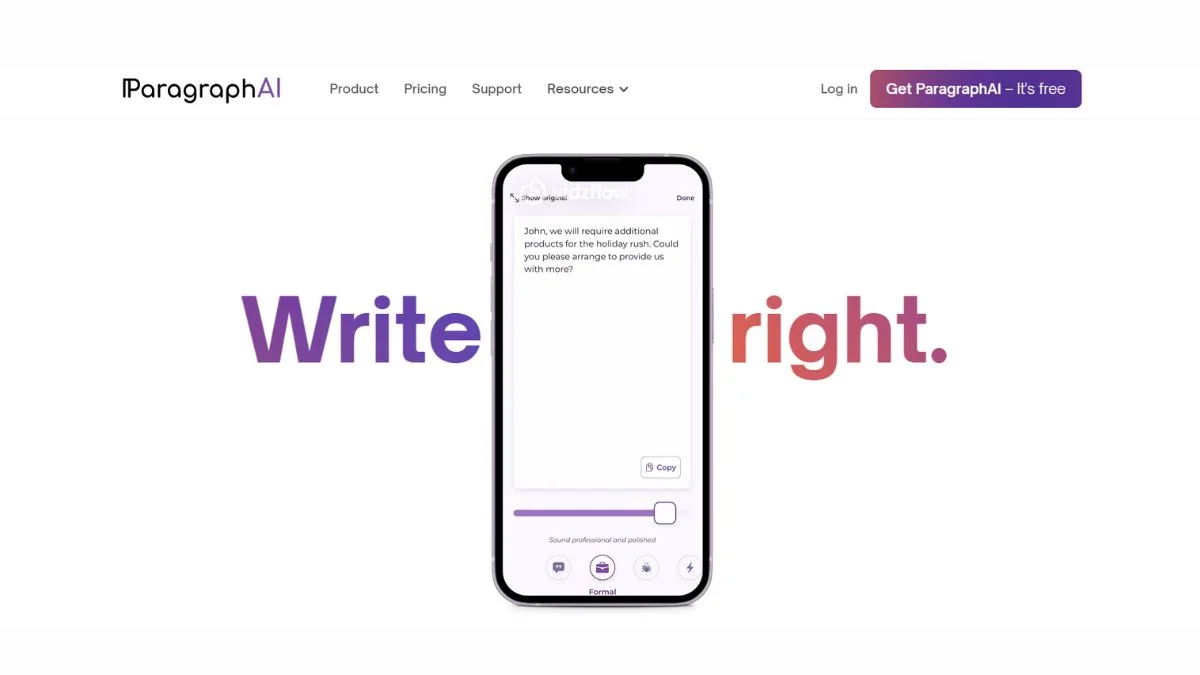
ParagraphAI is a mobile-first AI writing assistant that helps users compose emails, messages, essays, and replies using AI suggestions. It's popular for on-the-go writing on iOS and Android.
But here's the problem — users often complain about:
- Limited customization of tone and style
- Paywalled features behind expensive plans
- Repetitive outputs that feel templated
- Weak long-form writing for blog posts or reports
- No integrations with tools like Google Docs or Notion
If any of these sound familiar, keep reading. There's a better tool for your specific need.
10 Best ParagraphAI Alternatives in 2026
1. QuillBot — Best for Paraphrasing and Rewriting
What it is: QuillBot is one of the most widely used AI paraphrasing tools in the world, trusted by students, writers, and professionals alike.
Best use case: Rewriting existing content, avoiding plagiarism, and improving sentence clarity.
Who should use it: Students working on essays, content writers repurposing blog posts, and anyone who needs to say the same thing in a better way.
Key advantage: The Paraphraser offers multiple modes — Standard, Fluency, Creative, Formal, and more — giving you real control over tone.
Pros:
- Excellent paraphrasing with 8+ modes
- Free plan is genuinely useful
- Grammar checker, summarizer, and citation generator included
- Chrome extension for browser-wide use
Cons:
- Long-form content generation is limited
- Some advanced modes require a paid plan
- Output can still sound slightly robotic on complex topics
Pricing: Free plan available; Premium from ~$9.95/month
→ Read the full QuillBot Review & Complete Guide to see how it stacks up in practice.
2. Grammarly — Best for Professional and Error-Free Writing
What it is: Grammarly is the gold standard for grammar checking, but in 2026 it's also a capable AI writing assistant with tone detection, rewriting suggestions, and GrammarlyGO generative features.
Best use case: Professional emails, business documents, academic writing, and any writing where correctness matters.
Who should use it: Office workers, students, non-native English speakers, and anyone writing in a professional context.
Key advantage: Real-time suggestions that go beyond grammar — it catches tone mismatches, passive voice overuse, clarity issues, and more.
Pros:
- Industry-leading grammar and spell check
- Tone detector is genuinely helpful
- Works across browsers, Word, Google Docs, and more
- GrammarlyGO can generate and rewrite text
Cons:
- Premium plan is pricey for individuals
- AI generation features aren't as strong as dedicated tools
- Can be overly cautious with creative writing
Pricing: Free plan available; Premium from ~$12/month
→ Check out the Grammarly Review & Beginners Guide for a full feature breakdown.
3. ChatGPT — Best for Versatility and Open-Ended Writing
What it is: OpenAI's ChatGPT needs no introduction. It's the most flexible AI writing tool available — you can use it to write anything from a two-line reply to a full 3,000-word article.
Best use case: Literally any writing task — emails, essays, scripts, code, brainstorming, research summaries, you name it.
Who should use it: Everyone. Seriously. If you only pick one AI tool, this is the one.
Key advantage: No template limitations. You give it context, and it writes exactly what you need in your chosen tone, format, and length.
Pros:
- Handles virtually any writing task
- GPT-4o is fast and highly capable
- Free plan is still very usable
- Can follow complex instructions and multi-step prompts
Cons:
- Requires some prompt skill to get the best output
- No built-in grammar checking or plagiarism detection
- Free plan has usage limits during peak hours
Pricing: Free; ChatGPT Plus at $20/month
→ See how it compares in ChatGPT vs Claude vs Gemini — Which AI Wins
4. Jasper AI — Best for Marketing Copy (#4 is a game-changer for marketers)
What it is: Jasper is a dedicated AI writing platform built specifically for marketing teams and content creators. Unlike general-purpose tools, Jasper is trained with marketing frameworks like AIDA and PAS baked in.
Best use case: Ad copy, product descriptions, landing pages, email campaigns, and social media content.
Who should use it: Marketing teams, eCommerce brands, and agencies that produce high volumes of marketing content.
Key advantage: Jasper's Brand Voice feature lets you train the AI on your specific tone and style — something ParagraphAI can't do.
Pros:
- Purpose-built for marketing
- 50+ templates for different content types
- Supports long-form blog writing
- Brand Voice keeps tone consistent
Cons:
- Expensive — not ideal for individuals
- Outputs still need human editing
- Overkill for simple writing tasks
Pricing: Starts at $49/month
→ Explore Best Jasper AI Alternatives for Marketing Copy if the price is a dealbreaker.
5. Copy.ai — Best Free Alternative for Short-Form Content
What it is: Copy.ai is an AI writing tool designed for short-form content — product descriptions, taglines, social posts, and more. It has a generous free plan and is popular with small business owners.
Best use case: Quick marketing copy, social media captions, product descriptions, and email subject lines.
Who should use it: Freelancers, solopreneurs, and small business owners who need fast copy without a big budget.
Key advantage: The free plan offers unlimited words (with some limitations), which is rare among AI writing tools.
Pros:
- Unlimited words on free plan
- Fast output for short-form content
- 90+ content templates
- Easy to use — no learning curve
Cons:
- Long-form writing quality is inconsistent
- Less control over tone compared to Jasper
- Outputs often need significant editing
Pricing: Free plan available; Pro from $49/month
→ Compare options in Best Copy.ai Alternatives in 2026
6. Writesonic — Best for SEO Blog Writing
What it is: Writesonic is an AI writing assistant that focuses on SEO-optimized content. It integrates with Surfer SEO and can produce long-form articles with proper structure.
Best use case: Blog posts, SEO articles, landing pages, and content that needs to rank on Google.
Who should use it: Bloggers, content marketers, and SEO professionals who need fast content at scale.
Key advantage: AI Article Writer 5.0 can generate a full SEO article — complete with headings, FAQs, and an introduction — in under a minute.
Pros:
- Surfer SEO integration for real-time optimization
- Fast long-form content generation
- Supports 30+ languages
- Good value for content teams
Cons:
- Quality drops on highly technical topics
- Factual errors can slip through — always verify
- Interface can feel cluttered
Pricing: Free trial available; plans from ~$16/month
→ See how it stacks up in Best Writesonic Alternatives in 2026
7. Claude (Anthropic) — Best for Long-Form and Nuanced Writing
What it is: Claude is Anthropic's AI assistant, known for producing thoughtful, nuanced, and well-structured writing. It's particularly strong at handling long documents, complex instructions, and writing that requires careful reasoning.
Best use case: Essays, reports, research summaries, long emails, and any writing that benefits from careful thought.
Who should use it: Researchers, writers, professionals, and students who need more than just fast output — they need quality.
Key advantage: Claude tends to write in a more natural, human-like style compared to many other AI tools.
Pros:
- Excellent at long-form, nuanced writing
- Handles complex instructions well
- Strong ethical guardrails reduce harmful outputs
- Very large context window for long documents
Cons:
- No native grammar checking tool
- Free plan has message limits
- Less suited for quick, templated marketing copy
Pricing: Free plan available; Claude Pro at $20/month
→ Curious how it compares? Read What is Claude Opus 4.6 — Everything You Need to Know
8. WordTune — Best for Sentence-Level Rewriting
What it is: WordTune is a writing companion that focuses on improving individual sentences. Rather than generating content from scratch, it helps you rewrite what you've already written — making it clearer, shorter, or more engaging.
Best use case: Polishing drafts, improving sentence clarity, and refining tone in existing writing.
Who should use it: Anyone who writes and wants their sentences to sound better without rewriting everything from scratch.
Key advantage: The Rewrite feature gives you multiple alternative versions of any sentence in seconds.
Pros:
- Great for refining existing writing
- Multiple rewrite options per sentence
- Formal/casual tone toggle
- Works as a browser extension
Cons:
- Not a content generator — it improves, it doesn't create
- Free plan limited to 10 rewrites/day
- Less useful for long-form content creation
Pricing: Free plan available; Plus from $13.99/month
→ See Best WordTune Alternatives in 2026 for similar options.
9. Rytr — Best Budget-Friendly AI Writer
What it is: Rytr is an affordable AI writing assistant that covers a wide range of use cases — from emails and blog posts to social media captions and business bios. It's especially popular with budget-conscious users.
Best use case: General writing assistance, short blog sections, email drafts, and social copy on a tight budget.
Who should use it: Students, freelancers, and small businesses who want AI writing help without spending much.
Key advantage: Rytr's free plan includes 10,000 characters/month, which is more generous than most competitors.
Pros:
- Very affordable (free and paid plans)
- 40+ use cases and 20+ tones
- Built-in plagiarism checker
- Simple interface — easy to learn
Cons:
- Output quality isn't as strong as Jasper or ChatGPT
- Long-form article quality is inconsistent
- Limited customization options
Pricing: Free plan available; Saver at $9/month, Unlimited at $29/month
→ Explore 10 Best Rytr Alternatives in 2026 if you want to compare similar budget tools.
10. HyperWrite — Best for Productivity and AI Autocomplete
What it is: HyperWrite is an AI writing tool that focuses on productivity — it helps you write faster with smart autocomplete, email drafting, and document generation. It also has a personal AI assistant feature.
Best use case: Drafting emails faster, autocompleting writing, and general productivity-focused writing tasks.
Who should use it: Professionals who write a lot and want to speed up their workflow without losing their personal style.
Key advantage: TypeAhead feature predicts and completes your sentences in real time — like having an AI co-pilot while you type.
Pros:
- Real-time writing assistance
- Good for emails and professional documents
- Chrome extension for browser-wide use
- Personal style learning over time
Cons:
- Less known than competitors — smaller community
- Free plan is limited
- Output quality varies depending on the prompt
Pricing: Free plan available; Premium from $19.99/month
→ Compare it with similar tools in Best HyperWrite Alternatives in 2026
Quick Comparison Table
| Tool | Best For | Free Plan | Starting Price | Long-Form? | Mobile App? |
|---|---|---|---|---|---|
| QuillBot | Paraphrasing | ✅ Yes | $9.95/mo | Limited | ✅ Yes |
| Grammarly | Grammar + Polish | ✅ Yes | $12/mo | Limited | ✅ Yes |
| ChatGPT | Versatile Writing | ✅ Yes | $20/mo | ✅ Yes | ✅ Yes |
| Jasper AI | Marketing Copy | ❌ No | $49/mo | ✅ Yes | ❌ No |
| Copy.ai | Short-Form Content | ✅ Yes | $49/mo | Limited | ❌ No |
| Writesonic | SEO Blogs | ✅ Trial | $16/mo | ✅ Yes | ❌ No |
| Claude | Nuanced Writing | ✅ Yes | $20/mo | ✅ Yes | ✅ Yes |
| WordTune | Sentence Rewriting | ✅ Yes | $13.99/mo | ❌ No | ❌ No |
| Rytr | Budget Writing | ✅ Yes | $9/mo | Limited | ❌ No |
| HyperWrite | Autocomplete | ✅ Yes | $19.99/mo | Limited | ❌ No |
How to Choose the Right ParagraphAI Alternative
Not sure which one to pick? Here's a quick decision framework:
If you mainly write emails and professional messages → Go with Grammarly or HyperWrite
If you're a student writing essays or papers → QuillBot or Claude will serve you well
If you run a business and need marketing copy → Jasper AI or Copy.ai are built for this
If you want the most flexible, all-purpose tool → ChatGPT is hard to beat
If you're on a tight budget → Rytr or Copy.ai's free plan are solid starting points
If you create SEO content regularly → Writesonic with Surfer SEO integration is worth the investment
Pro Tips for Getting the Most Out of Any AI Writing Tool
Getting good output from AI isn't just about picking the right tool — it's about knowing how to use it. Here's what actually works:
1. Give context, not just a command. Instead of "write an email about a meeting," try "write a polite follow-up email to a client who hasn't responded in 3 days. Tone: professional but warm."
2. Specify length and format upfront. "Write a 150-word intro paragraph with a question hook" gets better results than "write an intro."
3. Edit, don't just publish. Every AI output needs a human pass. Fix what sounds robotic, add your personal voice, and verify any facts.
4. Use the tone controls. Most tools have formal/casual toggles. Use them — they make a bigger difference than most people realize.
5. Break big tasks into smaller prompts. For a 1,500-word blog post, prompt section by section. The quality will be noticeably better.
→ For deeper advice, see Best Prompt Engineering Techniques for Developers — many of these tips apply to writing prompts too.
More Resources You'll Find Helpful
If you're building out your AI toolkit, these guides from our blog cover the broader landscape:
- Best Free AI Writing Tools — No Word Limit
- Free AI Tools Every Freelancer Needs
- Best AI Tools for Content Creators
- Free AI Content Generators for Bloggers
- Top 100 Best AI Tools
- Free AI Copywriting Tools for Marketing
- Best AI Tools for Students
- Free AI Essay Writers — No Plagiarism
- 25 Best AI Tools for Every Profession
- Best AI Tools for Productivity
- Jasper AI vs Copy.ai vs Writesonic — Best AI Copywriter
- QuillBot vs WordTune vs Grammarly — Best AI Paraphrasing Tool
- Free vs Paid AI Writing Tools — Is Upgrading Worth It?
- Top 10 Free AI Tools for Students
- Best Free AI Tools to Use Daily
- ChatGPT vs Jasper AI — Which Gives Better Marketing Copy?
- Best Free ChatGPT Alternatives
- Free AI Assistants Better Than ChatGPT
- Best AI Coding Assistants
- HIX.AI vs Writesonic vs Copy.ai — Best All-in-One AI Writer
- Best Free Grammar Checkers
- Ultimate List of Best AI Tools for Beginners
- Best Copy.ai Alternatives for Generating Sales Copy
- Best HIX.AI Alternatives for All-in-One AI Writing
- Best Jenni AI Alternatives for Academic Writing
- Top Best Sudowrite Alternatives for Fiction Writing
- Grammarly vs ProWritingAid vs Hemingway
- Best Free AI Tools for Small Business
- Free AI Marketing Tools for Startups
- Top Best Wordtune Alternatives for Sentence Rewriting
Frequently Asked Questions
What is the best free alternative to ParagraphAI?
QuillBot and ChatGPT are the strongest free alternatives to ParagraphAI. QuillBot's free plan gives you solid paraphrasing and grammar checking, while ChatGPT's free tier handles virtually any writing task. Both are more capable than ParagraphAI's free offering for most users.
That said, the "best" free option depends on your use case. For grammar and polish, Grammarly free is hard to beat. For bulk content, Rytr's free plan (10,000 characters/month) offers more value for bloggers and content writers.
Is ParagraphAI good for students?
ParagraphAI works for basic tasks, but students typically get better results from dedicated tools. QuillBot is better for paraphrasing and citation help, Grammarly is better for error correction and academic tone, and Claude produces more thoughtful, essay-quality writing.
Check out the Best AI Tools for Students guide for a full breakdown tailored to academic use.
Which AI writing tool is best for marketing?
Jasper AI is the top choice for dedicated marketing copy — it's built with marketing frameworks in mind and includes brand voice training. Copy.ai is a strong free alternative for short-form marketing content.
If budget is tight, ChatGPT with good prompts can produce solid marketing copy too. Read the Jasper AI vs Copy.ai vs Writesonic comparison for side-by-side results.
Can AI writing tools replace human writers?
No — and they aren't meant to. AI writing tools are productivity multipliers, not replacements. They speed up drafting, help with writer's block, and improve sentence quality, but they still produce errors, miss nuance, and lack genuine expertise.
The best approach in 2026 is human + AI collaboration: use AI to draft and structure, then apply your expertise and voice in editing. See Does AI Generated Content Hurt Your SEO? for Google's current stance on AI content.
Are these ParagraphAI alternatives safe to use for academic writing?
With caution, yes. Tools like QuillBot and Grammarly are widely accepted for grammar and paraphrasing. However, submitting AI-generated content as original work can violate academic integrity policies at most institutions.
Always check your school's AI policy, use AI for drafting and improving (not submitting as-is), and cite sources yourself. For plagiarism-safe options, see Free AI Essay Writers — No Plagiarism.
Which tool has the best mobile app as a ParagraphAI alternative?
Grammarly and QuillBot both have strong mobile apps. ChatGPT's iOS and Android apps are also excellent — arguably the best AI writing experience on mobile in 2026. All three work well for on-the-go writing, which is ParagraphAI's home turf.
Final Thoughts
ParagraphAI isn't a bad tool — it's just not the best tool for every situation.
If you need better paraphrasing, QuillBot wins. If you need marketing copy, Jasper or Copy.ai are built for it. If you want one tool that does everything, ChatGPT or Claude are your best bets.
The good news? Most of these tools have free plans, so you can test a few before committing.
The worst thing you can do is stick with a tool that doesn't fit your workflow just because it's familiar.
Start with ChatGPT or QuillBot if you're unsure — both are free, powerful, and cover 90% of everyday writing needs. Then explore the others as your needs grow.
Want to keep exploring? Browse our full collection of AI tool reviews and comparisons — updated regularly with the latest tools tested by our team.