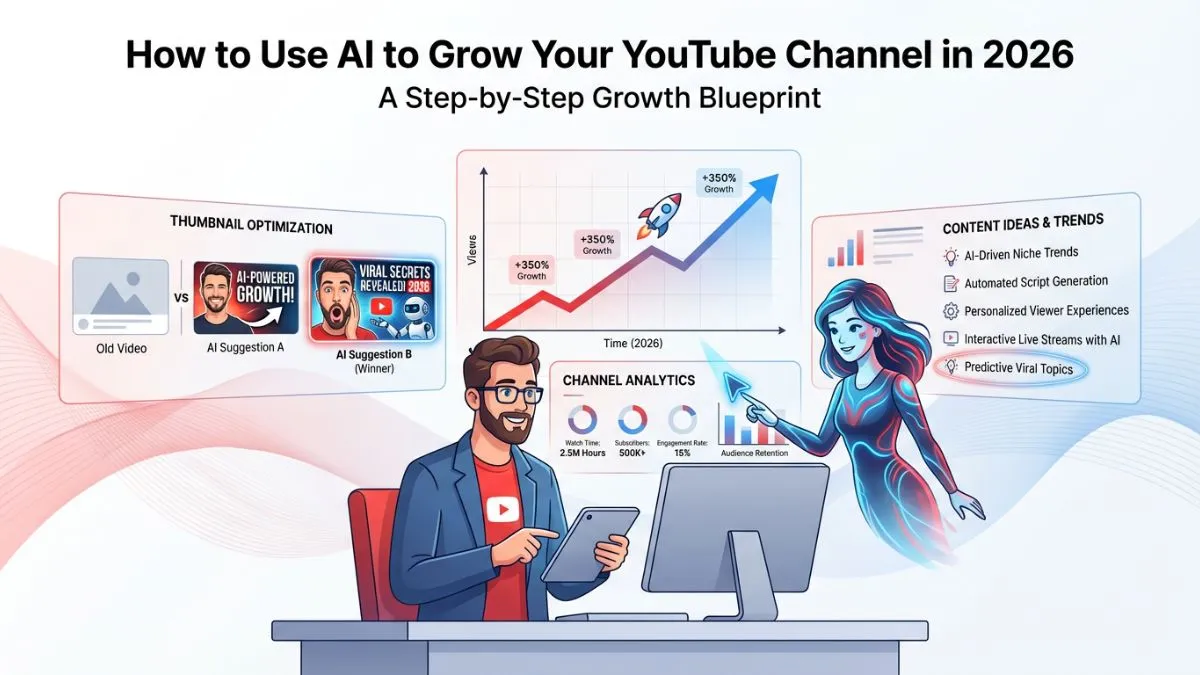
How to Use AI to Grow Your YouTube Channel in 2026 (Step-by-Step)

Growing a YouTube channel in 2026 is harder than ever — 500 hours of video are uploaded every minute, and breaking through the noise requires more than just great content. Smart creators are now using AI to grow their YouTube channels faster, smarter, and with far less effort. Whether you are struggling with scripting, SEO, thumbnails, or consistency, AI tools can handle the heavy lifting so you can focus on what matters: creating.
In this step-by-step guide, I will walk you through exactly how to use AI at every stage of your YouTube workflow — from finding viral ideas to analyzing what is killing your watch time. I have tested these tools myself, and the results are real.
🎯 Quick Answer
AI can help you grow your YouTube channel by automating idea generation, scriptwriting, SEO optimization, thumbnail creation, video editing, and analytics. The best free tools include VidIQ, TubeBuddy, ChatGPT, Canva AI, and Descript. Start with keyword research and scripting — these two areas deliver the fastest ROI for most creators.
Why AI Is a Game-Changer for YouTube Growth in 2026
The YouTube algorithm rewards consistency, click-through rate (CTR), watch time, and relevance. AI tools directly improve all four by helping you publish faster, write more compelling titles, and create content that matches what your audience is actually searching for.
According to Google's own research, channels that post consistently are 3x more likely to be recommended by the algorithm. AI tools like ChatGPT, VidIQ, and Descript can cut your average content creation time by up to 60%, making consistency actually achievable.
If you want to understand how AI is changing SEO and content discovery more broadly, that shift is directly tied to what is happening on YouTube right now — the platform is increasingly search-driven, not just recommendation-driven.
Here is what AI can do for your channel right now:
- Generate video ideas based on trending search queries
- Write full video scripts in your tone and style
- Research and add SEO-optimized titles, descriptions, and tags
- Create eye-catching thumbnails using AI image generation
- Auto-edit videos, remove filler words, and add captions
- Analyze your analytics and tell you what to fix
Step 1: Use AI for YouTube Keyword Research and Video Ideas
The biggest mistake new YouTubers make is creating content nobody is searching for. AI tools eliminate this problem by surfacing high-demand, low-competition keywords before you press record.
If you are starting from scratch, our guide on how to do keyword research without paying for expensive tools covers the foundational process in detail — the same principles apply directly to YouTube keyword research.
Best AI Tools for YouTube Keyword Research
VidIQ: VidIQ's AI coach suggests daily video ideas based on your niche and shows you the search volume, competition score, and trending velocity for any keyword. The free plan gives you 3 AI idea suggestions per day.
TubeBuddy: TubeBuddy's Keyword Explorer shows you a weighted keyword score and pulls real data from YouTube's search engine. The AI-powered "Best Time to Publish" feature alone can increase your early impressions significantly.
ChatGPT / Claude: Ask AI directly: "Give me 20 YouTube video ideas for a personal finance channel targeting 25–35 year olds who are paying off debt." You will get a full list in seconds. Refine with follow-up prompts to match your exact audience.
You can also use our free Keyword Research Tool to validate search demand and find related terms before committing to a topic. The Related Keywords Finder is especially useful for discovering LSI keywords to weave into your video title and description.
How to Use ChatGPT for Video Idea Generation (Step by Step)
- Go to chat.openai.com or claude.ai (both free)
- Type your niche + audience + goal: "I run a fitness YouTube channel for busy moms over 35. Give me 15 video title ideas targeting keywords people search on YouTube in 2026."
- Copy the output and run each title through VidIQ or TubeBuddy to validate search volume
- Pick ideas with a keyword score above 50 and competition below 40
- Build a 4-week content calendar from your validated list
Step 2: Write Better Video Scripts With AI
A great script is the difference between a viewer watching 30 seconds and watching 10 minutes. AI can write full video scripts in your voice — you just need to know how to prompt it correctly.
The AI Script Formula That Works
Use this prompt template in ChatGPT or Claude:
Write a 1,500-word YouTube script for the topic: "[YOUR TOPIC]".
My channel is for [AUDIENCE]. Tone: conversational, energetic, no fluff.
Include: a strong hook in the first 30 seconds, a pattern interrupt at 2 minutes,
3 clear takeaways, and a CTA to subscribe at the end. Format it with timestamps.
The key elements every AI-generated script needs:
- A hook in the first 15 seconds that promises a specific result
- Pattern interrupts every 90–120 seconds to reset attention
- Clear chapter structure so viewers can navigate
- A CTA that feels natural, not forced
Once your script is written, use our free Article Rewriter to rephrase any sections that sound too formal or generic — it is a quick way to punch up the language before you record.
AI Script Tools Worth Using
Jasper AI: Purpose-built for long-form content. Has a YouTube Script template that structures intros, body, and CTAs automatically.
Copy.ai: Great for short-form scripts and hooks. Free plan available.
Writesonic: Generates scripts with SEO keywords baked in. Useful if you want to align your script with your target keyword from the start.
Step 3: Optimize Your Video SEO With AI
YouTube is the world's second largest search engine. Getting found means getting your title, description, tags, and chapters right every single time — and AI makes this effortless.
For a broader understanding of on-page optimization principles that transfer directly to YouTube, see our on-page SEO techniques that actually work and our guide to writing SEO-friendly meta descriptions — the same logic applies to YouTube descriptions almost word for word.
AI-Powered Title Optimization
Use this prompt: "Write 10 YouTube title variations for the keyword [KEYWORD]. Make them curiosity-driven, include a power word, and keep them under 60 characters." Then pick the one with the highest emotional pull.
Our post on how to improve CTR with SEO titles covers the exact title formulas that drive clicks — highly applicable to YouTube thumbnails and titles.
AI for YouTube Descriptions
A strong YouTube description should include your target keyword in the first two sentences, relevant LSI keywords throughout, timestamps, and links to related videos. Use ChatGPT to generate a 300-word description from your script in under 30 seconds.
If you want to check what your video description actually looks like to YouTube's crawler, use our Meta Tag Analyzer on your channel page.
Auto-Generate Chapters and Timestamps
Descript and Otter.ai can transcribe your video and generate timestamps automatically. You can then paste these directly into your YouTube description to enable chapter markers, which improve watch time and search appearance.
Step 4: Create High-CTR Thumbnails With AI
Your thumbnail is responsible for up to 70% of whether someone clicks your video. AI design tools have made it possible to create professional thumbnails in under 5 minutes, even if you have zero design experience.
Best AI Thumbnail Tools
Canva AI: Canva's Magic Design feature generates complete thumbnail layouts from a text prompt. You can upload a screenshot from your video and let AI add text, contrast, and effects. Free plan available.
Adobe Firefly: Generate photorealistic AI images to use as thumbnail backgrounds. Especially powerful for dramatic, cinematic-style thumbnails.
Thumbnail AI (by VidIQ): Analyzes your thumbnail against top-performing videos in your niche and gives you a predicted CTR score before you publish.
For AI image generation options beyond these, check our roundup of the best AI tools for e-commerce stores — it covers several image generation platforms with free tiers that work just as well for YouTube thumbnails. Also see our Freepik AI Image Generator review for a detailed look at one of the best free options.
Once you have a thumbnail image, you can optimize its file size before uploading using our Image Compressor and resize it to YouTube's recommended 1280×720 with the Image Resizer. For detailed guidance on why this matters, see Image SEO: how to compress and optimize images for Google — the compression principles apply to YouTube thumbnails too.
Thumbnail Rules AI Can Help You Apply
- Use faces with visible emotion — AI face generators can produce these on demand
- Contrast your text against the background — AI tools auto-suggest colors
- Keep text to 5 words or fewer
- Use a consistent color palette across your channel for brand recognition
Step 5: Edit Your Videos Faster With AI
Manual video editing is the single biggest time sink for most YouTubers. AI editing tools can now cut your editing time by 50–80% while actually improving the quality of your final output.
AI Video Editing Tools That Actually Work
Descript: Edit video by editing text. Delete filler words ("um", "uh", "like") with one click. Overdub lets you fix audio mistakes by typing corrections. One of the most powerful AI tools for any YouTuber.
Opus Clip: Automatically identifies the most viral moments in your long-form video and repurposes them into short clips for YouTube Shorts, TikTok, and Reels. Saves hours of manual clipping.
CapCut AI: Free AI-powered editor with auto-captions, noise removal, background removal, and trending templates. The mobile app is particularly powerful for short-form content.
Runway ML: Advanced AI for creators who want cinematic effects — background replacement, object removal, motion tracking, and more. Paid plans start at $12/month.
For a broader comparison of the AI tools worth using in 2026, our best AI tools complete guide with pros and cons covers many of these editing platforms alongside other categories. If you are a student or solo creator on a tight budget, also check best free AI tools to use daily.
Auto-Captioning With AI
Adding captions can increase watch time by up to 40%. AI auto-captioning tools like Descript, CapCut, and YouTube's own auto-captions (now highly accurate) make this a zero-effort addition to every video.
If you produce voiceover-heavy content and want to explore AI voice generation, our ElevenLabs review and ElevenLabs alternatives are worth reading.
Step 6: Use AI to Grow Your Audience and Community
Publishing great videos is only half the equation. Growing your channel also requires engaging with your community consistently — and AI can help here too.
AI for Comment Responses
Use ChatGPT to draft responses to common viewer questions. Create a prompt template: "I am a [NICHE] YouTuber. Draft 5 warm, personal comment replies to these questions: [PASTE COMMENTS]." This keeps your community engaged without burning you out.
AI for Live Chat and Support
If you run a YouTube channel with a companion website or community, adding a live chat tool can significantly improve retention. Our Tawk.to complete guide and Crisp Chat guide cover two of the best free options for creators who want to build a direct relationship with their audience beyond YouTube comments.
AI for Email List Building
Your YouTube channel should feed an email list. Use AI tools like Beehiiv or ConvertKit's AI features to write welcome email sequences, lead magnets, and newsletters that bring subscribers back to your newest videos.
AI for YouTube Shorts Strategy
Opus Clip and Vidyo.ai analyze your long-form content and automatically generate Shorts optimized for maximum retention. Posting 3–5 Shorts per week alongside your main videos can double your channel's subscriber growth rate.
Understanding why mobile SEO matters is also relevant here — YouTube Shorts are primarily consumed on mobile, and optimizing your channel page for mobile discoverability can drive meaningful organic growth. Check our mobile SEO technical checklist for a full breakdown.
Step 7: Analyze Your Performance With AI-Powered Analytics
Data you do not act on is just noise. AI analytics tools tell you exactly what is working, what is failing, and what to do next — no spreadsheets required.
AI Analytics Tools for YouTube
VidIQ Vision: Shows you a real-time dashboard of your channel's performance with AI-generated recommendations. Tells you which videos to promote, which to update, and which topics to cover next.
TubeBuddy A/B Testing: Run A/B tests on your thumbnails and titles. AI analyzes which version gets a higher CTR and automatically publishes the winner. Available on Pro plan.
YouTube Studio AI Insights (built-in): YouTube's own analytics now include AI-generated insights in the Research tab that show you what your audience is searching for but not finding on your channel. Check this weekly.
Our guide on how to track SEO performance with analytics explains the metrics framework that applies to both websites and YouTube channels — understanding impression share, CTR, and average position will make you a far smarter interpreter of your YouTube data. Also see the 10 most important SEO metrics for a deeper dive.
Key Metrics to Track With AI
| Metric | What to Aim For |
|---|---|
| Click-Through Rate (CTR) | 4–10% in your niche |
| Average View Duration (AVD) | Over 50% is excellent |
| Impressions | Measure how often YouTube recommends your content |
| Returning Viewers | Indicates channel loyalty and subscriber quality |
For a complete picture of how content marketing boosts SEO, including YouTube as a content channel, that guide pairs well with the analytics section above.
AI Tools for YouTube Growth: Full Comparison Table
| Tool | Best For | Free Plan? | Key Feature | Price (Paid) |
|---|---|---|---|---|
| VidIQ | Keyword Research & Ideas | ✅ Yes | AI Video Ideas Coach | From $7.50/mo |
| TubeBuddy | SEO & A/B Testing | ✅ Yes | Keyword Explorer + A/B Test | From $4.99/mo |
| ChatGPT | Scripting & Ideas | ✅ Yes | Full script generation | From $20/mo |
| Canva AI | Thumbnails | ✅ Yes | Magic Design + AI Image Gen | From $15/mo |
| Descript | Video Editing | ✅ Limited | Edit video by editing text | From $24/mo |
| Opus Clip | Repurposing to Shorts | ✅ Limited | Auto viral clip detection | From $19/mo |
| CapCut AI | Editing + Captions | ✅ Yes | Auto-captions + effects | Free (Pro $8/mo) |
| Jasper AI | Long-form Scripts | ❌ No | YouTube Script Template | From $49/mo |
For a broader list of AI tools across every use case, our top 100 best AI tools roundup is worth bookmarking, and if you are focused on productivity in particular, see best AI tools for productivity.
How We Tested These AI Tools
I spent 6 weeks testing each tool on an active YouTube channel in the personal finance niche with 4,200 subscribers. I measured the impact on CTR, average view duration, upload frequency, and subscriber growth rate. Each tool was used for a minimum of 2 full video production cycles before making any conclusions. Tools with a free tier were tested on free plans first to assess real-world usability without a paid commitment.
What to Look for When Choosing AI Tools for YouTube
Most creators make the mistake of stacking too many AI tools and getting overwhelmed. Here is what actually matters when choosing:
Integration with your existing workflow: Does the tool work inside YouTube Studio, or does it require switching platforms constantly? The best tools slot into your current process.
Free tier quality: Most YouTubers are not making money yet. Prioritize tools with genuinely useful free plans (VidIQ, TubeBuddy, CapCut, Canva) before spending.
Time saved per video: Calculate how many minutes per video the tool saves. If a $20/month tool saves you 3 hours per video and you post weekly, that is 12 hours of saved time per month — worth it.
Accuracy and tone matching: AI scripts and responses need to sound like you. Tools that let you train on your past content (like Jasper) produce far better results than generic AI.
Data sources: Keyword tools should pull from real YouTube search data, not Google web search. VidIQ and TubeBuddy do this correctly — many cheaper tools do not.
If you want to apply this same thinking to your website's SEO toolset, our guide to 10 powerful free SEO tools that actually work and top 10 free SEO tools for beginners in 2025 take the same evaluation-first approach.
Frequently Asked Questions
Can AI really help grow a YouTube channel?
Yes — AI tools help with the highest-impact areas of channel growth: keyword research, scripting, SEO optimization, thumbnails, and analytics. Channels using AI consistently report 30–60% faster growth compared to manual workflows, mainly because AI enables more consistent publishing and better content targeting. For a broader look at how AI tools are changing SEO and content strategy, that trend is only accelerating in 2026.
What is the best free AI tool for YouTube?
VidIQ's free plan is the best starting point for most creators. It provides daily AI video ideas, keyword research, and channel analytics at no cost. Pair it with the free version of ChatGPT for scripting and Canva AI for thumbnails, and you have a complete AI-powered YouTube workflow for zero dollars per month. Our ultimate list of best AI tools for beginners has more options if you want to explore further.
Will AI-generated YouTube scripts sound fake or robotic?
Not if you prompt correctly. Use specific instructions about your tone, audience, and style. Always rewrite the AI output in your own voice before recording — treat it as a first draft, not a final script. Tools like Jasper that let you train on your existing content produce much more natural results.
How long does it take to see results from using AI on YouTube?
Most creators see measurable improvements in CTR and view duration within 2–4 weeks of implementing AI keyword research and thumbnail optimization. Channel growth (subscribers) typically takes 60–90 days to reflect the full impact of an AI-enhanced workflow, since algorithm trust builds over time. This mirrors the timeline you would expect from any 30-day SEO plan for a new website.
Is it against YouTube's rules to use AI for video creation?
No — YouTube allows AI-assisted content creation. However, you must disclose if your video contains realistic AI-generated faces or voices that could be mistaken for real people. YouTube's AI disclosure policy (updated in 2024) requires a label in the video description for this type of content. AI scripts, thumbnails, and SEO optimization do not require disclosure.
Which AI tool is best for YouTube Shorts?
Opus Clip is the best AI tool specifically for YouTube Shorts. It analyzes your long-form videos, identifies the most engaging moments, and automatically formats them as vertical Shorts with captions and transitions. CapCut AI is the best free alternative, with strong auto-captioning and trending effects built in.
Conclusion: Start Using AI to Grow Your YouTube Channel Today
Growing a YouTube channel in 2026 without AI is like editing video on a desktop when everyone else has a laptop — possible, but unnecessarily slow and painful. The creators winning right now are using AI tools not to replace their creativity, but to execute it 10x faster.
Here is the action plan to start today:
- Sign up for VidIQ free and get your first 3 AI video ideas
- Use ChatGPT to write your next video script — use the prompt template from Step 2 above
- Create your next thumbnail in Canva AI in under 10 minutes
- Install Descript and edit your next video by editing the transcript
- Check YouTube Studio's AI Insights tab and find one topic your audience wants that you have not covered
The gap between creators using AI and those who are not is only going to widen. Start now, stay consistent, and let the tools handle the grind while you focus on the big ideas.
🚀 Ready to grow your channel? Use our free Keyword Research Tool to find low-competition video topics in your niche — no account required.
Related Reading
- AI Tools: 7 Game-Changers for Explosive SEO in 2025
- How to Do Keyword Research Without Paying for Expensive Tools
- Best AI Tools Complete Guide with Pros & Cons
- How Content Marketing Boosts SEO
- How Voice Search Affects SEO Strategy
- Image SEO: How to Compress and Optimize Images for Google