10 Best Simplified Alternatives in 2026 (Free + Paid)

You opened Simplified, clicked around, and thought — "this is almost what I need."
Maybe the free plan is too limited. Maybe the design features aren't clicking for your workflow. Or maybe the AI writing quality just isn't hitting the mark for your brand.
Whatever the reason, you're not stuck. There are several tools out there that do exactly what Simplified does — some do it better, some do it cheaper, and a few do it completely free.
In this guide, you'll find 10 of the best Simplified alternatives tested and broken down for clarity. Every tool listed includes what it does, who it's best for, honest pros and cons, and a key advantage to help you decide fast.
Let's get into it.
What Is Simplified and Why Are People Looking for Alternatives?
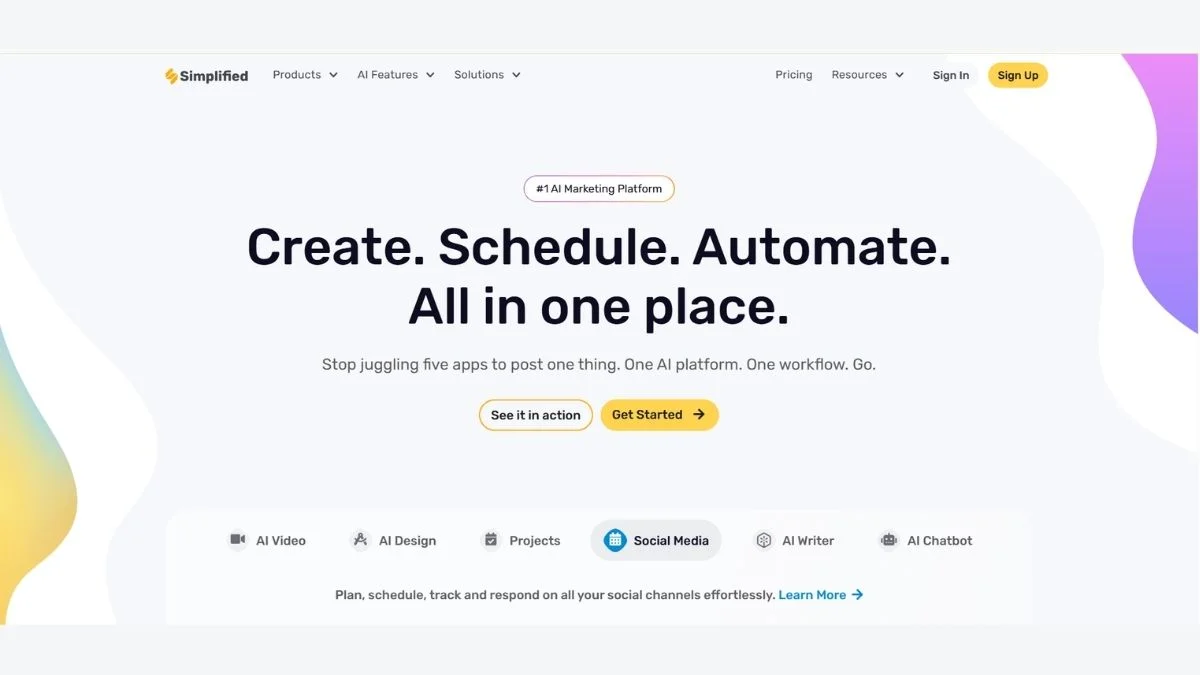
Simplified is an all-in-one AI content creation platform. It combines graphic design, AI writing, video editing, and social media scheduling into one dashboard.
It's built for marketers, small teams, and solo creators who don't want to juggle five different tools.
But here's the thing — not everyone needs everything. Some users only need strong AI writing. Others want a more powerful design tool. Some want better video features or a genuinely unlimited free plan.
That's why this list covers a wide range of tools — from AI-heavy writing platforms to full-suite design apps — so you can pick the right fit.
Quick answer for featured snippet: The best Simplified alternatives include Canva, Adobe Express, Jasper AI, Copy.ai, Writesonic, Visme, VistaCreate, Kapwing, Predis.ai, and Piktochart — each offering unique strengths in design, AI writing, or social media content creation.
Comparison Table: Simplified vs Top Alternatives
| Tool | Best For | Free Plan | AI Writing | Video Editing | Price (Paid) |
|---|---|---|---|---|---|
| Simplified | All-in-one content | ✅ Limited | ✅ Yes | ✅ Basic | From $12/mo |
| Canva | Graphic design | ✅ Generous | ✅ Magic Write | ✅ Basic | From $15/mo |
| Adobe Express | Quick branded content | ✅ Yes | ❌ Limited | ✅ Yes | From $9.99/mo |
| Jasper AI | Long-form writing | ❌ Trial only | ✅ Best-in-class | ❌ No | From $39/mo |
| Copy.ai | Marketing copy | ✅ Yes | ✅ Strong | ❌ No | From $36/mo |
| Writesonic | SEO + blog content | ✅ Yes | ✅ Strong | ❌ No | From $16/mo |
| Visme | Presentations + infographics | ✅ Limited | ✅ Yes | ✅ Basic | From $29/mo |
| VistaCreate | Social media design | ✅ Yes | ❌ No | ✅ Basic | From $13/mo |
| Kapwing | Video + repurposing | ✅ Yes | ✅ Yes | ✅ Strong | From $16/mo |
| Predis.ai | Social media AI content | ✅ Limited | ✅ Yes | ✅ Basic | From $29/mo |
| Piktochart | Infographics + reports | ✅ Yes | ✅ Yes | ❌ No | From $29/mo |
10 Best Simplified Alternatives (Detailed Breakdown)
1. Canva — Best Overall Simplified Alternative
If you're moving away from Simplified for design reasons, Canva is the most obvious upgrade.
It has one of the most generous free plans of any design tool — over 250,000 templates, unlimited image uploads, and a drag-and-drop editor that genuinely works. Canva's Magic Write AI handles short captions, bio writing, and basic copy directly inside your design workspace.
Best use case: Social media graphics, presentations, marketing materials, and quick branded content creation.
Pros:
- Huge library of free templates and stock assets
- Brand Kit feature keeps your fonts and colors consistent
- Magic Write for AI-generated captions and copy
- Works on desktop and mobile seamlessly
- Easy team collaboration
Cons:
- Free plan has limitations on premium elements
- AI writing is basic compared to dedicated tools
- Video editing is minimal
Who should use it: Marketers, small business owners, freelancers, and anyone who needs beautiful visuals without a steep learning curve.
Key advantage: No other tool matches Canva's combination of template variety, ease of use, and a genuinely useful free tier.
🔗 Explore more: Canva Alternatives | Best AI Tools for Content Creators
2. Adobe Express — Best for Brand-Consistent Quick Content
Adobe Express (formerly Adobe Spark) is Adobe's lightweight answer to Canva and Simplified. It's designed for fast, professional content — especially if you're already embedded in the Adobe ecosystem.
The free plan includes thousands of templates, basic video tools, and Adobe's own stock image library access. The paid plan unlocks brand kit features, premium templates, and better AI tools.
Best use case: Branded social posts, short videos, flyers, and quick marketing content.
Pros:
- Strong brand consistency tools on paid plans
- Integration with Photoshop and Illustrator assets
- Clean, professional output
- Good free plan for occasional users
Cons:
- AI writing is very limited compared to Simplified
- Less intuitive for beginners than Canva
- Free plan has fewer templates than competitors
Who should use it: Existing Adobe Creative Cloud users or brands that need consistent visual identity without learning Photoshop.
Key advantage: If your team already uses Adobe tools, Express slots in without friction.
🔗 Also check: 11 Free AI Design Generators Online | 5 Free AI Brand Kit Creators
3. Jasper AI — Best for Long-Form AI Writing (#3 is a game-changer for writers)
If Simplified's AI writing feels shallow, Jasper AI is in a different league entirely.
Jasper is purpose-built for content marketing. It handles everything from 3,000-word blog posts to email sequences, ad copy, product descriptions, and more — all with brand voice control.
The output quality is noticeably better than most all-in-one tools. Jasper knows SEO, understands tone, and can adapt to different writing styles with minimal prompting.
Best use case: Blog posts, long-form marketing content, sales copy, email campaigns.
Pros:
- Industry-leading AI writing quality
- 50+ content templates
- Brand Voice feature remembers your tone
- Integrates with Surfer SEO for optimized content
- Supports 30+ languages
Cons:
- No meaningful free plan (7-day trial only)
- Expensive for solo creators starting out
- Design features don't exist — writing only
Who should use it: Content marketers, agencies, and bloggers who need consistent, high-quality long-form content at scale.
Key advantage: Jasper's Brand Voice and Surfer SEO integration make it the top pick for content teams that care about ranking.
🔗 Related: Best Jasper AI Alternatives for Marketing Copy | ChatGPT vs Jasper AI: Which Gives Better Marketing Copy
4. Copy.ai — Best Free AI Copywriting Tool (#4 is best for marketers on a budget)
Copy.ai punches above its weight, especially on the free plan. You get access to 90+ AI writing tools covering everything from product descriptions and social captions to cold emails and ad copy.
Unlike Jasper, Copy.ai has a genuinely usable free tier — no credit card required, no trial countdown. That alone makes it a strong contender for solo creators and startup teams.
Best use case: Short-form marketing copy, product descriptions, cold outreach, Instagram captions.
Pros:
- Strong free plan with no word limit on chat-based features
- 90+ copywriting templates
- Workflow automation on paid plans
- Good for rapid content iteration
- Simple, clean interface
Cons:
- Long-form content quality is inconsistent
- No design or video tools
- Workflow features only on paid plans
Who should use it: Freelancers, e-commerce sellers, and startup marketers who need fast copy without a monthly bill.
Key advantage: The most capable free AI copywriting tool available right now.
🔗 See also: Best Copy AI Alternatives | Free AI Copywriting Tools for Marketing
5. Writesonic — Best for SEO Blog Writing
Writesonic sits in a sweet spot between Jasper's writing depth and Copy.ai's affordability. Its standout feature is Chatsonic — a real-time AI assistant connected to the web — plus Article Writer 6.0 which produces factual, SEO-ready long-form content.
What makes Writesonic particularly relevant here is that it also integrates with SurferSEO, making it one of the few writing tools that genuinely considers rankings, not just output.
Best use case: SEO blog posts, website copy, landing page content, product pages.
Pros:
- Article Writer produces publish-ready long-form content
- Real-time web access via Chatsonic
- Surfer SEO integration
- Affordable entry-level plan
- Good template library
Cons:
- Output can feel formulaic on shorter tasks
- No design tools
- Word count limits on lower-tier plans
Who should use it: Bloggers, SEO agencies, and content teams who want AI-assisted writing that's built for search rankings.
Key advantage: One of the few AI writing tools that genuinely combines web-connected research with SEO content structure.
🔗 Read more: Top Writesonic Alternatives for SEO Blog Writing | Best Free AI Writing Tools No Word Limit
6. Visme — Best for Presentations and Visual Storytelling
Visme goes where Simplified can't — deep data visualization, interactive presentations, and branded reports.
If your content involves infographics, slide decks, charts, or downloadable PDFs, Visme is built specifically for that kind of visual communication. The AI tools help with copy, image suggestions, and even layout recommendations.
Best use case: Business presentations, infographics, annual reports, training materials.
Pros:
- Powerful infographic and chart builder
- Interactive content (clickable presentations)
- Strong brand kit and white-label options
- AI design assistant
- Good analytics on shared content
Cons:
- Pricier than most tools on this list
- Free plan has Visme branding and download limits
- Steeper learning curve than Canva
Who should use it: Business teams, educators, marketers, and agencies that need polished presentations or data-heavy visuals.
Key advantage: No other tool on this list handles interactive data visualization and branded presentations as well as Visme.
🔗 Explore: Best Free AI Presentation Makers | 3 Best Free AI Presentation Tools vs Canva
7. VistaCreate — Best Free Social Media Design Tool
VistaCreate (formerly Crello) is one of the most underrated tools in this space. It's a fully-featured social media design tool with an extremely generous free plan — 50,000+ templates, brand kit access, and animated designs.
If Simplified's design side felt limiting and you don't want to pay for Canva Pro, VistaCreate is a serious free option.
Best use case: Instagram posts, Facebook ads, YouTube thumbnails, animated social content.
Pros:
- 50,000+ templates, many free
- Animated designs and video templates
- Brand Kit included in free plan
- Intuitive drag-and-drop interface
- Excellent for social media content cycles
Cons:
- No meaningful AI writing tools
- Stock photo library smaller than Canva's
- Limited video editing depth
Who should use it: Social media managers, small business owners, and creators who need high-volume visual content on a budget.
Key advantage: The free plan is more complete than almost any competitor's, including Canva's free tier.
🔗 Also see: 11 Best Free AI Social Media Tools | 7 Free AI Social Media Tools Auto-Post
8. Kapwing — Best for Video Content and Repurposing (#8 is essential for video creators)
Simplified's video tools are basic. Kapwing is not.
Kapwing is built specifically for video content creators who need to edit, subtitle, resize, and repurpose videos — fast. Its AI features include automatic subtitle generation, background removal, smart crop for different aspect ratios, and an AI-powered video editor.
For anyone running a YouTube channel, TikTok, or Instagram Reels strategy, Kapwing fills a gap Simplified simply can't.
Best use case: Short-form video editing, podcast clips, social video repurposing, adding captions.
Pros:
- Auto-subtitle generation is fast and accurate
- Smart crop resizes for TikTok, Reels, YouTube Shorts automatically
- AI video tools including script-to-video features
- Good free plan with watermark
- Browser-based — no download needed
Cons:
- Watermark on free exports
- Not suitable for full production video editing
- Limited design templates compared to Canva
Who should use it: Content creators, YouTubers, social media managers, and educators who publish video content regularly.
Key advantage: The auto-subtitle and smart crop features alone save hours of manual work every week.
🔗 Discover more: Best Free AI Video Generators No Watermark | Free AI Text to Video Tools That Actually Work
9. Predis.ai — Best AI Social Media Content Generator
Predis.ai is one of the newer tools on this list — and one of the most focused. You give it a product, a URL, or a short brief, and it generates complete social media posts — image, caption, and hashtags — in seconds.
It's not trying to be everything. It's trying to make social media content creation as fast as possible. And it largely succeeds.
Best use case: Daily social media content generation, e-commerce product posts, brand announcements.
Pros:
- Generates image + caption + hashtags together
- Competitor analysis feature on paid plans
- Post scheduling built in
- Good for e-commerce and product-based businesses
- Fast content calendar creation
Cons:
- Limited design customization
- Free plan is restrictive (10 posts/month)
- Not suitable for long-form content
Who should use it: E-commerce brand owners, social media managers, and agencies managing multiple client accounts.
Key advantage: End-to-end social post generation in seconds — few tools are as fast for social-first workflows.
🔗 See: 7 Free AI Caption Generators Instagram | 5 Free AI Hashtag Generator Tools
10. Piktochart — Best for Infographics and Visual Reports
Piktochart has been around for years, and it's still the go-to tool for infographics and visual data storytelling. The 2024–2025 updates added AI-powered content generation, meaning you can now input a topic and get a draft infographic layout in minutes.
It's far more specialized than Simplified but that's the point — if infographics and reports are your core need, nothing here does it better.
Best use case: Infographics, data reports, HR presentations, educational content.
Pros:
- Best-in-class infographic templates
- AI-powered content generation for reports
- Export as PDF, PNG, or interactive
- Good for team collaboration
- Clean, professional output
Cons:
- No social media scheduling
- No AI writing for long-form content
- Paid plan required for most premium features
Who should use it: Marketers, HR teams, educators, journalists, and anyone communicating data visually.
Key advantage: If you regularly produce infographics or reports, Piktochart saves hours over building from scratch in Canva.
🔗 Related reading: Essential Content Optimization Practices Every Marketer Should Know | Free AI Infographic Generators from Text
Pro Tips: How to Choose the Right Simplified Alternative
Not sure which one to pick? Here's how to narrow it down quickly.
Ask yourself these three questions:
Is design or writing my bigger priority?
- Mostly design → Canva, VistaCreate, Adobe Express
- Mostly writing → Jasper AI, Copy.ai, Writesonic
Do I need video tools?
- Yes → Kapwing or Canva (basic video)
- No → Any tool on this list works
What's my budget?
- Free forever → VistaCreate, Copy.ai (free tier), Canva (free tier)
- Willing to pay → Jasper AI, Visme, Writesonic
Expert tip: Don't try to find one tool that does everything perfectly. The best marketers often combine a design tool (Canva) with a writing tool (Copy.ai or Writesonic). The combined cost is often less than a single all-in-one platform.
🔗 More: Free vs Paid AI Writing Tools — Is Upgrading Worth It? | Best AI Tools Complete Guide with Pros & Cons
Who Should Switch From Simplified?
Switch to Canva if: You're spending most of your time on design and want a bigger template library and better free plan.
Switch to Jasper AI if: Your content is mostly long-form and writing quality is your #1 concern.
Switch to Copy.ai if: You mostly need short marketing copy and want a capable free plan with no time limits.
Switch to Kapwing if: Video is your primary content format and Simplified's video tools feel limited.
Switch to Visme if: You regularly create presentations, reports, or data visualizations for clients or teams.
🔗 Further reading: Free AI Tools That Replace Expensive Software | Best Free AI Tools to Use Daily | 25 Best AI Tools for Every Profession
Additional Tools Worth Mentioning
These didn't make the main list but are worth a look depending on your niche:
- Freepik AI Image Generator — Great for AI-generated images in your designs
- QuillBot — Strong paraphrasing and rewriting tool for polish
- Grammarly — Grammar and tone correction across all your content
- Best AI Logo Makers — If brand identity design is what you need
- Top 100 Best AI Tools — The full curated list if you're still exploring
FAQ: Simplified Alternatives
1. What is the best free alternative to Simplified?
The best free alternative to Simplified is Canva — it offers the most complete free plan including 250,000+ templates, AI writing tools, and team collaboration features without a paid subscription.
Canva's free tier genuinely rivals what many tools charge for. VistaCreate is a close second if you focus specifically on social media visuals, as its free plan includes brand kit access which Canva reserves for paid users.
2. Which Simplified alternative is best for AI writing?
Jasper AI is the top Simplified alternative for AI writing quality, followed by Writesonic for SEO-focused content and Copy.ai for short-form marketing copy.
If budget is a concern, Copy.ai's free plan covers most short-form writing needs without any payment. Writesonic offers the best balance of price and SEO writing quality for bloggers and content marketers.
🔗 Best AI Tools for Productivity | Free AI Content Generators for Bloggers
3. Can I replace Simplified with Canva completely?
Yes, for most users Canva can fully replace Simplified — especially if your main needs are design, social media graphics, and basic AI writing. However, Canva lacks advanced video editing, so pair it with Kapwing if video is part of your workflow.
Canva covers graphic design, brand kit, basic AI writing (Magic Write), presentations, and social scheduling (on paid plans). That covers the majority of what Simplified users need.
4. Is there a Simplified alternative that includes social media scheduling?
Yes — both Predis.ai and Canva Pro include social media scheduling features. Predis.ai is more AI-automated, while Canva's scheduler gives you more manual control over timing and platform selection.
For agencies managing multiple clients, Predis.ai also includes competitor analysis and content ideas, making it more than just a scheduler.
🔗 7 Free AI Social Media Tools Auto-Post | 11 Free AI Social Media Tools
5. Which Simplified alternative works best for e-commerce?
Predis.ai and Canva are the top choices for e-commerce content creation. Predis.ai generates product posts automatically from a URL, while Canva offers product mockup templates and brand consistency tools.
For written e-commerce content (product descriptions, ad copy), pair either design tool with Copy.ai or Writesonic for best results.
🔗 Best AI Tools for E-commerce Stores | Free AI Marketing Tools for Startups
6. Are any of these Simplified alternatives completely free?
Yes — Canva, VistaCreate, Copy.ai, and Kapwing all have genuinely free tiers with no trial countdown. Kapwing adds a watermark on free exports, and Copy.ai limits some workflow features, but both are usable indefinitely without payment.
For teams on a tight budget, combining Canva (free) for design with Copy.ai (free) for writing replicates most of what Simplified's paid plans offer — at zero cost.
🔗 Best Free AI Tools for Small Business | Free AI Tools for Entrepreneurs
Conclusion: Which Simplified Alternative Should You Choose?
Here's the short version:
- Best overall replacement: Canva
- Best for writing quality: Jasper AI
- Best free option: VistaCreate or Copy.ai
- Best for video: Kapwing
- Best for social media automation: Predis.ai
- Best for presentations and reports: Visme or Piktochart
Simplified is a solid tool — but it's not the only option. Depending on your actual workflow, one of the tools above will likely serve you better, cost less, or give you more headroom to grow.
Start with the free plans. Canva, Copy.ai, and VistaCreate all have zero-risk entry points that let you test the workflow before committing.
Keep Reading
- Best AI Tools for Content Creators
- Top 10 Free AI Tools for Beginners in 2026
- ChatGPT vs Claude vs Gemini — Which AI Wins?
- Free AI Productivity Tools for Teams
- Best Free Grammar Checkers
- Grammarly Alternatives
- QuillBot Alternatives
- Best AI Coding Assistants
- Ultimate List of Best AI Tools for Beginners
- Midjourney Alternatives