9 Best Scribe Alternatives in 2026 (Free & Paid)

You just finished building a process in your head. Now someone on your team needs to learn it — fast. You reach for Scribe, record your screen, and get a decent step-by-step guide. But then the pricing wall hits, or the formatting drives you nuts, or you realize it won't integrate with your existing tools.
Sound familiar?
You're not alone. Thousands of teams are actively looking for Scribe alternatives that offer more flexibility, better pricing, or stronger AI-powered documentation features.
In this article, you'll find the 9 best Scribe alternatives in 2026 — with honest pros and cons, who each tool is best for, and a clear comparison table so you can make the right call without second-guessing yourself.
Quick note: We've also included a few free options, so even bootstrapped teams can document their workflows without burning cash.
What Is Scribe — And Why Are People Looking for Alternatives?
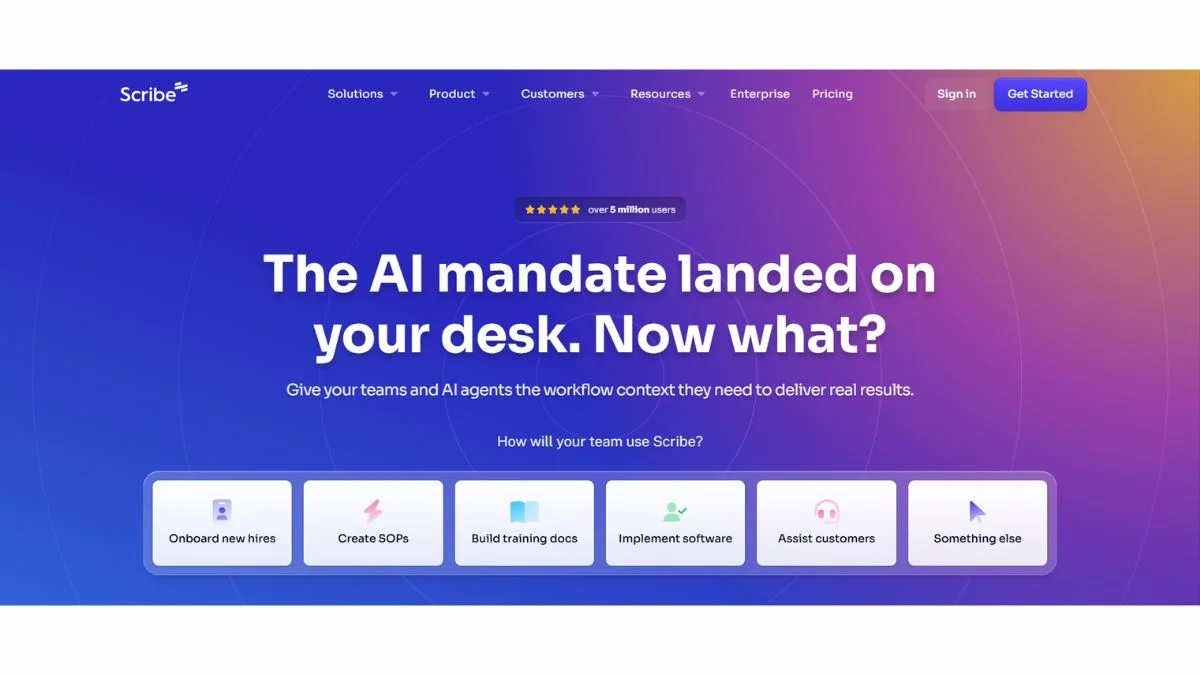
Scribe is a process documentation tool that automatically captures your screen clicks and turns them into illustrated step-by-step guides. It's genuinely useful — especially for onboarding, SOPs, and training materials.
But here's why people start looking elsewhere:
- Pricing jumps sharply from free to Pro (limited features on the free tier)
- Limited customization for branding and formatting
- No real video or audio support — it's screenshots only
- Weak offline functionality
- Integration gaps for teams using tools like Notion, Confluence, or Google Docs heavily
If any of those pain points hit close to home, keep reading — one of these tools will likely be a perfect fit.
9 Best Scribe Alternatives in 2026
1. Tango — Best for Simple, Clean Process Documentation
What it is: Tango is probably Scribe's closest competitor. It auto-captures your browser workflow and generates visual step-by-step guides instantly. It's clean, fast, and Chrome-based.
Best use case: Creating quick how-to guides, internal SOPs, and onboarding docs without any editing overhead.
Key advantage: The output looks polished right out of the box — your guides are embed-ready without manual cleanup.
Pros:
- Free tier is genuinely useful
- Chrome extension works seamlessly
- Clean, shareable output links
- Embeds into Notion, Confluence, and more
Cons:
- Limited to browser-based workflows (no desktop app capture on free plan)
- Less customization than some enterprise tools
- Analytics features are thin on lower tiers
Who should use it: Freelancers, small teams, and startup ops teams who want Scribe-level results at a lower cost.
2. Loom — Best for Video-Based Process Documentation
What it is: Loom lets you record your screen (with face cam if needed), share it instantly via link, and add comments or chapters. It's the go-to for async video communication.
Best use case: Explaining complex processes where text alone won't cut it — think dev walkthroughs, design feedback, or client onboarding.
Key advantage: A short Loom video often communicates more than a 30-step written guide. It's the human touch that makes async work actually work.
Pros:
- Free plan is generous (up to 25 videos)
- Works on Mac, Windows, Chrome
- Instant shareable links — no download required
- AI-powered summaries and transcripts
Cons:
- Not searchable at the step level like Scribe
- Videos need updating when processes change
- Can feel heavy for simple click-through guides
Who should use it: Remote teams, educators, and anyone who explains processes better by talking than typing. If you want to learn more about AI-powered documentation tools, check out What Are AI Agents — The Complete Beginner's Guide.
3. Guidde — Best for AI-Generated Video SOPs (#3 is wildly underrated)
What it is: Guidde combines screen recording with AI to automatically generate voiceovers, captions, and step annotations. You record once — it builds the whole guide.
Best use case: Customer success and support teams who need to build product walkthroughs at scale.
Key advantage: The AI voiceover feature saves hours of narration work. You get professional-sounding docs without touching a microphone.
Pros:
- AI-generated voiceovers in multiple languages
- Branded video output
- Embeds in help centers, Notion, Slack
- Free plan available
Cons:
- AI voices sound slightly robotic on complex scripts
- Video editing is basic compared to Loom
- Limited integrations on free plan
Who should use it: SaaS companies, customer success teams, and anyone building multilingual help documentation.
4. iorad — Best for Interactive Tutorials (This one's a game-changer for training)
What it is: iorad records your screen and turns it into an interactive tutorial — meaning the user actually clicks through the steps themselves, rather than just reading a guide.
Best use case: Employee training, software onboarding, and compliance documentation where passive reading isn't enough.
Key advantage: Interactive tutorials drive far better retention than static guides. If people do the steps instead of just reading them, they actually remember them.
Pros:
- Highly interactive output format
- Works across desktop and web
- SCORM export for LMS platforms
- Strong accessibility features
Cons:
- More expensive than most alternatives
- Steeper learning curve for setup
- Not ideal for quick, informal SOPs
Who should use it: L&D teams, HR departments, and enterprises that need formal training documentation with measurable outcomes.
5. Notion — Best for Teams That Want Docs + Project Management in One Place
What it is: Notion isn't a screen-capture tool, but it's one of the most powerful places to store, organize, and share process documentation. Pair it with Tango or Loom embeds and you've got a full documentation system.
Best use case: Building a centralized knowledge base that your whole team can search, edit, and maintain.
Key advantage: One workspace for wikis, SOPs, project boards, and databases. It replaces five tools at once.
Pros:
- Extremely flexible — build docs any way you like
- Free plan is very capable
- AI assistant (Notion AI) for writing and summarizing
- Thousands of templates available
Cons:
- No auto-capture feature — you build docs manually
- Can get messy without structure discipline
- Some users find it overwhelming at first
Who should use it: Teams that want a documentation system rather than just a documentation tool. Check out Notion Alternatives if you want to compare before committing.
6. Confluence — Best for Enterprise Documentation at Scale
What it is: Confluence (by Atlassian) is the team wiki used by thousands of mid-to-large companies. It's designed for structured, long-form documentation and plays beautifully with Jira.
Best use case: Engineering teams, product teams, and large organizations that need a scalable, searchable documentation hub.
Key advantage: Deep Jira integration means your documentation and your project work actually live in the same ecosystem. No copy-pasting status updates between tools.
Pros:
- Extremely powerful for teams already using Atlassian tools
- Templates for almost every doc type
- Strong permissions and access control
- Good search across large doc libraries
Cons:
- Can feel heavy and slow for small teams
- Pricing scales up quickly
- Requires admin effort to maintain structure
Who should use it: Mid-size to enterprise engineering and product teams. Not the right pick for a 3-person startup.
7. Trainual — Best for Business Playbooks and Onboarding (#7 is perfect for scaling businesses)
What it is: Trainual is purpose-built for documenting business processes, roles, and company policies. Think of it as a structured playbook tool — not just a wiki.
Best use case: Growing SMBs that need to document who does what, how they do it, and what the standards are.
Key advantage: Trainual forces you to document roles and responsibilities alongside processes. That structure is gold when you're hiring fast and need consistency.
Pros:
- Role-based documentation structure
- Built-in quizzes to verify understanding
- Video and screenshot support
- Progress tracking for new hires
Cons:
- More expensive than general wiki tools
- Not ideal for technical or developer-heavy documentation
- Less flexible for custom workflows
Who should use it: Business owners, HR managers, and ops leads at growing SMBs — especially in retail, hospitality, or service industries. For more tools that help small businesses, explore Best Free AI Tools for Small Business.
8. Stonly — Best for Customer-Facing Knowledge Bases
What it is: Stonly is a knowledge base and help center tool that lets you build interactive, branching guides. Users can follow the exact path relevant to their situation — not a one-size-fits-all doc.
Best use case: Customer support teams who need self-service documentation that actually answers the right question for the right person.
Key advantage: Branching logic means a customer troubleshooting a billing issue sees different steps than someone with a technical problem. That specificity dramatically reduces support tickets.
Pros:
- Branching/interactive guide builder
- Embeds in websites and help widgets
- Analytics to track where users drop off
- Integrates with Zendesk, Intercom, and more
Cons:
- Not designed for internal SOPs
- Pricier than basic knowledge base tools
- Takes time to map out decision trees
Who should use it: Customer success and support teams at SaaS companies with complex products.
9. Helpjuice — Best for Searchable Internal Knowledge Bases
What it is: Helpjuice is a dedicated knowledge base platform focused on search — making it incredibly fast for employees or customers to find the right answer.
Best use case: Companies with large, growing documentation libraries where findability is the #1 problem.
Key advantage: Helpjuice's search is genuinely excellent. It learns from search queries and surfaces the most-accessed docs first — reducing "where do I find X?" Slack messages by a lot.
Pros:
- Powerful, fast internal search
- Analytics on what people search for (shows documentation gaps)
- Clean, customizable interface
- Good customer support reputation
Cons:
- No auto-capture or screen recording feature
- Higher price point for small teams
- Requires upfront investment in content creation
Who should use it: Operations teams, support leads, and knowledge managers at companies with 50+ employees.
Quick Comparison Table
| Tool | Best For | Free Plan | Screen Capture | Video Support | Price (approx.) |
|---|---|---|---|---|---|
| Tango | Simple SOPs | ✅ Yes | ✅ Yes | ❌ No | From $16/user/mo |
| Loom | Video walkthroughs | ✅ Yes | ✅ Yes | ✅ Yes | From $12.50/user/mo |
| Guidde | AI video SOPs | ✅ Yes | ✅ Yes | ✅ Yes | From $16/user/mo |
| iorad | Interactive training | ❌ Limited | ✅ Yes | ✅ Yes | From $200/mo |
| Notion | Team knowledge base | ✅ Yes | ❌ No | Via embed | From $8/user/mo |
| Confluence | Enterprise wikis | ✅ (10 users) | ❌ No | Via embed | From $5.75/user/mo |
| Trainual | Business playbooks | ❌ Trial only | ❌ No | ✅ Yes | From $299/mo |
| Stonly | Customer-facing guides | ❌ Trial only | ❌ No | ✅ Yes | Custom pricing |
| Helpjuice | Searchable knowledge base | ❌ Trial only | ❌ No | ✅ Yes | From $120/mo |
Pro Tips: How to Choose the Right Scribe Alternative
Picking the wrong tool wastes time and frustrates your team. Here's how to cut through the noise:
1. Start with your audience. Is the documentation for internal teams or external customers? Internal SOPs → Tango, Trainual, or Notion. Customer-facing guides → Stonly or Helpjuice.
2. Think about maintenance, not just creation. Creating a guide takes an hour. Keeping it updated over two years takes much longer. Choose a tool that makes updating painless — Notion and Confluence do this well.
3. Don't ignore the free tiers. Tango and Loom both have free plans that are genuinely functional. Start there before spending money.
4. Consider your existing tool stack. If you live in Jira, Confluence is an obvious fit. If you use HubSpot or Intercom for support, check which tools integrate with those first.
5. For training specifically, look at completion tracking. Trainual and iorad both show you who has completed what — essential when documentation compliance actually matters (HR, legal, finance teams).
For broader productivity tool advice, the Best AI Tools for Productivity guide covers tools that pair well with your documentation workflow.
What Makes a Great Scribe Alternative?
Not all documentation tools are built equal. When evaluating any alternative, here's what actually matters:
- Ease of capture — Can non-technical users create guides without training?
- Output quality — Do the guides look professional and readable?
- Maintenance workflow — How painful is it to update a guide when a UI changes?
- Collaboration — Can multiple teammates edit, comment, and contribute?
- Integration ecosystem — Does it plug into your existing stack?
- Search and discoverability — Can people actually find the docs when they need them?
Scribe does some of these well. But as your team grows, the gaps become harder to ignore — and that's exactly why these alternatives exist. For a deeper look at how AI is changing this space, read How AI Is Changing SEO — many of the same AI documentation principles apply.
Use Cases: Which Tool Fits Your Situation?
You're a solopreneur or freelancer documenting client workflows: → Tango (free plan is enough, clean output, easy sharing)
You run a small remote team and onboard new hires monthly: → Trainual or Notion (Notion if budget is tight, Trainual if structure is critical)
You manage a SaaS help center: → Stonly or Helpjuice (branching guides vs. searchable KB)
You're a developer or ops lead building internal wikis: → Confluence or Notion (Confluence if you're in Atlassian ecosystem, Notion otherwise)
You train employees on software and need proof of completion: → iorad or Trainual (iorad for interactive, Trainual for playbook-style)
You explain things better by talking than writing: → Loom or Guidde (Loom if you want human face-cam, Guidde if you want AI narration)
Related Tools Worth Exploring
If you're evaluating your full documentation and productivity stack, these resources from our site will help you go deeper:
- Best Free AI Tools to Use Daily — includes writing and documentation tools
- How to Use AI Agents to Automate Your Business — automate repetitive documentation tasks
- Free AI Tools Every Freelancer Needs — budget-friendly picks for solo operators
- Best AI Tools for Content Creators — if documentation feeds into your content workflow
- Best AI Tools Complete Guide with Pros & Cons — broader overview of the AI tool landscape
- Notion Alternatives — if Notion isn't quite the right fit either
- Free AI Productivity Tools for Teams — team-wide productivity picks
- Best AI Agent Platforms You Need to Know About Right Now — for automating documentation workflows
- Airtable Review — Features, Pricing & Verdict — pairs well as a data layer for structured docs
- Best Free Grammar Checkers — polish your documentation before publishing
- QuillBot Review & Complete Guide — useful for rewriting documentation in simpler language
- Grammarly Review & Beginners Guide — catch errors in your SOPs before sharing
- Free AI Article Writers — Full Length — generate documentation drafts at scale
- Top 10 Free SEO Tools for Beginners in 2025 — if your docs feed public-facing content
- Best AI Tools for E-commerce Stores — documentation tools for ecom operations teams
- Free AI Tools for Small Businesses That Save Hours Every Week
- 25 Best AI Tools for Every Profession
- Best Free AI Tools for Students — great for academic documentation and note-taking
- How to Use AI to Grow Your YouTube Channel — Loom-style video docs fit well here
- Miro Alternatives — whiteboard tools that complement documentation workflows
- Best Stripe Integration Guide for SaaS Billing — for SaaS teams building customer-facing docs
- Top 100 Best AI Tools
- Free AI Customer Service Tools — integrates with Stonly and Helpjuice workflows
- 7 Free AI Document Readers — Chat With File
- 11 Free AI Note Summarizers for Students — useful for condensing long documentation
- 13 Free AI Tools to Summarize PDFs
- Free AI Content Generators for Bloggers
- DocsBot.ai Review 2025 — AI chatbot trained on your own documentation
- ElevenLabs Review — Pros, Cons & Real Audio Quality Tests — for AI voiceovers in video documentation
- Free AI Text-to-Speech — Human-Like — narrate your documentation automatically
- TurboScribe Review — transcription tool that complements video-based docs
- Best AI Coding Assistants — for teams documenting developer workflows
- How to Write Clean Code — Practical Guide — documentation starts with well-structured code
- Best SaaS Logging & Audit Trail Implementation
External Resources
For independent research on documentation tools:
- G2 Scribe Reviews — real user reviews and competitor comparisons
- Capterra Process Documentation Tools — aggregated ratings across categories
- Product Hunt — Documentation Tools — latest launches and community feedback
FAQ: Scribe Alternatives
What is the best free alternative to Scribe?
Tango is the best free alternative to Scribe in 2026. Its free plan supports browser-based workflow capture, produces clean shareable guides, and integrates with Notion and Confluence. Loom is also free for up to 25 videos, making it a solid second option for video-based documentation.
For teams that don't need screen capture at all, Notion's free plan is powerful enough to build a full internal wiki from scratch.
Is Tango better than Scribe?
Tango and Scribe are very similar, but Tango's free plan is more generous. Both auto-capture browser workflows and generate step-by-step guides. Scribe has a slight edge in PDF export and desktop capture on paid plans, while Tango offers cleaner embed options and better Notion integration. For most small teams, Tango is the better starting point.
What's the best Scribe alternative for enterprise teams?
Confluence is the top choice for enterprise teams, particularly those already using Jira or other Atlassian tools. For companies prioritizing interactive training, iorad with SCORM export is purpose-built for L&D at scale. If searchable self-service support documentation is the goal, Helpjuice leads the pack.
Can I use Notion as a Scribe replacement?
Notion can replace Scribe if you're willing to build docs manually. It doesn't auto-capture screenshots or screen workflows, but you can embed Tango or Loom recordings inside Notion pages. Many teams use Notion as the documentation hub and Tango or Guidde as the capture tool — combining them gives you everything Scribe offers and more. See Notion Alternatives for more options in this space.
Which Scribe alternative is best for customer onboarding?
Guidde or Stonly are the best picks for customer onboarding. Guidde creates AI-narrated video guides that work great for product walkthroughs. Stonly's branching logic lets you build personalized onboarding flows where each customer follows the path most relevant to them. Both reduce support ticket volume by enabling customers to self-serve effectively.
Are there Scribe alternatives with SCORM export for LMS platforms?
Yes — iorad is the strongest Scribe alternative with SCORM export. It creates interactive click-through tutorials that can be exported as SCORM files and uploaded to any LMS (like Docebo, TalentLMS, or Cornerstone). Trainual also supports LMS-style features including completion tracking and quizzes, though without SCORM export.
Conclusion
Scribe is a solid tool — but it's not the only one, and for many teams it's not even the best one.
Here's the short version of what we covered:
- Want the closest Scribe alternative? → Go with Tango
- Need video-first documentation? → Loom or Guidde
- Building interactive training? → iorad or Trainual
- Need an enterprise knowledge base? → Confluence or Helpjuice
- Customer-facing self-service docs? → Stonly
The best tool is the one your team will actually use. Start with a free trial on two or three of these, see which one fits your workflow, and don't overthink it.
Next step: If you're building out a full AI-powered productivity stack alongside your documentation system, check out our guide on How AI Agents Are Becoming Your Digital Coworkers — it covers how to automate the repetitive parts of knowledge management so your team focuses on the work that actually matters.