Best Wordtune Alternatives in 2026: 9 Tools That Actually Rewrite Better

Let's be real — Wordtune is decent, but it's not perfect for everyone.
Maybe you've hit the free plan's daily limit mid-project. Maybe the suggestions feel generic. Or maybe you're just wondering if something better exists before you pay for a subscription.
Good news: there are several tools in 2026 that do what Wordtune does — and then some. Whether you're a student polishing an essay, a marketer sharpening ad copy, or a developer writing documentation, this guide covers the best Wordtune alternatives with honest pros, cons, and who each one is best for.
No fluff. No hype. Just tools that work.
What Is Wordtune and Why Do People Look for Alternatives?
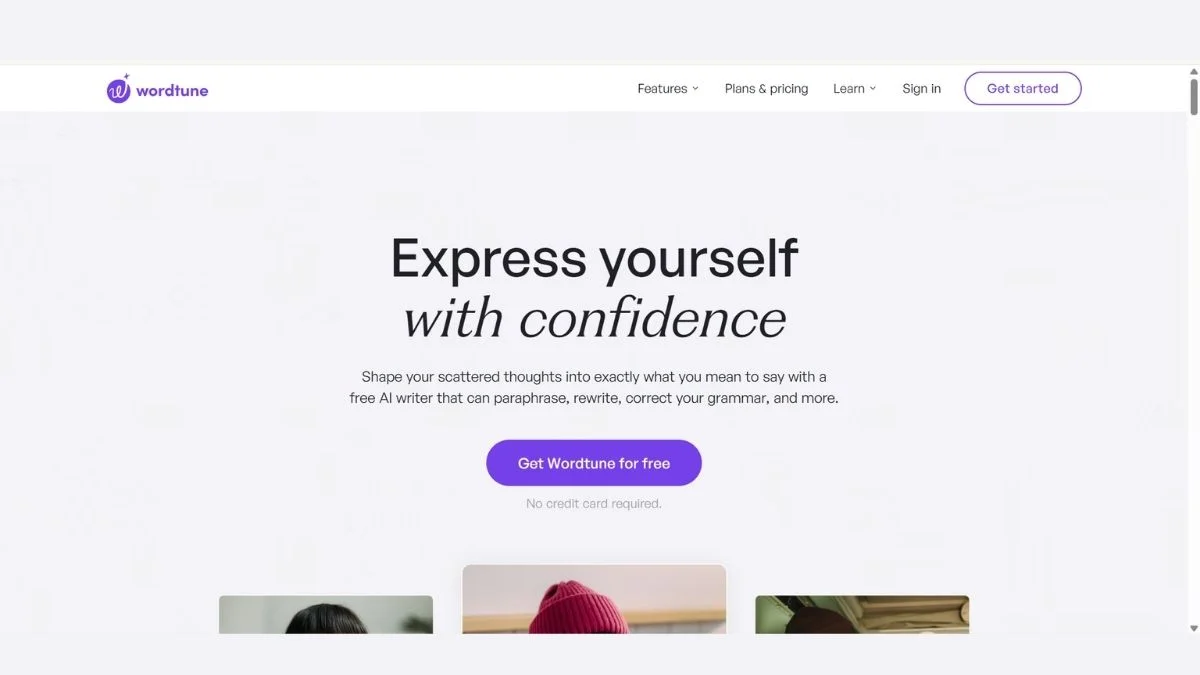
Wordtune is an AI writing assistant that rewrites and paraphrases sentences to make them clearer, shorter, or more formal. It plugs into Google Docs, Gmail, and other platforms via a Chrome extension.
It's useful — but its limitations are well-documented:
- Free plan is restrictive (limited rewrites per day)
- Suggestions can feel repetitive after a few rewrites
- No long-form content generation — it's sentence-level only
- Limited language support compared to newer tools
- No plagiarism detection built in
If any of those sound familiar, you're in the right place. Let's look at what's out there.
Quick Comparison Table
| Tool | Best For | Free Plan | Key Feature |
|---|---|---|---|
| QuillBot | Paraphrasing & grammar | ✅ Yes | 8 rewrite modes |
| Grammarly | Grammar + style polish | ✅ Yes | Tone detection |
| ChatGPT | Full rewrites + creativity | ✅ Yes (GPT-4o) | Conversational rewriting |
| Hemingway Editor | Readability & clarity | ✅ Yes (web) | Bold text simplification |
| ProWritingAid | Deep editing for writers | ✅ Limited | 20+ writing reports |
| Jasper AI | Marketing copy | ❌ Paid only | Brand voice settings |
| Writesonic | SEO + blog content | ✅ Limited | Article + rewriter combo |
| Copy.ai | Marketing & social media | ✅ Yes | Workflow automation |
| Rytr | Budget-friendly daily writing | ✅ Yes | 40+ use cases, 30 languages |
9 Best Wordtune Alternatives in 2026
1. QuillBot — Best Overall Paraphrasing Tool
If you want the closest Wordtune alternative — and honestly a better one for most people — QuillBot is it.
QuillBot has been the gold standard for paraphrasing since before Wordtune even got popular. It offers 8 different writing modes: Standard, Fluency, Formal, Simple, Creative, Expand, Shorten, and Custom.
What makes it stand out: The Synonym Slider lets you control how aggressively it changes your original text — something Wordtune doesn't offer with the same precision.
Best use case: Rewriting academic papers, blog posts, emails, and anything where tone control matters.
Pros:
- Generous free plan (up to 125 words per input)
- Integrated grammar checker and summarizer
- Works in Google Docs and Word via extension
- Paraphraser + plagiarism checker combo in Premium
Cons:
- 125-word limit on free version can slow you down on long pieces
- The "Creative" mode sometimes produces awkward sentences
Who should use it: Students, bloggers, researchers, and anyone who needs fast sentence-level rewriting daily.
Key advantage: More rewriting modes than any other tool on this list.
📚 Related: QuillBot Review & Complete Guide | QuillBot Alternatives
2. Grammarly — Best for Polish and Professionalism
Grammarly is not a pure paraphraser, but calling it "just a grammar checker" in 2026 is a serious understatement.
Grammarly's AI now rewrites full sentences and paragraphs, adjusts your tone, and even flags when your writing sounds too passive, too casual, or too vague. For a lot of users, it completely replaces Wordtune.
Best use case: Emails, professional documents, LinkedIn posts, and anywhere where tone and clarity both matter.
Pros:
- Works everywhere — Gmail, Docs, Outlook, Slack, web browsers
- Tone detector helps you hit the right register every time
- Excellent free plan that catches real issues
- Premium includes full sentence rewrites with alternatives
Cons:
- Not designed for bulk paraphrasing or creative rewriting
- Premium pricing ($30/month) can feel steep for casual users
Who should use it: Professionals, marketers, non-native English writers, and anyone who communicates a lot via text.
Key advantage: It improves your writing as you type — no copy-paste workflow required.
📚 Related: Grammarly Review & Beginners Guide | Grammarly Alternatives | Best Free Grammar Checkers
3. ChatGPT (GPT-4o) — Best for Full Creative Rewrites
Here's the thing about ChatGPT that most tool comparisons miss: it's not just a chatbot anymore. With GPT-4o available on the free plan, it's become one of the most powerful rewriting tools available — and it costs nothing to start.
The key is knowing how to use it. Tell it exactly what you want: "Rewrite this paragraph in a casual tone for a Gen Z audience" or "Make this email sound more authoritative and concise." It delivers.
Best use case: Full-document rewrites, tone shifts, creative variations, and when you want total control over the output.
Pros:
- Free GPT-4o access on the free plan (as of 2026)
- Handles context better than any other tool — it understands what you mean
- Can rewrite entire documents, not just sentences
- Works in any language
Cons:
- Requires good prompting to get great output — there's a learning curve
- No browser extension for inline rewriting (unlike Wordtune)
- Can be slower than dedicated rewriting tools during peak hours
Who should use it: Writers, marketers, developers, and anyone comfortable typing instructions to get exactly what they want.
Key advantage: Unlimited flexibility — you tell it exactly what the rewrite should do.
📚 Related: ChatGPT vs Claude vs Gemini – Which AI Wins | ChatGPT Alternatives | Best Free ChatGPT Alternatives | Free AI Chatbots With Unlimited Messages
4. Hemingway Editor — Best for Brutal Clarity (#4 is the hidden gem most writers don't know about)
You've probably heard of Hemingway Editor. But most people use it wrong.
It doesn't rewrite for you — it forces you to rewrite. And that's actually the point. Paste your text in and it highlights every overly complex sentence, every passive voice instance, every adverb you should cut. It gives your content a readability grade.
Why is this a Wordtune alternative? Because a lot of people use Wordtune specifically to simplify dense or complicated writing. Hemingway does that job — and it teaches you to write better in the process.
Best use case: Blog posts, landing pages, content that needs to be readable at a Grade 6–8 level for wider audiences.
Pros:
- Free to use in the browser
- Highlights specific readability problems (not just vague suggestions)
- Desktop app available (one-time payment, no subscription)
- Forces better writing habits over time
Cons:
- Doesn't suggest rewrites — you have to write them yourself
- No grammar checking built in
- Not useful for formal or academic writing that needs complexity
Who should use it: Content creators, bloggers, marketers writing for general audiences, and anyone who knows their writing is "too dense."
Key advantage: It makes you a better writer, not just a faster one.
5. ProWritingAid — Best for Serious Writers and Long-Form Content
If you write fiction, long-form journalism, or anything that needs serious structural editing, ProWritingAid is in a different league from Wordtune.
It offers 20+ in-depth writing reports — from overused words to sentence length variation to pacing issues. Think of it as a developmental editor baked into your word processor.
Best use case: Novels, long-form articles, reports, screenplays — any writing project where depth of feedback matters more than speed.
Pros:
- Integrates directly with Scrivener, Google Docs, Word, and Final Draft
- Reports go far beyond grammar — they analyze your writing style
- One-time lifetime purchase option available
- More affordable than Grammarly Premium long-term
Cons:
- Overwhelming for casual users — the sheer number of reports can be paralyzing
- Interface feels dated compared to Grammarly or Wordtune
- Slower to process long documents
Who should use it: Authors, journalists, academics, and content professionals who want editorial-level feedback.
Key advantage: The depth of analysis is unmatched — no other tool gives you 20+ reports on a single piece.
📚 Related: Grammarly vs ProWritingAid vs Hemingway – Best Grammar Checker
6. Jasper AI — Best for Marketing Copy and Brand Voice
Jasper AI is built for one thing: making marketers and copywriters faster. It's not trying to be a grammar checker or a paraphraser — it's a full content generation engine with a brand voice system that actually works.
If your team has brand guidelines, you can feed them to Jasper and it will write in your brand's voice consistently across every piece of content.
Best use case: Ad copy, email campaigns, product descriptions, landing pages, and social media content at scale.
Pros:
- Brand voice feature is genuinely excellent for consistent company messaging
- Templates for dozens of marketing use cases
- Integrates with SurferSEO for SEO optimization
- Team collaboration features built in
Cons:
- No free plan — starts at around $49/month
- Overkill for individual users who just need sentence-level rewrites
- Can produce generic copy without good prompting
Who should use it: Marketing teams, agencies, and content managers producing high volumes of copy.
Key advantage: Brand voice memory — Jasper actually learns and applies your brand's tone.
📚 Related: Best Jasper AI Alternatives for Marketing Copy | Jasper AI vs Copy.ai vs Writesonic – Best AI Copywriter | ChatGPT vs Jasper AI – Which Gives Better Marketing Copy
7. Writesonic — Best for SEO-Focused Rewriting
Writesonic sits at an interesting intersection: it rewrites like Wordtune, but it also generates full blog articles optimized for search. For content marketers who need both capabilities, it eliminates the need for two separate tools.
Its Article Rewriter feature can take an existing piece and refresh it — useful for updating old content that's lost rankings.
Best use case: SEO blog writing, article refreshes, landing page copy, and product descriptions.
Pros:
- AI article writer + rewriter in one platform
- Integrates with Google Search Console for SEO data
- Supports 25+ languages
- Reasonable free credits to test before committing
Cons:
- Quality varies — some outputs need significant editing
- Can feel bloated with too many features if you just want to paraphrase
- Credit-based system can be confusing
Who should use it: SEO content teams, bloggers, and marketers who publish frequently and need to maintain content freshness.
Key advantage: Full content workflow — from fresh article to rewrite to SEO optimization — in one place.
📚 Related: Top Best Writesonic Alternatives for SEO Blog Writing | HIX AI vs Writesonic vs Copy.ai | How to Optimize Your Blog Posts for SEO
8. Copy.ai — Best Free Alternative for Marketing Writing
Copy.ai is what happens when you combine a solid free plan with an incredibly broad set of use cases. It has templates for emails, social posts, product descriptions, ad copy, and yes — sentence rewriting.
The free plan is genuinely useful (not a bait-and-switch), which makes it one of the strongest free Wordtune alternatives for everyday marketing writing.
Best use case: Social media captions, email subject lines, product copy, and quick content variations.
Pros:
- Free plan includes unlimited projects and basic word count
- 90+ templates for every type of marketing content
- Workflow feature for automating repetitive content tasks
- Clean, modern interface that's easy to learn
Cons:
- Long-form outputs sometimes lose coherence halfway through
- Less focused on pure rewriting than QuillBot or Wordtune
- Some templates feel cookie-cutter
Who should use it: Freelancers, small business owners, social media managers, and anyone who needs versatile content tools on a budget.
Key advantage: One of the best free plans in the AI writing category, no credit card required to start.
📚 Related: Best Copy.ai Alternatives for Generating Sales Copy | Free AI Copywriting Tools for Marketing | Free AI Tools Every Freelancer Needs
9. Rytr — Best Budget-Friendly Option for Daily Writing
Rytr is the underdog on this list that deserves way more attention. At a fraction of the price of most premium tools, it offers 40+ use cases, 30 languages, and a surprisingly capable rewriting mode.
For anyone who writes regularly but doesn't need enterprise-level features, Rytr hits a sweet spot between price and functionality.
Best use case: Everyday writing tasks — emails, social posts, short articles, blog intros, and casual rewrites.
Pros:
- Free plan includes 10,000 characters/month
- Paid plan starts at around $9/month (one of the cheapest)
- 30 language support — excellent for non-English writers
- Built-in plagiarism checker on paid plans
Cons:
- Output quality doesn't match Jasper or ChatGPT for complex content
- Limited customization compared to premium tools
- Not ideal for technical or academic writing
Who should use it: Freelancers, small business owners, social media managers, and non-native English writers who need a reliable everyday rewriting tool.
Key advantage: The price-to-value ratio is unbeatable — you get real features without paying a premium price.
📚 Related: Free vs Paid AI Writing Tools – Is Upgrading Worth It | Best Free AI Writing Tools No Word Limit | Best AI Tools for Content Creators
Pro Tips: Getting the Most Out of Any Rewriting Tool
Switching tools is only half the battle. Here's how to get better output from whichever alternative you choose:
1. Give context, not just text. Instead of pasting raw text, tell the tool what the rewrite is for. "Rewrite this for a LinkedIn post" gets better results than a blank paste.
2. Use the "shorten" mode first. Most rewriting tools have a simplify or shorten mode. Run it before anything else — it removes filler that even the best rewriters struggle with.
3. Don't accept the first suggestion. Every tool generates multiple options. The third or fourth variation is often significantly better than the first.
4. Layer your tools. Use Hemingway to identify problem sentences, then use QuillBot or ChatGPT to rewrite them specifically. Two tools together often beat one tool alone.
5. Match the tool to the task. Use QuillBot for paraphrasing academic text. Use Grammarly for professional emails. Use ChatGPT for creative rewrites. No single tool is best at everything.
📚 Related: Best Prompt Engineering Techniques for Developers | How to Improve Content Readability for SEO | How AI Is Changing SEO
Which Wordtune Alternative Should You Pick?
Here's the honest summary:
- Want the best paraphrasing tool overall? → QuillBot
- Need grammar + style + rewrites in one? → Grammarly
- Want maximum flexibility and control? → ChatGPT
- Writing for readability and clarity? → Hemingway Editor
- Working on a novel or long-form content? → ProWritingAid
- Running a marketing team? → Jasper AI
- Focused on SEO content? → Writesonic
- Need a solid free tool? → Copy.ai
- On a tight budget? → Rytr
The best tool is the one you'll actually use — so start with the free plan and test it on something real before committing.
📚 Also see: Best AI Tools Complete Guide with Pros & Cons | Best Free AI Tools to Use Daily | Does AI-Generated Content Hurt Your SEO?
FAQ: Wordtune Alternatives
Q1: What is the best free alternative to Wordtune?
QuillBot is the best free Wordtune alternative for most users. Its free plan allows up to 125 words per input with multiple rewriting modes, no daily hard limit on the number of uses, and built-in grammar checking. For pure volume, Copy.ai's free plan also offers unlimited projects with a monthly word allowance.
Q2: Is QuillBot better than Wordtune?
For most users, yes. QuillBot offers more rewriting modes (8 vs Wordtune's 4), a more generous free plan, and better integration with academic and professional workflows. Wordtune's edge is its real-time inline suggestions inside Gmail and Google Docs — if you rely heavily on that workflow, Wordtune still has an advantage there.
Q3: Can I use ChatGPT as a Wordtune replacement?
Absolutely, and in many ways it's more powerful. The key difference is that ChatGPT requires you to write a prompt to direct the rewrite, while Wordtune offers one-click suggestions. If you're comfortable writing simple prompts, ChatGPT gives you far more control over tone, length, and style than Wordtune does.
Q4: Are there Wordtune alternatives that work in Google Docs?
Yes — several. QuillBot, Grammarly, and ProWritingAid all have Google Docs extensions that work natively inside the editor. Grammarly's integration is the most seamless, offering real-time suggestions as you type without leaving the document.
Q5: What's the best Wordtune alternative for non-native English speakers?
Rytr and DeepL Write are both excellent for non-native English speakers. Rytr supports 30 languages and keeps suggestions natural, while DeepL's rewriting tool is particularly strong at preserving meaning across translation. Grammarly also has strong support for various English dialects and flags culturally misaligned phrasing.
Q6: Is there a Wordtune alternative without a word limit?
Hemingway Editor (web version) has no word limit and is completely free. For AI-powered rewriting without strict word limits, ChatGPT's free plan with GPT-4o is your best option as of 2026 — though it does have rate limits during peak usage hours.
📚 Related: Free AI Tools for Small Businesses That Save Hours Every Week | Best Free AI Assistants Better Than ChatGPT | Free AI Chat Tools No Sign Up Required
Final Thoughts
Wordtune is a good tool — but good enough is rarely the goal.
Whether you're a student trying to paraphrase a source without plagiarizing, a marketer who needs punchy copy, or a professional who just wants to write clearer emails, there's a Wordtune alternative in this list that fits your exact situation better.
Start with QuillBot if you want the most direct replacement. Try ChatGPT if you want maximum power with no cost. And explore Grammarly or ProWritingAid if you're as interested in improving your writing as in just rewriting it.
The tools are better than ever in 2026. The only thing left to do is pick one and start writing.
📚 Keep Reading:
- Best AI Tools for Productivity
- Top 10 Best AI Tools You Must Try
- Best AI Tools for Students
- Free AI Content Generators for Bloggers
- Best Free AI Writing Tools No Word Limit
- Essential Content Optimization Practices Every Marketer Should Know
- How Content Marketing Boosts SEO
- Free SEO Checker Online – 20 Best SEO Tools