10 Best Textio Alternatives in 2026 (Free & Paid)

If you've been using Textio for a while, you already know the value of AI-powered writing feedback. But maybe the price feels steep, the feature set doesn't quite fit your team's workflow, or you just want to explore what else is out there.
You're in the right place.
This guide covers 10 of the best Textio alternatives — tools that help you write cleaner job postings, sharper performance reviews, stronger emails, and more inclusive workplace content. We've broken down each one honestly: what it does, who it's for, and where it falls short.
No hype. Just the facts.
What Is Textio — And Why Look for Alternatives?
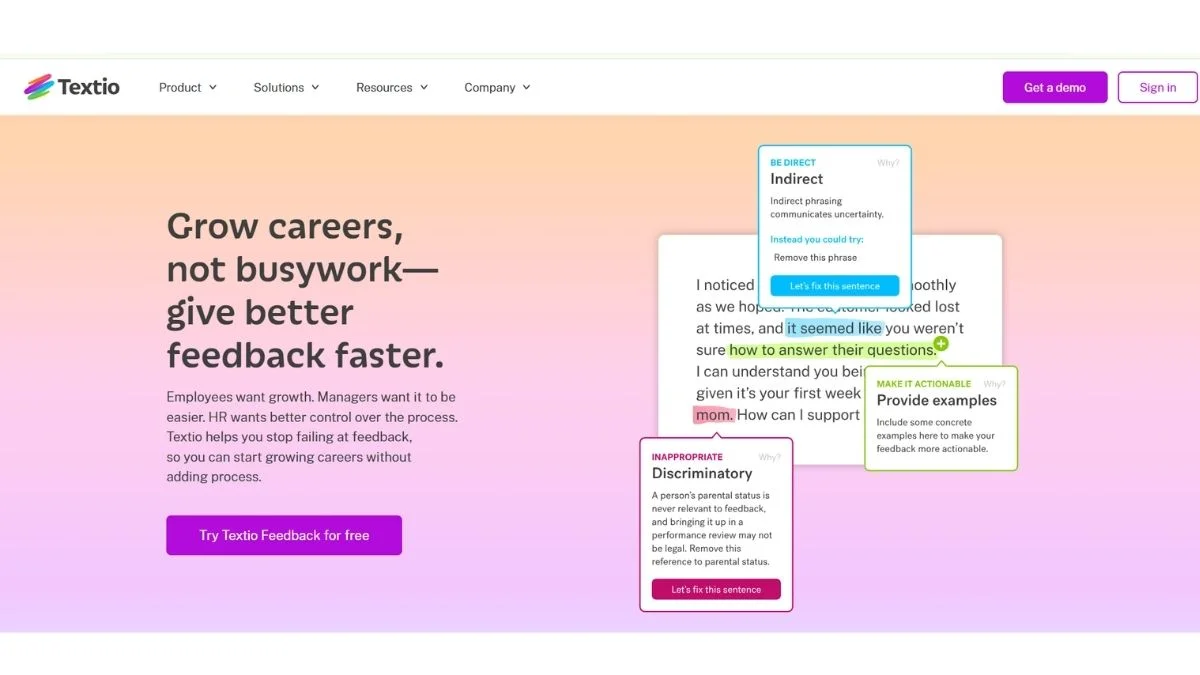
Textio is an augmented writing platform built primarily for HR teams, recruiters, and people managers. Its main promise: use AI to improve the language in job postings and performance reviews so they attract better candidates and reduce unconscious bias.
It's a solid tool. But it comes with real limitations:
- High cost — Textio is enterprise-priced and not budget-friendly for small teams or solo users
- Narrow focus — It's built almost exclusively for HR content, not general writing or marketing
- Limited free tier — There's no meaningful free plan to try before committing
- Not always intuitive — Some users find the UI clunky compared to newer AI writing platforms
So if your writing needs go beyond job descriptions, or your budget is tight, these alternatives are worth a serious look.
Quick Comparison Table
| Tool | Best For | Free Plan | Starting Price | Bias Detection |
|---|---|---|---|---|
| Grammarly Business | Teams & workplace writing | ✅ Yes | ~$15/mo | Partial |
| Writer.com | Enterprise content governance | ❌ No | $18/user/mo | ✅ Yes |
| Hemingway Editor | Readability & clarity | ✅ Yes | $19.99 (one-time) | ❌ No |
| ProWritingAid | Deep writing analysis | ✅ Yes | $30/mo | Partial |
| Wordtune | Sentence-level rewrites | ✅ Yes | $9.99/mo | ❌ No |
| Jasper AI | Marketing & long-form copy | ❌ No | $39/mo | ❌ No |
| Copy.ai | Short-form content & HR docs | ✅ Yes | $49/mo | ❌ No |
| Readable | Readability scoring | ✅ Trial | $8/mo | ❌ No |
| Acrolinx | Brand voice consistency | ❌ No | Custom pricing | ✅ Yes |
| LanguageTool | Multilingual grammar | ✅ Yes | $5.83/mo | ❌ No |
1. Grammarly Business — Best All-Around Writing Assistant for Teams
What it is: Grammarly needs little introduction. The Business plan layers team management, style guides, and brand tone controls on top of the standard grammar and clarity checking most people already know.
Best use case: Mid-size teams that need consistent, professional writing across emails, documents, Slack messages, and HR content.
Key advantage: Works everywhere — Gmail, Google Docs, Notion, Outlook, Slack. You don't have to copy-paste into a separate tool.
Pros:
- Excellent grammar, clarity, and tone suggestions
- Integrates with nearly every tool your team already uses
- Custom style guides for brand voice
- Strong plagiarism detection on paid plans
Cons:
- Not built specifically for HR or job posting optimization
- Bias detection isn't as deep as Textio's
- Gets expensive at scale with large teams
Who should use it: Teams that want a reliable, polished writing assistant for all content types — not just HR docs.
👉 Read the full Grammarly Review & Beginners Guide or explore Grammarly Alternatives if you're still comparing.
2. Writer.com — Best for Enterprise Content Governance
What it is: Writer is an AI writing platform built for enterprise teams that need consistent brand voice, compliance-ready content, and inclusive language checks at scale. It's probably the closest direct competitor to Textio in terms of positioning.
Best use case: Large organizations with multiple writers across departments who need their output to stay on-brand and inclusive.
Key advantage: Writer has one of the most sophisticated "Terms" and "Snippets" systems available — you can literally train it on your company's terminology, forbidden phrases, and preferred language.
Pros:
- Strong inclusive language and bias detection
- Custom style guide + terminology database
- Excellent team collaboration features
- API access for developers
Cons:
- No free plan — you're committing from day one
- Takes time to set up properly
- Overkill for small teams or individuals
Who should use it: HR leaders, content teams, and communications departments at mid-to-large companies who need consistent, governed writing.
3. Hemingway Editor — Best for Clarity and Readability (#3 Is Surprisingly Powerful)
What it is: Hemingway Editor is a no-frills writing tool that highlights complex sentences, passive voice, and unnecessary adverbs. It gives your content a readability grade and pushes you toward clear, punchy writing.
Best use case: Job descriptions, internal communications, and any workplace writing where clarity matters more than style.
Key advantage: It forces you to write simply. Shorter sentences. Active voice. Fewer qualifiers. These habits make HR content significantly more scannable — and that matters when candidates are skimming your job posts.
Pros:
- Dead simple interface — no learning curve
- Web version is completely free
- Desktop app is a one-time purchase (no subscription!)
- Genuinely improves writing habits over time
Cons:
- No AI suggestions — it flags problems, you fix them
- No integrations or browser extension
- No bias or inclusivity detection
Who should use it: Writers who want to develop cleaner habits, or anyone who needs a quick readability check before publishing.
Pro Tip: Run your job postings through Hemingway and aim for a Grade 8 reading level. Studies consistently show simpler job descriptions attract more applications.
4. ProWritingAid — Best for Deep Writing Analysis
What it is: ProWritingAid is a comprehensive writing tool that generates over 20 different reports on your writing — from grammar and style to pacing, clichés, consistency, and readability.
Best use case: Writers who want to understand why their writing isn't landing, not just get a quick fix.
Key advantage: The depth of analysis is unmatched at this price point. You get context-aware explanations for every suggestion, which actually teaches you to write better over time.
Pros:
- 20+ detailed writing reports
- Works with Microsoft Word, Google Docs, Scrivener
- Strong grammar and style checking
- Reasonably priced compared to Textio
Cons:
- Can be overwhelming for casual users
- Interface is less polished than Grammarly
- Not specifically designed for HR content
Who should use it: Content managers, professional writers, and HR teams that want to level up their writing quality systematically.
👉 Compare the top options: QuillBot vs Wordtune vs Grammarly: Best AI Paraphrasing Tool and Grammarly vs ProWritingAid vs Hemingway.
5. Wordtune — Best for Sentence-Level Rewrites on the Fly
What it is: Wordtune is an AI rewriting tool that suggests alternate phrasings for any sentence you highlight. It doesn't just correct errors — it actively rewrites your content in different tones (casual, formal, shorter, longer).
Best use case: Rewriting stiff, generic HR language into something that actually sounds human — perfect for job descriptions that read like legal documents.
Key advantage: The "Rewrite" and "Spice it up" features are genuinely fun to use. You can take a boring job posting bullet point and see five different, more engaging versions in one click.
Pros:
- Fast, intuitive rewriting suggestions
- Works inside Google Docs and as a browser extension
- Generous free plan available
- Helps non-native English speakers significantly
Cons:
- Doesn't catch grammar errors as reliably as Grammarly
- No team collaboration or style guide features
- AI rewrites can occasionally miss your intended meaning
Who should use it: Recruiters, HR professionals, and content writers who want to quickly punch up dull copy without rewriting from scratch.
👉 See also: Top Best Wordtune Alternatives for Sentence Rewriting
6. Jasper AI — Best for Marketing-Oriented Workplace Content
What it is: Jasper is one of the most popular AI writing platforms for marketers, but it's increasingly being used for HR content too — employer branding copy, careers page content, internal newsletters, and recruiting emails.
Best use case: Companies building out employer brand content alongside traditional job postings.
Key advantage: Jasper's "Brand Voice" feature lets you train the AI on your company's tone so every piece of content sounds like you, not a generic AI.
Pros:
- Incredibly fast long-form content generation
- Strong brand voice training
- 50+ templates covering many content types
- Solid team collaboration features
Cons:
- Expensive compared to most alternatives
- No readability scoring or bias detection
- Better for marketing content than precise HR writing
Who should use it: Talent acquisition teams focused on employer branding and recruitment marketing, not just writing individual job posts.
👉 Related reads: Jasper AI vs Copy.ai vs Writesonic: Best AI Copywriter and Best Jasper AI Alternatives for Marketing Copy.
7. Copy.ai — Best Free Option for HR and Recruitment Content
What it is: Copy.ai is an AI writing assistant that excels at short-form content — think email subject lines, bullet points, social posts, and yes, job description sections. Its free plan is one of the most generous in the category.
Best use case: Small HR teams and solo recruiters who need fast, decent-quality content without paying enterprise prices.
Key advantage: Copy.ai has a specific "Job Description" workflow in its template library. You input the role, requirements, and company culture, and it generates a structured draft in seconds.
Pros:
- Generous free plan (no credit card required)
- Easy to use with zero learning curve
- Good range of HR-specific templates
- New "Workflows" feature automates multi-step content tasks
Cons:
- Output quality varies — always needs human editing
- No bias detection or inclusivity features
- Not built for long-form content refinement
Who should use it: Freelance recruiters, startups, and small businesses that need to produce job postings quickly without a big software budget.
👉 Compare more options: HIX AI vs Writesonic vs Copy.ai: Best All-in-One AI Writer
8. Readable — Best for Scoring and Improving Content Readability
What it is: Readable is a dedicated readability analysis tool that scores your content across multiple readability formulas (Flesch-Kincaid, Gunning Fog, SMOG, etc.) and gives you actionable improvement tips.
Best use case: HR teams and content managers who publish a lot of written content and want to ensure it's accessible to their target audience.
Key advantage: Readable gives you a "content grade" that's easy to track over time. You can set targets for your team and measure improvement consistently.
Pros:
- Multiple readability scoring formulas in one tool
- Keyword density and text statistics included
- API available for automated scoring
- Affordable pricing
Cons:
- Very narrow focus — it only scores readability, doesn't rewrite
- No AI writing suggestions
- Interface can feel dated
Who should use it: Content managers who want to audit existing content libraries for readability compliance, or anyone publishing content for a broad audience.
9. Acrolinx — Best Enterprise Alternative for Brand and Compliance Writing
What it is: Acrolinx is a heavyweight enterprise content governance platform used by companies like Google, Adobe, and Boeing. It checks content against your brand guidelines, terminology database, and compliance requirements in real time.
Best use case: Large enterprises where content consistency and regulatory compliance are critical — think HR policy documents, global job postings, legal communications.
Key advantage: Acrolinx's AI actually learns your organization's specific standards and enforces them at scale across your entire content workflow.
Pros:
- Best-in-class brand voice and terminology enforcement
- Deep integration with CMS, word processors, and authoring tools
- Scales to very large content teams
- Excellent inclusive language and bias checking
Cons:
- Custom enterprise pricing — not affordable for small teams
- Long implementation time
- Overkill for most use cases
Who should use it: Large global organizations with complex content governance requirements — HR, legal, and communications teams at Fortune 500-level companies.
10. LanguageTool — Best Free Multilingual Writing Assistant
What it is: LanguageTool is an open-source grammar and style checker that supports over 30 languages. It's less flashy than Grammarly but significantly more capable in non-English languages.
Best use case: International companies that need to write and review HR content in multiple languages.
Key advantage: If your team operates across language markets, LanguageTool is one of the few tools that actually works well for German, French, Spanish, Portuguese, and many other languages — not just English.
Pros:
- Strong multilingual support (30+ languages)
- Generous free plan
- Browser extension, Word add-in, Google Docs integration
- Open-source core with a privacy-friendly self-hosted option
Cons:
- Not as smart as Grammarly for English content specifically
- No AI rewriting or content generation features
- Basic UI compared to newer AI writing tools
Who should use it: International HR teams, global companies, and multilingual writers who need reliable grammar support beyond English.
👉 Related: 5 Free AI Grammar Checkers for All Languages and Best Free Grammar Checkers
Expert Tips: Getting More From Any Textio Alternative
Before you commit to a tool, here's what actually moves the needle based on how teams use these platforms in the real world.
1. Don't outsource your thinking — use AI to refine it. The best results come when you write a rough draft yourself, then use the tool to sharpen it. AI-first drafts often lack the specific context that makes job postings stand out.
2. Set a readability target for your job postings. Research from Textio itself, and separately from LinkedIn, has shown that job postings written at a lower reading level (Grade 8–10) receive more applications. Use Hemingway or Readable to hit this target consistently.
3. Bias reduction is only as good as your input. Tools that flag biased language are helpful, but they work best when you're already thinking about the problem. Review your language choices manually after running the AI check.
4. Test two versions. Most ATS platforms let you A/B test job postings. Write two versions — one with AI suggestions applied, one without — and see which drives more qualified applicants.
5. Don't ignore tone. Tone is often more important than grammar. A technically correct job posting that sounds robotic will underperform a slightly imperfect one that sounds warm and human.
👉 See also: Essential Content Optimization Practices Every Marketer Should Know
Which Tool Should You Actually Choose?
Here's a quick decision guide:
- You need Textio's bias detection without the enterprise price → Try Writer.com
- You want the most versatile writing assistant → Go with Grammarly Business
- You're a solo recruiter on a budget → Start with Copy.ai (free) or Wordtune
- You write in multiple languages → LanguageTool is your best bet
- Your writing is too complex and hard to read → Hemingway Editor will fix that fast
- You're running a large enterprise → Evaluate Acrolinx seriously
- You want deep writing analysis and reports → ProWritingAid has no competition here
Don't feel pressured to match Textio feature-for-feature. Most teams only used 20–30% of Textio's features anyway — pick a tool that solves your actual problem.
👉 More comparisons: Free vs Paid AI Writing Tools: Is Upgrading Worth It? and Best AI Tools Complete Guide with Pros & Cons
Related Resources You Might Find Useful
- Best Free AI Writing Tools — No Word Limit
- Free AI Content Generators for Bloggers
- Free AI Tools That Replace Expensive Software
- Best AI Tools for Productivity
- Top 10 AI Tools You Must Try
- Best Free AI Tools to Use Daily
- Free AI Productivity Tools for Teams
- Free AI Tools for Entrepreneurs
- Free AI Marketing Tools for Startups
- Best AI Tools for Content Creators
- ChatGPT vs Claude vs Gemini: Which AI Wins?
- Free AI Copywriting Tools for Marketing
- Free AI Tools for Small Businesses That Save Hours
- QuillBot Review & Complete Guide
- QuillBot Alternatives
- Best HIX AI Alternatives for All-in-One AI Writing
- Top Best Writesonic Alternatives for SEO Blog Writing
- Best Jenni AI Alternatives for Academic Writing
- Top Smodin Alternatives for AI Essay Writing
- AI Summarizer Review: A Top Choice for Better Writing
- Does AI-Generated Content Hurt Your SEO?
- How AI Is Changing SEO
- Free AI Essay Writers — No Plagiarism
- Best AI Tools for Students
- Free AI Tools Every Freelancer Needs
- 7 Best Free AI Email Writers 2026
- 3 Best Free AI LinkedIn Post Generators
- Free AI Chat Tools No Sign-Up Required
External Resources
- Textio Official Website — Check their current pricing and feature set before switching
- Society for Human Resource Management (SHRM) — Best practices for inclusive job posting language
- Google's re:Work Job Description Guide — Evidence-based guidance on writing effective job postings
Frequently Asked Questions
What is Textio used for?
Textio is an AI writing platform specifically designed for workplace writing — particularly job postings and performance reviews. It analyzes your language in real time and suggests edits to improve clarity, reduce bias, and increase the likelihood of attracting strong candidates.
Beyond job descriptions, Textio also offers features for performance feedback, making sure review language is equitable and consistent across managers. It's primarily used by HR teams, recruiters, and people managers at mid-to-large enterprises.
Is there a free alternative to Textio?
Yes — several solid free alternatives exist. Copy.ai has a generous free plan with HR writing templates. LanguageTool offers free grammar and style checking in 30+ languages. Hemingway Editor's web version is completely free for readability improvement.
For basic writing assistance, Grammarly's free plan also helps with clarity and tone. None of these match Textio's specific bias-detection depth, but for most teams, they cover the essentials without the enterprise cost.
Which Textio alternative is best for reducing bias in job postings?
Writer.com is the strongest Textio alternative for bias reduction in job postings. It allows companies to build custom inclusive language guidelines into the platform, and it flags problematic terms in real time — similar to Textio's core functionality.
Acrolinx is even more powerful for large enterprises, but comes with custom enterprise pricing. For a budget-friendly option, running job descriptions through both Hemingway (for readability) and LanguageTool (for clarity) catches many common issues.
Can I use these tools for performance reviews, not just job postings?
Yes — Writer.com and Grammarly Business both support performance review writing effectively. They help ensure your feedback language is clear, professional, and consistent across your management team.
Some tools like ProWritingAid also work well for this, offering style and clarity improvements that make feedback more actionable and less ambiguous for employees.
Is Textio worth the cost for small businesses?
For most small businesses, Textio is not worth the cost. Its pricing is built for enterprise teams, and small HR teams rarely need — or fully use — its advanced features.
Better options for small businesses include Copy.ai's free plan, Grammarly Business (starting at ~$15/mo), or even the free version of Hemingway Editor. Check out Free AI Tools for Small Businesses That Save Hours Every Week for more budget-friendly ideas.
What is the difference between Textio and Grammarly?
Textio is purpose-built for HR writing — job postings and performance reviews — with deep bias detection and hiring outcome data. Grammarly is a general-purpose writing assistant that handles grammar, tone, and clarity across all content types.
Think of Textio as a specialist and Grammarly as a generalist. If HR writing is your main focus and bias reduction is a priority, Textio has more relevant features. If you need a writing tool that works across your entire organization's communication — emails, documents, reports — Grammarly Business offers much more flexibility.
Final Thoughts
Textio is a genuinely good tool for what it does. But it's not the only game in town — and depending on your needs and budget, it might not even be the best option for you.
Here's the short version:
- Writer.com is the closest true alternative for enterprise HR teams
- Grammarly Business is the most versatile and widely used across team types
- Hemingway + Copy.ai is the unbeatable free combination for small teams
- Acrolinx is worth evaluating if you're at enterprise scale with complex compliance needs
- LanguageTool wins if you operate in multiple languages
The right tool depends on what's actually slowing you down. Is it grammar and clarity? Bias in your language? Brand consistency? Readability? Answer that question first, and choosing the right Textio alternative becomes obvious.
Ready to explore more? Check out our full guide to Best Free AI Writing Tools with No Word Limit or browse Best AI Tools Complete Guide with Pros & Cons to find the right stack for your workflow.