10 Best HyperWrite Alternatives in 2026 (Free & Paid — Ranked Honestly)

Let's be honest: HyperWrite is decent, but it's not for everyone.
Maybe the free plan feels too limited. Maybe the output quality isn't matching what you need. Or perhaps you're just curious whether a better tool exists for your specific workflow — whether that's writing blog posts, emails, essays, or marketing copy.
Good news: there are some genuinely excellent HyperWrite alternatives in 2026 that can do more, cost less, or simply feel more natural to use.
In this guide, you'll get:
- 10 real HyperWrite alternatives (not just a recycled list)
- Honest pros and cons for each
- A comparison table to choose fast
- A pro tips section and FAQ you'll actually want to read
Let's get into it.
What Is HyperWrite — and Why Are People Looking for Alternatives?
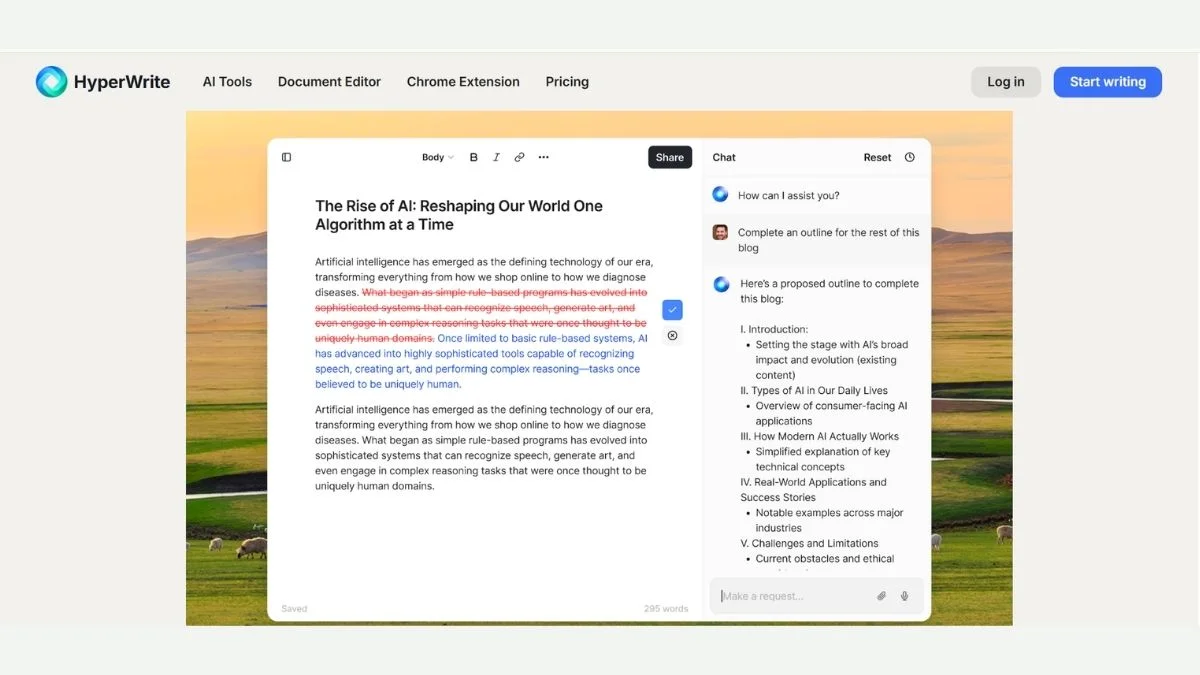
HyperWrite is an AI writing assistant that helps with tasks like autocomplete, document drafting, paraphrasing, and summarizing. It's powered by GPT technology and has a Chrome extension that works inside Gmail, Google Docs, and other web tools.
It's useful — but users commonly report:
- Limited output on the free plan (often just 15 uses/month)
- Generic or repetitive writing style that needs heavy editing
- No dedicated SEO writing tools built-in
- Weak long-form content generation compared to dedicated tools
If any of those frustrations sound familiar, the alternatives below were picked specifically with you in mind.
Quick Comparison: HyperWrite vs. Top Alternatives
| Tool | Best For | Free Plan | Starting Price | AI Model |
|---|---|---|---|---|
| HyperWrite | General writing + Chrome ext. | ✅ (15 uses/mo) | $19.99/mo | GPT-4 |
| Jasper AI | Marketing copy | ❌ | $39/mo | Jasper + GPT-4 |
| Copy.ai | Short-form copy | ✅ | $36/mo | GPT-4 |
| Writesonic | SEO blog writing | ✅ | $16/mo | GPT-4 Turbo |
| QuillBot | Paraphrasing + editing | ✅ | $9.95/mo | Proprietary |
| ChatGPT | Anything | ✅ | $20/mo | GPT-4o |
| Notion AI | Docs + notes | ❌ add-on | $10/mo add-on | GPT-4 |
| HIX.AI | All-in-one writing | ✅ | $9.99/mo | GPT-4 |
| Rytr | Budget writing | ✅ | $7.50/mo | GPT-3.5/4 |
| Wordtune | Rewriting + tone | ✅ | $13.99/mo | Proprietary |
| Grammarly | Grammar + polish | ✅ | $12/mo | Proprietary |
10 Best HyperWrite Alternatives (Detailed Breakdown)
1. Jasper AI — Best for Marketing Copy and Brand Voice
If you're writing content for a business, Jasper is the heavy hitter. It's built specifically for marketing teams and agencies who need consistent, on-brand output at scale.
What makes Jasper different is its Brand Voice feature — you can train it on your existing content so every output sounds like you, not a generic AI.
Best use case: Product descriptions, ad copy, email sequences, landing pages
Pros:
- Extremely strong marketing-focused templates (50+)
- Brand Voice ensures consistency across all content
- Long-form document editor is smooth and capable
- Integrates with Surfer SEO for optimized content
Cons:
- No free plan — trial only
- Gets expensive quickly for solo users
- Can feel over-engineered for simple writing tasks
Who should use it: Marketing teams, agency copywriters, SaaS founders writing their own content
Key advantage: Brand Voice + Surfer SEO integration makes it a genuine content machine
Want to explore more options in this space? Check out the full Best Jasper AI Alternatives for Marketing Copy guide and Top Free Jasper AI Alternatives for Small Businesses.
2. Copy.ai — Best Free Plan for Short-Form Copy (#2 is surprisingly generous)
Copy.ai is one of the few tools that offers a genuinely usable free tier — not the watered-down, 5-uses-per-month type, but real access to their workflow builder and basic tools.
It shines brightest when you need quick, punchy copy: headlines, taglines, social posts, and email subject lines.
Best use case: Social media captions, product listings, short ad copy
Pros:
- Free plan is actually useful (not just bait)
- Workflow builder lets you automate repetitive tasks
- Clean, beginner-friendly interface
- Good variety of short-form templates
Cons:
- Long-form writing is noticeably weaker
- Output can feel formulaic after a while
- Limited control over tone without paid plan
Who should use it: Freelancers, small business owners, social media managers on a budget
Key advantage: The free plan + workflow builder combo makes it great for people just getting started
See how it stacks up in this head-to-head: Jasper AI vs Copy.ai vs Writesonic and Best Copy.ai Alternatives for Generating Sales Copy.
3. Writesonic — Best for SEO Blog Writing
Writesonic is the closest thing to a dedicated AI blog writer on this list. If your goal is to publish content that ranks on Google, Writesonic was practically built for that workflow.
Its Article Writer 6 generates long-form, SEO-structured posts with citations, headings, and intro/conclusion sections already in place.
Best use case: Blog posts, SEO articles, website copy
Pros:
- Article Writer 6 produces impressive long-form drafts
- Built-in keyword targeting and SEO suggestions
- One-click WordPress publishing integration
- Affordable starter plan at $16/month
- Supports 30+ languages
Cons:
- Output still needs human editing for accuracy
- Some templates feel repetitive after extended use
- Lower-tier plans have word limits
Who should use it: Bloggers, content marketers, SEO writers who publish regularly
Key advantage: Best long-form AI output for the price — especially for SEO-focused content
Dive deeper: Top Best Writesonic Alternatives for SEO Blog Writing and Free AI Article Writers — Full Length Guide.
4. QuillBot — Best for Paraphrasing and Editing (#4 is a secret weapon for students)
QuillBot doesn't try to write your content from scratch — and that's exactly what makes it so good. It focuses on paraphrasing, summarizing, and polishing existing text better than almost any other tool.
Students, researchers, and editors swear by it. The paraphraser alone has seven different modes (Standard, Fluency, Formal, Academic, Simple, Creative, Expand, Shorten).
Best use case: Rewriting, academic paraphrasing, editing drafts, summarizing documents
Pros:
- Best-in-class paraphrasing engine
- Grammar checker + citation generator included
- Chrome extension works inside Google Docs
- Free plan is genuinely useful
- Used and trusted by millions of students worldwide
Cons:
- Not designed for original content creation
- Premium needed for full mode access
- AI Detector within the tool is basic
Who should use it: Students, editors, ESL writers, researchers, anyone rewriting existing content
Key advantage: Nothing beats it for paraphrasing — it's the only tool built exclusively to do this well
Read the full breakdown: QuillBot Review & Complete Guide and see how it compares: QuillBot vs Wordtune vs Grammarly. Also check QuillBot Alternatives if it's not the right fit.
5. ChatGPT — Best All-Rounder (and the most flexible)
You already know ChatGPT. But here's what's worth saying: for most people, ChatGPT with a good prompt beats most specialized tools at a fraction of the price.
GPT-4o (included in the free plan as of 2026) handles writing, editing, summarizing, brainstorming, research assistance, code, and more.
Best use case: Everything — content drafts, emails, research, coding, analysis
Pros:
- Free plan is genuinely powerful (GPT-4o included)
- Handles almost any writing task
- Custom GPTs and memory features on Plus
- Integrated browsing and image tools
- Massive user community with prompt libraries
Cons:
- No built-in SEO optimization tools
- Requires good prompting for best results
- Outputs can be long-winded without specific instructions
Who should use it: Anyone. Seriously. If you're only going to use one AI writing tool, this is the safest choice.
Key advantage: Raw flexibility. No other tool does as many different writing tasks well.
Compare the top AI models: ChatGPT vs Claude vs Gemini — Which AI Wins? and explore Best Free ChatGPT Alternatives if you want something different.
6. Notion AI — Best for Writers Who Already Use Notion
If your drafts, notes, research, and to-do lists already live in Notion, adding Notion AI is one of the smartest decisions you can make. It works inside your workspace — no copy-pasting between tools.
You can ask it to summarize a page, fix your grammar, brainstorm ideas, or continue a draft without ever leaving your document.
Best use case: Note-taking, document drafting, project planning, internal writing
Pros:
- Seamlessly integrated into your existing Notion workspace
- Great for summarizing long documents and meeting notes
- Brainstorming and outlining features feel natural
- $10/month add-on is affordable if you're already paying for Notion
Cons:
- Not useful at all if you don't use Notion
- Output quality is solid but not exceptional vs. dedicated tools
- No SEO optimization or publishing tools
Who should use it: Notion users, remote teams, content strategists who plan in Notion
Key advantage: Zero context switching — write and plan in one place
See the full comparison: Notion AI vs ChatGPT — Which One Should You Actually Use? and explore Notion Alternatives if you need something different.
7. HIX.AI — Best All-in-One AI Writing Platform
HIX.AI is one of the most underrated tools on this list. It bundles over 120 AI writing tools into a single platform — an article writer, email writer, paraphraser, grammar checker, summarizer, and more.
It's powered by GPT-4 and Claude, which means output quality is solid across the board.
Best use case: Content creators who want one tool for everything
Pros:
- 120+ writing tools in one platform (genuinely impressive breadth)
- Powered by both GPT-4 and Claude models
- Browser extension works across the web
- Good free plan to get started
- Affordable paid plans starting around $9.99/month
Cons:
- Can feel overwhelming at first (too many options)
- Long-form article quality varies
- Brand is less established than Jasper or Writesonic
Who should use it: Bloggers, marketers, and freelancers who want one tool instead of five
Key advantage: Breadth — no other affordable tool covers this many writing use cases
Explore more: Best HIX.AI Alternatives for All-in-One AI Writing and HIX.AI vs Writesonic vs Copy.ai.
8. Rytr — Best Budget Option for Freelancers
If budget is your primary concern, Rytr is the most affordable paid AI writing tool on the market — and it punches well above its price point.
At $7.50/month (billed annually), you get unlimited characters on the Saver plan, 40+ use cases, and a solid tone-of-voice selector with 20 options.
Best use case: Freelancers writing for clients, social media content, quick short-form copy
Pros:
- Cheapest paid plan among major AI writing tools
- 40+ templates and use cases
- 30+ supported languages
- Simple, beginner-friendly interface
- Built-in plagiarism checker (on paid plans)
Cons:
- Long-form content quality is average at best
- No brand voice or memory features
- Less powerful than GPT-4-based tools
Who should use it: Freelancers, students, and anyone who wants basic AI writing without spending much
Key advantage: Price-to-value ratio — the best budget pick on this entire list
Looking for more budget options? Free AI Copywriting Tools for Marketing and Best Free AI Writing Tools No Word Limit have you covered.
9. Wordtune — Best for Rewriting and Tone Control
Wordtune does one thing really well: it rewrites your sentences in different ways so you can pick the version that sounds best. Think of it as a smarter synonym tool that understands context.
It's especially useful when you've written something but it feels off — too formal, too casual, too wordy, or just flat.
Best use case: Polishing drafts, adjusting tone, shortening or expanding sentences
Pros:
- Sentence rewrite suggestions are fast and genuinely useful
- Tone controls (casual, formal, longer, shorter) work well
- Chrome extension integrates with Gmail and Google Docs
- Free plan gives a solid taste of the product
- Reads already-written text with context
Cons:
- Not designed to write original content from scratch
- Free plan limited to 10 rewrites/day
- Less useful for long-form writing
Who should use it: Editors, non-native English writers, anyone who writes first and polishes second
Key advantage: The rewriting UX is faster and smarter than most competitors
Compare it: Top Best Wordtune Alternatives for Sentence Rewriting and QuillBot vs Wordtune vs Grammarly.
10. Grammarly — Best for Polishing and Professional Editing
Grammarly isn't trying to replace your writing — it's trying to make your writing better. And in that narrow but critical job, it's still the best tool available in 2026.
The free plan catches grammar, spelling, and basic clarity issues. The paid plan (Premium) adds tone detection, sentence rewrites, plagiarism checks, and generative AI features.
Best use case: Professional emails, academic writing, anything where polish matters
Pros:
- Gold standard for grammar and spelling correction
- Tone detector helps calibrate your communication
- Works everywhere: browser, Word, Gmail, Slack, Google Docs
- Trusted by 30+ million users
- Free plan is solid for basic use
Cons:
- AI writing features are secondary to editing features
- Premium is pricier than some full AI writers
- Can over-suggest changes that hurt your voice
Who should use it: Professionals, students, non-native English speakers, anyone who emails clients
Key advantage: It works silently in the background across every platform you already use
Full review: Grammarly Review & Beginners Guide and compare: Grammarly vs ProWritingAid vs Hemingway. For other options: Grammarly Alternatives.
Pro Tips: Getting the Most from Any AI Writing Tool
Before you pick a tool, here's what most comparison articles won't tell you:
1. Your prompts matter more than your tool. A mediocre prompt in a premium tool gives mediocre output. A detailed, specific prompt in a free tool can give surprisingly good results. Learn to prompt well — it's a skill worth developing. See Best Prompt Engineering Techniques for Developers.
2. Use AI for drafts, not finals. Every tool on this list will hallucinate, sound generic, or miss nuance sometimes. The smartest users treat AI output as a first draft that they shape into something worth publishing.
3. Always check AI content before publishing. Google's ranking systems have evolved significantly. AI content that's thin, inaccurate, or clearly not helpful will struggle to rank. Read Does AI-Generated Content Hurt Your SEO? to understand the nuances.
4. Free trials exist — use them. Most tools above offer free plans or trials. Test at least 2–3 before committing to a paid subscription. What works for a marketing agency won't necessarily work for a solo blogger.
5. Stack tools strategically. Many power users combine tools: ChatGPT for drafting, Grammarly for polishing, QuillBot for paraphrasing specific sections. You don't have to pick just one.
Also worth reading: Free vs Paid AI Writing Tools — Is Upgrading Worth It?
Who Should Use Which Tool? (Quick Decision Guide)
You're a student or academic writer → QuillBot (paraphrasing) + Grammarly (editing)
You're a blogger focused on SEO → Writesonic or HIX.AI
You're a marketing copywriter → Jasper AI or Copy.ai
You're on a tight budget → Rytr or ChatGPT free plan
You live in Notion → Notion AI (obviously)
You want the most flexible option → ChatGPT Plus
You need to polish professional emails → Grammarly + Wordtune
More reading: Best AI Tools for Content Creators | Best Free AI Tools to Use Daily | Free AI Tools Every Freelancer Needs
Frequently Asked Questions
What is the best free alternative to HyperWrite?
ChatGPT's free plan (GPT-4o) is the strongest free HyperWrite alternative available in 2026. It handles a wider range of writing tasks with fewer limitations than HyperWrite's 15-use free tier.
QuillBot and Copy.ai also have free plans that are genuinely useful — QuillBot for paraphrasing and editing, Copy.ai for short-form copywriting. The best free tool depends on your specific use case.
Is HyperWrite good for SEO writing?
HyperWrite has no built-in SEO optimization tools, making it a poor choice for SEO-focused content compared to tools like Writesonic or HIX.AI.
If ranking on Google is your goal, you need a tool that at minimum helps with keyword placement and content structure. Writesonic's Article Writer 6 is the most capable for this. Learn more about How Content Marketing Boosts SEO.
Which HyperWrite alternative is best for students?
QuillBot is the best HyperWrite alternative for students. Its paraphrasing engine, summarizer, citation generator, and grammar checker are all directly useful for academic work.
For broader academic tasks — research, essay drafting, note-taking — combining QuillBot with ChatGPT gives you a powerful free setup. See Best AI Tools for Students for more options.
Can I use these tools to write content without getting penalized by Google?
Yes — but only if the content is accurate, helpful, and edited by a human. Google penalizes low-quality, thin, or misleading content regardless of whether it was AI-generated.
The key is using AI as an assistant, not a ghostwriter. Add original insights, fact-check outputs, and make sure the content genuinely helps readers. Does AI-Generated Content Hurt SEO? explains Google's official stance clearly.
Is Jasper AI worth the price compared to HyperWrite?
For marketing teams and agencies, yes. Jasper AI's Brand Voice, templates, and Surfer SEO integration justify the higher price. For solo bloggers or casual writers, HyperWrite or ChatGPT offers better value.
Jasper starts at $39/month — significantly more than HyperWrite's $19.99/month. The extra cost makes sense only if you're producing high volumes of brand-consistent marketing content. Check ChatGPT vs Jasper AI — Which Gives Better Marketing Copy? for a detailed comparison.
What's the most affordable HyperWrite alternative?
Rytr at $7.50/month (annual) is the most affordable paid alternative. For free options, ChatGPT's free plan and QuillBot's free plan are both excellent.
If you need volume and variety on a strict budget, Rytr gives you unlimited characters on its Saver plan. For occasional use, the free plans from ChatGPT, Copy.ai, and QuillBot are more than enough.
Conclusion
HyperWrite is a capable tool — but it's not the only tool, and for many users, it's not even the best one.
Here's the short version of everything we covered:
- ChatGPT wins on flexibility and free plan value
- Writesonic is the strongest pick for SEO blogging
- QuillBot dominates paraphrasing and academic editing
- Jasper AI is built for serious marketing teams
- Grammarly is still unbeatable for polishing and professional writing
- Rytr is the budget champion
- HIX.AI gives the most tools in a single package
The right alternative depends entirely on what you're writing and what you're willing to spend. Most of these tools have free plans — so there's no reason not to test a few before deciding.
Ready to explore further?
- 📖 Best AI Tools Complete Guide with Pros & Cons
- 📖 Top 100 Best AI Tools
- 📖 Free AI Content Generators for Bloggers
- 📖 Free AI Productivity Tools for Teams
- 📖 Best AI Tools for Productivity
- 📖 Essential Content Optimization Practices Every Marketer Should Know
Pick your tool, test it for a week, and come back when you need the next upgrade. You've got everything you need to make a smart choice today.