9 Best Surfer SEO Alternatives in 2026 (Free + Paid)

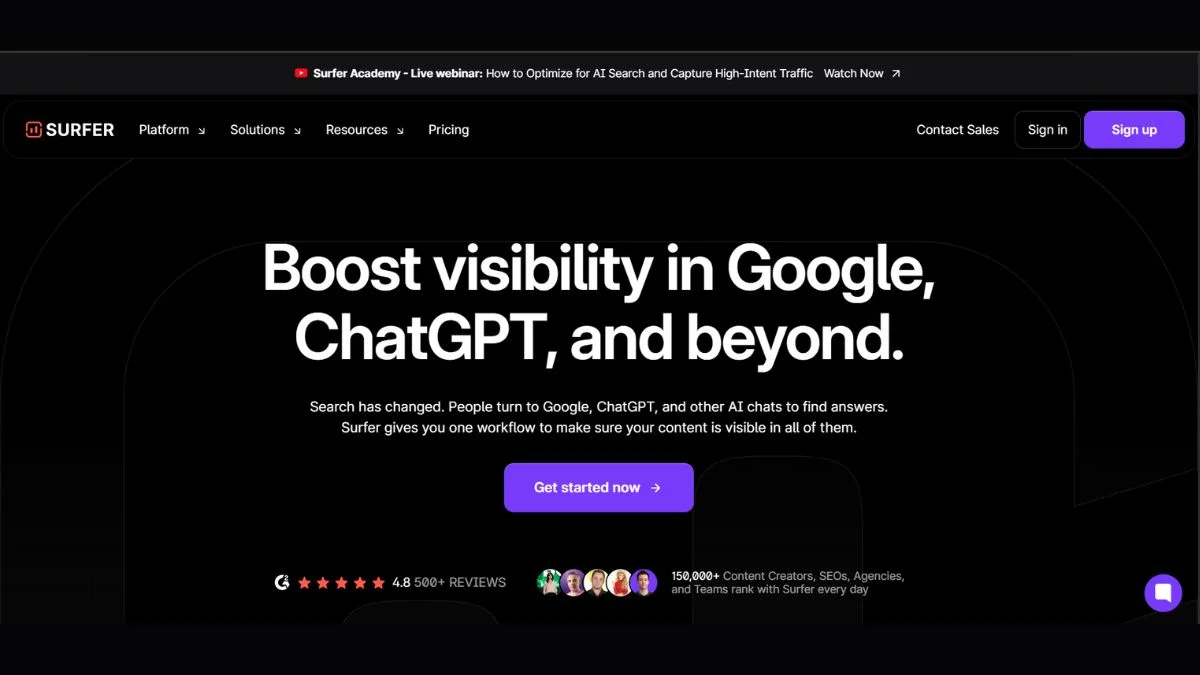
Let's be honest — Surfer SEO is a great tool. But at $89–$219/month, it's not for everyone.
Whether you're a freelancer watching your budget, a startup scaling fast, or an SEO pro looking for a better fit, you deserve options that actually work — not just cheaper knockoffs.
This guide breaks down the 9 best Surfer SEO alternatives in 2026, with honest pros and cons, real use cases, and a clear comparison table so you can pick the right tool without wasting time on trial and error.
Quick answer: If you want the closest Surfer SEO alternative with more features, Semrush Writing Assistant + On-Page SEO Checker is the top pick. For budget-conscious users, NeuronWriter or Frase offer 80% of the value at a fraction of the price.
What Is Surfer SEO and Why Look for Alternatives?
Surfer SEO is an on-page optimization tool that analyzes top-ranking pages for a keyword and tells you exactly what your content needs — word count, headings, keyword usage, NLP terms, and more.
It's genuinely powerful. But here's why people look for alternatives:
- Price: Plans start at $89/month. The full suite with Grow Flow and AI costs $219+.
- Learning curve: New users often feel overwhelmed.
- Limited AI writing: The AI writer is basic compared to standalone tools.
- No backlink data: You need a separate tool for off-page SEO.
- Overkill for small sites: Many features go unused by bloggers and small businesses.
Sound familiar? Let's look at what's out there.
Quick Comparison Table
| Tool | Best For | Starting Price | Free Plan | AI Writing | SERP Analysis |
|---|---|---|---|---|---|
| Frase | Content briefs + AI | $15/mo | ❌ | ✅ | ✅ |
| NeuronWriter | Best value | $23/mo | ❌ | ✅ | ✅ |
| Semrush | All-in-one SEO | $139/mo | Limited | ✅ | ✅ |
| Clearscope | Content quality | $189/mo | ❌ | ❌ | ✅ |
| MarketMuse | Enterprise strategy | $149/mo | Limited | ✅ | ✅ |
| PageOptimizer Pro | Technical on-page | $34/mo | ❌ | ❌ | ✅ |
| Scalenut | Blogging + SEO | $39/mo | ❌ | ✅ | ✅ |
| SE Ranking | Small agencies | $65/mo | ❌ | ✅ | ✅ |
| Dashword | Simple + affordable | $99/mo | ❌ | ✅ | ✅ |
1. Frase — Best for Content Briefs and Fast AI Writing
What it is: Frase combines SERP research, content briefs, and AI writing in one streamlined interface. It's probably the most direct Surfer SEO competitor at a much lower price.
You type in a keyword, and Frase pulls the top 20 search results, summarizes them, and builds you a content brief in under a minute. Then you write (or let the AI write) directly inside the editor while tracking your optimization score.
Best use case: Freelancers and content agencies who produce high volumes of SEO articles and need fast, structured briefs.
Key advantage: The research-to-writing workflow is faster than Surfer's. You spend less time switching between tabs.
Pros:
- Very affordable entry plan ($15/mo for solo users)
- Clean, distraction-free editor
- SERP-based content briefs are genuinely useful
- AI writing quality has improved significantly in 2025–2026
- Integrates with Google Search Console
Cons:
- The $15 plan limits you to 4 articles/month
- NLP term suggestions aren't as deep as Surfer's
- No backlink analysis
Who should use it: Bloggers, content marketers, and small agency writers who want an affordable all-in-one writing + optimization tool.
👉 Learn more about free SEO checker tools to pair with Frase.
2. NeuronWriter — Best Value for Money (#2 is a hidden gem)
What it is: NeuronWriter is a Polish-built SEO content editor that's quietly become one of the best-value tools in the market. It uses NLP (natural language processing) and Google SERP data to score your content in real time.
Think Surfer SEO, but at about one-third the price — with a lifetime deal often available on AppSumo.
Best use case: Individual bloggers, niche site builders, and small businesses who want Surfer-level optimization without the Surfer price tag.
Key advantage: The NLP term recommendations are remarkably accurate, and the internal linking suggestions are a feature Surfer doesn't even offer.
Pros:
- One of the most affordable monthly plans in this category
- Strong NLP keyword recommendations
- Internal linking assistant (unique feature)
- Content plagiarism checker included
- Available as a lifetime deal periodically
Cons:
- UI feels slightly dated
- AI writing quality is good but not best-in-class
- Smaller community and fewer integrations than Surfer
Who should use it: Niche site builders and bloggers who want serious on-page optimization without a serious monthly bill.
👉 Related: How to Use Keywords for SEO Effectively
3. Semrush Writing Assistant + On-Page SEO Checker — Best All-in-One
What it is: Semrush isn't just a keyword tool — its Writing Assistant and On-Page SEO Checker together create a workflow that rivals (and in some ways surpasses) Surfer SEO.
The Writing Assistant grades your content on readability, SEO, originality, and tone. The On-Page SEO Checker compares your existing pages to top competitors and gives you specific recommendations.
Best use case: Marketing teams and agencies already using Semrush who want to consolidate tools and stop paying for Surfer on top.
Key advantage: You get backlink data, keyword research, site audit, and content optimization all in one platform. Surfer can't offer that.
Pros:
- Most comprehensive SEO data of any tool on this list
- Writing Assistant integrates with Google Docs and WordPress
- On-Page Checker gives prioritized recommendations
- Massive keyword and competitor database
- Trusted by enterprise teams worldwide
Cons:
- Expensive ($139/mo+) — comparable to Surfer's higher tiers
- Writing Assistant is an add-on, not fully integrated like Surfer's editor
- Can feel overwhelming for beginners
Who should use it: Marketing agencies, in-house SEO teams, and anyone already invested in Semrush who wants to ditch Surfer.
👉 See how they compare: SEMrush vs Ahrefs — Which SEO Tool Wins?
4. Clearscope — Best for Content Quality and Team Workflows
What it is: Clearscope is the content optimization tool preferred by many enterprise content teams. It's been around since 2018 and focuses on one thing: helping you write content that matches search intent and uses the right semantic terms.
Reports are clean, easy to understand, and shareable — making it excellent for teams where editors brief writers.
Best use case: Enterprise content teams and agencies managing multiple writers who need a clear, simple optimization report to hand off.
Key advantage: Ease of use is unmatched. A writer with zero SEO knowledge can follow a Clearscope report and produce a well-optimized article.
Pros:
- Crystal-clear content grade and term recommendations
- Excellent for team collaboration
- Google Docs integration
- Trusted by HubSpot, Monday.com, and other large brands
- Very clean, no-clutter interface
Cons:
- Expensive ($189/mo for the base plan)
- No AI writing
- No backlink data or keyword research
- Limited to content optimization — not a full SEO suite
Who should use it: Content directors, enterprise teams, and agencies briefing freelance writers.
5. MarketMuse — Best for Topical Authority and Content Strategy
What it is: MarketMuse takes a different approach. Instead of just optimizing one article, it analyzes your entire site's content and identifies topical gaps, content clusters, and priority opportunities.
It's more of a content strategy tool than a single-article optimizer — which makes it uniquely powerful for sites trying to build authority in a niche.
Best use case: Established websites and content teams wanting to build deep topical authority and dominate a niche.
Key advantage: The topical authority scoring is unlike anything else. It tells you which topics your site can realistically rank for based on your existing content.
Pros:
- Topical gap analysis is genuinely valuable
- Content briefs include competing pages, questions, and related topics
- Good for long-term editorial planning
- Free plan available (limited reports)
Cons:
- Expensive at scale ($149/mo+)
- Reports can take a minute to generate
- Less useful for single-article optimization than Surfer
- Learning curve for content strategists new to the tool
Who should use it: SEO strategists, editorial directors, and site owners building long-term content authority.
👉 Related: How to Develop an Effective SEO Strategy and How Content Marketing Boosts SEO
6. PageOptimizer Pro (POP) — Best for Technical On-Page SEO (#6 surprises most people)
What it is: PageOptimizer Pro, built by Kyle Roof — who famously tested Google's algorithm with nonsense content — is designed specifically for technical on-page optimization. It's less "write better content" and more "structure your page exactly how Google wants."
Best use case: Technical SEOs and affiliate marketers who want precise, data-driven on-page recommendations.
Key advantage: It's built on actual ranking experiments, not assumptions. The recommendations are backed by real A/B test data on what moves rankings.
Pros:
- Highly precise technical on-page recommendations
- Based on real ranking experiments
- More affordable than Surfer
- Chrome extension available
- Active community and regular updates
Cons:
- No AI writing
- Interface is functional but not beautiful
- Less beginner-friendly than Frase or Clearscope
- Focused purely on on-page — no content brief or research features
Who should use it: Technical SEOs, affiliate marketers, and agency SEOs who want precise on-page optimization backed by data.
7. Scalenut — Best for Bloggers Who Want Everything in One Place
What it is: Scalenut is an AI-powered SEO and content marketing platform that covers keyword planning, content briefs, AI writing, and on-page optimization. Think of it as a more content-forward alternative to Surfer.
Best use case: Bloggers and small business owners who want keyword research, content briefs, AI writing, and optimization in a single affordable tool.
Key advantage: The Cruise Mode feature writes a full SEO-optimized article with one click — then you refine it. It's genuinely impressive for getting first drafts done fast.
Pros:
- All-in-one: research + writing + optimization
- Cruise Mode for rapid first drafts
- Good NLP term suggestions
- Competitive pricing at $39/mo
- Regular feature updates
Cons:
- AI writing quality varies — always needs editing
- SERP data isn't as deep as Semrush or Ahrefs
- Some features feel half-baked compared to specialized tools
Who should use it: Bloggers, solopreneurs, and small content teams wanting an affordable, all-in-one SEO writing tool.
👉 See also: Best AI Tools for Content Creators and Best Free AI Writing Tools — No Word Limit
8. SE Ranking — Best for Small Agencies on a Budget
What it is: SE Ranking is a comprehensive SEO platform that includes keyword rank tracking, site audit, backlink monitoring, competitor research, and — increasingly — content optimization features through its Content Marketing module.
It doesn't purely replace Surfer's editor, but for small agencies managing multiple clients, it offers incredible value as a near-complete SEO suite.
Best use case: Freelance SEOs and small agencies managing multiple client sites who need rank tracking, audits, and content optimization without paying for five different tools.
Key advantage: The pricing flexibility — you pay based on how many keywords you track, making it one of the most cost-effective agency tools available.
Pros:
- Comprehensive: ranks, audits, backlinks, content, competitors
- Flexible pricing based on keyword volume
- Clean, modern UI
- Good white-label reporting for agencies
- Strong rank tracking accuracy
Cons:
- Content editor isn't as polished as Surfer's
- Not a primary content optimization tool — it's more SEO suite first
- AI features are newer and still maturing
Who should use it: Freelance SEOs and boutique agencies that want one affordable tool instead of five separate ones.
👉 Related: Free Website SEO Checker — The Definitive Guide and Website Audit Checklist 2025
9. Dashword — Best for Simple, No-Fuss Optimization
What it is: Dashword is the newcomer that keeps it simple. It generates content reports, tracks your optimization score, and monitors how your content performs over time — without the complexity of Surfer or MarketMuse.
Best use case: Entrepreneurs, small business owners, and content managers who want a no-fuss tool to optimize a handful of pages per month.
Key advantage: The Content Monitoring feature is genuinely unique — it alerts you when your optimized pages start to slip in rankings so you can refresh them proactively.
Pros:
- Simple, easy-to-learn interface
- Content monitoring and alerts (rare feature)
- Team collaboration features included
- Solid on-page recommendations
Cons:
- Limited keyword research features
- Smaller database than Surfer or Semrush
- $99/mo is pricier than some alternatives given the feature set
- No AI writing
Who should use it: Small business owners and content teams managing existing pages who want proactive performance monitoring.
Pro Tips: Getting the Most From Any Surfer SEO Alternative
No matter which tool you choose, here's how to maximize your results:
1. Don't chase the score blindly. An optimization score of 80+ is great, but it's a guide, not a guarantee. Content that reads naturally and satisfies user intent outperforms over-optimized content every time.
2. Combine tools smartly. Use a free keyword research tool like Keyword Research Tool for initial research, then use your chosen optimizer for on-page refinement.
3. Focus on content depth over keyword density. Google's Helpful Content updates reward genuinely useful content. Use LSI Keywords naturally throughout your content.
4. Audit before you optimize. Run a quick website SEO score check before writing new content — fixing existing pages often beats creating new ones.
5. Build topic clusters, not just individual articles. Whatever tool you use, structure your content around content silos and internal linking for compound ranking benefits.
Which Surfer SEO Alternative Should You Actually Pick?
Still not sure? Here's a simple decision guide:
You're a blogger or solopreneur on a budget → Go with NeuronWriter or Frase. Both give you strong optimization at a fraction of Surfer's price.
You're a content agency producing volume → Frase or Scalenut will speed up your workflow dramatically.
You're already using Semrush → Add the Writing Assistant + On-Page Checker and stop paying for Surfer separately.
You lead a large content team → Clearscope for simplicity or MarketMuse for strategic depth.
You're a technical SEO focused on rankings → PageOptimizer Pro is your tool — no fluff, just ranking data.
You manage multiple client sites → SE Ranking is the best value for an agency SEO suite.
Frequently Asked Questions
Is there a free alternative to Surfer SEO?
Short answer: Yes, but with limitations. Tools like Google Search Console, combined with free keyword research tools, offer basic on-page insights. MarketMuse offers a limited free plan. For true content optimization scoring, most robust alternatives require a paid plan — though many are significantly cheaper than Surfer SEO's $89/month starting price.
If you're on a zero budget, your best move is to manually analyze the top 10 results for your target keyword, note the headings they use, check word counts, and use Google's "People Also Ask" results to identify questions to answer. It's slower, but it works.
What is the cheapest alternative to Surfer SEO?
Frase starts at $15/month for a solo plan (4 documents), making it the most affordable paid option on this list. NeuronWriter is close behind, and occasionally offers lifetime deals. For the best ongoing value at scale, NeuronWriter's standard plan gives you more monthly reports per dollar than any competitor.
Can I use ChatGPT instead of Surfer SEO?
Not directly — they do different things. ChatGPT is a generative AI that writes content; Surfer SEO and its alternatives analyze SERP data to tell you how to structure and optimize that content for a specific keyword. You can use both together — AI to write a draft, then an optimizer to refine it. Tools like Scalenut and Frase combine both in one interface.
Curious about the AI writing landscape? Read Does AI-Generated Content Hurt Your SEO?
Is Surfer SEO worth it for beginners?
It depends on your budget and goals. Surfer SEO is a professional-grade tool. If you're just starting out, you'll likely find Frase or NeuronWriter easier to learn and more affordable. Once you're generating consistent traffic and revenue from your site, upgrading to Surfer or Semrush makes more sense. Learn the fundamentals first with resources like SEO for Beginners — The Ultimate Guide.
How does content optimization actually work?
These tools analyze what's already ranking. They pull the top 10–20 results for your keyword and identify patterns: average word count, common headings, frequently used NLP terms, question coverage, and more. Then they score your content against those benchmarks in real time as you write. The idea is that if your content covers a topic as thoroughly as the current top pages — and uses language semantically related to the topic — Google's algorithm will view it as equally (or more) relevant.
For deeper reading: How Search Engines Rank Websites and On-Page SEO Techniques That Actually Work.
Does Frase replace Surfer SEO completely?
For most users — yes. Frase covers content briefs, SERP analysis, on-page scoring, and AI writing. The main gap is that Frase's NLP term depth isn't quite as granular as Surfer's at the higher tiers. If you're a professional SEO optimizing hundreds of articles per month for a high-stakes niche, Surfer's depth may justify the premium. For the majority of bloggers, marketers, and small agencies, Frase does the job at a much better price.
Final Thoughts
Surfer SEO is genuinely good — but it's not the only option, and for many people, it's not the right option.
The alternatives in this list are not second-best choices. Tools like NeuronWriter, Frase, and Clearscope are the primary tools for thousands of successful SEO professionals and content teams in 2026.
Here's the short version of what you should do:
- Define your primary need — is it content briefs, AI writing, optimization scoring, or all three?
- Pick one tool from this list based on the decision guide above.
- Try it for 30 days on 5–10 pieces of content before judging it.
- Pair it with solid keyword research and a good site audit to maximize results.
The best SEO content tool is the one you'll actually use consistently. Start there.
Keep Learning
Pair your new content optimization tool with these resources for even better results:
- On-Page SEO Checklist — The Complete Guide
- How to Write SEO-Friendly Meta Descriptions
- How to Optimize Title Tags for SEO
- How to Update Old Content for SEO
- How to Improve Content Readability for SEO
- What Is a Good SEO Score? Benchmarks by Industry
- How to Add Schema Markup for On-Page SEO
- Best Practices for Internal Linking in SEO
- URL Structure Best Practices for SEO
- Image Optimization Tips for On-Page SEO
- How to Use H1–H6 Tags for Better SEO
- How to Improve Keyword Density Without Overstuffing
- How to Track SEO Performance With Analytics
- SEO vs Paid Ads — Which Is Better for Your Business?
- Top 10 Free SEO Tools for Beginners in 2025
- Free Keyword Research Tools
- 10 Proven SEO Tips to Skyrocket Traffic
- SEO Tools — 10 Powerful Free Tools That Actually Work
- AI Tools — 7 Game Changers for Explosive SEO in 2025
- How AI Is Changing SEO