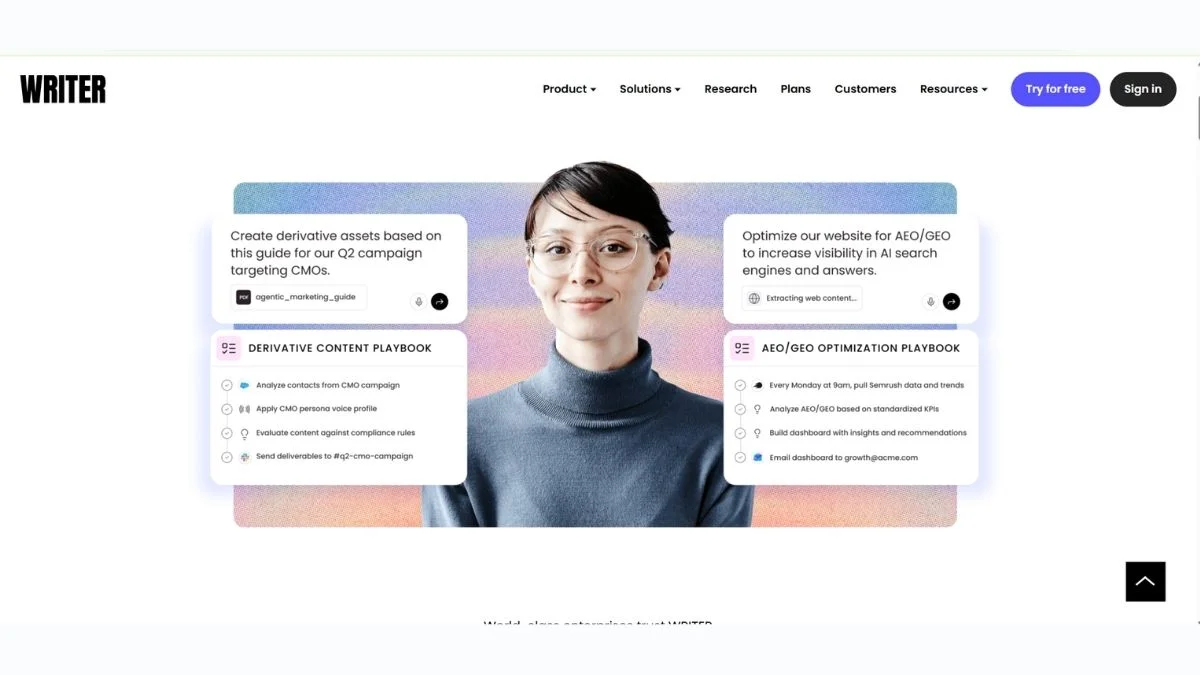
9 Best Writer.com Alternatives in 2026 (Honest Breakdown)

Writer.com is a polished AI writing platform — no argument there. But if you're paying $18–$200+/month and still hitting walls with word limits, weak customization, or features locked behind enterprise plans, it's completely fair to ask: is there something better out there?
The short answer? Yes — several somethings.
Whether you're a solo blogger, a content team, a developer, or a startup founder, this guide breaks down the 9 best Writer.com alternatives you should actually consider in 2026. Each one is evaluated honestly — no fluff, no affiliate hype.
Here's what you'll walk away with:
- A clear comparison of the top tools
- Real pros and cons (not the marketing version)
- Specific recommendations based on your use case
- A comparison table to make your decision faster
Let's get into it.
What Is Writer.com and Why Look for Alternatives?
Writer.com is an enterprise-grade AI writing assistant designed for content teams. It offers brand voice controls, style guides, content templates, and an AI model trained on your company's data.
It's genuinely good. But here's the thing — it's built for enterprise teams, not individuals or small businesses.
Common complaints that push people toward alternatives:
- Pricing — The team plans start at $18/user/month, and full enterprise pricing is opaque
- Limited free tier — The free plan is barely functional for real use
- Overkill for solo creators — Many features are team/workflow-specific
- Learning curve — Setting up brand voice and style guides takes time
- No image generation — Some competitors offer multimodal features Writer doesn't
If any of those hit close to home, keep reading.
Quick Comparison Table
| Tool | Best For | Free Plan | Starting Price | Standout Feature |
|---|---|---|---|---|
| Jasper AI | Marketing teams | ❌ | ~$39/mo | Brand voice + templates |
| Copy.ai | Startups & freelancers | ✅ | Free / $36/mo | Workflow automation |
| Writesonic | SEO content | ✅ | Free / $16/mo | Chatsonic + SERP data |
| Notion AI | Note-takers & teams | ❌ (add-on) | $10/mo add-on | Built into Notion |
| QuillBot | Editing & paraphrasing | ✅ | Free / $9.95/mo | Paraphrase engine |
| Grammarly | Grammar & polish | ✅ | Free / $12/mo | Real-time editing |
| HubSpot AI | Marketing + CRM users | ✅ | Free | CRM integration |
| Rytr | Budget users | ✅ | Free / $9/mo | Cheapest full-featured tool |
| ChatGPT (Plus) | Flexible power users | ✅ | Free / $20/mo | Most versatile AI |
1. Jasper AI — Best for Marketing Teams
What it is: Jasper is one of the most established AI content platforms built specifically for marketing. It comes with 50+ templates, a campaign workflow builder, and one of the most sophisticated brand voice engines available.
Best use case: Marketing teams producing high-volume ad copy, blog posts, emails, and social content at scale.
Key advantage: Jasper's Brand Voice feature lets you upload existing content and train the AI to write in your exact style — making it a direct Writer.com competitor at the brand consistency level.
Pros:
- Rich template library (50+ use cases)
- Excellent brand voice customization
- Integrates with Surfer SEO for optimized content
- Solid Chrome extension
Cons:
- No free plan — 7-day trial only
- Gets expensive for large teams
- Output can feel formulaic without good prompts
Who should use it: Content marketing teams, agencies, and brands that need consistent, on-brand output across multiple channels.
Pricing: Starts at ~$39/month for individual plans.
🔗 Related: Best AI Tools for Content Creators | Jasper AI vs Copy.ai vs Writesonic
2. Copy.ai — Best for Startups and Freelancers
What it is: Copy.ai started as a simple AI copywriting tool and has since evolved into a full workflow automation platform for marketing teams. It handles everything from first drafts to multi-step content pipelines.
Best use case: Startups and freelancers who need fast, good-enough content without paying enterprise prices.
Key advantage: Copy.ai's free plan is genuinely usable — you get unlimited projects and access to GPT-4-powered outputs without a credit card.
Pros:
- Generous free plan
- Workflow builder is surprisingly powerful
- Clean, simple interface
- Good for cold emails, social posts, and blog outlines
Cons:
- Less brand voice depth than Writer or Jasper
- Can produce generic-sounding content without specific prompts
- Workflow builder has a slight learning curve
Who should use it: Freelancers, solo founders, and early-stage teams that want AI writing without high monthly costs.
Pricing: Free plan available; Pro starts at $36/month.
🔗 Related: Best Copy.ai Alternatives | Free AI Tools Every Freelancer Needs
3. Writesonic — Best for SEO Content (A Hidden Gem)
What it is: Writesonic is an AI writing tool with a strong emphasis on SEO-optimized content. It comes with Chatsonic (a ChatGPT-like interface with web access), an article writer, and real-time SERP data integration.
Best use case: Bloggers, SEO professionals, and content teams who need articles optimized for Google rankings.
Key advantage: Writesonic can generate long-form blog posts with factual data pulled from the web in real time — something static AI tools can't do.
Pros:
- Real-time web access for factual content
- Long-form article writer with SEO scoring
- Botsonic for building AI chatbots
- Photosonic for AI image generation
- Affordable entry-level pricing
Cons:
- Output quality varies — sometimes needs heavy editing
- Interface has a lot going on; can feel cluttered
- Free plan is quite limited
Who should use it: SEO content writers, digital marketers, and anyone who needs articles that rank.
Pricing: Free plan available; paid plans from $16/month.
🔗 Related: Top Writesonic Alternatives for SEO Blog Writing | 9 Best Free AI SEO Tools to Rank #1 | Free SEO Checker Online — 20 Best Tools
4. Notion AI — Best for Organized Teams Already Using Notion
What it is: Notion AI is an add-on built directly into the Notion workspace. If your team already lives in Notion — meeting notes, wikis, project management — this brings AI into your existing workflow instead of adding another tool.
Best use case: Teams using Notion as their central workspace who want AI assistance without context-switching.
Key advantage: Zero context switching. Your AI assistant lives where your notes and docs already are. It can summarize meeting notes, draft action items, expand outlines, and rewrite docs — all without opening a new tab.
Pros:
- Seamlessly integrated into Notion
- Excellent for summarization and editing
- Affordable if you're already paying for Notion
- No extra account to manage
Cons:
- Not a standalone tool — requires Notion subscription
- Less powerful for long-form original content
- No brand voice training
- Limited SEO-specific features
Who should use it: Teams and individuals already invested in the Notion ecosystem.
Pricing: $10/month add-on to any Notion plan.
🔗 Related: Notion AI vs ChatGPT — Which Should You Use? | Notion Alternatives | Best Free AI Note Taking Apps 2026
5. QuillBot — Best for Editing and Paraphrasing
What it is: QuillBot is a specialized AI tool focused on paraphrasing, grammar checking, and text improvement rather than original content generation. It's the go-to tool for rewriting existing content.
Best use case: Students, researchers, and content editors who need to rephrase, summarize, or polish existing text.
Key advantage: QuillBot's paraphrase engine offers multiple rewriting modes (Standard, Fluency, Formal, Academic, Creative, etc.) that give you genuine control over tone and style — something most writing tools don't offer.
Pros:
- Best-in-class paraphrasing
- Strong free plan
- Grammar checker included
- Summarizer and citation generator built in
- Browser extension works across any site
Cons:
- Not designed for long-form original content
- Less useful for marketing copy
- Premium plan needed for all modes
Who should use it: Students, academics, editors, and anyone who rewrites more than they write from scratch.
Pricing: Free plan available; Premium from $9.95/month.
🔗 Related: QuillBot Review & Complete Guide | QuillBot vs Wordtune vs Grammarly | QuillBot Alternatives
6. Grammarly — Best for Real-Time Writing Polish
What it is: Grammarly is the world's most widely-used AI writing assistant, primarily focused on grammar, spelling, clarity, and tone rather than content generation. In recent updates, it added a full generative AI feature called GrammarlyGO.
Best use case: Professionals, students, and teams who want their writing polished in real time — across every app they use.
Key advantage: Grammarly works everywhere — Gmail, Google Docs, Slack, LinkedIn, social media, your browser. No other tool on this list has that breadth of native integration.
Pros:
- Real-time corrections across 500+ apps
- Tone detection and suggestions
- Plagiarism checker (Premium)
- GrammarlyGO for generative AI tasks
- Excellent free plan
Cons:
- GrammarlyGO is less powerful than dedicated AI writers
- Premium pricing is higher than some alternatives
- Can over-correct creative writing styles
Who should use it: Anyone who writes professionally and wants consistent, polished output across all their tools.
Pricing: Free plan available; Premium from $12/month.
🔗 Related: Grammarly Review & Beginner's Guide | Grammarly Alternatives | Best Free Grammar Checkers | Grammarly vs ProWritingAid vs Hemingway
7. HubSpot AI Writing Tools — Best If You're in the HubSpot Ecosystem
What it is: HubSpot has embedded AI writing tools throughout its CRM and marketing platform — from email subject line generators to blog post drafters and social media copy creators.
Best use case: Marketing and sales teams already using HubSpot who want AI-powered writing without a separate subscription.
Key advantage: Deep CRM integration. HubSpot AI can pull contact data, past interactions, and campaign context to write highly personalized emails, proposals, and follow-ups — something standalone writers can't do.
Pros:
- Included in HubSpot's free tools (no extra cost)
- Context-aware writing using CRM data
- Email, blog, social, and ad copy all covered
- No learning curve if you're already on HubSpot
Cons:
- Only valuable if you're using HubSpot
- Less powerful than dedicated AI writers
- Limited customization vs. Writer.com brand voice
Who should use it: Sales and marketing teams on HubSpot CRM looking to speed up content creation.
Pricing: Included in free HubSpot plan; paid plans from $15/month.
🔗 Related: HubSpot Alternative — Pricing & Cost Breakdown | Free AI Marketing Tools for Startups | Free AI Customer Service Tools
8. Rytr — Best Budget-Friendly Writer.com Alternative
What it is: Rytr is a budget-first AI writing tool that covers 40+ use cases — from blog posts and emails to ad copy and product descriptions. It's simple, fast, and surprisingly effective for the price.
Best use case: Freelancers, solopreneurs, and small businesses that need decent AI writing at the lowest possible cost.
Key advantage: Unbeatable value. For $9/month (Saver plan), you get 100k characters/month — more than enough for most individual users. No other full-featured AI writer matches this pricing.
Pros:
- One of the cheapest AI writing tools available
- Clean, distraction-free interface
- Supports 30+ languages
- Tone selector across 20+ options
- Built-in plagiarism checker
Cons:
- Output can feel generic without detailed prompts
- No real-time web access
- Less suited for long-form 2000+ word articles
- Lacks brand voice depth of Writer or Jasper
Who should use it: Solo creators, students, and small business owners watching their budget.
Pricing: Free plan (10k characters/month); Saver at $9/month; Unlimited at $29/month.
🔗 Related: Best Free AI Writing Tools — No Word Limit | Free AI Content Generators for Bloggers | Free AI Essay Writers — No Plagiarism
9. ChatGPT (Plus) — Most Versatile Alternative
What it is: You already know ChatGPT. OpenAI's flagship model — now with memory, file uploads, browsing, and image generation built in — is the Swiss Army knife of AI tools.
Best use case: Power users who want maximum flexibility across writing, coding, research, and creative tasks.
Key advantage: Breadth. ChatGPT can write a blog post, analyze a spreadsheet, generate images, browse the web, and debug code — all in one interface. No other tool on this list is this versatile.
Pros:
- Extremely capable for complex, nuanced writing
- Web browsing, image generation, and code interpreter included (Plus)
- Massive community and plugin ecosystem
- Flexible via custom instructions and system prompts
- Fast and highly capable model
Cons:
- No dedicated content marketing templates
- No built-in SEO scoring or integration
- Requires good prompting to get great output
- Brand voice consistency requires manual effort
Who should use it: Writers, developers, researchers, and anyone who wants one tool that does everything.
Pricing: Free (limited access); ChatGPT Plus at $20/month for full features.
🔗 Related: ChatGPT vs Claude vs Gemini — Which AI Wins? | Best Free ChatGPT Alternatives | ChatGPT Alternatives | Free AI Chatbots With Unlimited Messages | Free AI Assistants Better Than ChatGPT
How to Choose the Right Writer.com Alternative
Still not sure which one to pick? Here's a quick decision guide:
You want brand consistency for a team → Jasper AI Jasper's brand voice and campaign workflows are built exactly for this.
You need SEO-optimized content → Writesonic Real-time SERP data and factual article writing make it the top SEO pick.
You're on a tight budget → Rytr $9/month with solid output is hard to beat for individual use.
You want editing power, not generation → Grammarly or QuillBot Both are excellent for polishing and refining — not starting from scratch.
You live inside Notion → Notion AI No reason to leave your workspace for a writing assistant.
You want maximum flexibility → ChatGPT Plus The most capable tool for complex, varied tasks.
Expert Tips for Getting the Most Out of Any AI Writer
Here are a few principles that hold true regardless of which tool you choose:
Always give context. The more you tell the AI about your audience, goal, and tone, the better the output. A 2-sentence prompt gives you a generic result. A 6-line prompt gives you something usable.
Use AI to draft, not to publish. The best workflows treat AI as a first-draft machine. You add the insight, personality, and facts.
Train brand voice wherever possible. Most premium tools let you upload your existing content to calibrate tone. Use this feature — it's the single biggest output quality boost.
Fact-check anything specific. AI tools hallucinate. Any stats, product names, dates, or claims need independent verification before publishing.
Combine tools strategically. Many professionals use ChatGPT for ideation, Writesonic for article drafts, and Grammarly for final polish. You don't have to commit to just one.
🔗 Related: Best Prompt Engineering Techniques for Developers | Does AI-Generated Content Hurt Your SEO? | How AI Is Changing SEO | Essential Content Optimization Practices
Who Should Stick With Writer.com?
To be fair — Writer.com is still the best choice in specific situations:
- You're a large content team that needs strict brand consistency enforced across multiple writers
- You need enterprise-grade compliance (SOC 2, GDPR, data privacy controls)
- You want an AI trained on your company's internal knowledge base
- You're running a content operations workflow with review stages, approvals, and style enforcement
If that describes you, Writer.com is worth the cost. But for most individual users and small teams, the alternatives above deliver more value per dollar.
Further Reading
Exploring AI writing tools is just one piece of building a strong content strategy. Here are more guides to help you go deeper:
- Free vs Paid AI Writing Tools — Is Upgrading Worth It?
- Best AI Tools Complete Guide with Pros & Cons
- Best AI Tools for Productivity
- Top 10 AI Tools You Must Try
- 25 Best AI Tools for Every Profession
- AI Tools — 7 Game Changers for Explosive SEO in 2025
- Best Jasper AI Alternatives for Marketing Copy
- Best HIX AI Alternatives for All-in-One AI Writing
- Free AI Copywriting Tools for Marketing
- Best Free AI Tools to Use Daily
- Top 100 Best AI Tools
- Free AI Tools for Small Businesses That Save Hours Every Week
- Free AI Productivity Tools for Teams
- Best Wordtune Alternatives for Sentence Rewriting
- Best Jenni AI Alternatives for Academic Writing
- ChatGPT vs Jasper AI — Which Gives Better Marketing Copy?
- Top Free Jasper AI Alternatives for Small Businesses
- Best AI Coding Assistants
- Ultimate List of Best AI Tools for Beginners
Frequently Asked Questions
What is the best free alternative to Writer.com?
Copy.ai offers the most capable free plan among Writer.com alternatives. You get unlimited projects, GPT-4-powered outputs, and basic workflow tools at no cost. QuillBot and Grammarly also have strong free tiers — though they're more focused on editing than original content generation. If you need maximum flexibility for free, ChatGPT's base plan is also worth considering for versatile writing tasks.
Is Jasper AI better than Writer.com?
For most marketing teams, Jasper AI is a strong alternative — especially for brand voice control and campaign-level content workflows. The key difference is focus: Writer.com is more enterprise and compliance-focused, while Jasper leans into marketing templates and multi-channel content creation. If you're a marketing team (not a large enterprise), Jasper often delivers more practical value day-to-day.
Which Writer.com alternative is best for SEO content?
Writesonic is the top choice for SEO-focused content. It integrates real-time web data to keep articles factually current, includes SERP-aware writing tools, and supports long-form articles with built-in SEO scoring. For deeper optimization, pairing Writesonic with a dedicated keyword research tool or website SEO score checker gives you the most complete workflow.
Can I replace Writer.com with ChatGPT?
Yes — for most individual users and small teams, ChatGPT Plus ($20/month) can fully replace Writer.com. You lose dedicated brand voice management and structured content templates, but you gain unmatched flexibility and the most capable AI model available. The main trade-off is that ChatGPT requires more manual prompting discipline to produce consistently branded content.
What is the cheapest Writer.com alternative that still works well?
Rytr at $9/month is the best value option. For solo creators and freelancers who need reliable AI-assisted writing without advanced team features, Rytr covers all the basics — multiple tones, 40+ use cases, and 30+ languages — at a price that's genuinely hard to argue with.
Are these tools safe for business use?
Most major AI writing tools comply with GDPR and offer data privacy controls at the paid tier. However, if you handle sensitive enterprise data, check each platform's data retention and processing policies carefully before uploading proprietary information. Writer.com has an edge for strict enterprise compliance. For general business content, Jasper, Writesonic, and Grammarly are all widely used by companies of all sizes.
Conclusion
Writer.com is a capable tool — but it's not the only option, and for many users it's not even the best one.
Here's the quick summary:
- Best overall alternative: Jasper AI (for marketing teams)
- Best for SEO: Writesonic
- Best free option: Copy.ai
- Best for editing: Grammarly or QuillBot
- Best budget pick: Rytr
- Most versatile: ChatGPT Plus
The right tool depends on what you actually need. If you're producing high-volume, on-brand content as a team, Jasper or Writer.com are neck and neck. If you're a solo creator trying to get more done without overpaying, Rytr, Copy.ai, or ChatGPT will serve you far better.
Don't pay for features you don't use. Try the free plans before committing, and always test output quality against your actual use cases — not marketing demos.
Want to go deeper? Explore the full BrightSEO Tools AI category for more in-depth reviews, comparisons, and free tools to help you work smarter in 2026.